What is the hotel maintenance log form template?
A dripping tap, a broken safe, an air conditioner that won't cool — hotels deal with dozens of small defects every week. When they're logged on scraps of paper or passed along by radio, jobs get forgotten, repeat problems go unnoticed and nobody knows how many room-nights were lost to out-of-order rooms.
This hotel maintenance log records each defect with where it is, who reported it, the category and priority, and whether the room was taken out of order — then the work carried out, parts and labour, and sign-off. Guest room defects ask for the room number, contractor jobs ask for the contractor and reference, and repeat faults ask for the likely cause.
Every entry is saved as a PDF in your FileIt vault, building a searchable history per room and per category.
- Best for
- Hotels, resorts, serviced apartments and hostels
- Filled in by
- Engineering and maintenance staff, housekeeping or front office
- Time to complete
- About 3–5 minutes per job
- Includes
- Priority, out-of-order tracking, photos, parts cost, labour hours, repeat-fault notes, technician signature
Who uses a hotel maintenance log form?
- Housekeeping reports a broken shower head found during cleaning
- Front desk logs a guest complaint about a noisy air conditioner
- An engineer records planned maintenance on the pool pump
- A duty manager takes a room out of order after a leak
- A chief engineer reviews repeat faults in the same rooms each month
- A small hotel without maintenance software keeps a proper repair history
Questions on this hotel maintenance log form
27 questions over 2 pages · includes signature, file upload, conditional questions, multiple pages.
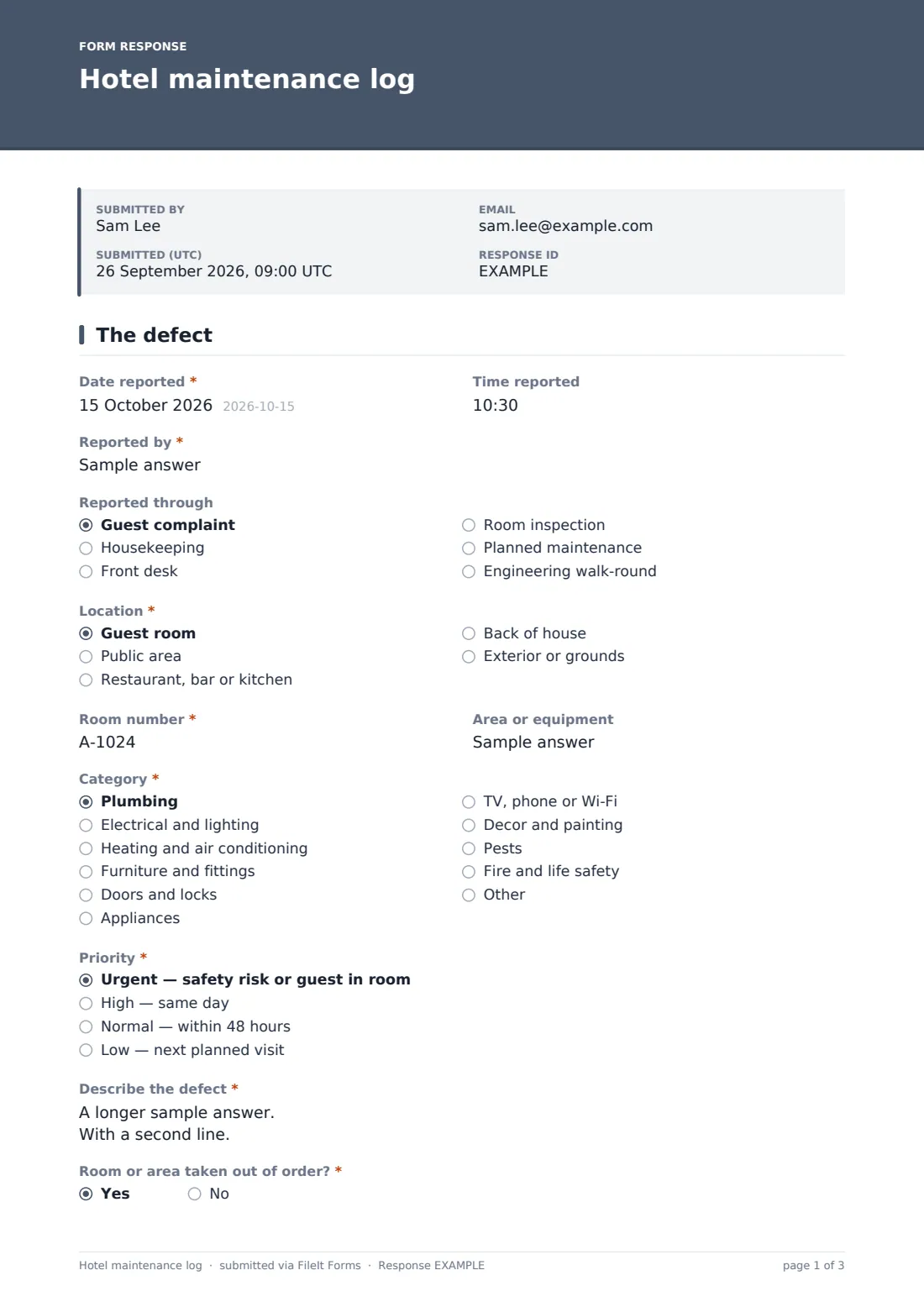
1 The defect
- Date reported*
- Time reported
- Reported by*
- Reported through Guest complaint · Housekeeping · Front desk · Room inspection · Planned maintenance · Engineering walk-round
- Location* Guest room · Public area · Restaurant, bar or kitchen · Back of house · Exterior or grounds
- Room number* asked only when it applies
- Area or equipment
- Category* Plumbing · Electrical and lighting · Heating and air conditioning · Furniture and fittings · Doors and locks · Appliances · TV, phone or Wi-Fi · Decor and painting · Pests · Fire and life safety · Other
- Priority* Urgent — safety risk or guest in room · High — same day · Normal — within 48 hours · Low — next planned visit
- Describe the defect*
- Room or area taken out of order?*
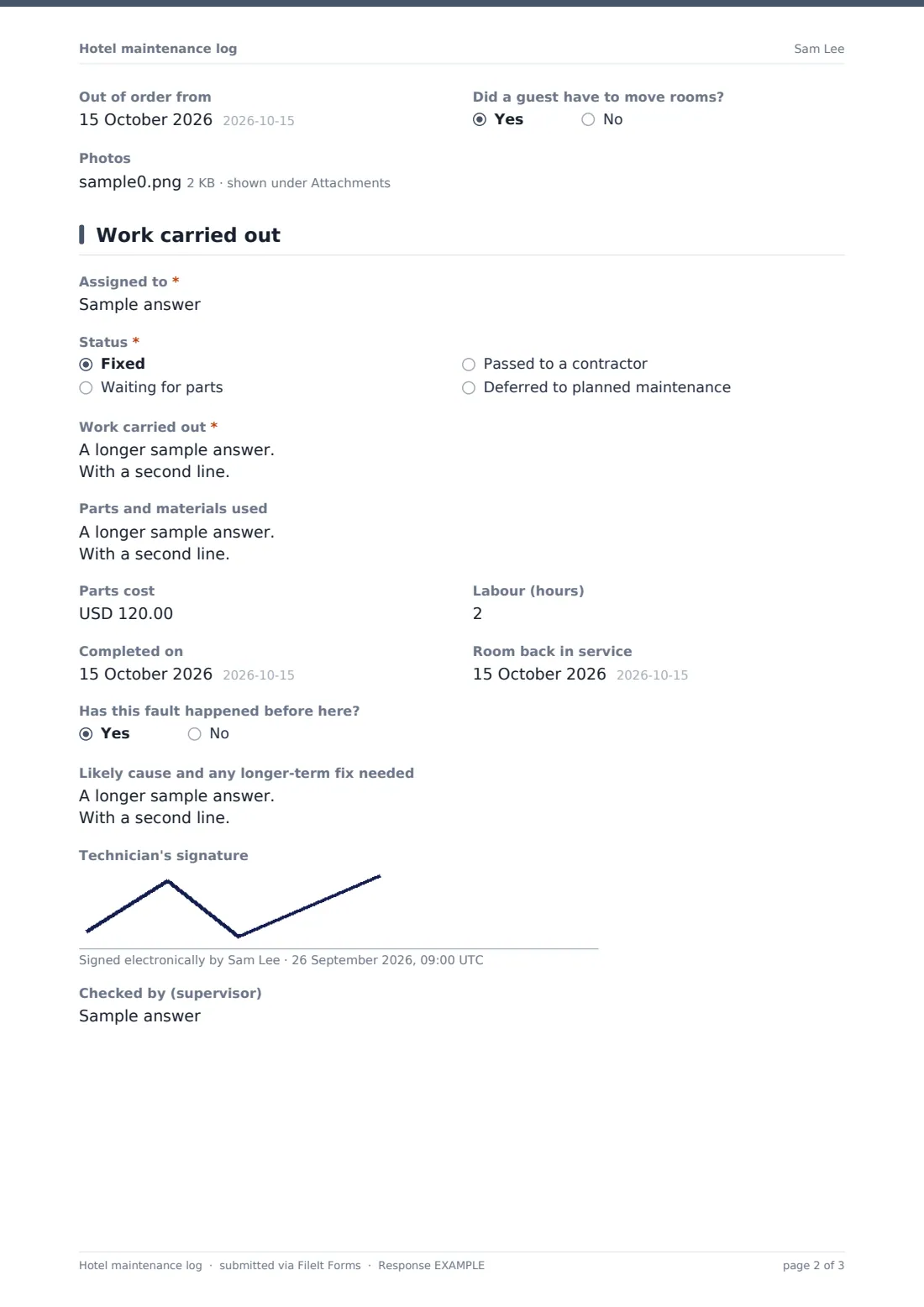
- Out of order from asked only when it applies
- Did a guest have to move rooms? asked only when it applies
- Photos
2 Work carried out
- Assigned to*
- Status* Fixed · Waiting for parts · Passed to a contractor · Deferred to planned maintenance
- Contractor and job reference* asked only when it applies
- Work carried out*
- Parts and materials used
- Parts cost
- Labour (hours)
- Completed on asked only when it applies
- Room back in service asked only when it applies
- Has this fault happened before here?
- Likely cause and any longer-term fix needed asked only when it applies
- Technician's signature
- Checked by (supervisor)
The hotel maintenance log form, page by page
1 The defect
The log starts with when the defect was reported, by whom and through which channel — a guest complaint, housekeeping, front desk, room inspection, planned maintenance or an engineering walk-round. Staff choose the location; guest rooms require a room number, and any job can name the area or equipment. A category (plumbing, electrical, HVAC, doors and locks, TV and Wi-Fi, fire and life safety and more), a priority from urgent to low, and a description follow.
If the room or area is taken out of order, the log records the date and whether a guest had to move rooms. Photos can be attached.
2 Work carried out
Staff record who the job is assigned to and its status: fixed, waiting for parts, passed to a contractor (which asks for the contractor and job reference) or deferred. They describe the work done, parts and materials, parts cost and labour hours. Fixed jobs record the completion date, and out-of-order rooms record when they went back into service. If the fault has happened before, a box asks for the likely cause and any longer-term fix. The technician signs and a supervisor's name records the check.
Make the template yours
- Add your own categories, such as kitchen equipment or lifts
- Change the priority descriptions to match your response times
- Replace the location options with your building's wings or floors
- Change the parts cost currency
- Route entries into a Maintenance folder per property
- Remove the signature field if the log is only used internally
Tips for a better hotel maintenance log form
- Log every defect, however small — the pattern matters more than any single job
- Record out-of-order dates accurately to understand lost room-nights
- Photograph the defect before and after repair
- Review repeat faults monthly and plan longer-term fixes
- Export the log before budget planning to support equipment replacement requests
Every response becomes a PDF in your vault
Each entry is saved as a PDF in your vault with its photos. Owner notifications can alert the chief engineer to new jobs.
The Responses table lets you filter by date and export to CSV to count jobs by category, room or priority.
- Start from this template. It opens in the FileIt Forms designer — change any question, add pages, set the rules for when questions appear.
- Share it. Turn on a public link, or send it to people by email, each with their own link. They don’t need a FileIt account.
- Get the answers as PDFs. Each response is saved as a PDF in the vault folder you choose, with uploaded files attached — and listed in a Responses table you can export to CSV.
Hotel maintenance log form: frequently asked questions
Is this hotel maintenance log template free?
Yes. It's included in the Forms app on every FileIt account, including the free plan.
Can housekeeping staff use it on their phones?
Yes. It works in any browser, and photos can be taken and uploaded straight from a phone.
Can we update an entry after the job is done?
Each submission is a record in its own right. Many teams log the defect and the fix together once the job is complete, or submit a second entry when a job is finished.
Does it integrate with our property management system?
No. Room status changes still need to be made in your own system.
Can we track costs?
Yes. Parts cost and labour hours are recorded for each job and can be exported to CSV.
Can we use it for planned maintenance too?
Yes. Choose planned maintenance as the source when logging scheduled work.
Who sees the entries?
Entries are saved to the vault folder you choose.