What is the sickness absence self-certification form template?
Short sickness absences are common and usually simple, but they still need a record: which days were missed, how the absence was reported, and the person's own confirmation that they were unwell. Paper self-certification forms get lost between the manager's desk and payroll. This template moves the whole thing online.
The employee gives the first and last day of absence, the return date and the working days missed, says how they let you know, and chooses a reason from a short list that deliberately avoids medical detail. Follow-up questions appear only when they're needed: what stopped them reporting the absence, whether a work-related illness has been reported as an incident, or what changes might help their return.
Every completed form is filed as a PDF in your FileIt vault, with any doctor's note attached, so absence and payroll records sit in one place.
- Best for
- Employers recording short sickness absences for absence tracking and pay
- Filled in by
- The employee, on or soon after their return to work
- Time to complete
- About 5 minutes
- Includes
- A privacy-minded reason list, work-related follow-ups, an optional note upload and a signed declaration
Who uses a sickness absence self-certification form?
- Replacing a paper self-certificate that employees fill in on their first day back
- Recording absences for shift workers who rarely sit at a desk, from a phone
- Giving payroll a signed record of the dates and working days missed
- Flagging absences that may be linked to work so they can be looked into
- Prompting a return-to-work conversation when someone needs changes or wants to talk
Questions on this sickness absence self-certification form
23 questions over 4 pages · includes signature, file upload, conditional questions, multiple pages, consent checkbox.
1 Your details
- Your name*
- Email*
- Employee or payroll number
- Job title
- Line manager*
2 The absence
- First day of absence*
- Last day of absence*
- Date you returned, or expect to return, to work*
- Working days missed*
- How did you let us know you were unwell?* Phoned my manager · Messaged or emailed my manager · Called the absence line · Someone told you on my behalf · I wasn't able to let you know
- What stopped you from letting us know?* asked only when it applies
3 Reason
- Reason for absence* Cold, flu or a virus · Stomach upset · Headache or migraine · Back, joint or muscle pain · Injury · Stress, anxiety or low mood · Medical or dental appointment · Prefer to discuss privately · Other
- Brief description
- Was the illness or injury caused or made worse by work?*
- Has it been reported as a workplace incident?* asked only when it applies
- Did you see a doctor or other health professional?*
- Doctor's note or fit note, if you have one asked only when it applies
4 Returning to work
- How do you feel about returning?* Fully fit to return · Fit to return with some changes for a while · Not sure yet
- What changes might help?* asked only when it applies
- Would you like a private conversation with your manager or HR?
- Declaration*
- Signature*
- Date*
The sickness absence self-certification form, page by page
1 Your details
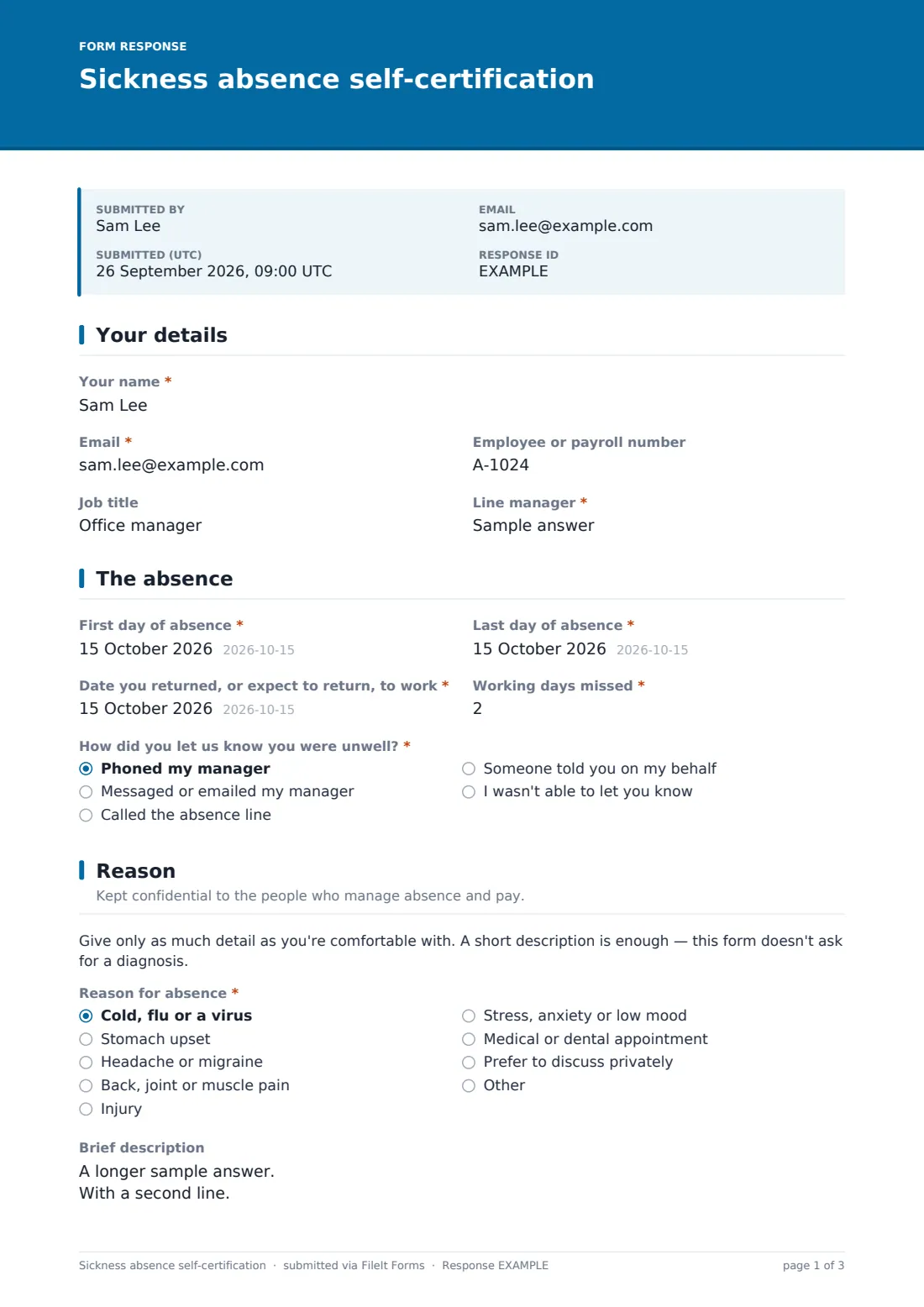
The employee enters their name, email, employee or payroll number, job title and line manager.
2 The absence
Four questions set out the dates: First day of absence, Last day of absence, the date they returned or expect to return, and the Working days missed, with half days counted as 0.5. How did you let us know you were unwell? offers a phone call, a message, the absence line, someone else on their behalf, or I wasn't able to let you know. That last answer opens a required question asking what stopped them.
3 Reason
A short note reminds the employee to give only as much detail as they're comfortable with, and that no diagnosis is needed. The Reason for absence list covers common causes, from cold, flu or a virus to stress, anxiety or low mood, and includes Prefer to discuss privately. An optional Brief description follows.
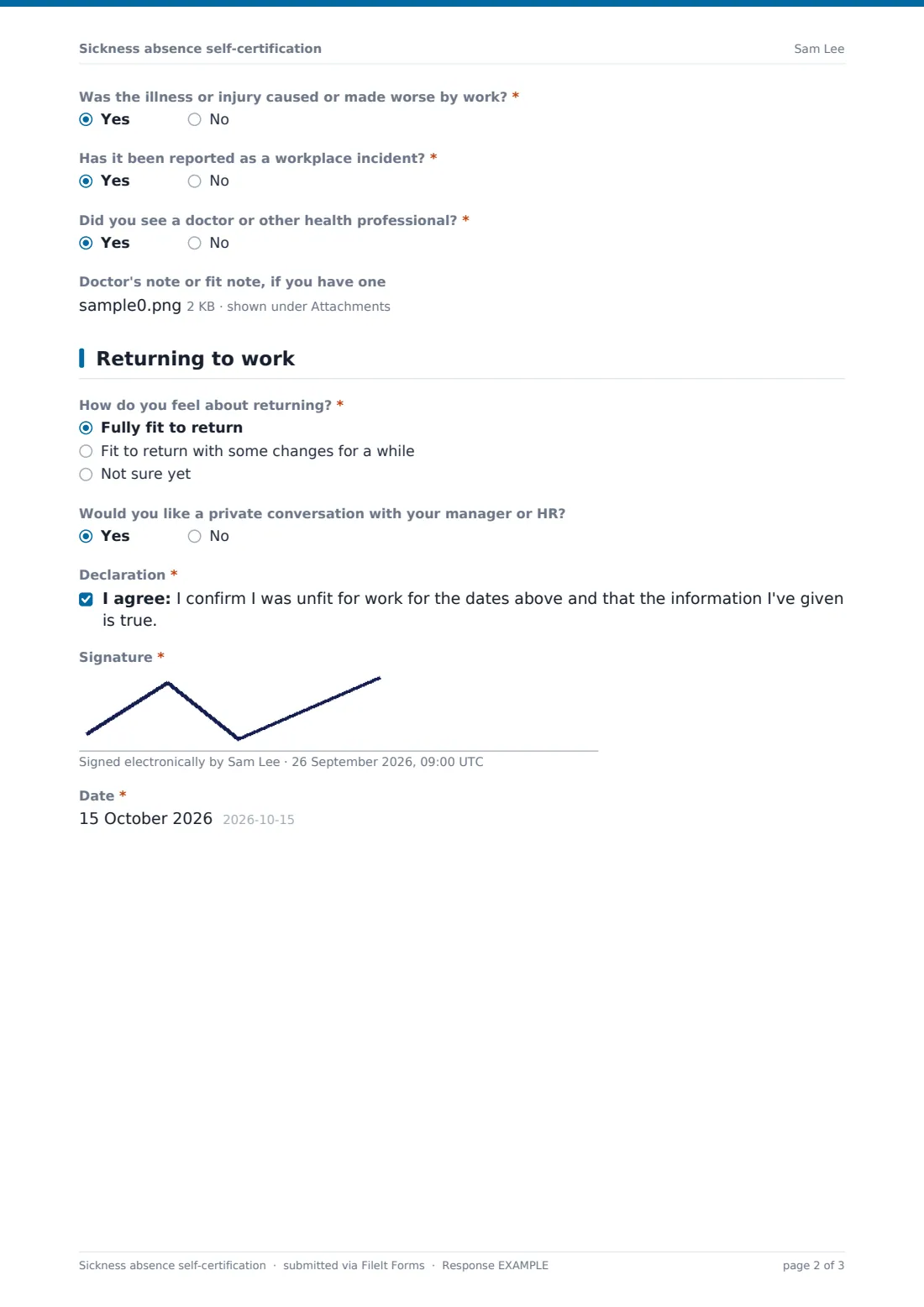
If they answer Yes to Was the illness or injury caused or made worse by work?, the form asks whether it has been reported as a workplace incident. A Yes to seeing a doctor or other health professional opens an upload for a doctor's note or fit note.
4 Returning to work
How do you feel about returning? offers fully fit, fit with some changes for a while, or not sure yet. Choosing changes asks what might help, such as lighter duties or a phased return. The employee can ask for a private conversation with their manager or HR, then ticks the declaration, signs and dates the form.
Make the template yours
- Match the reason list to the categories your absence reports already use
- Add a question for the manager to confirm the dates if your process needs it
- Send responses to a private HR folder rather than a team-wide one
- Add payroll to the notification emails so pay is adjusted promptly
- Change the declaration wording to reference your own absence policy
Tips for a better sickness absence self-certification form
- Keep the reason list general so nobody feels pushed to share medical details
- Ask employees to fill it in on their first day back, while dates are fresh
- Follow up on every Yes to the work-related question, even when it seems minor
- Limit who can open the vault folder these forms are filed in
- Use the private conversation request as a prompt, not a formality
Every response becomes a PDF in your vault
When the employee submits, FileIt saves the form as a PDF in the vault folder you chose, titled with their name and the date, with any uploaded note attached to the document. The owner is emailed straight away, and the employee can get a copy of the PDF by email.
The Responses table shows every absence in one list. Open a PDF to review it, search by name, or export to CSV to total working days missed by team or month.
- Start from this template. It opens in the FileIt Forms designer — change any question, add pages, set the rules for when questions appear.
- Share it. Turn on a public link, or send it to people by email, each with their own link. They don’t need a FileIt account.
- Get the answers as PDFs. Each response is saved as a PDF in the vault folder you choose, with uploaded files attached — and listed in a Responses table you can export to CSV.
Sickness absence self-certification form: frequently asked questions
Is this sickness self-certification form free?
Yes. It's a starter template in the FileIt Forms app, and every question can be edited.
Does the form ask for a diagnosis?
No. The reason list is deliberately general, includes Prefer to discuss privately, and the description is optional.
Does this form replace a doctor's note?
It records the employee's own confirmation. Whether and when a doctor's note is needed depends on your policy and local rules, so check those and adjust the form.
Can employees fill it in on their phone?
Yes. The form works on any phone or computer, and the signature can be drawn with a finger or typed.
Who can see the answers?
The PDF is filed in the vault folder you choose, so access follows that folder. Pick one that only the people who manage absence can open.
Can I turn off the emailed copy?
Yes. Switch off the copy to the respondent in the form's settings if you'd rather not email it.