What is the roommate agreement form template?
A roommate agreement form gets everyone sharing a home to agree, in writing, on rent split, bills, chores and guest rules before small disagreements turn into bigger ones. It's built for two to four roommates to fill in together and sign at the end, rather than relying on assumptions made when everyone first moved in.
A verbal agreement made on move-in day is easy to remember differently a few months later, and a group chat full of half-agreed rules is hard to refer back to when something's disputed. A single signed document settles who pays what, how chores are shared, and what happens if someone wants to move out — and it's there to check whenever a question comes up.
This template runs on FileIt's Forms app, included on every FileIt account including the free plan. Roommates fill it in together and each signs at the end, with no FileIt account needed by anyone except the person setting up the form. The finished agreement is automatically saved as a PDF in the vault.
- Best for
- Roommates, flatmates and housemates sharing a rented or owned home
- Filled in by
- All roommates together, with each one signing at the end
- Time to complete
- About 15 minutes
- Includes
- Rent and bill splitting, chore and guest rules, up to four roommate signatures
Who uses a roommate agreement form?
- New roommates setting house rules before they move in together
- An existing household formalising an agreement that's only ever been discussed informally
- Roommates splitting rent unevenly by room size and wanting it documented
- A household agreeing quiet hours and an overnight-guest policy up front
- Roommates recording who's responsible for a shared pet
- A household setting a review date to revisit and update the agreement later
Questions on this roommate agreement form
39 questions over 4 pages · includes signature, conditional questions, multiple pages, consent checkbox.
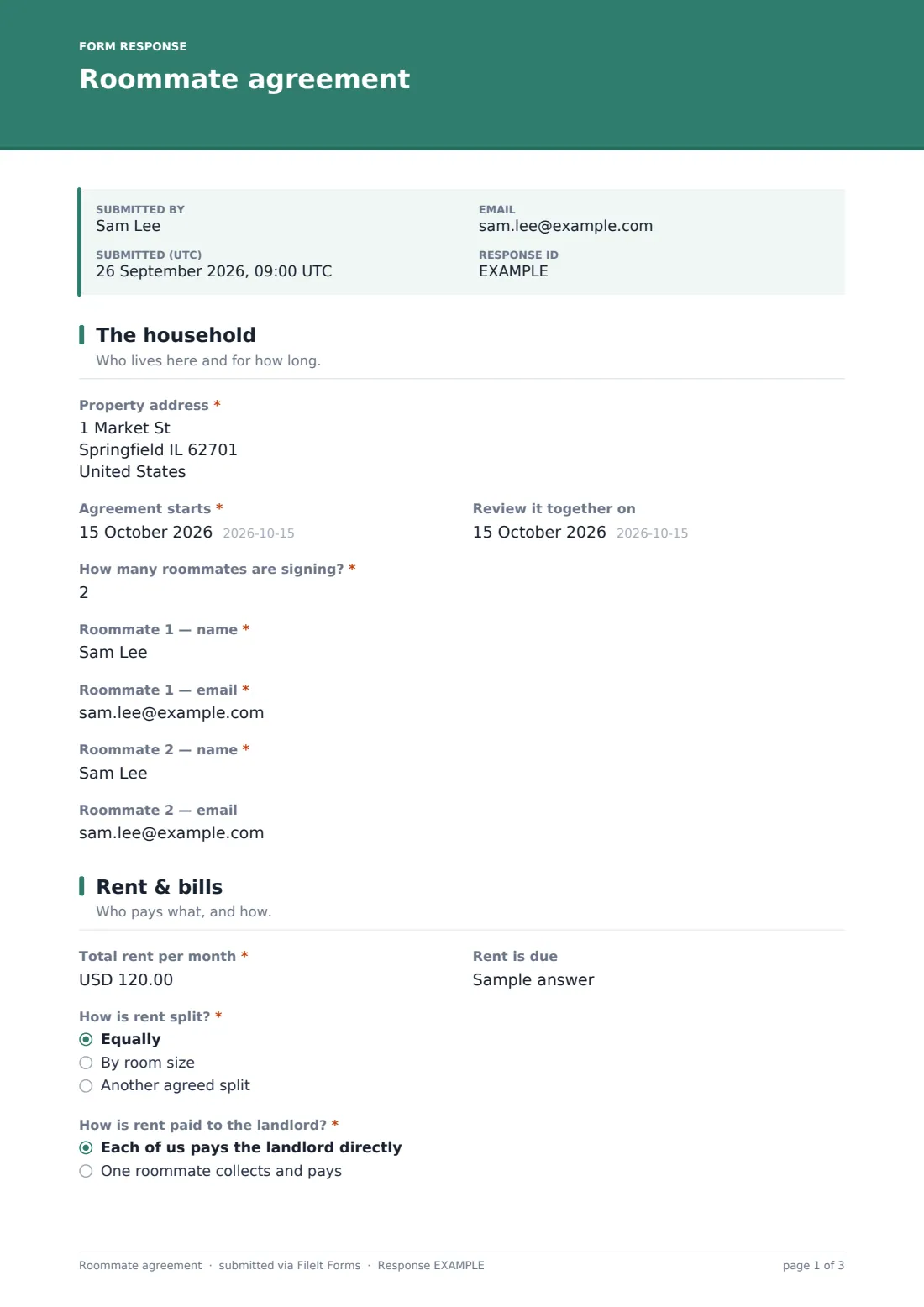
1 The household
- Property address*
- Agreement starts*
- Review it together on
- How many roommates are signing?*
- Roommate 1 — name*
- Roommate 1 — email*
- Roommate 2 — name*
- Roommate 2 — email
- Roommate 3 — name* asked only when it applies
- Roommate 3 — email asked only when it applies
- Roommate 4 — name* asked only when it applies
- Roommate 4 — email asked only when it applies
2 Rent & bills
- Total rent per month*
- Rent is due
- How is rent split?* Equally · By room size · Another agreed split
- Who pays how much* asked only when it applies
- How is rent paid to the landlord?* Each of us pays the landlord directly · One roommate collects and pays
- Who collects the rent, and by when must others pay them?* asked only when it applies
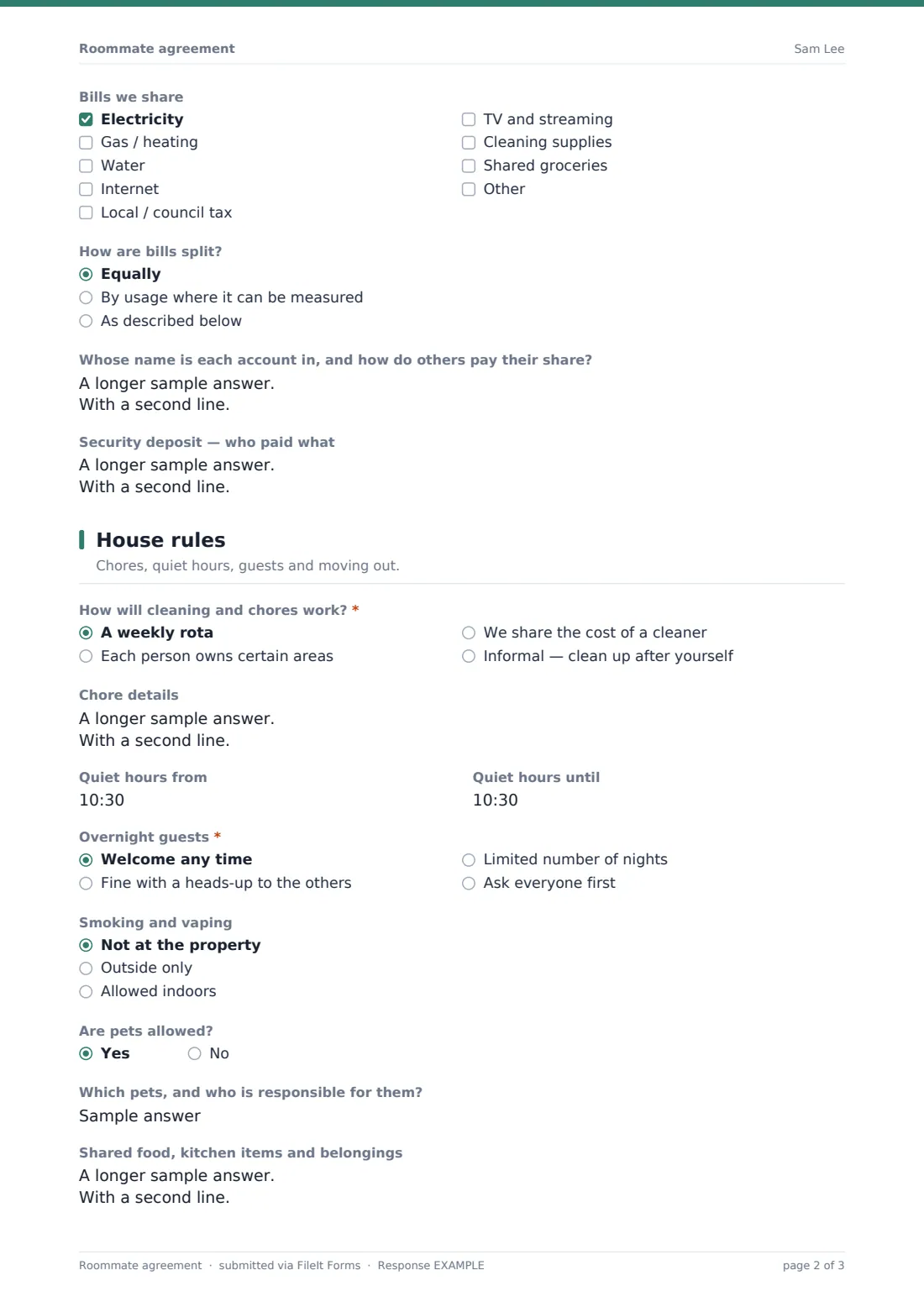
- Bills we share Electricity · Gas / heating · Water · Internet · Local / council tax · TV and streaming · Cleaning supplies · Shared groceries
- How are bills split? asked only when it applies Equally · By usage where it can be measured · As described below
- Whose name is each account in, and how do others pay their share? asked only when it applies
- Security deposit — who paid what
3 House rules
- How will cleaning and chores work?* A weekly rota · Each person owns certain areas · We share the cost of a cleaner · Informal — clean up after yourself
- Chore details
- Quiet hours from
- Quiet hours until
- Overnight guests* Welcome any time · Fine with a heads-up to the others · Limited number of nights · Ask everyone first
- Maximum nights per guest each week asked only when it applies
- Smoking and vaping Not at the property · Outside only · Allowed indoors
- Are pets allowed?
- Which pets, and who is responsible for them? asked only when it applies
- Shared food, kitchen items and belongings
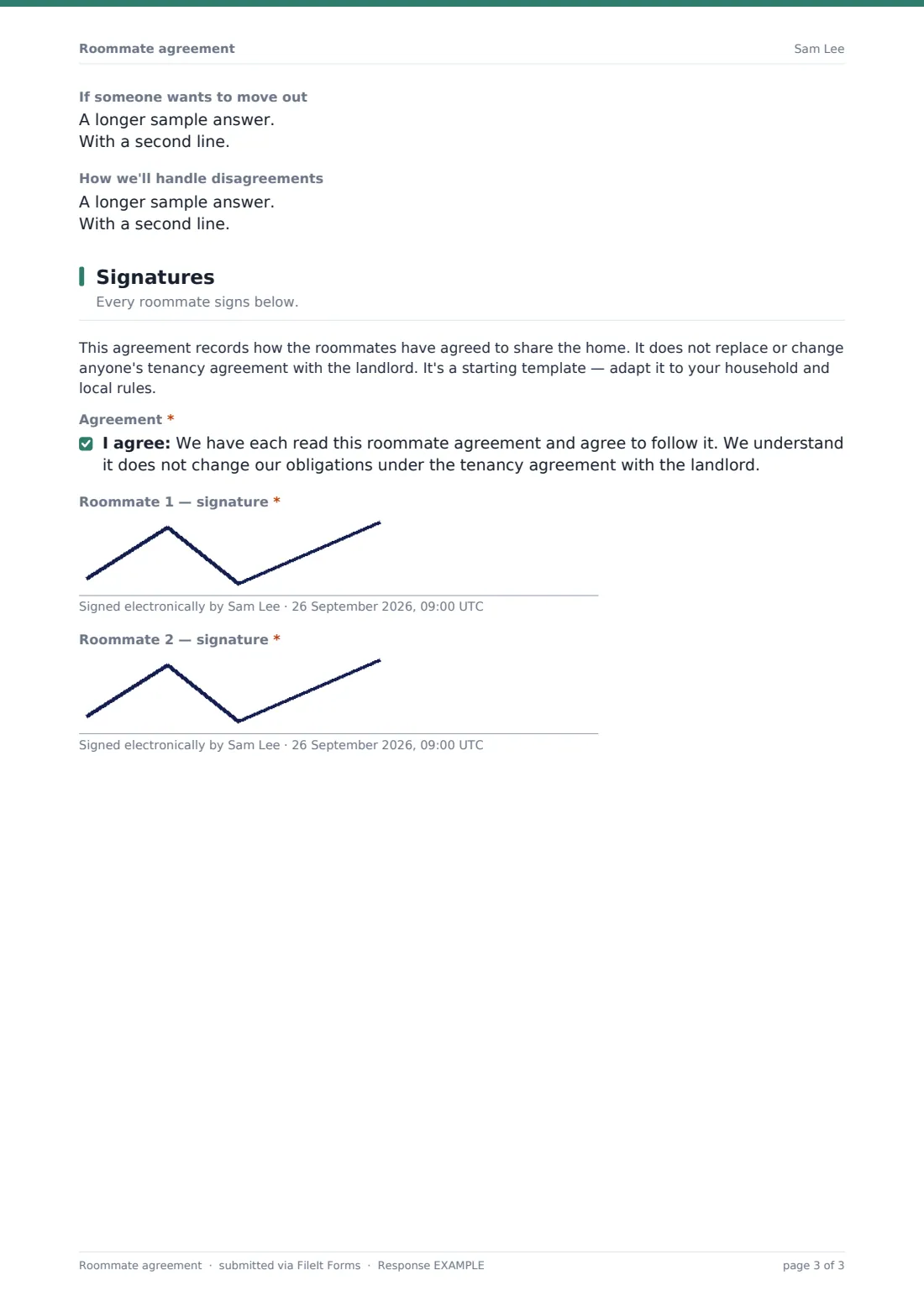
- If someone wants to move out
- How we'll handle disagreements
4 Signatures
- Agreement*
- Roommate 1 — signature*
- Roommate 2 — signature*
- Roommate 3 — signature* asked only when it applies
- Roommate 4 — signature* asked only when it applies
The roommate agreement form, page by page
1 The household
The form starts with the Property address, an Agreement starts date, and an optional Review it together on date to prompt a future check-in. How many roommates are signing? controls how many name-and-email pairs appear next — from two up to four — so the form only shows fields for roommates who are actually part of this agreement.
2 Rent & bills
Total rent per month and Rent is due set the basics, and How is rent split? offers equally, by room size, or another agreed split, opening a details field whenever it isn't a straight equal share. How is rent paid to the landlord? distinguishes between everyone paying the landlord directly and one roommate collecting and paying on everyone's behalf, with a field to record who collects it and the internal deadline for others to pay their share. Bills we share is a checkbox list covering electricity, gas, water, internet and more, followed by how those bills are split and whose name each account is in — plus a field to record how the security deposit was split, so it's clear how it should be returned.
3 House rules
How will cleaning and chores work? covers a weekly rota, owned areas, a shared cleaner, or an informal clean-up-after-yourself approach, with a details field for the specifics. Quiet hours from and until, Overnight guests policy, Smoking and vaping rules, and whether pets are allowed round out day-to-day living rules, with a note to also check the tenancy agreement on pets. Shared food, kitchen items and belongings, what happens If someone wants to move out, and How we'll handle disagreements close out the practical questions.
4 Signatures
A plain note clarifies that this agreement records how the roommates have agreed to share the home and doesn't replace or change anyone's tenancy agreement with the landlord — it's a starting template to adapt to the household and local rules. Every roommate then confirms they've read and agree to the document, and each one adds a drawn signature, with fields for a third and fourth roommate appearing automatically based on the household size given at the start.
Make the template yours
- Add extra bill categories or remove ones that don't apply to your household
- Change the maximum roommate count if your household is larger than four by duplicating the form
- Add a section for parking spaces or storage areas if your property includes them
- Set a reminder around your chosen review date to revisit the agreement together
- Turn on a PDF copy to every roommate's email once everyone has signed
- Adjust the moving-out notice period to match what your household actually wants to commit to
Tips for a better roommate agreement form
- Fill this in together in one sitting, rather than passing it around one person at a time
- Be specific about money — vague rent-split language causes more disputes than almost anything else
- Set a genuine review date and actually use it, since household circumstances change
- Keep this agreement separate from, and consistent with, your tenancy agreement with the landlord
- Agree a simple first step for disagreements, like a house meeting, before anything more formal
- Revisit the agreement whenever a roommate changes rather than assuming the old terms still apply
Every response becomes a PDF in your vault
Once every roommate has signed, FileIt saves the completed agreement as a PDF and files it in the vault folder you've set up — often shared with, or visible to, everyone in the household. With owner notification and a copy to the group both switched on by default in this template, everyone has their own record of exactly what was agreed.
From there, most households simply keep the PDF handy and refer back to it whenever a question about rent, chores or guests comes up. Because the confirmation message points to the review date, many households treat that date as a natural point to reopen the form and update it if circumstances have changed.
- Start from this template. It opens in the FileIt Forms designer — change any question, add pages, set the rules for when questions appear.
- Share it. Turn on a public link, or send it to people by email, each with their own link. They don’t need a FileIt account.
- Get the answers as PDFs. Each response is saved as a PDF in the vault folder you choose, with uploaded files attached — and listed in a Responses table you can export to CSV.
Roommate agreement form: frequently asked questions
Is this roommate agreement form template free?
Yes. It's included with the Forms app on every FileIt account, including the free plan.
Do all my roommates need a FileIt account to sign?
No. Only the person who creates the form needs a FileIt account — everyone else fills in their section and signs using just the form link.
How do I get the signed agreement as a PDF?
Once submitted, the completed agreement is automatically saved as a PDF in the vault folder you choose, ready to open or download at any time.
Is this roommate agreement legally binding?
FileIt doesn't provide legal advice, and this template is a starting point for recording what your household has agreed — it doesn't replace or change your tenancy agreement with the landlord, and you should check it fits your situation and local rules.
Can this replace our tenancy agreement with the landlord?
No. The template itself notes that it records how roommates share the home between themselves and does not change anyone's obligations under the tenancy agreement.
How many roommates can sign one agreement?
The template supports two to four roommates by default; for a larger household, duplicate the form and adjust it, or add more signature fields in the designer.
Can we edit the questions to match our own household?
Yes. Every question — from bill categories to chore arrangements — can be added, removed or reworded in the designer.
Can we update the agreement later if things change?
Yes. You can revisit and resubmit the form whenever your household's circumstances change, and the optional review date is built in as a prompt to do exactly that.