What is the proof of delivery form template?
A proof of delivery is the record that ends most "we never got it" conversations. It shows what was delivered, when, to whom, and in what condition, with the recipient's signature to confirm it. Paper PODs get lost in cabs and illegible signatures are hard to prove; a form on the driver's phone keeps everything together.
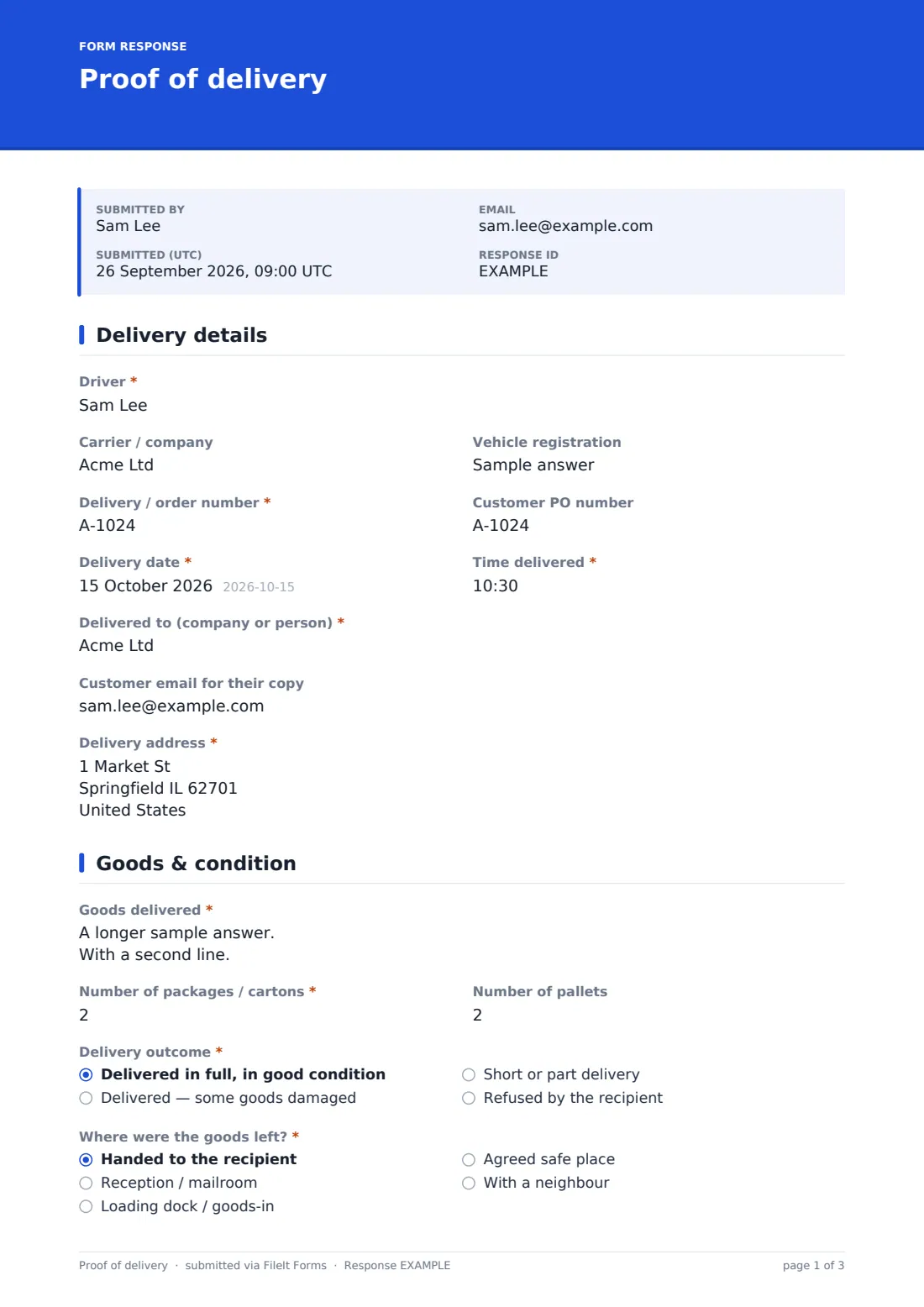
This template follows the delivery as it happens. The driver enters the delivery reference, time and address, describes the goods and counts packages and pallets, then records the outcome: delivered in full, delivered with damage, short, or refused. Each outcome opens the right follow-up — damage needs a description and photos, a shortage needs a list of what's missing, a refusal needs a reason.
Every submitted POD becomes a PDF in your FileIt vault with its photos, ready to send to the customer or attach to an invoice or claim.
- Best for
- Couriers, distributors, wholesalers and businesses with their own delivery drivers
- Filled in by
- The driver, with the recipient signing at the door
- Time to complete
- About 2–3 minutes per drop
- Includes
- Damage and shortage follow-ups, drop-off photos, recipient and driver signatures
Who uses a proof of delivery form?
- A wholesaler's driver drops pallets at a restaurant and gets the manager's signature
- A furniture company records the condition of goods delivered to a customer's home
- A builders' merchant confirms a delivery to a construction site
- A courier leaves a parcel in an agreed safe place and photographs it
- A driver records a refused delivery and the reason for it
- A small business uses PODs to back up invoices in payment disputes
Questions on this proof of delivery form
27 questions over 3 pages · includes signature, file upload, conditional questions, multiple pages, consent checkbox.
1 Delivery details
- Driver*
- Carrier / company
- Vehicle registration
- Delivery / order number*
- Customer PO number
- Delivery date*
- Time delivered*
- Delivered to (company or person)*
- Customer email for their copy
- Delivery address*
2 Goods & condition
- Goods delivered*
- Number of packages / cartons*
- Number of pallets
- Delivery outcome* Delivered in full, in good condition · Delivered — some goods damaged · Short or part delivery · Refused by the recipient
- What is damaged?* asked only when it applies
- Photos of the damage* asked only when it applies
- What is missing?* asked only when it applies
- Why was the delivery refused?* asked only when it applies
- Where were the goods left?* asked only when it applies Handed to the recipient · Reception / mailroom · Loading dock / goods-in · Agreed safe place · With a neighbour
- Describe the safe place or neighbour* asked only when it applies
- Photos at drop-off
3 Sign-off
- Recipient's name* asked only when it applies
- Position or relationship asked only when it applies
- Receipt* asked only when it applies
- Recipient signature* asked only when it applies
- Driver notes
- Driver signature*
The proof of delivery form, page by page
1 Delivery details
The driver's name, carrier, vehicle registration, delivery or order number and the customer's PO number come first, followed by the delivery date and time, who the goods were delivered to, an optional customer email for their copy, and the delivery address.
2 Goods & condition
The driver describes the goods and records the number of packages and pallets. The delivery outcome is one of four: in full and in good condition, some goods damaged, short or part delivery, or refused.
Damaged deliveries require a description and photos of the damage; a short delivery requires a note of what's missing; a refusal requires the reason. For anything except a refusal, the driver records where the goods were left — handed over, reception, loading dock, an agreed safe place or a neighbour — and a safe place needs describing. Up to six photos of the drop-off can be added.
3 Sign-off
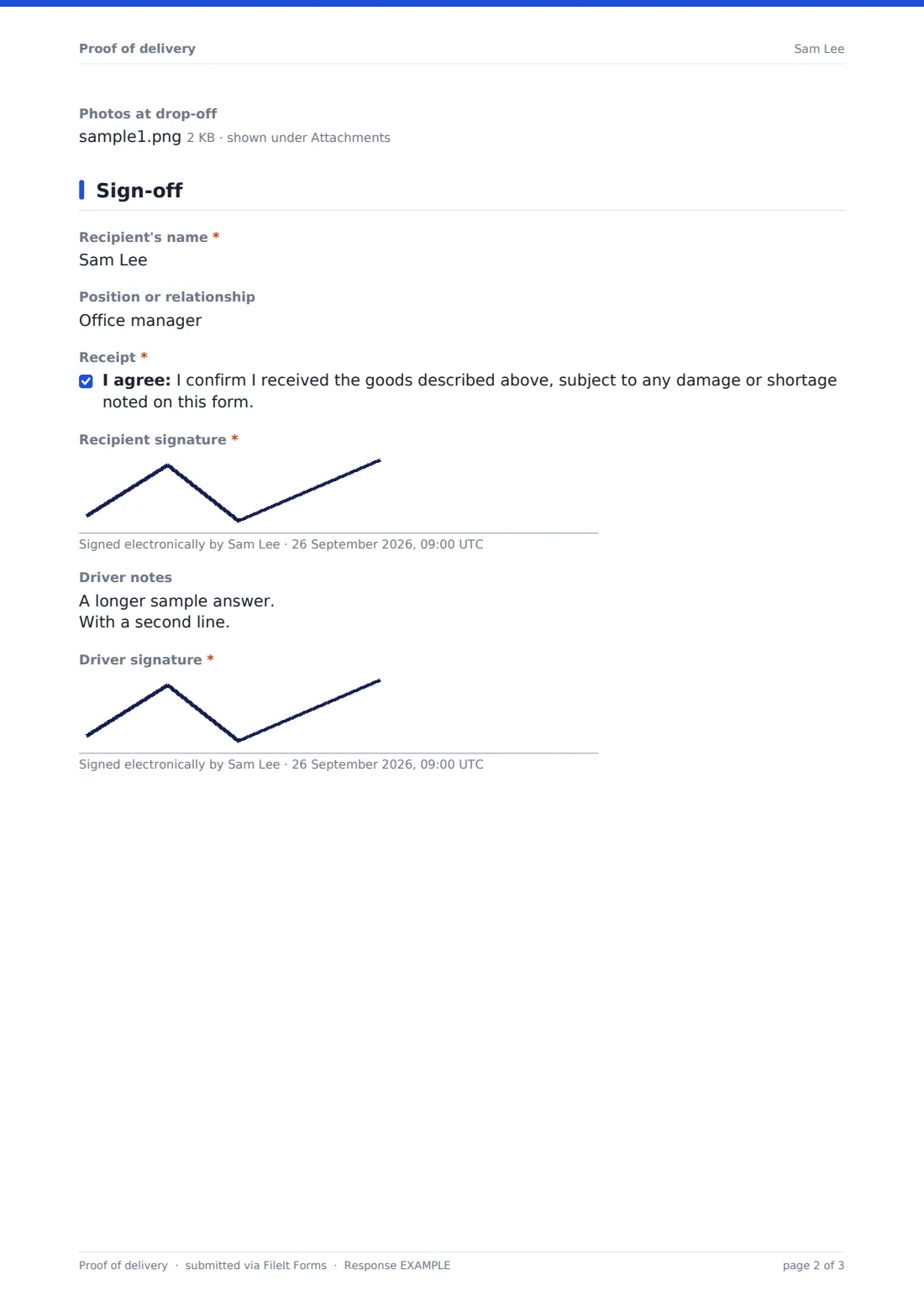
Unless the delivery was refused, the recipient gives their name and position or relationship, confirms receipt subject to any damage or shortage noted, and signs. The driver can add notes and signs every POD, including refusals.
Make the template yours
- Add your own reference fields, such as route number or depot
- Make drop-off photos required for every delivery
- Change the safe-place options to match your delivery policy
- File PODs by customer or by date
- Make the customer email required so every recipient gets their signed copy
- Adjust the receipt statement to match your terms of carriage
Tips for a better proof of delivery form
- Take the photo with the door number or dock sign in shot
- Note damage before the recipient signs, not after
- Count packages against the delivery note while the recipient is there
- Ask for a printed name as well as a signature — it's easier to trace later
- Record refusals in full; they're the deliveries most likely to be disputed
- Fill in the POD before driving to the next stop, while details are fresh
Every response becomes a PDF in your vault
Each POD is filed as a PDF in your FileIt vault with its photos and signatures. If notifications are on, the office gets an email as soon as the driver submits.
Most businesses search the Responses table by delivery number when a customer queries a drop, attach the PDF to the invoice, and export PODs to CSV for weekly reconciliation.
- Start from this template. It opens in the FileIt Forms designer — change any question, add pages, set the rules for when questions appear.
- Share it. Turn on a public link, or send it to people by email, each with their own link. They don’t need a FileIt account.
- Get the answers as PDFs. Each response is saved as a PDF in the vault folder you choose, with uploaded files attached — and listed in a Responses table you can export to CSV.
Proof of delivery form: frequently asked questions
Is this proof of delivery form template free?
Yes. It's included with the Forms app on every FileIt account, including the free plan, and you can edit any question to fit the way you work.
Do drivers need a FileIt account?
No. Drivers open the shared form link on their phone and submit without an account.
Can the recipient sign on the driver's phone?
Yes. The signature field works with a finger on a touch screen.
What happens with a refused delivery?
The driver records the reason and signs. The recipient's name and signature are skipped, and the POD is still filed.
Can I prove where a parcel was left?
The driver chooses where the goods were left, describes any safe place or neighbour, and can attach up to six photos.
Can a customer get a copy?
Yes. Enter the customer's email on the first page and a copy of the signed POD is emailed to them when the driver submits. You can also forward the PDF from your vault.