What is the driver trip log form template?
Fleet managers need to know where vehicles went, how far, what fuel was bought and how long each driver was on the road. Drivers need a quick way to record it that doesn't mean a clipboard in the cab. This trip log covers a full shift in four short pages on a phone.
It starts with the walk-around check and any defects, then captures start and end odometer readings, distance, each stop and anything that affected the route. Fuel questions only appear when fuel was bought, personal mileage only when the vehicle was used for both business and personal trips, and incident details only when something happened.
Each submitted log becomes a dated PDF in your FileIt vault with fuel and expense receipts attached, which makes mileage claims, fuel card reconciliation and vehicle defect follow-up far simpler.
- Best for
- Delivery firms, trades with vans, fleet operators, and staff using their own vehicle for work
- Filled in by
- Drivers, at the end of each shift
- Time to complete
- About 4–6 minutes
- Includes
- Vehicle defect check, fuel and receipt upload, hours, incident follow-up
Who uses a driver trip log form?
- A delivery company collects daily route and stop logs from every driver
- A trades business tracks van mileage and fuel for each technician
- An employee logs business mileage in their own car for reimbursement
- A fleet manager spots vehicle defects reported in the pre-trip check
- A minibus operator records driving hours and breaks for each shift
- A small business reconciles fuel card spending against logged trips
Questions on this driver trip log form
36 questions over 4 pages · includes signature, file upload, conditional questions, multiple pages, consent checkbox.
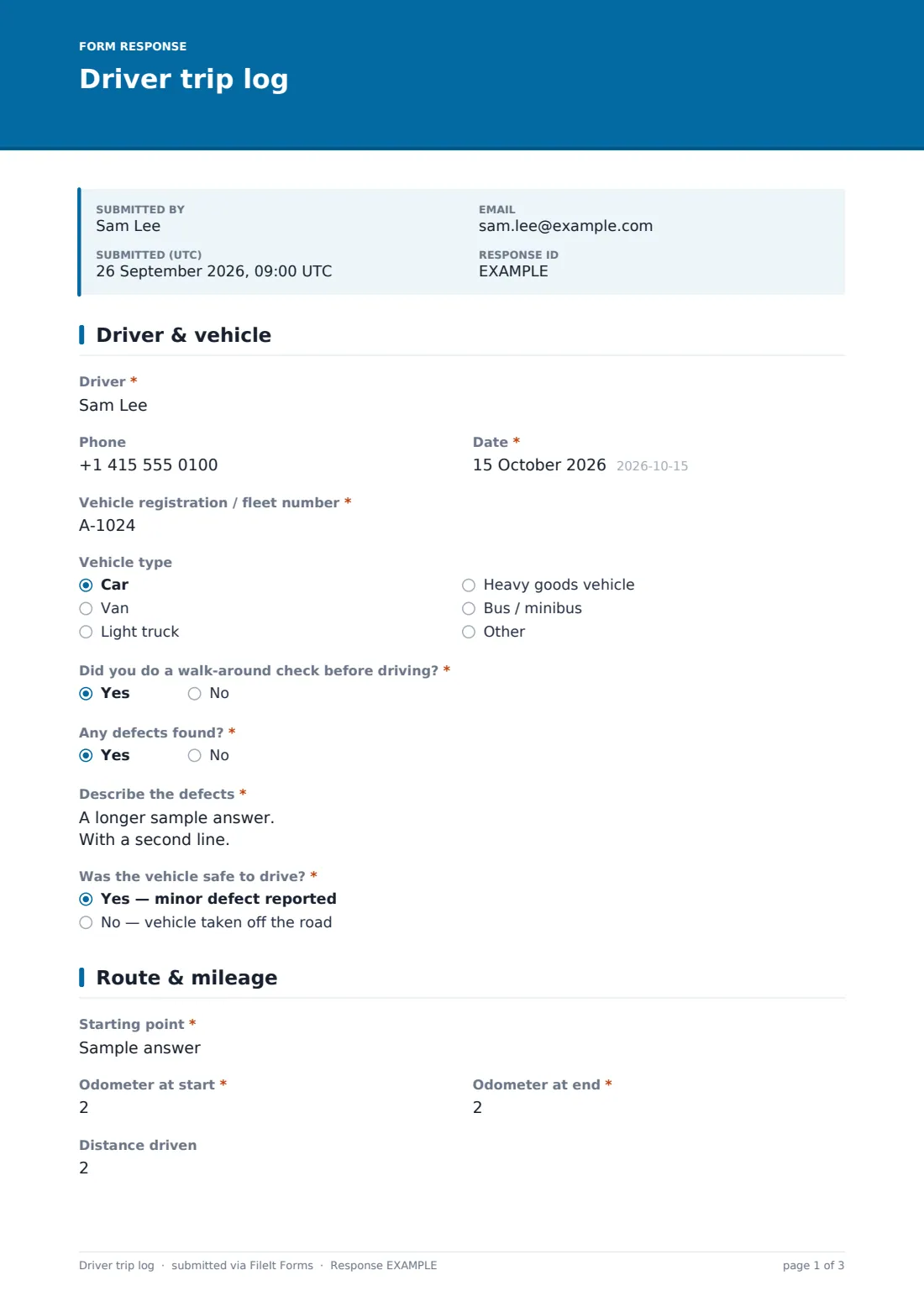
1 Driver & vehicle
- Driver*
- Phone
- Date*
- Vehicle registration / fleet number*
- Vehicle type Car · Van · Light truck · Heavy goods vehicle · Bus / minibus · Other
- Did you do a walk-around check before driving?*
- Any defects found?*
- Describe the defects* asked only when it applies
- Was the vehicle safe to drive?* asked only when it applies Yes — minor defect reported · No — vehicle taken off the road
2 Route & mileage
- Starting point*
- Odometer at start*
- Odometer at end*
- Distance driven
- Units* Miles · Kilometres
- Stops*
- Number of stops
- Trip purpose* All business · Business and personal
- Personal distance asked only when it applies
- Anything affect the route? Heavy traffic · Road closure / diversion · Weather · Customer not available · Vehicle problem
- Route notes asked only when it applies
3 Fuel & expenses
- Did you buy fuel or charge the vehicle?*
- Amount (litres, gallons or kWh)* asked only when it applies
- Fuel cost* asked only when it applies
- Where asked only when it applies
- Paid with asked only when it applies Company fuel card · Own money — claim back
- Tolls, parking & other costs
- What were they for? asked only when it applies
- Receipts
4 Hours & sign-off
- Shift started*
- Shift ended*
- Hours spent driving*
- Total break time (minutes)
- Incidents today* None · Near miss · Collision or vehicle damage · Stopped by police / ticket issued · Injury
- What happened?* asked only when it applies
- Declaration*
- Driver signature*
The driver trip log form, page by page
1 Driver & vehicle
The driver enters their name and phone, the date, the vehicle registration or fleet number and the vehicle type. Two required questions ask whether a walk-around check was done and whether any defects were found. If defects were found, the driver describes them and says whether the vehicle was safe to drive or taken off the road.
2 Route & mileage
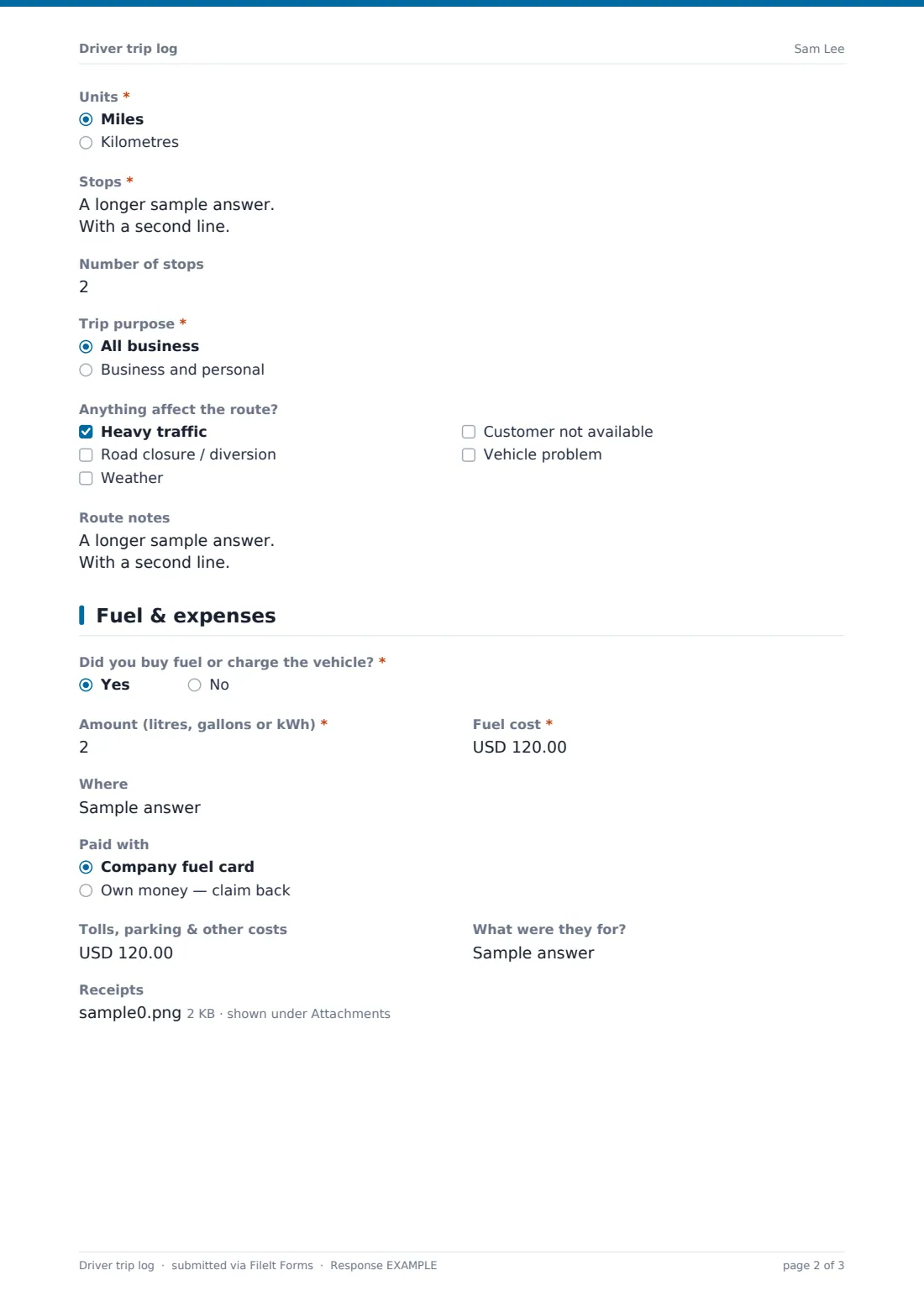
The starting point and the odometer readings at the start and end are required, with the distance and units. Stops are logged one per line — time, place and purpose — with a stop count. If the trip mixed business and personal use, a field asks for the personal distance. A checklist of route problems (traffic, diversions, weather, customer not available, vehicle problem) opens a notes field when anything is ticked.
3 Fuel & expenses
A yes/no asks whether fuel was bought or the vehicle charged. If yes, the amount and cost are required, with the station and whether it went on a company fuel card or the driver's own money. Tolls, parking and other costs have their own amount and description, and receipts can be uploaded.
4 Hours & sign-off
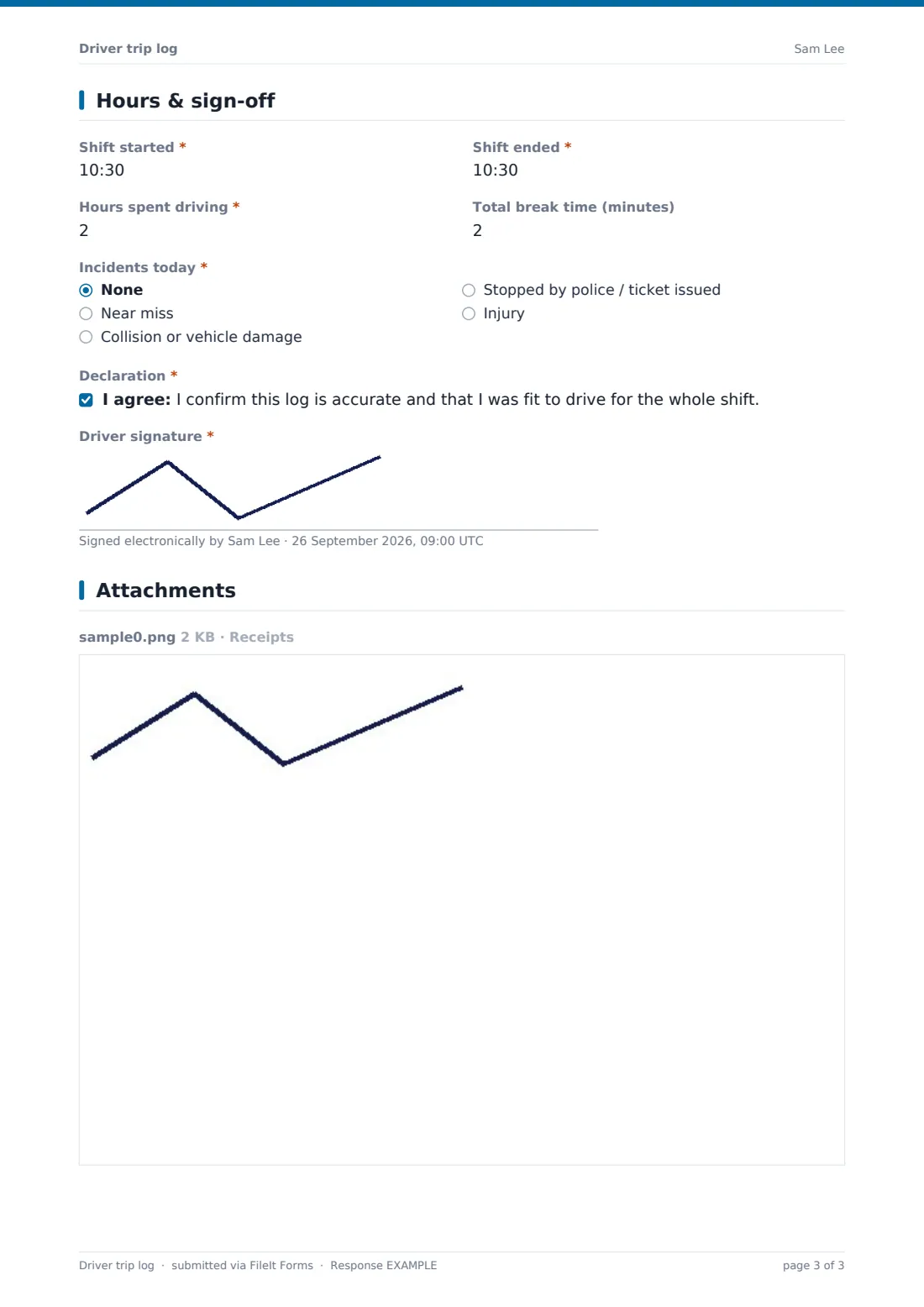
Shift start and end times and the hours spent driving are required, with total break time optional. The driver records any incident — near miss, collision or damage, a police stop or ticket, or an injury — and anything other than "None" requires details. The driver confirms the log is accurate and that they were fit to drive, then signs.
Make the template yours
- Switch the default units or remove the unit question if your fleet uses one
- Replace the vehicle type list with your actual fleet numbers
- Add questions for tachograph or ELD references if your drivers use them
- Add the fleet manager to notifications so every log — including defects and incidents — lands in their inbox
- File logs into a folder per driver or per vehicle
- Change the currency on the cost fields
Tips for a better driver trip log form
- Take odometer readings at the vehicle, not from memory
- Photograph receipts as soon as you get them
- Report defects even when they seem minor — they rarely fix themselves
- Log stops as you go, and tidy the list at the end of the shift
- Record personal miles honestly; mixed use is common and easy to account for
- Report any collision to your manager straight away, not just in the log
Every response becomes a PDF in your vault
Each log is filed as a dated PDF in your FileIt vault, with fuel and expense receipts attached. The office can be notified by email as soon as the driver submits.
Fleet managers typically review defects and incidents in the Responses table daily, and export logs to CSV at month end to total mileage, fuel and expenses per driver or vehicle.
- Start from this template. It opens in the FileIt Forms designer — change any question, add pages, set the rules for when questions appear.
- Share it. Turn on a public link, or send it to people by email, each with their own link. They don’t need a FileIt account.
- Get the answers as PDFs. Each response is saved as a PDF in the vault folder you choose, with uploaded files attached — and listed in a Responses table you can export to CSV.
Driver trip log form: frequently asked questions
Is this driver trip log template free?
Yes. It's included with the Forms app on every FileIt account, including the free plan, and you can edit any question to fit the way you work.
Can drivers fill it in without an account?
Yes. Share the form link and drivers submit from their phones without creating a FileIt account.
Can I use this as a mileage log for expense claims?
Yes. Start and end odometer readings, distance, stops and personal distance are all captured, and receipts can be attached.
Does it replace a tachograph or electronic logging device?
No. It's a trip record for your own business. Keep using whatever hours-of-service equipment or records the rules in your area require.
What if a driver finds a defect before setting off?
They answer yes to defects, describe them, and say whether the vehicle was safe to drive or taken off the road.
Can I see all logs for one vehicle?
File logs into a folder per vehicle, or filter the Responses table by the registration field.