What is the pPE issue record form template?
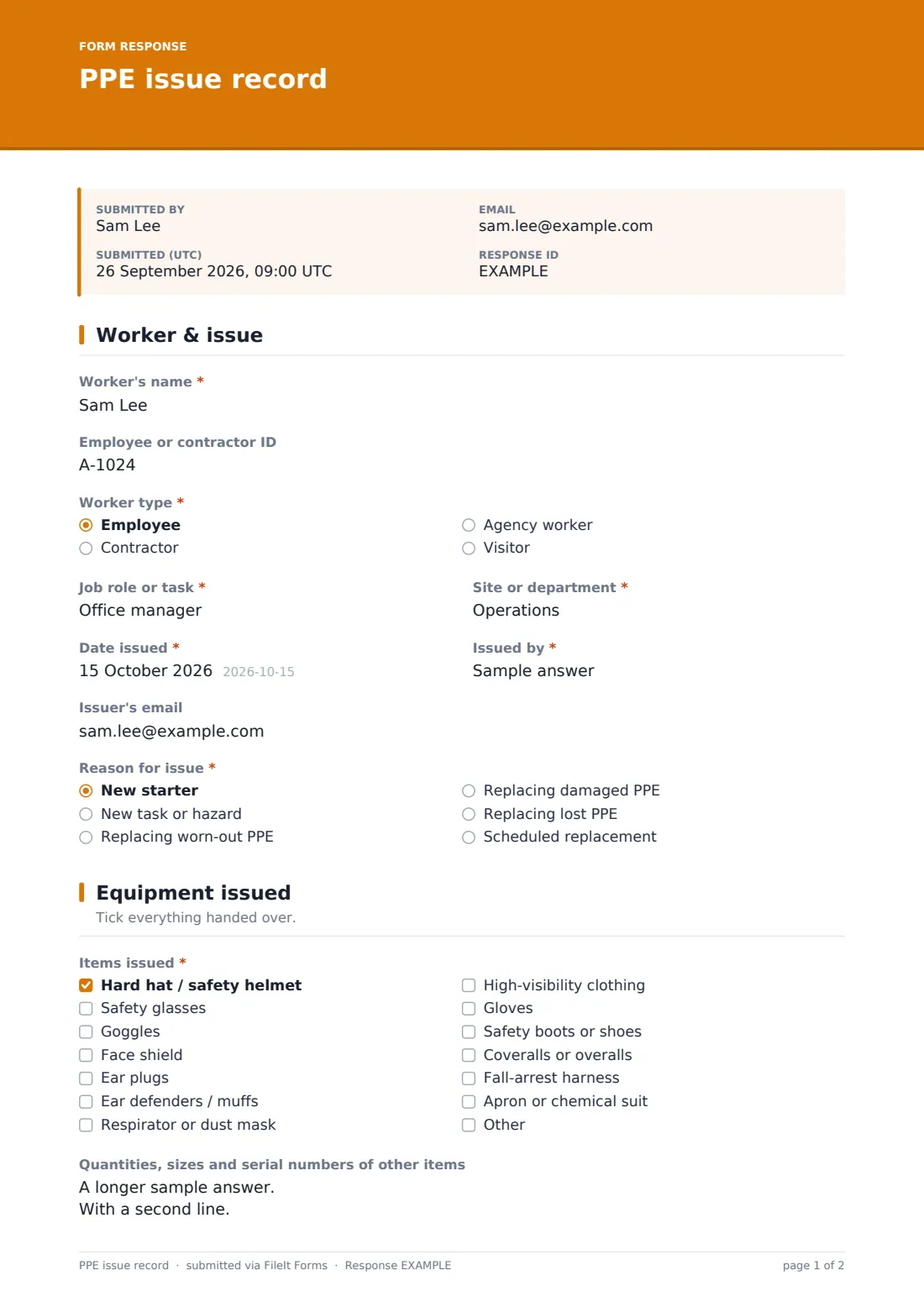
When there's an accident or an inspection, "we gave everyone boots and a hard hat" isn't much of a record. You need to show what each person received and when, that it fitted, and that they were shown how to use it. This template captures exactly that, one worker at a time, at the moment the equipment is handed over.
The issuer ticks the items from a list covering hard hats, eye and face protection, hearing protection, respirators, hi-vis, gloves, boots, coveralls, fall-arrest harnesses and chemical protection. The form then asks only for the details that matter for what was ticked: glove type and size, boot size, clothing sizes, respirator model and face-fit testing, or a harness serial number. The last page records the instruction given and collects signatures from the worker and the issuer.
Each issue is saved as a PDF in your FileIt vault, building a PPE register you can search by worker or date.
- Best for
- Construction, manufacturing, warehousing, labs, cleaning and any workplace that issues PPE
- Filled in by
- A supervisor, store person or safety lead, with the worker present to sign
- Time to complete
- About 3-5 minutes per worker
- Includes
- Item-specific size and serial fields, respirator fit-test questions, training topics and two signatures
Who uses a pPE issue record form?
- Issuing starter PPE kits to new employees on their first day
- Recording PPE handed to contractors, agency workers or visitors on site
- Replacing worn, damaged or lost equipment, noting whether a worn or damaged item came back
- Tracking respirator issue alongside face-fit test dates
- Recording serial numbers for harnesses and other inspected equipment
- Building a per-worker PPE register a supervisor can call up during an audit or investigation
Questions on this pPE issue record form
30 questions over 3 pages · includes signature, conditional questions, multiple pages, consent checkbox.
1 Worker & issue
- Worker's name*
- Employee or contractor ID
- Worker type* Employee · Contractor · Agency worker · Visitor
- Job role or task*
- Site or department*
- Date issued*
- Issued by*
- Issuer's email
- Reason for issue* New starter · New task or hazard · Replacing worn-out PPE · Replacing damaged PPE · Replacing lost PPE · Scheduled replacement
- Was the old item returned?* asked only when it applies
- Was the old item returned?* asked only when it applies
2 Equipment issued
- Items issued* Hard hat / safety helmet · Safety glasses · Goggles · Face shield · Ear plugs · Ear defenders / muffs · Respirator or dust mask · High-visibility clothing · Gloves · Safety boots or shoes · Coveralls or overalls · Fall-arrest harness
- Glove type and size* asked only when it applies
- Boot or shoe size* asked only when it applies
- High-visibility clothing size* asked only when it applies XS · S · M · L · XL · XXL · 3XL
- Coverall size* asked only when it applies XS · S · M · L · XL · XXL · 3XL
- Respirator make, model and filter* asked only when it applies
- Has the worker been face-fit tested for this respirator?* asked only when it applies Yes · No — test booked · Not needed for this type
- Fit test date* asked only when it applies
- Harness serial number* asked only when it applies
- Quantities, sizes and serial numbers of other items
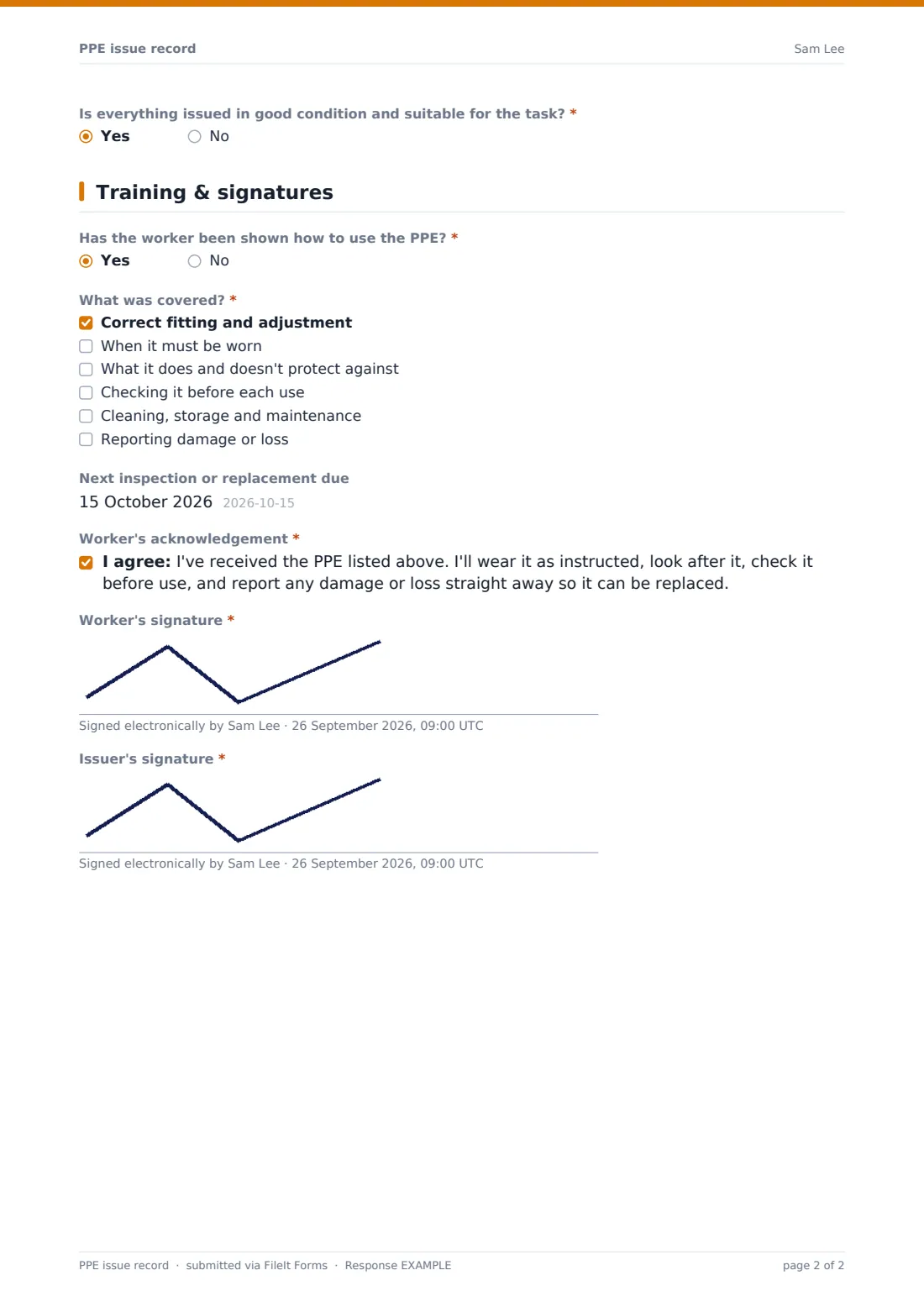
- Is everything issued in good condition and suitable for the task?*
- What's the issue, and what will be done?* asked only when it applies
3 Training & signatures
- Has the worker been shown how to use the PPE?*
- What was covered?* asked only when it applies Correct fitting and adjustment · When it must be worn · What it does and doesn't protect against · Checking it before each use · Cleaning, storage and maintenance · Reporting damage or loss
- When will training be given, and by whom?* asked only when it applies
- Next inspection or replacement due
- Worker's acknowledgement*
- Worker's signature*
- Issuer's signature*
The pPE issue record form, page by page
1 Worker & issue
The issuer records the Worker's name and ID, worker type (employee, contractor, agency worker or visitor), Job role or task, Site or department, Date issued, who issued it and, optionally, the issuer's email. They pick the Reason for issue: new starter, new task or hazard, replacing worn, damaged or lost PPE, or a scheduled replacement. Replacing worn-out or damaged items asks whether the old one was returned.
2 Equipment issued
A required checklist lists thirteen types of PPE, plus Other. Ticking gloves, boots, hi-vis or coveralls asks for sizes. A respirator asks for the make, model and filter and whether the worker has been face-fit tested, with the date if so. A harness asks for its serial number. A free-text field covers quantities and serials for everything else, and a required check confirms the equipment is in good condition and suitable for the task. If it isn't, the form asks what will be done.
3 Training & signatures
The issuer says whether the worker has been shown how to use the PPE. If yes, they tick what was covered: fitting, when to wear it, its limits, pre-use checks, care and storage, and reporting damage. If no, they record when training will be given and by whom. They can add a next inspection or replacement date. The worker then signs an acknowledgement that they'll wear, look after and check the PPE, and the issuer signs too.
Make the template yours
- Replace the item list with the PPE you actually stock, including brand names or product codes
- Add a site dropdown if you issue PPE across several locations
- Make the next inspection date required for items with a fixed replacement cycle
- Add your safety manager's email to notifications for respirator and harness issues
- File each worker's PPE records in their own vault folder, alongside training records
- Add a photo upload for the issued kit if you want visual evidence of condition
Tips for a better pPE issue record form
- Fill the form in with the worker present so they can check the items and sign on the spot
- Check the fit, not just the size on the label, because PPE that doesn't fit doesn't protect
- Never issue a tight-fitting respirator without arranging face-fit testing
- Explain the limits of each item as well as how to wear it
- Replace damaged PPE promptly, and record it, so nobody works without it while waiting
Every response becomes a PDF in your vault
Each record is saved as a signed PDF in your FileIt vault and the form owner is notified. If the form collects an email, a copy goes to it too.
Safety leads usually review issues in the Responses table, filtering by worker, site or item, and use upcoming inspection or replacement dates to plan reissues. During an audit or investigation, the signed record for a particular worker can be found in seconds.
- Start from this template. It opens in the FileIt Forms designer — change any question, add pages, set the rules for when questions appear.
- Share it. Turn on a public link, or send it to people by email, each with their own link. They don’t need a FileIt account.
- Get the answers as PDFs. Each response is saved as a PDF in the vault folder you choose, with uploaded files attached — and listed in a Responses table you can export to CSV.
PPE issue record form: frequently asked questions
Is this PPE issue record template free?
Yes. It's included in FileIt's Forms app on every account, including the free plan, and you can edit every question.
Does the worker need a FileIt account to sign?
No. The issuer opens the form link on a phone or tablet and the worker signs on the screen, with no account needed.
Does the form tell me what PPE is required?
No. It records what was issued. Which PPE a task needs comes from your risk assessment and local safety rules.
Can I record respirator face-fit testing?
Yes. When a respirator is issued, the form asks for the model and filter and whether the worker has been fit tested, with the test date.
Can I use it for contractors and visitors?
Yes. The worker type question covers employees, contractors, agency workers and visitors.
Can I see all PPE issued to one person?
Yes. Filter the Responses table by the worker's name or ID, or file their records into their own vault folder.