What is the parental leave request form template?
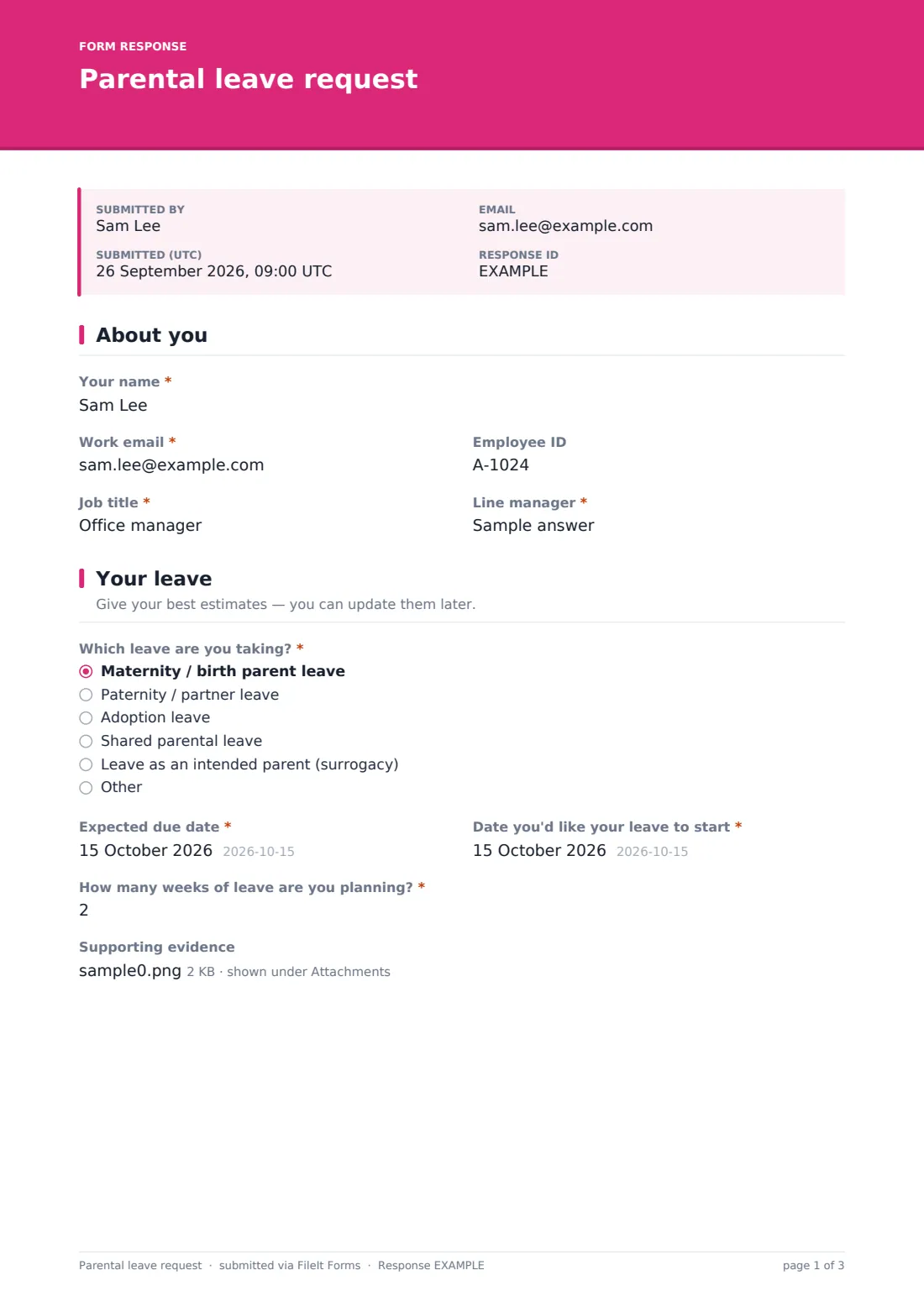
When an employee is expecting a baby or adopting, HR needs a handful of key facts early: the type of leave, the due or placement date, when leave will start, roughly how long it will last, and how the employee would like pay, accrued holiday and benefits handled. Getting this in writing early makes it much easier to plan cover and confirm entitlements in good time.
This parental leave request form template adapts to the type of leave chosen. Birth and partner leave ask for the expected due date; adoption asks for the expected placement date; shared parental leave adds the partner's employer and planned weeks. Employees can attach supporting evidence now or later, and nothing in the form assumes a particular family set-up.
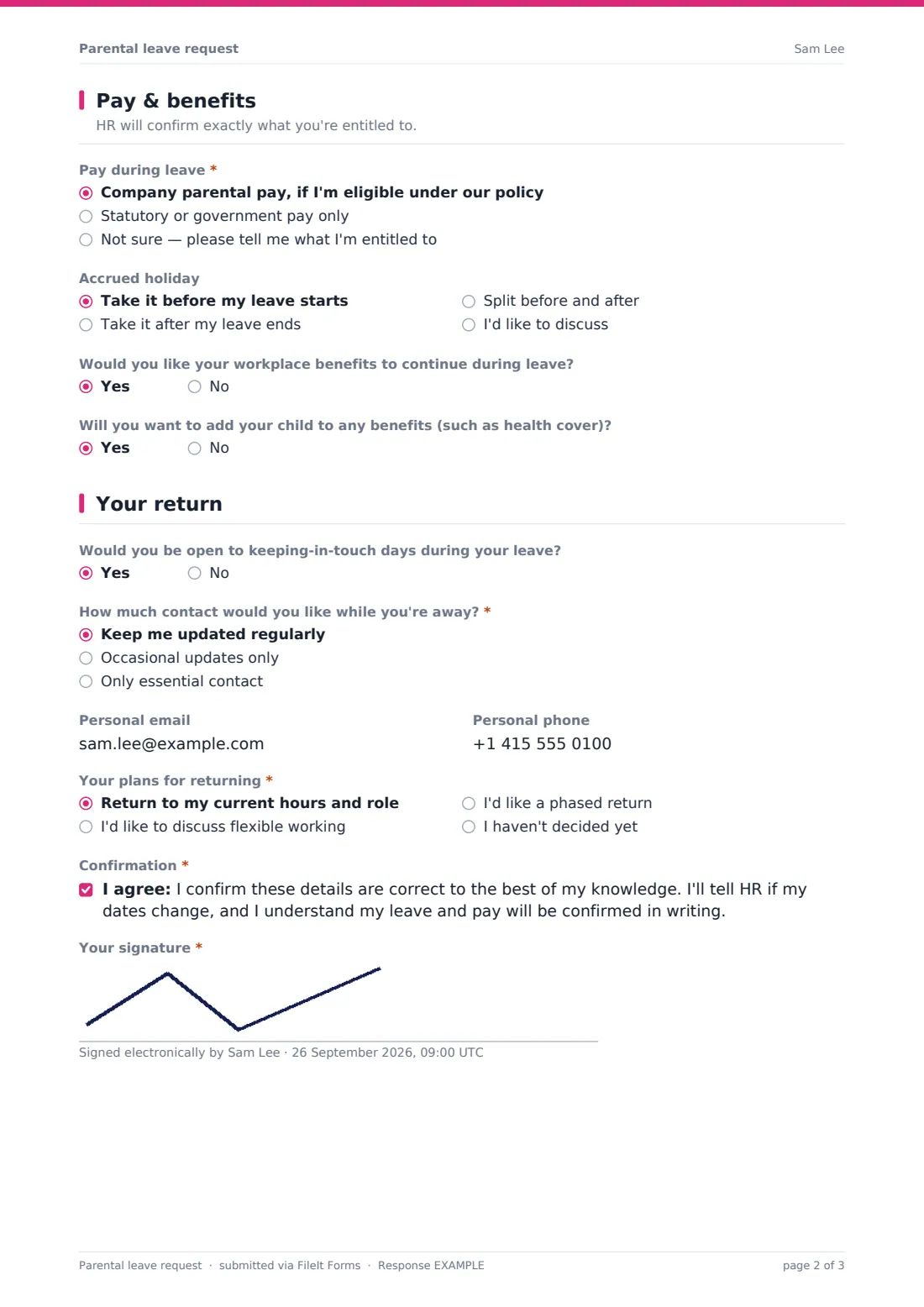
The last page looks ahead to the return — keeping-in-touch days, how much contact the employee wants while away, and whether they'd like to return on the same hours, discuss flexible working or a phased return. Every notice is saved as a PDF in your FileIt vault.
- Best for
- Employers of any size recording parental leave notifications
- Filled in by
- The employee taking parental leave
- Time to complete
- About 5 minutes
- Includes
- Leave-type-specific date questions, evidence upload, pay and holiday preferences, return planning, signature
Who uses a parental leave request form?
- An employee notifying HR of maternity leave and their expected due date
- A partner booking paternity leave around the birth
- An adoptive parent giving notice of adoption leave and the placement date
- Parents planning shared parental leave and recording both sides of the split
- An intended parent through surrogacy notifying HR of their leave
- HR collecting consistent notices so pay and cover can be planned early
Questions on this parental leave request form
25 questions over 4 pages · includes signature, file upload, conditional questions, multiple pages, consent checkbox.
1 About you
- Your name*
- Work email*
- Employee ID
- Job title*
- Line manager*
2 Your leave
- Which leave are you taking?* Maternity / birth parent leave · Paternity / partner leave · Adoption leave · Shared parental leave · Leave as an intended parent (surrogacy)
- Expected due date* asked only when it applies
- Expected date of placement* asked only when it applies
- Date you'd like your leave to start*
- How many weeks of leave are you planning?*
- Your partner's employer asked only when it applies
- Weeks your partner plans to take asked only when it applies
- Supporting evidence
3 Pay & benefits
- Pay during leave* Company parental pay, if I'm eligible under our policy · Statutory or government pay only · Not sure — please tell me what I'm entitled to
- Accrued holiday Take it before my leave starts · Take it after my leave ends · Split before and after · I'd like to discuss
- Would you like your workplace benefits to continue during leave?
- Will you want to add your child to any benefits (such as health cover)?
4 Your return
- Would you be open to keeping-in-touch days during your leave?
- How much contact would you like while you're away?* Keep me updated regularly · Occasional updates only · Only essential contact
- Personal email
- Personal phone
- Your plans for returning* Return to my current hours and role · I'd like to discuss flexible working · I'd like a phased return · I haven't decided yet
- Tell us more about what you'd like asked only when it applies
- Confirmation*
- Your signature*
The parental leave request form, page by page
1 About you
The employee gives their name, work email, employee ID, job title and line manager.
2 Your leave
They choose maternity or birth parent leave, paternity or partner leave, adoption leave, shared parental leave, leave as an intended parent through surrogacy, or describe their own. The form then asks for the expected due date — or, for adoption, the expected placement date — plus the date they'd like leave to start and how many weeks they plan to take. Shared parental leave also asks for the partner's employer and planned weeks. Supporting evidence can be uploaded now or sent later.
3 Pay & benefits
The employee chooses company parental pay if eligible, statutory or government pay only, or asks HR to explain their entitlement. They say when they'd like to take accrued holiday, whether they'd like benefits to continue during leave, and whether they'll want to add their child to benefits such as health cover.
4 Your return
The employee says whether they're open to keeping-in-touch days, how much contact they'd like while away, and gives a personal email and phone. They choose whether they plan to return to the same hours and role, discuss flexible working, ask for a phased return, or haven't decided, with room to explain. They confirm the details and sign.
Make the template yours
- Rename the leave types to match the terms used in your country and policy
- Replace the pay options with your actual enhanced pay scheme, if you have one
- Remove the shared parental leave option if it doesn't apply where you operate
- Add a link to your parental leave policy in the cover text
- Route notifications to both HR and payroll
- Change the confirmation message to say when employees can expect written confirmation
Tips for a better parental leave request form
- Check notice deadlines and entitlements for your location — they differ between countries
- Confirm dates and pay in writing and tell the employee how to change their dates later
- Agree keeping-in-touch arrangements before leave starts
- Plan cover early so the employee can hand over calmly
- Treat the information as confidential and share it only with people who need to know
Every response becomes a PDF in your vault
Each notice is saved as a PDF in your FileIt vault with any evidence attached, and the form owner is notified by email. The employee can receive their own PDF copy.
HR typically uses the PDF to confirm entitlement and dates in writing, set up pay, plan cover, and diary a check-in before the planned return.
- Start from this template. It opens in the FileIt Forms designer — change any question, add pages, set the rules for when questions appear.
- Share it. Turn on a public link, or send it to people by email, each with their own link. They don’t need a FileIt account.
- Get the answers as PDFs. Each response is saved as a PDF in the vault folder you choose, with uploaded files attached — and listed in a Responses table you can export to CSV.
Parental leave request form: frequently asked questions
Is this parental leave form template free?
Yes — it's included with the Forms app on every FileIt account, including the free plan, alongside the rest of the template gallery.
Does it work for adoption and surrogacy?
Yes. Adoption leave asks for the expected placement date instead of a due date, and there's a separate option for intended parents through surrogacy.
Does the form calculate pay or leave entitlement?
No. It records the employee's preferences. Entitlement depends on your policy and local law, and HR confirms it afterwards.
Can employees send evidence later?
Yes. The evidence upload is optional and the help text says it can be sent later.
What if the employee's dates change?
They can submit a new response, or tell HR directly — the confirmation they sign says they'll let HR know if dates change.
Does it cover flexible working on return?
It records whether the employee would like to discuss flexible working or a phased return. A formal flexible working request may still be needed, and FileIt's flexible working request template can be used for that.