What is the benefits enrollment form template?
Benefits enrollment involves several decisions at once — which medical plan, who it covers, dental and vision, pension contributions, life cover and optional extras — and then the details of every dependant being added. On paper or in scattered emails, it's easy for a dependant's date of birth or a waiver reason to go missing.
This benefits enrollment form template takes employees through each choice in turn. It starts with why they're enrolling — as a new hire, at open enrollment, or after a qualifying life event, which asks for the event, its date and evidence. Health cover questions adapt: choosing a medical plan asks who it should cover, while waiving asks why.
Employees choose pension contributions, life cover and other benefits, add up to two dependants in detail (with room for more), name a life cover beneficiary, and sign. Every enrollment is saved as a PDF in your FileIt vault.
- Best for
- Employers running new-hire and annual benefits enrollment
- Filled in by
- The employee enrolling
- Time to complete
- About 10 minutes
- Includes
- Medical, dental and vision elections, pension and life cover, life event evidence, dependants, beneficiary, signature
Who uses a benefits enrollment form?
- A new hire choosing benefits during onboarding
- Annual open enrollment for all staff
- Changing cover after marriage, birth or adoption
- Recording a medical waiver when an employee is covered elsewhere
- Adding a spouse or children to health and dental plans
- Setting or changing a pension contribution
Questions on this benefits enrollment form
31 questions over 5 pages · includes signature, file upload, conditional questions, multiple pages, consent checkbox.
1 About you
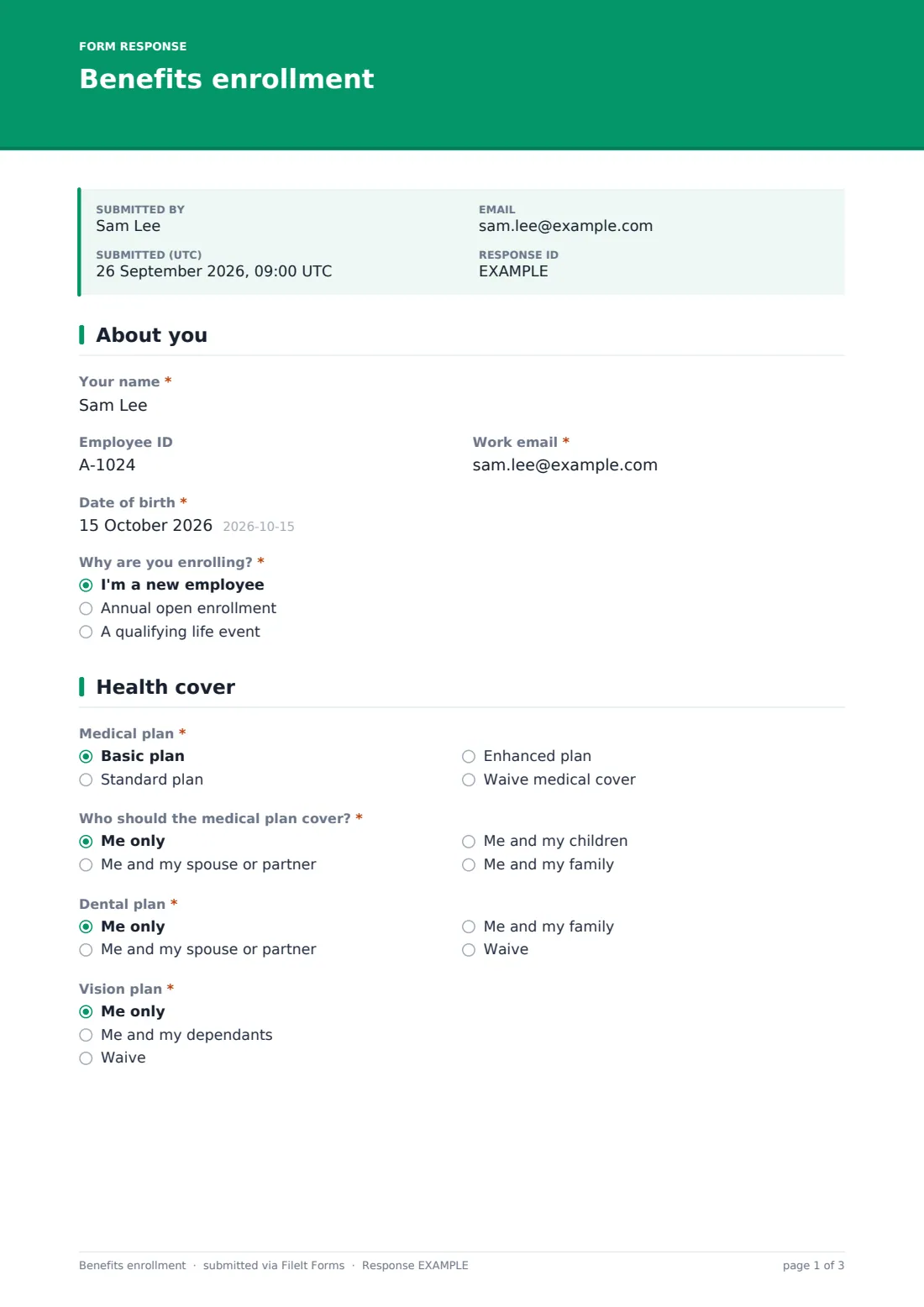
- Your name*
- Employee ID
- Work email*
- Date of birth*
- Why are you enrolling?* I'm a new employee · Annual open enrollment · A qualifying life event
- Life event* asked only when it applies Marriage or civil partnership · Birth or adoption · Divorce or separation · Loss of other coverage · Death of a dependant · Move to a new area · Other
- Date of the event* asked only when it applies
- Evidence of the event asked only when it applies
2 Health cover
- Medical plan* Basic plan · Standard plan · Enhanced plan · Waive medical cover
- Who should the medical plan cover?* asked only when it applies Me only · Me and my spouse or partner · Me and my children · Me and my family
- Reason for waiving asked only when it applies Covered by a spouse or partner's plan · Covered by another plan · I don't need cover
- Dental plan* Me only · Me and my spouse or partner · Me and my family · Waive
- Vision plan* Me only · Me and my dependants · Waive
3 Retirement & other benefits
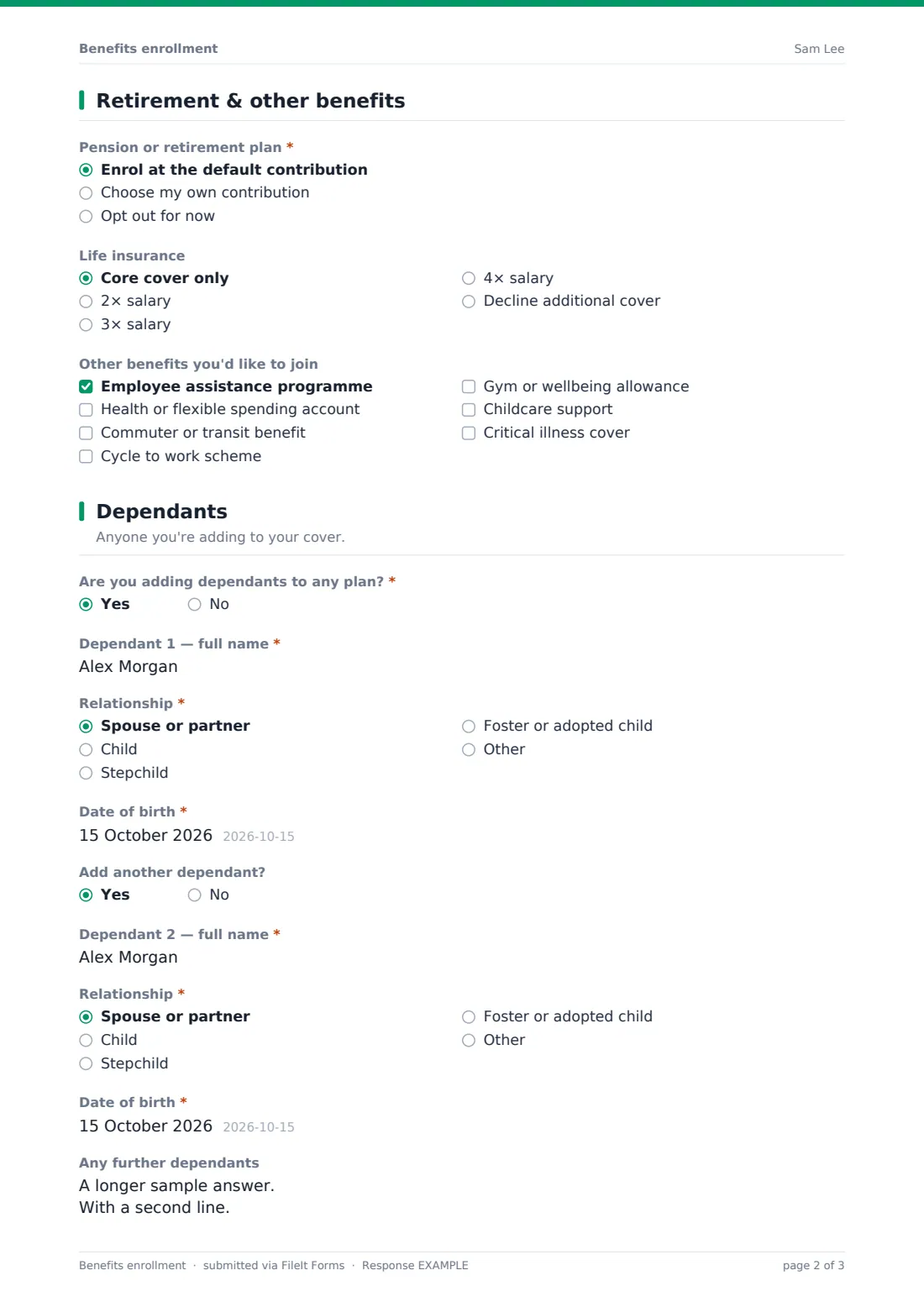
- Pension or retirement plan* Enrol at the default contribution · Choose my own contribution · Opt out for now
- Your contribution (% of salary)* asked only when it applies
- Life insurance Core cover only · 2× salary · 3× salary · 4× salary · Decline additional cover
- Other benefits you'd like to join Employee assistance programme · Health or flexible spending account · Commuter or transit benefit · Cycle to work scheme · Gym or wellbeing allowance · Childcare support · Critical illness cover
4 Dependants
- Are you adding dependants to any plan?*
- Dependant 1 — full name* asked only when it applies
- Relationship* asked only when it applies Spouse or partner · Child · Stepchild · Foster or adopted child · Other
- Date of birth* asked only when it applies
- Add another dependant? asked only when it applies
- Dependant 2 — full name* asked only when it applies
- Relationship* asked only when it applies Spouse or partner · Child · Stepchild · Foster or adopted child · Other
- Date of birth* asked only when it applies
- Any further dependants asked only when it applies
5 Beneficiary & signature
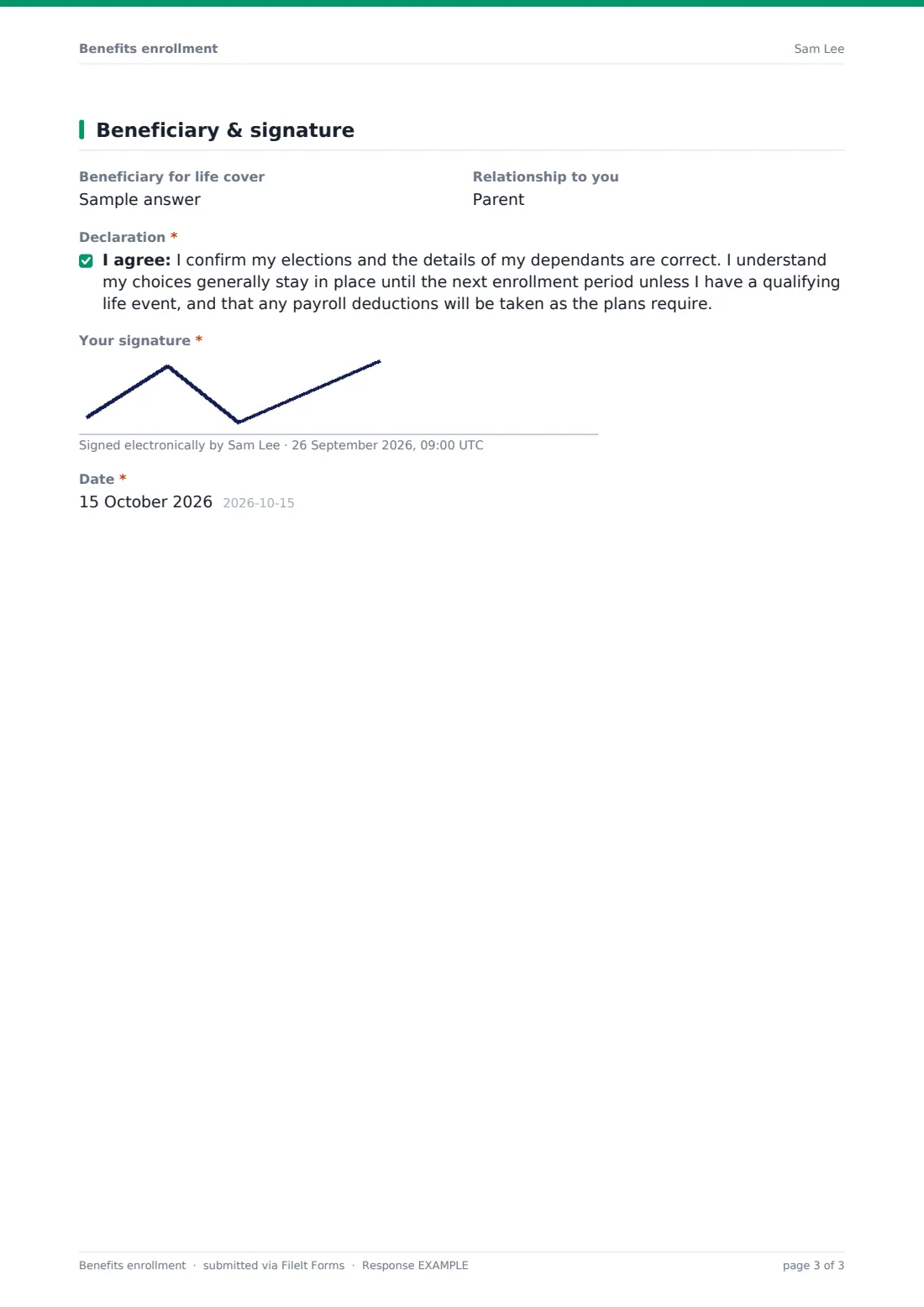
- Beneficiary for life cover
- Relationship to you
- Declaration*
- Your signature*
- Date*
The benefits enrollment form, page by page
1 About you
The employee gives their name, employee ID, work email and date of birth, and says whether they're a new employee, enrolling at annual open enrollment, or have had a qualifying life event. Life events ask which one, the date, and optional evidence.
2 Health cover
Employees choose a basic, standard or enhanced medical plan, or waive medical cover. Choosing a plan asks who it should cover; waiving asks why. They then choose dental and vision cover levels or waive them.
3 Retirement & other benefits
They enrol in the pension at the default contribution, choose their own percentage, or opt out for now. They choose a life insurance level and tick any other benefits to join, such as an employee assistance programme, a health or flexible spending account, commuter benefits, a cycle scheme, wellbeing allowance, childcare support or critical illness cover.
4 Dependants
If they're adding dependants, the form asks for each one's full name, relationship and date of birth, with a second dependant and a box for any more.
5 Beneficiary & signature
Employees name a life cover beneficiary and their relationship, accept a declaration about their elections and payroll deductions, sign and date.
Make the template yours
- Replace the plan names with your actual medical, dental and vision plans
- Add plan costs to the help text or the cover so employees can compare
- Remove benefits you don't offer from the 'Other benefits' list
- Change the life cover options to match your scheme
- Set a close date on the form for the end of open enrollment
Tips for a better benefits enrollment form
- Share your benefits guide before the form so employees know what each plan covers
- Set and publicise a clear enrollment deadline
- Check dependants' details carefully — errors cause problems at claim time
- Remind employees to update beneficiaries after major life events
- Confirm elections in writing once they're processed
Every response becomes a PDF in your vault
Each enrollment is saved as a PDF in your FileIt vault with any life event evidence attached, and the form owner is notified. The employee receives a copy of their elections.
HR can process elections from the Responses table and export to CSV to send plan providers the enrollment data they need.
- Start from this template. It opens in the FileIt Forms designer — change any question, add pages, set the rules for when questions appear.
- Share it. Turn on a public link, or send it to people by email, each with their own link. They don’t need a FileIt account.
- Get the answers as PDFs. Each response is saved as a PDF in the vault folder you choose, with uploaded files attached — and listed in a Responses table you can export to CSV.
Benefits enrollment form: frequently asked questions
Is this benefits enrollment form template free?
Yes — it's included with the Forms app on every FileIt account, including the free plan, alongside the rest of the template gallery.
Can I use my own plan names?
Yes. The plan options are placeholders — edit them in the form designer to match your plans.
How are life events handled?
Choosing 'A qualifying life event' asks which event, its date, and for optional evidence. The help text reminds employees that there's usually a deadline for changes.
How many dependants can be added?
Two in full detail, with a free-text box for any further dependants.
Does the form calculate costs or deductions?
No. It records the employee's choices. Costs and deductions are calculated in your payroll and benefits systems.
Can I close the form after open enrollment?
Yes. Set a close date in the form settings and it stops accepting responses automatically.