What is the payroll change request form template?
Payroll teams get change requests in every format — emails, chat messages, hallway conversations — often missing the effective date, the old figure or the approval. That leads to errors, back pay and awkward conversations. A standard payroll change request form gives payroll exactly what they need.
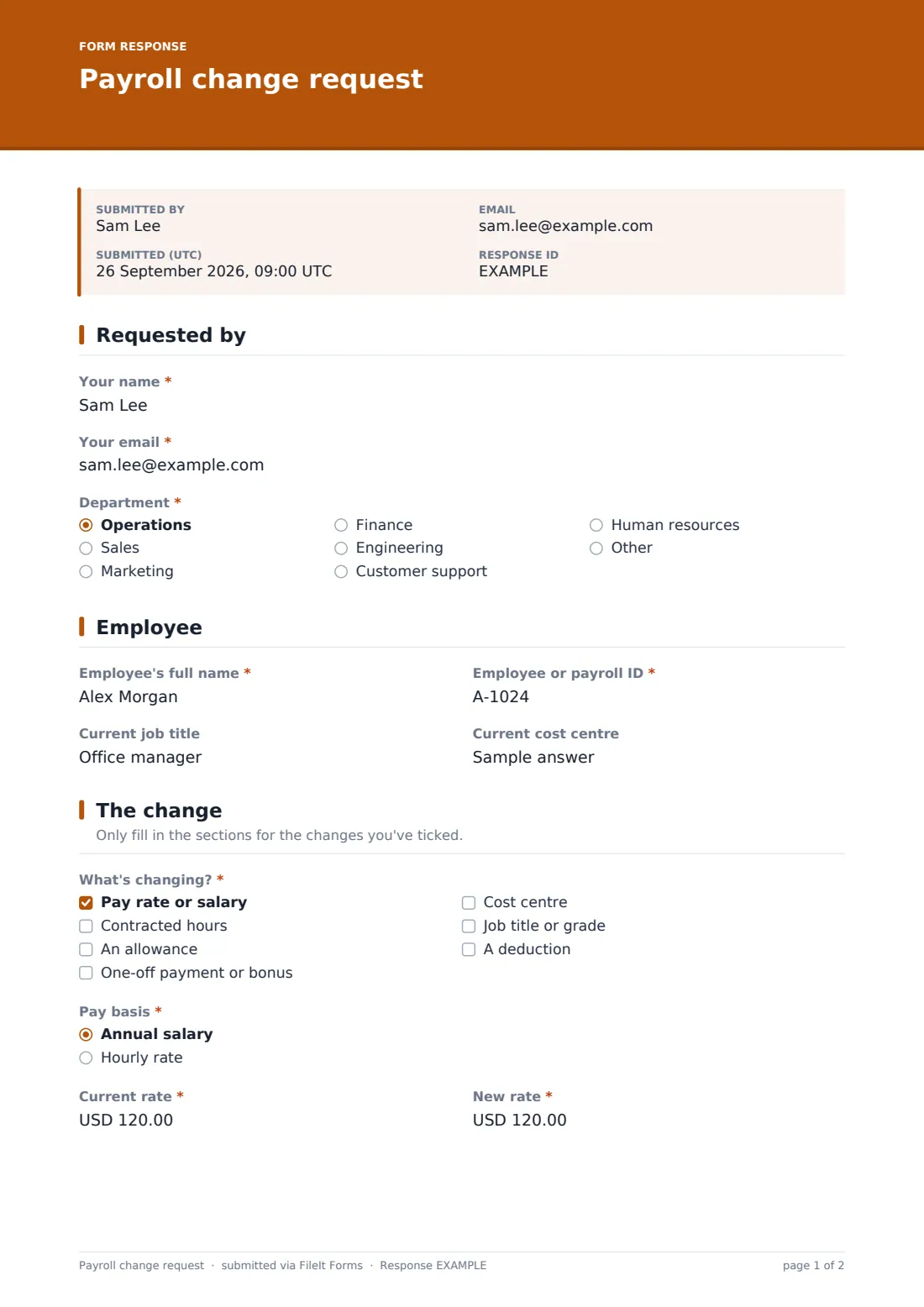
This template starts with a checklist of what's changing: pay rate, hours, an allowance, a one-off payment, cost centre, job title or grade, or a deduction. Only the sections for the ticked changes appear. A pay change asks for the basis, current and new rate, and reason; an hours change asks for current and new hours and whether it's temporary; an allowance asks for the type, amount and frequency.
Every request needs an effective date, a justification and confirmation that it's been authorised. Supporting documents such as a contract variation can be attached, and each request is saved as a PDF in your FileIt vault.
- Best for
- Managers and HR teams sending changes to payroll
- Filled in by
- The employee's manager or HR
- Time to complete
- About 5 minutes
- Includes
- A change checklist with conditional sections, effective and end dates, backdating, budget and approval questions, document upload
Who uses a payroll change request form?
- A manager requesting a pay rise after an annual review
- Changing an employee's contracted hours
- Adding a travel, on-call or shift allowance
- Paying a one-off bonus
- Moving an employee to a new cost centre after a restructure
- Correcting a pay rate error with backdated pay
Questions on this payroll change request form
33 questions over 4 pages · includes file upload, conditional questions, multiple pages, consent checkbox.
1 Requested by
- Your name*
- Your email*
- Department* Operations · Sales · Marketing · Finance · Engineering · Customer support · Human resources · Other
2 Employee
- Employee's full name*
- Employee or payroll ID*
- Current job title
- Current cost centre
3 The change
- What's changing?* Pay rate or salary · Contracted hours · An allowance · One-off payment or bonus · Cost centre · Job title or grade · A deduction
- Pay basis* asked only when it applies Annual salary · Hourly rate
- Current rate* asked only when it applies
- New rate* asked only when it applies
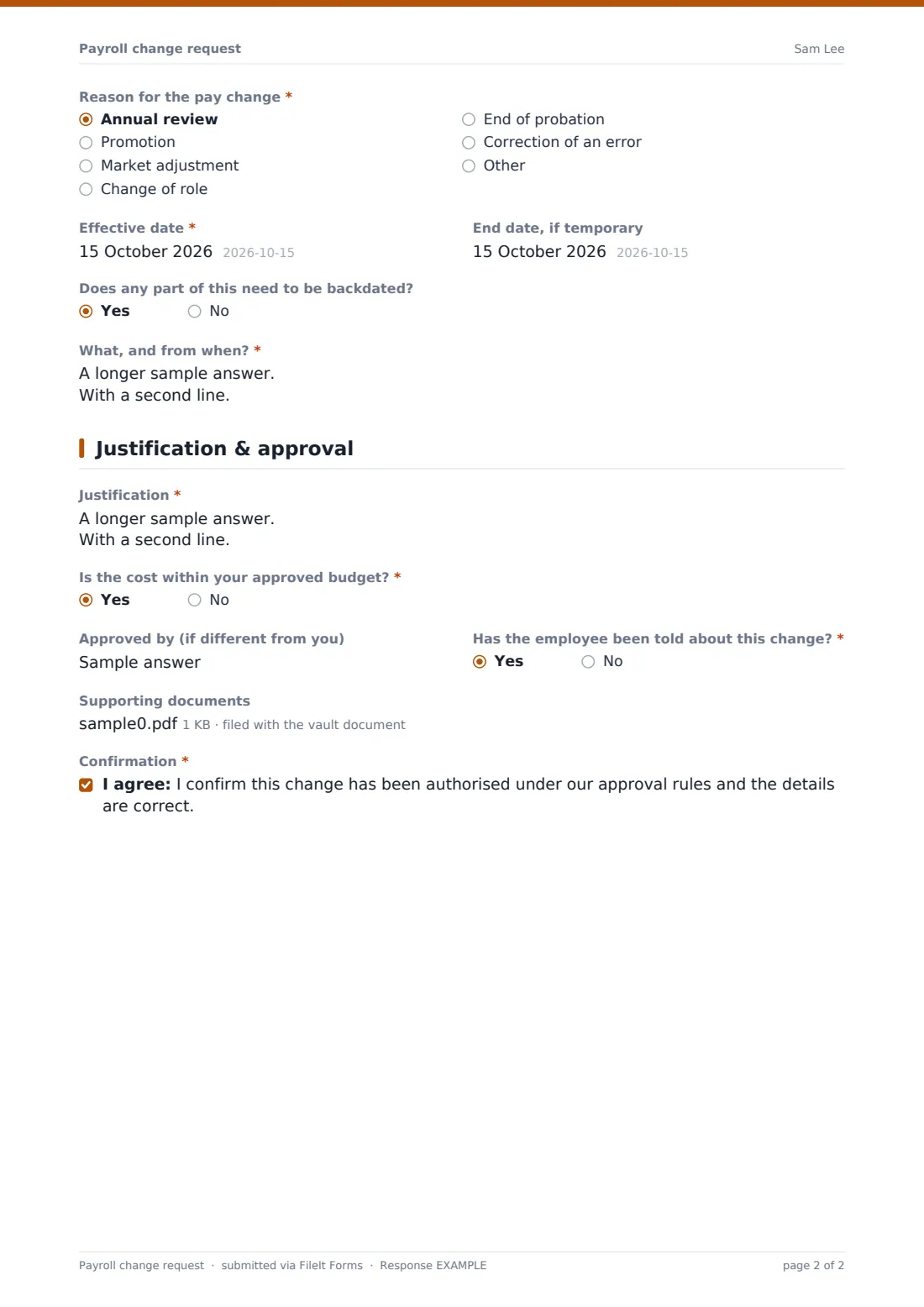
- Reason for the pay change* asked only when it applies Annual review · Promotion · Market adjustment · Change of role · End of probation · Correction of an error · Other
- Current hours per week* asked only when it applies
- New hours per week* asked only when it applies
- Is the change in hours temporary? asked only when it applies
- Allowance* asked only when it applies
- Amount* asked only when it applies
- How often is it paid? asked only when it applies Every pay period · Monthly · Annually
- One-off amount* asked only when it applies
- What is it for?* asked only when it applies
- New cost centre* asked only when it applies
- New job title or grade* asked only when it applies
- Deduction details* asked only when it applies
- Effective date*
- End date, if temporary
- Does any part of this need to be backdated?
- What, and from when?* asked only when it applies
4 Justification & approval
- Justification*
- Is the cost within your approved budget?*
- Approved by (if different from you)
- Has the employee been told about this change?*
- Supporting documents
- Confirmation*
The payroll change request form, page by page
1 Requested by
The manager gives their name, email and department.
2 Employee
They give the employee's full name, employee or payroll ID, current job title and cost centre.
3 The change
A checklist asks what's changing. Pay rate changes ask for the basis, the current and new rate and the reason. Hours changes ask for current and new weekly hours and whether it's temporary. Allowances ask for the type, amount and how often it's paid. One-off payments ask for the amount and what it's for. Cost centre and job title changes ask for the new value, and deductions ask for details including any written agreement. Every request gives an effective date, an optional end date, and whether anything needs backdating.
4 Justification & approval
The manager explains the change, confirms whether it's within budget, names the approver if different, says whether the employee has been told, attaches any supporting documents and confirms the change has been authorised.
Make the template yours
- Change the currency to match your payroll
- Add your payroll cut-off dates to the cover text
- Add payroll and finance to the notification emails
- Remove change types that go through a different process
- Edit the pay change reasons to match your review categories
Tips for a better payroll change request form
- Submit changes before the payroll cut-off to avoid back pay
- Always give the current figure as well as the new one — it catches mistakes
- Put the change in writing to the employee too
- Check that deductions from pay have the employee's written agreement where needed
- Keep the signed contract variation with the request
Every response becomes a PDF in your vault
Each request is saved as a PDF in your FileIt vault with any supporting documents attached, and the form owner is notified. The manager receives a copy.
Payroll can work through requests from the Responses table and export to CSV each pay period to reconcile what's been processed.
- Start from this template. It opens in the FileIt Forms designer — change any question, add pages, set the rules for when questions appear.
- Share it. Turn on a public link, or send it to people by email, each with their own link. They don’t need a FileIt account.
- Get the answers as PDFs. Each response is saved as a PDF in the vault folder you choose, with uploaded files attached — and listed in a Responses table you can export to CSV.
Payroll change request form: frequently asked questions
Is this payroll change request template free?
Yes — it's included with the Forms app on every FileIt account, including the free plan, alongside the rest of the template gallery.
Can one request cover several changes?
Yes. Tick every change that applies and the form shows the sections for each.
Can I change the currency?
Yes. The pay and allowance fields default to USD and can be changed in the form designer.
Does the form update payroll automatically?
No. It collects and files the request; your payroll team makes the change in your payroll system.
How does backdating work?
Answering yes to backdating asks what needs backdating and from when.
Who should fill it in?
It's written for managers or HR. Employees updating their own personal details can use the change of details template instead.