What is the near-miss report form template?
A near-miss report records something that could have hurt someone or damaged property but didn't — a dropped tool that landed a metre from someone, a forklift that nearly clipped a pedestrian, a trailing cable across a walkway. This template captures where and when it happened, what was involved, how bad it could have been, what contributed, and the reporter's own idea for preventing it.
Near misses go unreported when reporting is slow or feels like getting someone into trouble. This form is short, opens with a no-blame message, and lets the reporter stay anonymous — in which case it doesn't ask for their name or contact details at all. Anyone who does give their name can ask to hear what action was taken.
It runs on FileIt's Forms app, included on every FileIt account. Put the link on a QR code in the site cabin or break room, and every report becomes a PDF filed in your vault for whoever reviews safety reports.
- Best for
- Construction sites, warehouses, factories, facilities and field teams
- Filled in by
- Any worker, contractor or visitor who saw the near miss
- Time to complete
- About 3–5 minutes
- Includes
- Anonymous option, hazard categories, potential severity, contributing causes, photo upload
Who uses a near-miss report form?
- A dropped object or falling material that narrowly missed someone
- A vehicle or plant movement that nearly struck a pedestrian
- A trip hazard, missing guardrail or exposed wiring spotted on a walk-round
- Someone working without the right PPE or bypassing a guard
- A chemical spill or leak caught before anyone was exposed
- A QR-code reporting point in a break room or site cabin
Questions on this near-miss report form
23 questions over 4 pages · includes file upload, conditional questions, multiple pages, consent checkbox.
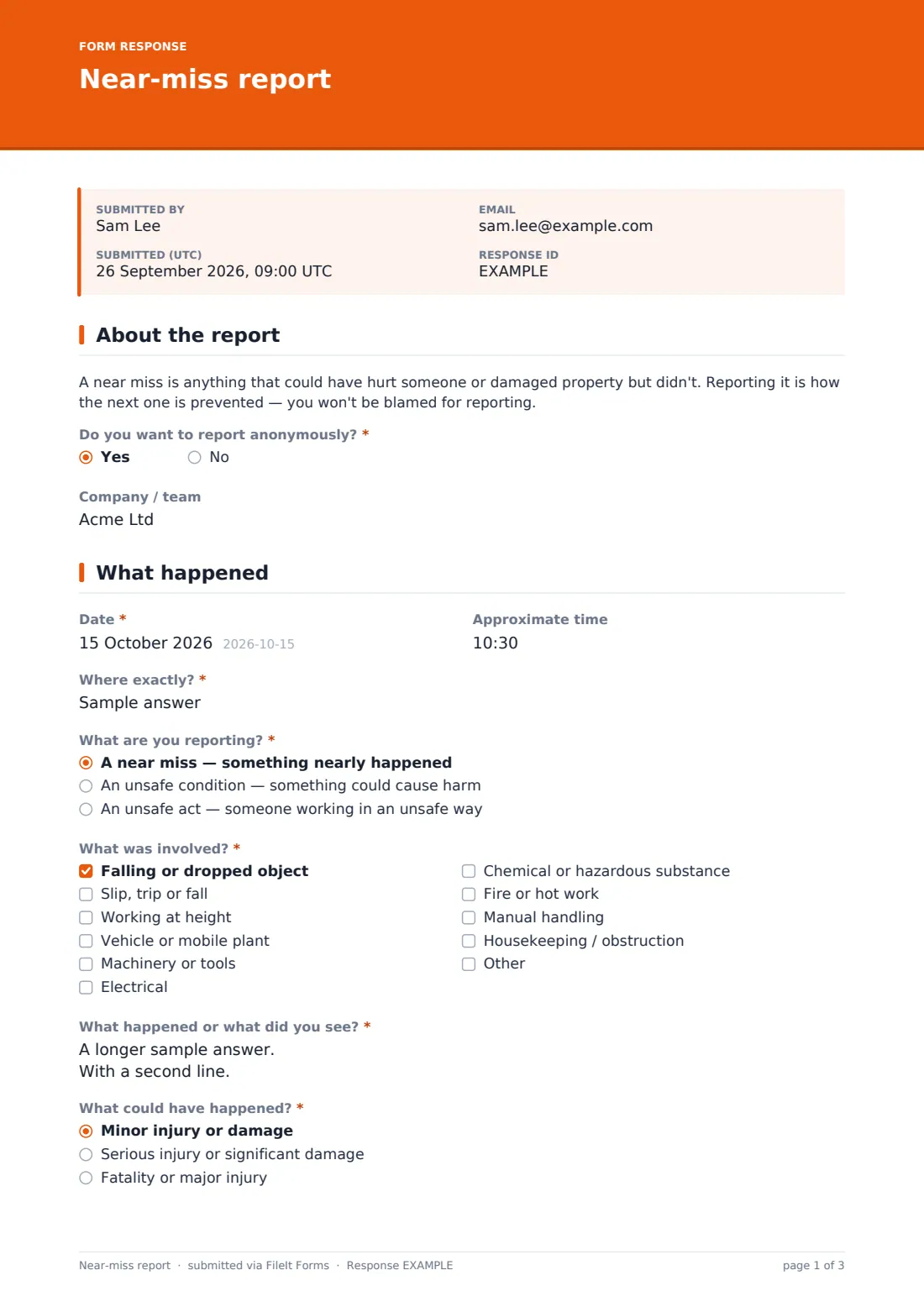
1 About the report
- Do you want to report anonymously?*
- Your name* asked only when it applies
- Phone asked only when it applies
- Email asked only when it applies
- Company / team
2 What happened
- Date*
- Approximate time
- Where exactly?*
- What are you reporting?* A near miss — something nearly happened · An unsafe condition — something could cause harm · An unsafe act — someone working in an unsafe way
- What was involved?* Falling or dropped object · Slip, trip or fall · Working at height · Vehicle or mobile plant · Machinery or tools · Electrical · Chemical or hazardous substance · Fire or hot work · Manual handling · Housekeeping / obstruction
- What happened or what did you see?*
- What could have happened?* Minor injury or damage · Serious injury or significant damage · Fatality or major injury
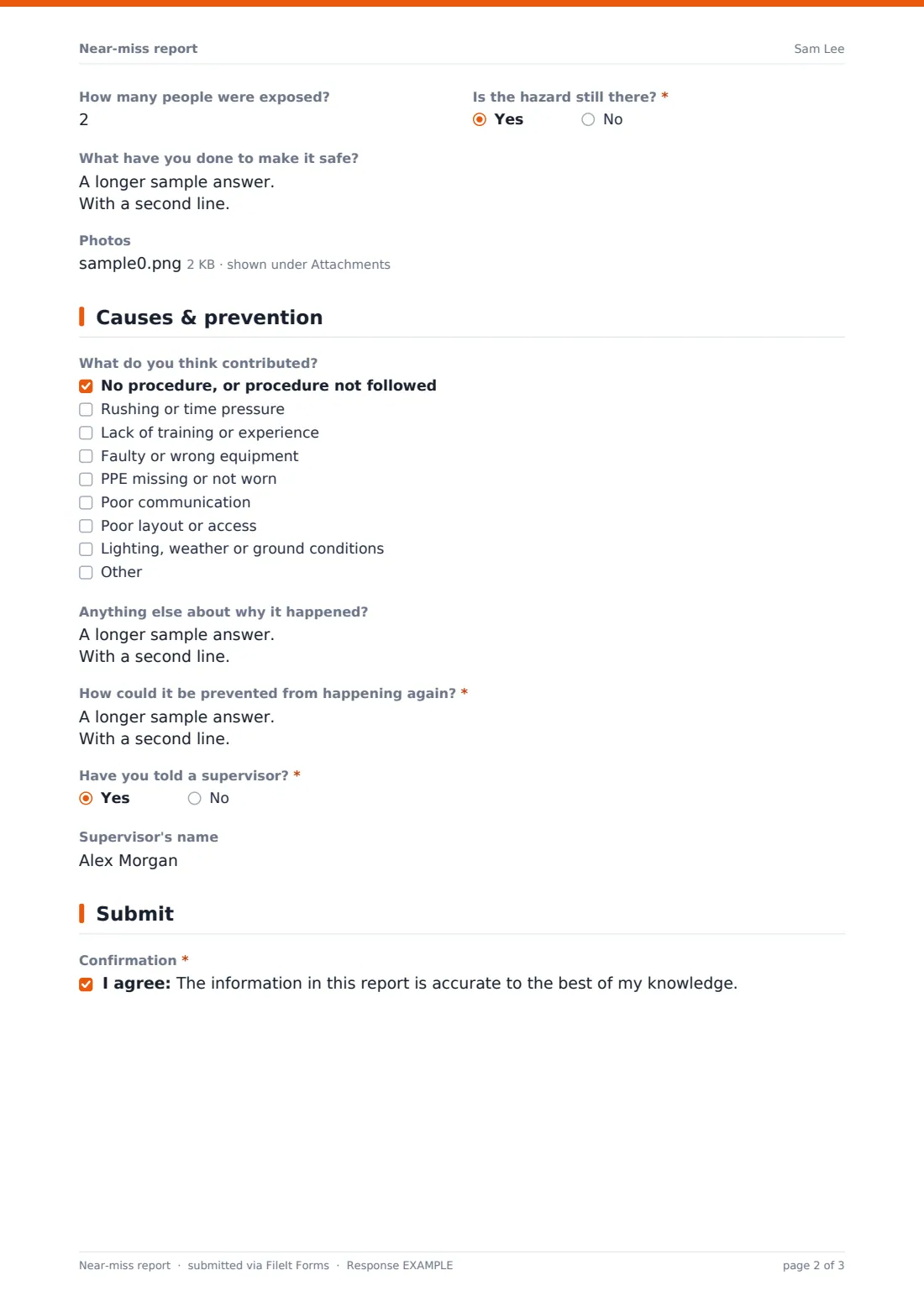
- How many people were exposed?
- Is the hazard still there?*
- What have you done to make it safe? asked only when it applies
- Photos
3 Causes & prevention
- What do you think contributed? No procedure, or procedure not followed · Rushing or time pressure · Lack of training or experience · Faulty or wrong equipment · PPE missing or not worn · Poor communication · Poor layout or access · Lighting, weather or ground conditions
- Anything else about why it happened?
- How could it be prevented from happening again?*
- Have you told a supervisor?*
- Supervisor's name asked only when it applies
4 Submit
- Would you like to hear what action is taken? asked only when it applies
- Confirmation*
The near-miss report form, page by page
1 About the report
A short paragraph explains what a near miss is and that reporting won't lead to blame. The reporter chooses whether to stay anonymous; if not, the form asks for their name, phone and email. Company or team is optional either way.
2 What happened
Date, approximate time and exact location come first, then whether this is a near miss, an unsafe condition or an unsafe act. The reporter ticks what was involved — falling objects, slips, height, vehicles, machinery, electrical, chemicals, fire, manual handling or housekeeping — and describes what they saw. They rate what could have happened, from minor to fatal, say how many people were exposed and whether the hazard is still there — which asks what they've done to make it safe. Photos are optional.
3 Causes & prevention
A checklist of contributing factors — procedures, rushing, training, equipment, PPE, communication, layout and conditions — plus a free-text box capture why it happened. The reporter's suggestion for preventing it is required. The form also asks whether a supervisor has been told, and who.
4 Submit
Named reporters can ask to hear what action is taken. Everyone confirms the report is accurate to the best of their knowledge.
Make the template yours
- Add a dropdown of your sites or areas so reports can be filtered by location
- Edit the hazard categories to suit your industry
- Remove the anonymous option if your process requires named reports
- Send reports marked as potentially fatal to your safety manager's address as well
- Add a QR code for the form link to site noticeboards
- Add an internal section for the reviewer's investigation notes and close-out
Tips for a better near-miss report form
- Make reporting easy and visible — a QR code where people take breaks works well
- Thank reporters, and tell named reporters what changed as a result
- Look at the potential severity, not just what actually happened
- Fix still-present hazards before investigating anything else
- Look for patterns across reports — the same location or cause repeated is a warning
- Never use near-miss reports to discipline the person who reported
Every response becomes a PDF in your vault
Each report is saved as a PDF titled with the date, with any photos attached, and filed in the vault folder you chose. You're notified immediately. Anonymous reports carry no name or contact details, and the document title uses only the date.
The Responses table lets you filter reports by type, potential severity or hazard category and export them to CSV for a safety committee or trend review.
- Start from this template. It opens in the FileIt Forms designer — change any question, add pages, set the rules for when questions appear.
- Share it. Turn on a public link, or send it to people by email, each with their own link. They don’t need a FileIt account.
- Get the answers as PDFs. Each response is saved as a PDF in the vault folder you choose, with uploaded files attached — and listed in a Responses table you can export to CSV.
Near-miss report form: frequently asked questions
Is this near-miss report template free?
Yes. It's included with the Forms app on every FileIt account, including the free plan.
Can people report anonymously?
Yes. Choosing anonymous hides the name and contact questions, and the form doesn't ask for identity. Anything they type in the description is still visible, so the help text suggests not naming people unnecessarily.
Do reporters need a FileIt account?
No. Anyone with the link can submit a report.
What's the difference between a near miss and an incident?
A near miss is an event where nobody was hurt and nothing was damaged, but could have been. Use an incident report when someone was injured or property was damaged.
Can reporters attach photos?
Yes. Up to five images, and only if it's safe to take them.
Can I track what was done about each report?
The form records the report. Track follow-up in the Responses table or add your own close-out section in the designer.
Is this a legally required report?
FileIt doesn't give legal advice. Some serious incidents must be reported to a regulator — check the rules that apply to you.