What is the patient safety incident report form template?
Patient safety improves when staff report what goes wrong — and what nearly went wrong — quickly, factually and without fear of blame. A good report says what happened, whether it reached the patient and how badly they were affected, what was done straight away, what may have contributed and whether the patient or family has been told.
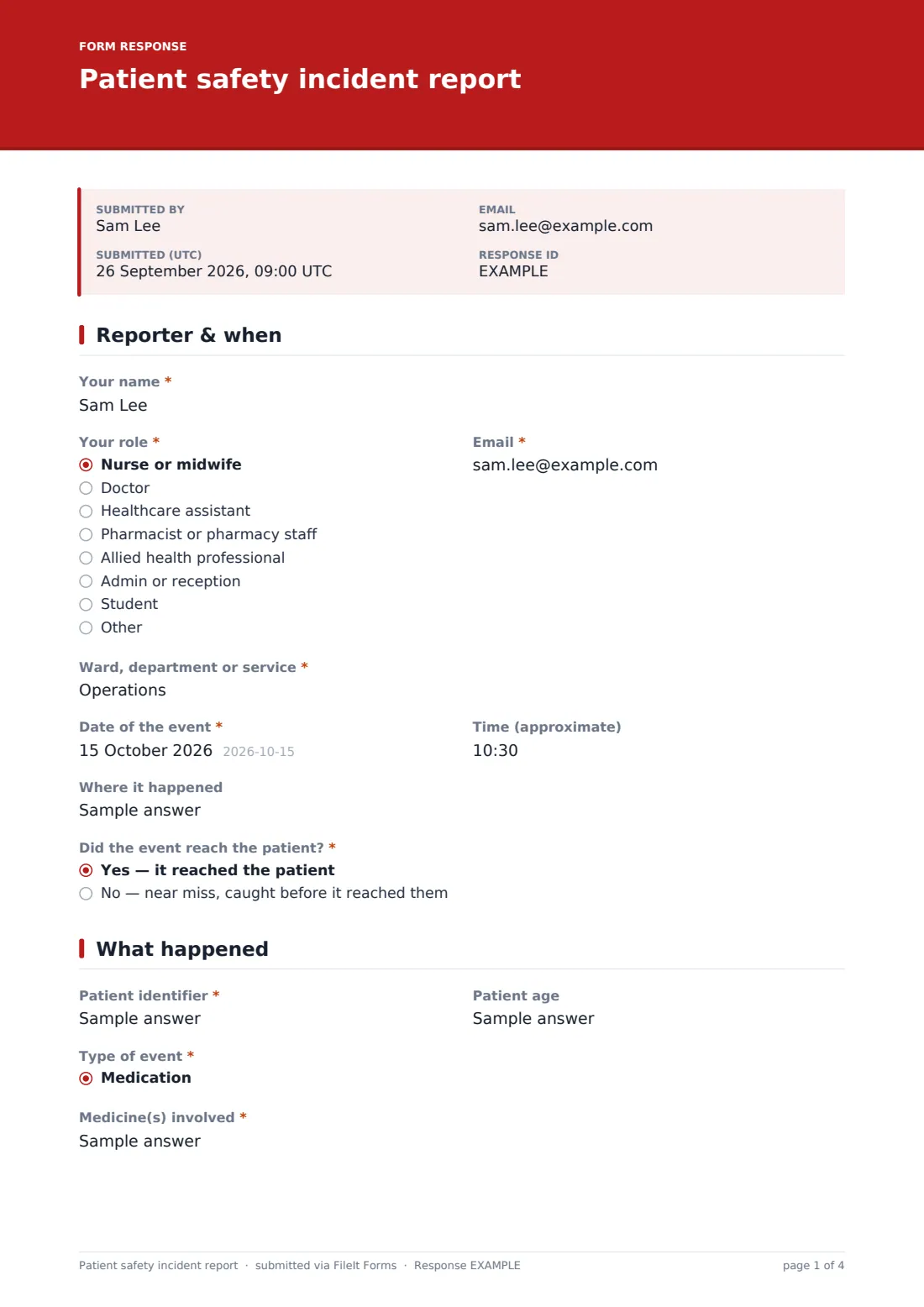
This template starts with the reporter, their role and department, when and where the event happened, and whether it reached the patient or was a near miss. The patient is identified by record number rather than name. The event type sets the follow-ups: medication events ask which medicine and what went wrong, and device events ask for the model and serial number and whether it's been taken out of use. A free-text description captures the facts in order.
For events that reached the patient, the reporter grades the harm from none to death, or not known yet. Everyone records immediate actions and who was told, then contributing factors, prevention ideas and disclosure, with optional attachments. Each report is saved as a PDF in FileIt.
- Best for
- Hospitals, clinics, GP practices, care homes, community and home care services
- Filled in by
- Any member of staff involved in or aware of the event
- Time to complete
- About 8 minutes
- Includes
- Near miss or harm, event types with medication and device follow-ups, harm grading, escalation, contributing factors, disclosure and attachments
Who uses a patient safety incident report form?
- Ward staff reporting a medication error or near miss
- Recording a patient fall and the actions taken
- Reporting a faulty device that affected care
- Community teams reporting handover or communication failures
- Care homes reporting pressure injuries or safeguarding concerns
- Small clinics without a dedicated incident reporting system
Questions on this patient safety incident report form
29 questions over 4 pages · includes file upload, conditional questions, multiple pages.
1 Reporter & when
- Your name*
- Your role* Nurse or midwife · Doctor · Healthcare assistant · Pharmacist or pharmacy staff · Allied health professional · Admin or reception · Student · Other
- Email*
- Ward, department or service*
- Date of the event*
- Time (approximate)
- Where it happened
- Did the event reach the patient?* Yes — it reached the patient · No — near miss, caught before it reached them
2 What happened
- Patient identifier*
- Patient age
- Type of event* Medication · Slip, trip or fall · Pressure injury · Assessment or diagnosis · Treatment or procedure · Infection control · Medical device or equipment · Communication or handover · Patient identification · Records or documentation · Admission, transfer or discharge · Safeguarding concern
- Medicine(s) involved* asked only when it applies
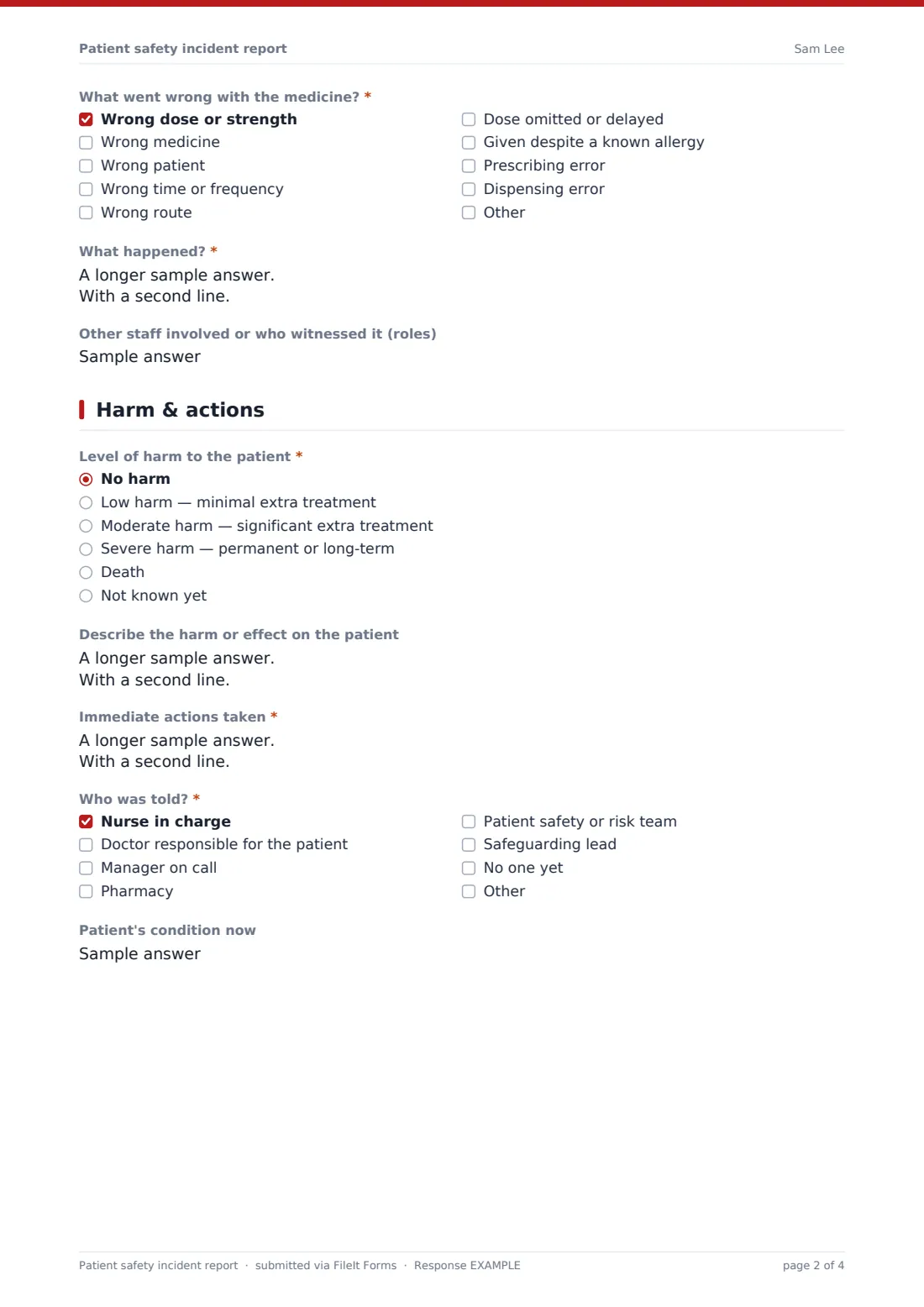
- What went wrong with the medicine?* asked only when it applies Wrong dose or strength · Wrong medicine · Wrong patient · Wrong time or frequency · Wrong route · Dose omitted or delayed · Given despite a known allergy · Prescribing error · Dispensing error
- Device, model and serial or asset number* asked only when it applies
- Has the device been taken out of use and kept?* asked only when it applies
- What happened?*
- Other staff involved or who witnessed it (roles)
3 Harm & actions
- Level of harm to the patient* asked only when it applies No harm · Low harm — minimal extra treatment · Moderate harm — significant extra treatment · Severe harm — permanent or long-term · Death · Not known yet
- Describe the harm or effect on the patient asked only when it applies
- Immediate actions taken*
- Who was told?* Nurse in charge · Doctor responsible for the patient · Manager on call · Pharmacy · Patient safety or risk team · Safeguarding lead · No one yet
- Patient's condition now
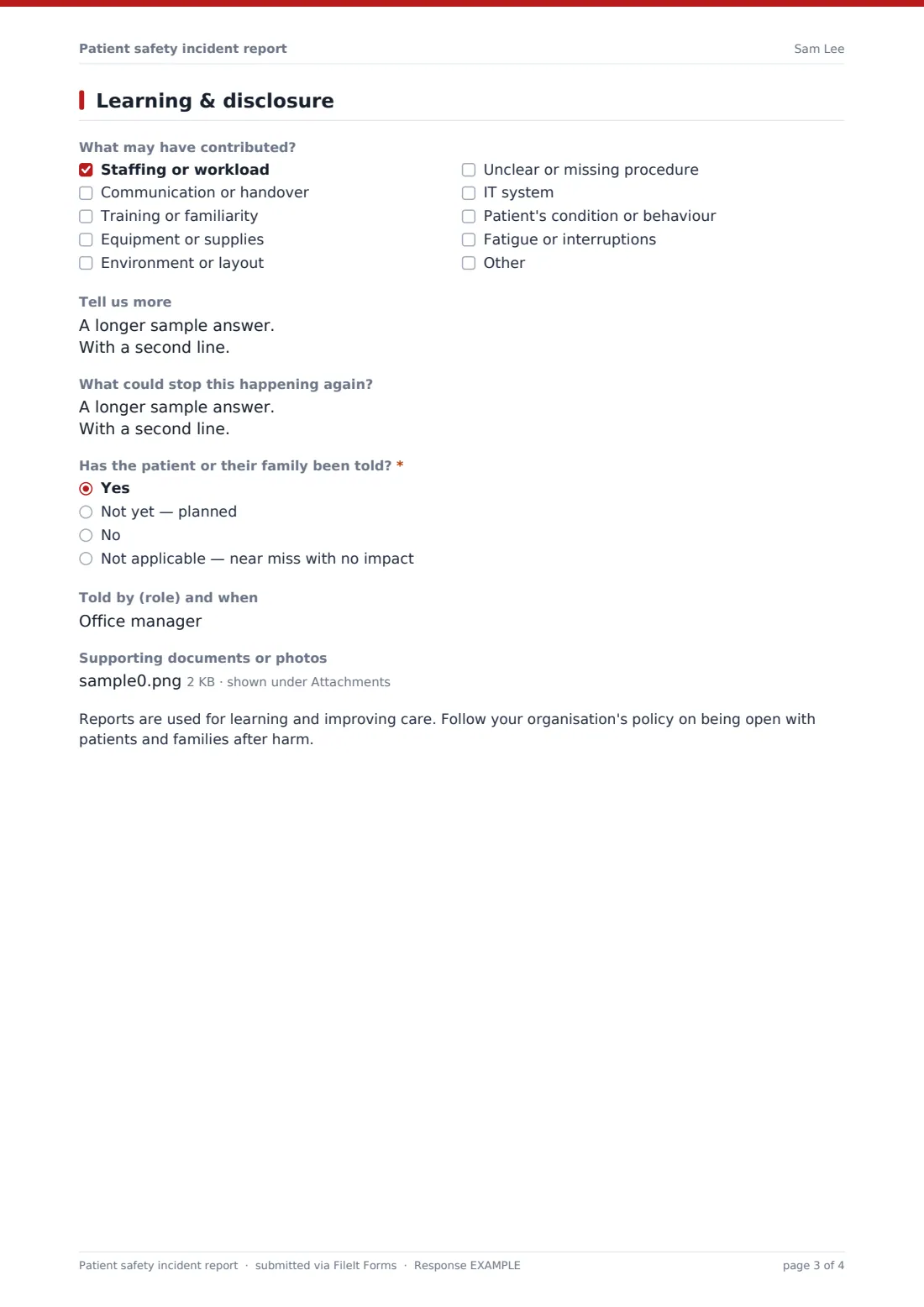
4 Learning & disclosure
- What may have contributed? Staffing or workload · Communication or handover · Training or familiarity · Equipment or supplies · Environment or layout · Unclear or missing procedure · IT system · Patient's condition or behaviour · Fatigue or interruptions
- Tell us more
- What could stop this happening again?
- Has the patient or their family been told?* Yes · Not yet — planned · No · Not applicable — near miss with no impact
- Told by (role) and when asked only when it applies
- Why not? asked only when it applies
- Supporting documents or photos
The patient safety incident report form, page by page
1 Reporter & when
The reporter gives their name, role, email and ward or department, the date and approximate time of the event, where it happened, and whether it reached the patient or was a near miss caught in time.
2 What happened
The patient is identified by hospital or record number and age. The reporter picks the type of event from fourteen categories, from medication and falls to identification, discharge and safeguarding. Medication events ask which medicine and what went wrong — wrong dose, drug, patient, time or route, an omitted dose, a known allergy, or a prescribing or dispensing error. Device events ask for the device and serial number and whether it's been taken out of use and kept. A required description asks for facts in order, and a short field records the roles of other staff involved.
3 Harm & actions
When the event reached the patient, the reporter grades harm as none, low, moderate, severe, death or not known yet, and describes the effect. Everyone records the immediate actions taken, who was told — nurse in charge, doctor, manager, pharmacy, patient safety team or safeguarding lead — and the patient's condition now.
4 Learning & disclosure
The reporter ticks possible contributing factors, such as staffing, communication, training, equipment, environment, procedures, IT, the patient's condition or fatigue, adds detail and suggests how to prevent a repeat. They record whether the patient or family has been told, by whom, or why not, and can attach supporting documents or photos. A closing note reminds staff to follow their organisation's policy on being open after harm.
Make the template yours
- Replace the harm levels with your organisation's grading scheme
- Add your own event categories and sub-categories
- Send reports to your patient safety or risk team's inbox
- Turn on anonymous reporting by removing the name and email if your policy allows it
- File reports by department in separate vault folders
- Add a manager review page for investigation findings
Tips for a better patient safety incident report form
- Make the patient safe first, then report
- Report near misses — they show where the next incident might happen
- Stick to facts and avoid naming or blaming colleagues
- Keep patient identifiers to what your policy allows
- Tell reporters what changed as a result; it keeps people reporting
- Follow your organisation's policy on informing patients and families after harm
Every response becomes a PDF in your vault
Each report is saved as a PDF in the vault folder you choose, with any attachments. The account owner and any extra addresses, such as a patient safety inbox, can be emailed as soon as a report arrives.
In Responses, filter by event type, department or date, or export to CSV to look for patterns in categories and contributing factors over time.
- Start from this template. It opens in the FileIt Forms designer — change any question, add pages, set the rules for when questions appear.
- Share it. Turn on a public link, or send it to people by email, each with their own link. They don’t need a FileIt account.
- Get the answers as PDFs. Each response is saved as a PDF in the vault folder you choose, with uploaded files attached — and listed in a Responses table you can export to CSV.
Patient safety incident report form: frequently asked questions
Is this patient safety incident report template free?
Yes. It's part of the Forms app, included with every FileIt account, the free plan too.
Does this replace our incident management system?
It can serve as a simple reporting route for small services, or a back-up. It doesn't include investigation workflows, so larger organisations usually use it alongside their main system.
Should we record near misses?
Yes. Choosing near miss skips the harm questions but keeps everything else, so you can learn from events that were caught in time.
Does the form send reports to a national reporting system?
No. Reports are saved in your FileIt vault. If you need to report to a regulator or national scheme, do that separately.
Can staff report anonymously?
As built, the form asks for the reporter's name and email. You can remove them in the designer if your policy allows anonymous reports.
How should patients be identified?
The form asks for a record number rather than a name. Follow your own policy on what identifiers to use.