What is the pressure injury risk assessment form template?
Pressure injuries, also called pressure ulcers or bed sores, are far easier to prevent than to treat. Most care settings assess risk on admission and again when someone's condition changes, usually by scoring a handful of factors: how well the person feels discomfort, how damp their skin is, how much they move, what they eat and whether they slide in bed or chair.
This template follows that familiar six-area approach on a single page. Each area is a choice of four plainly worded descriptions scored 1 to 4 (friction and shear runs 1 to 3), so the assessor picks the one that fits and adds them up. The total, from 6 to 23, goes in the Total score box, and a Risk level question records the band using cut-offs commonly paired with six-area scores. Lower totals mean higher risk.
Enter a total of 12 or below and a Prevention plan section appears: how often to reposition, how often to check the skin, the measures in place and who will do what. The assessor also records any existing skin damage, with optional photos, sets the next review date and signs. Each assessment is filed as a PDF in FileIt.
- Best for
- Care homes, home care agencies, community nursing teams and hospital wards
- Filled in by
- A nurse, carer or other trained staff member
- Time to complete
- About 5 minutes
- Includes
- Six scored areas, total and risk band, skin damage with photos, a prevention plan for high-risk totals, review date and signature
Who uses a pressure injury risk assessment form?
- Admission assessments for new care home residents
- Home care agencies assessing clients who spend most of the day in bed or a chair
- Reassessing after a fall, an illness or a hospital stay
- Routine weekly or monthly reviews set by your care plan policy
- Community nurses visiting patients recovering from surgery
- Building a dated history of scores to show change over time
Questions on this pressure injury risk assessment form
24 questions · includes signature, file upload, conditional questions.
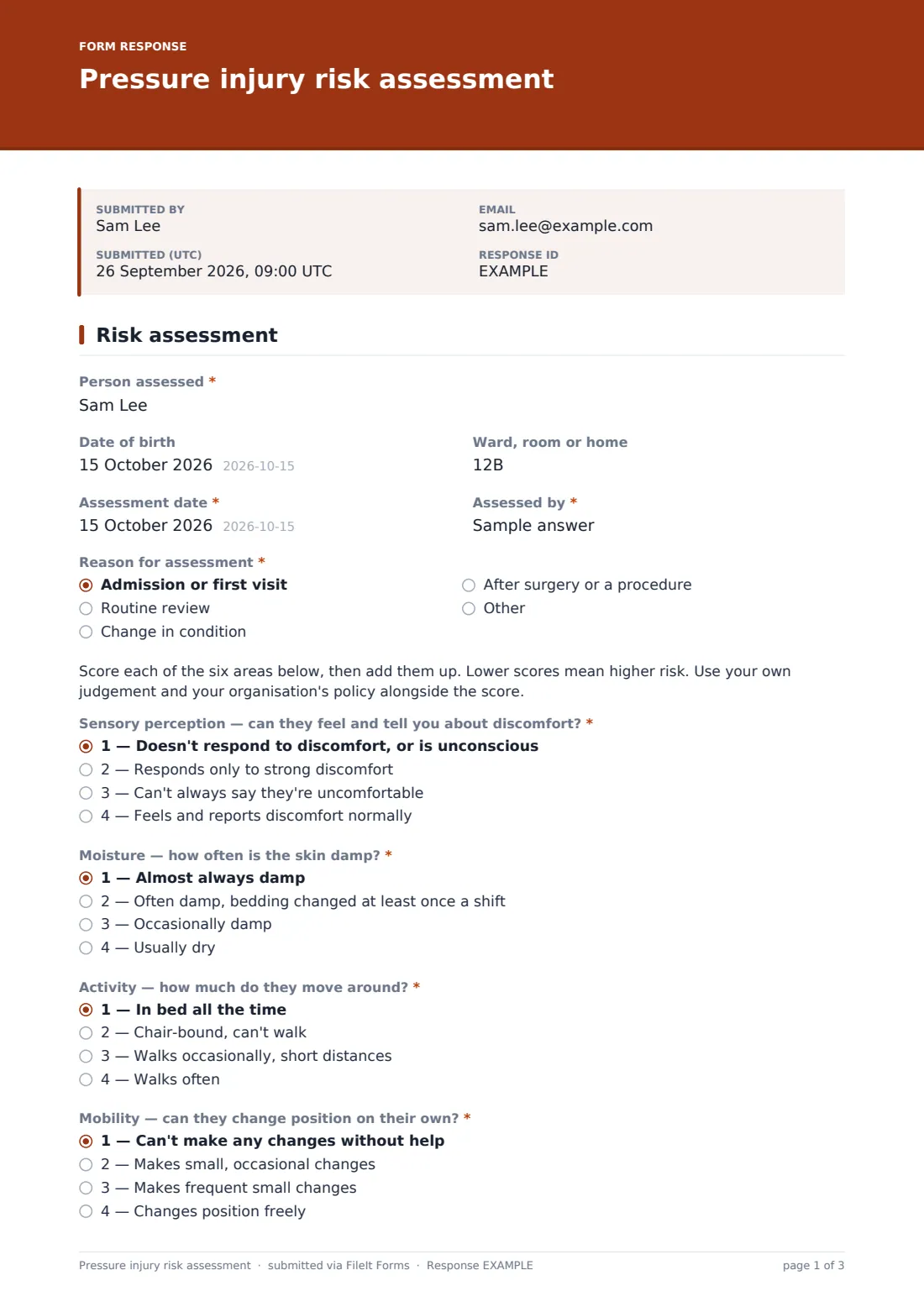
1 Risk assessment
- Person assessed*
- Date of birth
- Ward, room or home
- Assessment date*
- Assessed by*
- Reason for assessment* Admission or first visit · Routine review · Change in condition · After surgery or a procedure
- Sensory perception — can they feel and tell you about discomfort?* 1 — Doesn't respond to discomfort, or is unconscious · 2 — Responds only to strong discomfort · 3 — Can't always say they're uncomfortable · 4 — Feels and reports discomfort normally
- Moisture — how often is the skin damp?* 1 — Almost always damp · 2 — Often damp, bedding changed at least once a shift · 3 — Occasionally damp · 4 — Usually dry
- Activity — how much do they move around?* 1 — In bed all the time · 2 — Chair-bound, can't walk · 3 — Walks occasionally, short distances · 4 — Walks often
- Mobility — can they change position on their own?* 1 — Can't make any changes without help · 2 — Makes small, occasional changes · 3 — Makes frequent small changes · 4 — Changes position freely
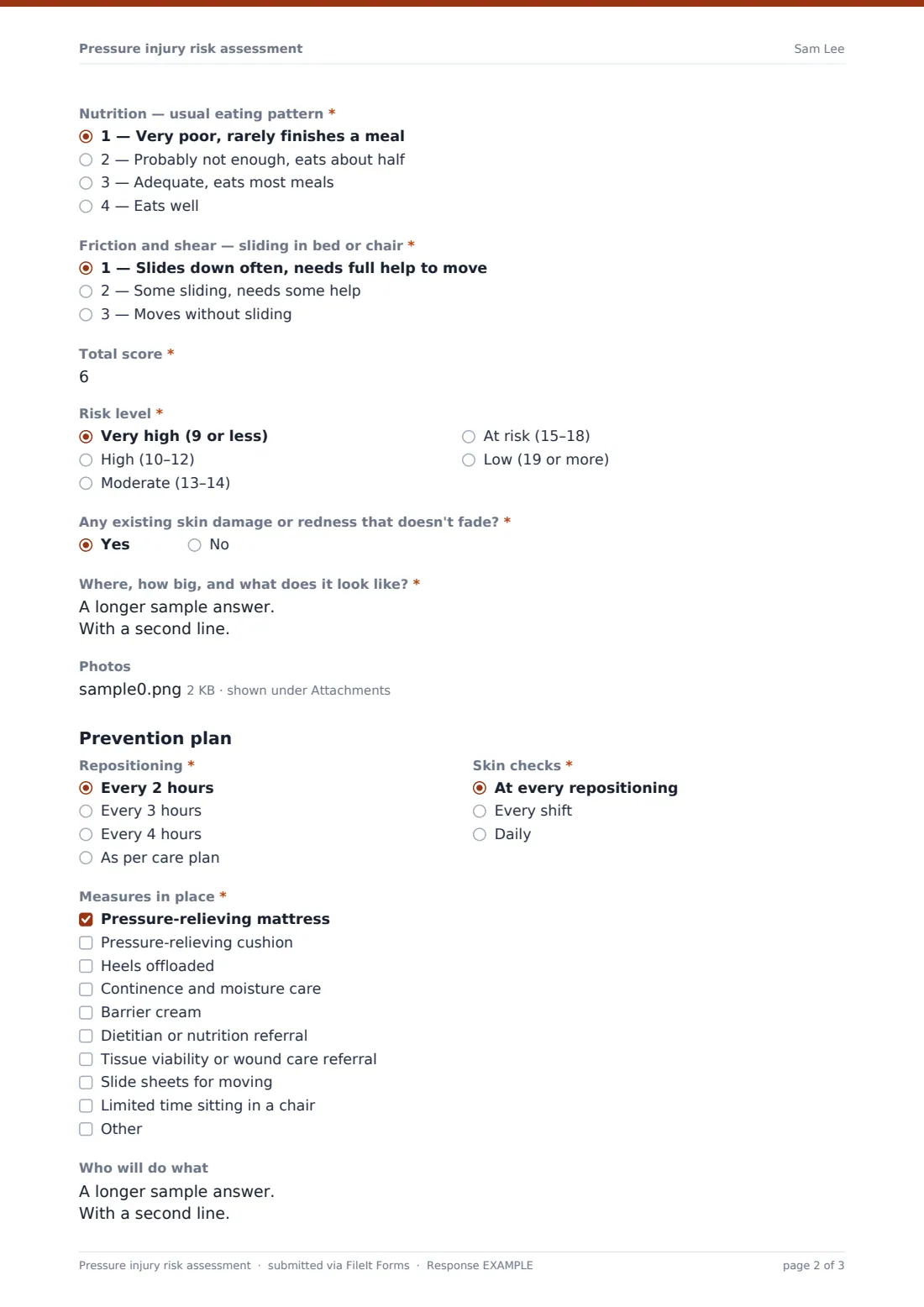
- Nutrition — usual eating pattern* 1 — Very poor, rarely finishes a meal · 2 — Probably not enough, eats about half · 3 — Adequate, eats most meals · 4 — Eats well
- Friction and shear — sliding in bed or chair* 1 — Slides down often, needs full help to move · 2 — Some sliding, needs some help · 3 — Moves without sliding
- Total score*
- Risk level* Very high (9 or less) · High (10–12) · Moderate (13–14) · At risk (15–18) · Low (19 or more)
- Any existing skin damage or redness that doesn't fade?*
- Where, how big, and what does it look like?* asked only when it applies
- Photos asked only when it applies
- Repositioning* asked only when it applies Every 2 hours · Every 3 hours · Every 4 hours · As per care plan
- Skin checks* asked only when it applies At every repositioning · Every shift · Daily
- Measures in place* asked only when it applies Pressure-relieving mattress · Pressure-relieving cushion · Heels offloaded · Continence and moisture care · Barrier cream · Dietitian or nutrition referral · Tissue viability or wound care referral · Slide sheets for moving · Limited time sitting in a chair
- Who will do what asked only when it applies
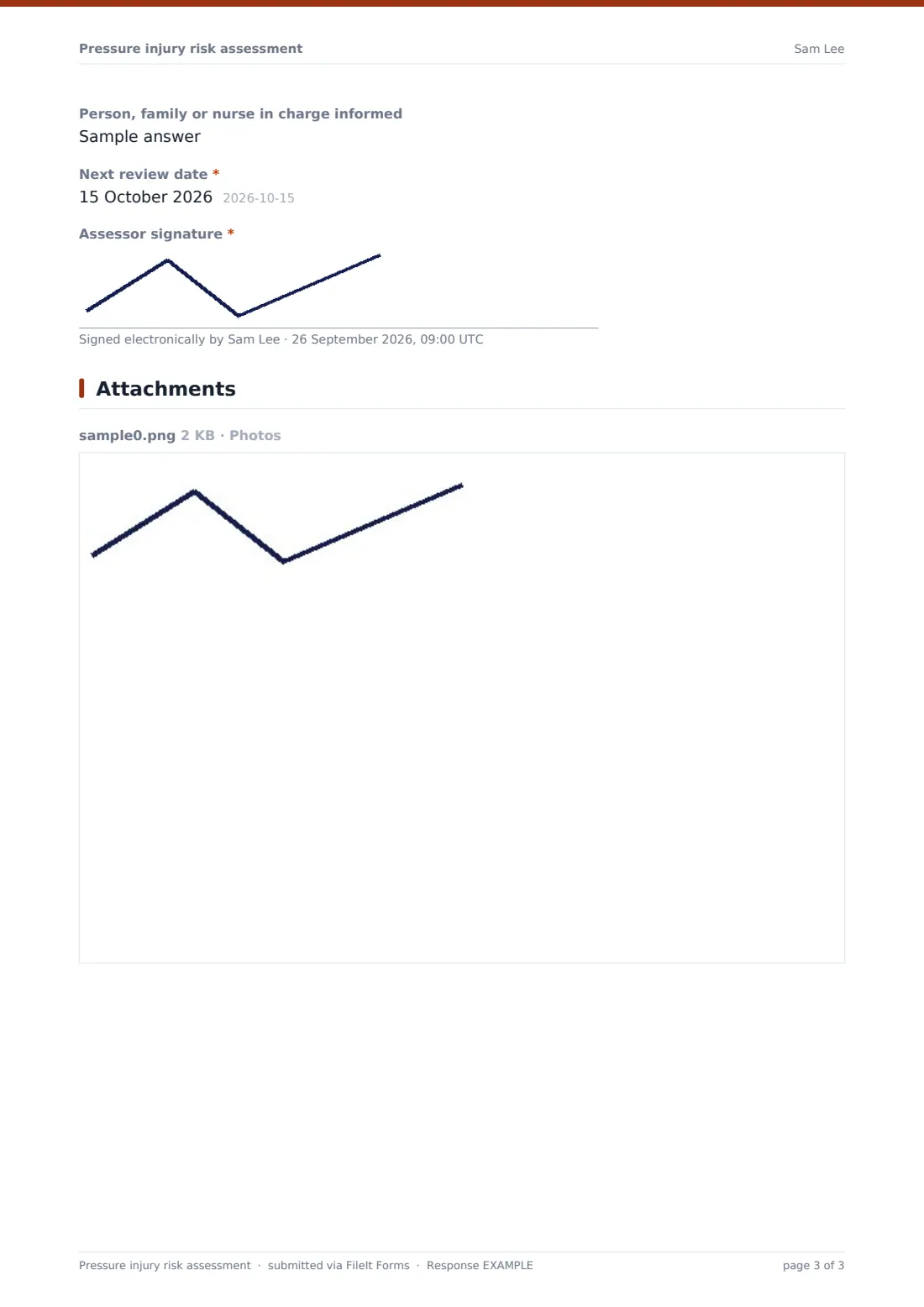
- Person, family or nurse in charge informed asked only when it applies
- Next review date*
- Assessor signature*
The pressure injury risk assessment form, page by page
1 Risk assessment
The page opens with the person assessed, date of birth, location, assessment date, who assessed them and the reason, such as admission, routine review or a change in condition. A short instruction explains how to score.
Six required questions follow. Sensory perception asks whether the person can feel and tell you about discomfort; moisture asks how often the skin is damp; activity and mobility ask how much they move and whether they can change position on their own; nutrition asks about their usual eating pattern; friction and shear asks about sliding in bed or a chair. The assessor enters the total score and picks a risk level from very high to low.
Any existing skin damage or redness that doesn't fade? is required; a yes asks where it is, how big and what it looks like, and allows up to three photos. When the total is under 13, the Prevention plan appears with required repositioning and skin-check frequencies and at least one measure in place, from a pressure-relieving mattress or offloaded heels to a tissue viability referral, plus notes and who was informed. The next review date and the assessor's signature complete the form.
Make the template yours
- Replace the descriptions and score bands with the tool your organisation has approved
- Change the prevention plan threshold to match your policy
- Add a body map image to the cover so staff can mark sites consistently
- Edit the measures list to reflect the equipment you have available
- Add a question for the person's or family's agreement to the plan
- File assessments into a vault folder per resident or per unit
Tips for a better pressure injury risk assessment form
- Score what you see today, not what the person could do last week
- Reassess whenever mobility, continence, eating or health changes
- Use the same tool every time so totals can be compared
- Only take photos with consent and in line with your photo policy
- Pass high-risk results to the nurse in charge at handover
- This template supports your clinical judgement and policy; it doesn't replace them
Every response becomes a PDF in your vault
Every assessment is filed as a dated PDF in the vault folder you choose, showing each score, the total, the risk level and any prevention plan. Photos are attached to the vault document, and the account owner can be emailed each time one is saved.
In Responses, filter by name to see a resident's assessments in date order, or export to CSV to track totals across your service.
- Start from this template. It opens in the FileIt Forms designer — change any question, add pages, set the rules for when questions appear.
- Share it. Turn on a public link, or send it to people by email, each with their own link. They don’t need a FileIt account.
- Get the answers as PDFs. Each response is saved as a PDF in the vault folder you choose, with uploaded files attached — and listed in a Responses table you can export to CSV.
Pressure injury risk assessment form: frequently asked questions
Is this pressure injury risk assessment template free?
Yes. It's part of the Forms app, which is included with every FileIt account, the free plan too.
Does the form add up the score for me?
No. The assessor adds the six scores and enters the total. The prevention plan appears automatically when the total entered is 12 or below.
Is this the Braden Scale?
It uses the same six areas many scoring tools use, with its own plain-language descriptions. If your organisation uses a specific licensed tool, edit the wording and bands to match it.
Can staff complete it on a tablet at the bedside?
Yes. The form works on phones and tablets, and photos can be taken and uploaded directly.
Can I change when the prevention plan appears?
Yes. In the designer, edit the logic on the prevention plan questions to use a different total.
Who can see the photos?
Photos are filed with the assessment in your vault. Keep these in a folder that only authorized staff can open.