What is the infection control audit form template?
Infection prevention and control only works when the basics are right every day — soap in the dispenser, sharps bins below the fill line, clean equipment clearly marked, clinical waste in the right bag. An audit is how a clinic finds out whether that's actually happening, rather than assuming it is. This template turns that audit into a consistent walk-round: the same standards, rated the same way, every time.
Each area of practice gets its own rating grid, with every item marked Compliant, Partly compliant, Non-compliant or N/A. There's space to count hand hygiene opportunities you observed against the number done correctly, notes for anything that fell short, and a findings page that only asks for actions when there are actions to record.
When the auditor signs, FileIt saves the audit as a PDF in the vault folder you pick — so the practice builds a dated history of audits, actions and re-audits that's easy to pull up for a governance meeting or an inspection.
- Best for
- GP surgeries, dental practices, clinics, care homes and other care settings
- Filled in by
- An infection control lead, practice manager or nominated auditor
- Time to complete
- About 15–20 minutes per area, depending on its size
- Includes
- Five rating grids, hand hygiene counts, photos, actions, re-audit date and signature
Who uses a infection control audit form?
- A GP surgery running its routine infection control audit of treatment and consulting rooms
- A dental practice checking decontamination-adjacent basics like sharps, waste and surface cleaning in each surgery
- A care home manager doing spot checks on hand hygiene and PPE use during a shift
- A clinic re-auditing an area to confirm actions from the last audit have been completed
- A physiotherapy or podiatry clinic keeping a simple, dated record of IPC checks
- An organisation responding to an outbreak by checking standards across several rooms quickly
Questions on this infection control audit form
26 questions over 4 pages · includes signature, file upload, conditional questions, multiple pages, ratings.
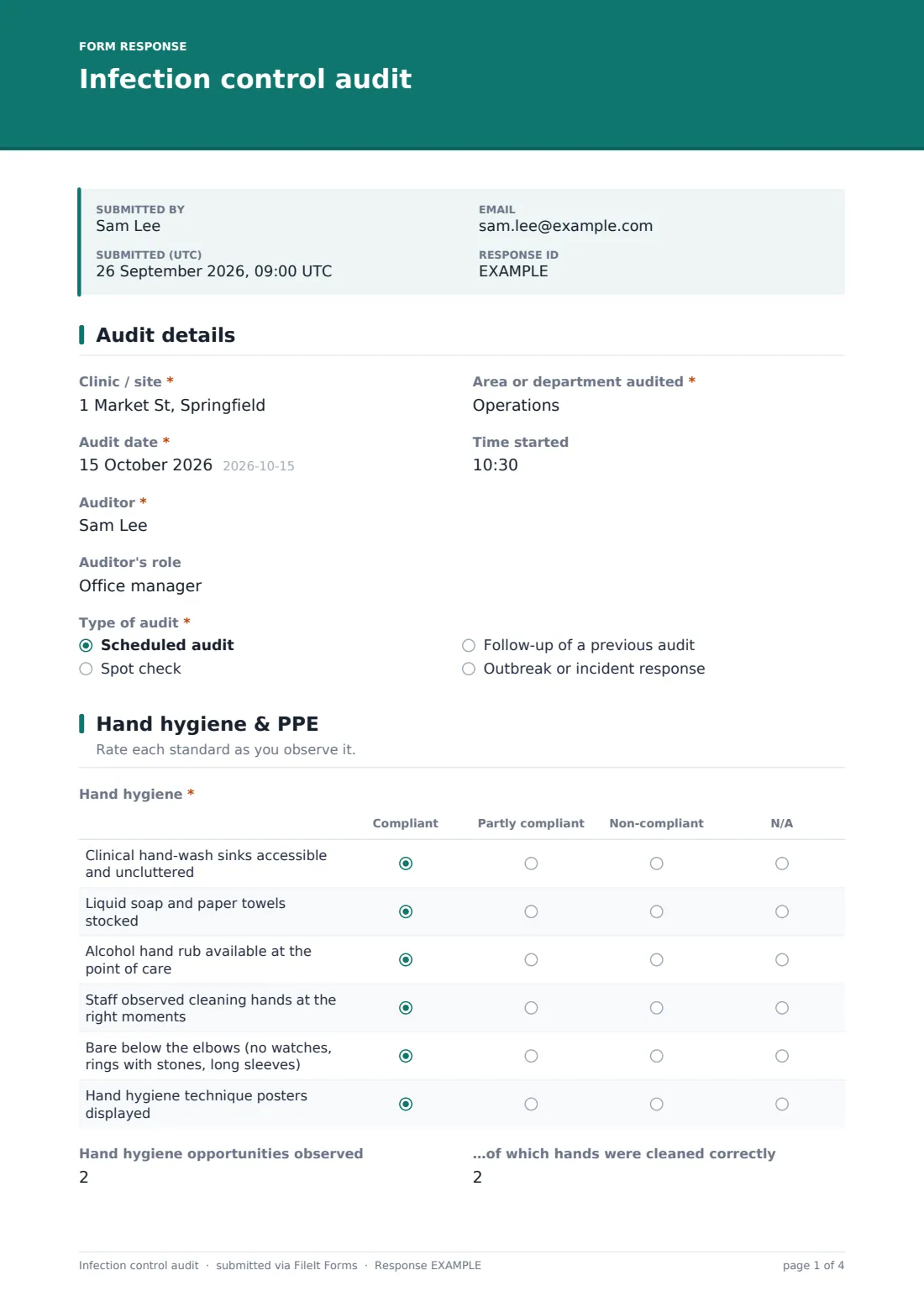
1 Audit details
- Clinic / site*
- Area or department audited*
- Audit date*
- Time started
- Auditor*
- Auditor's role
- Type of audit* Scheduled audit · Spot check · Follow-up of a previous audit · Outbreak or incident response
- Previous audit date or reference asked only when it applies
2 Hand hygiene & PPE
- Hand hygiene* Compliant · Partly compliant · Non-compliant · N/A
- Hand hygiene opportunities observed
- …of which hands were cleaned correctly
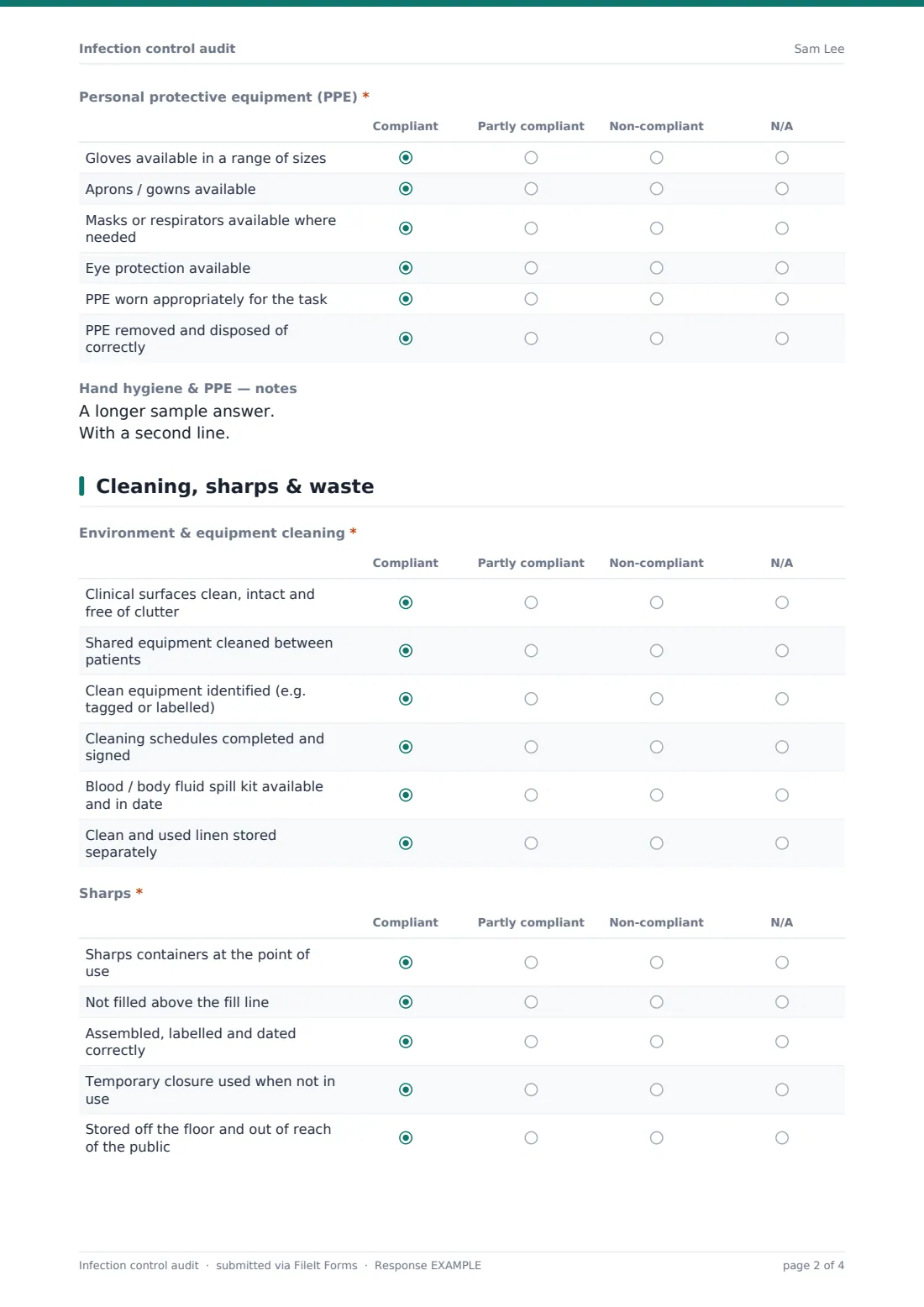
- Personal protective equipment (PPE)* Compliant · Partly compliant · Non-compliant · N/A
- Hand hygiene & PPE — notes
3 Cleaning, sharps & waste
- Environment & equipment cleaning* Compliant · Partly compliant · Non-compliant · N/A
- Sharps* Compliant · Partly compliant · Non-compliant · N/A
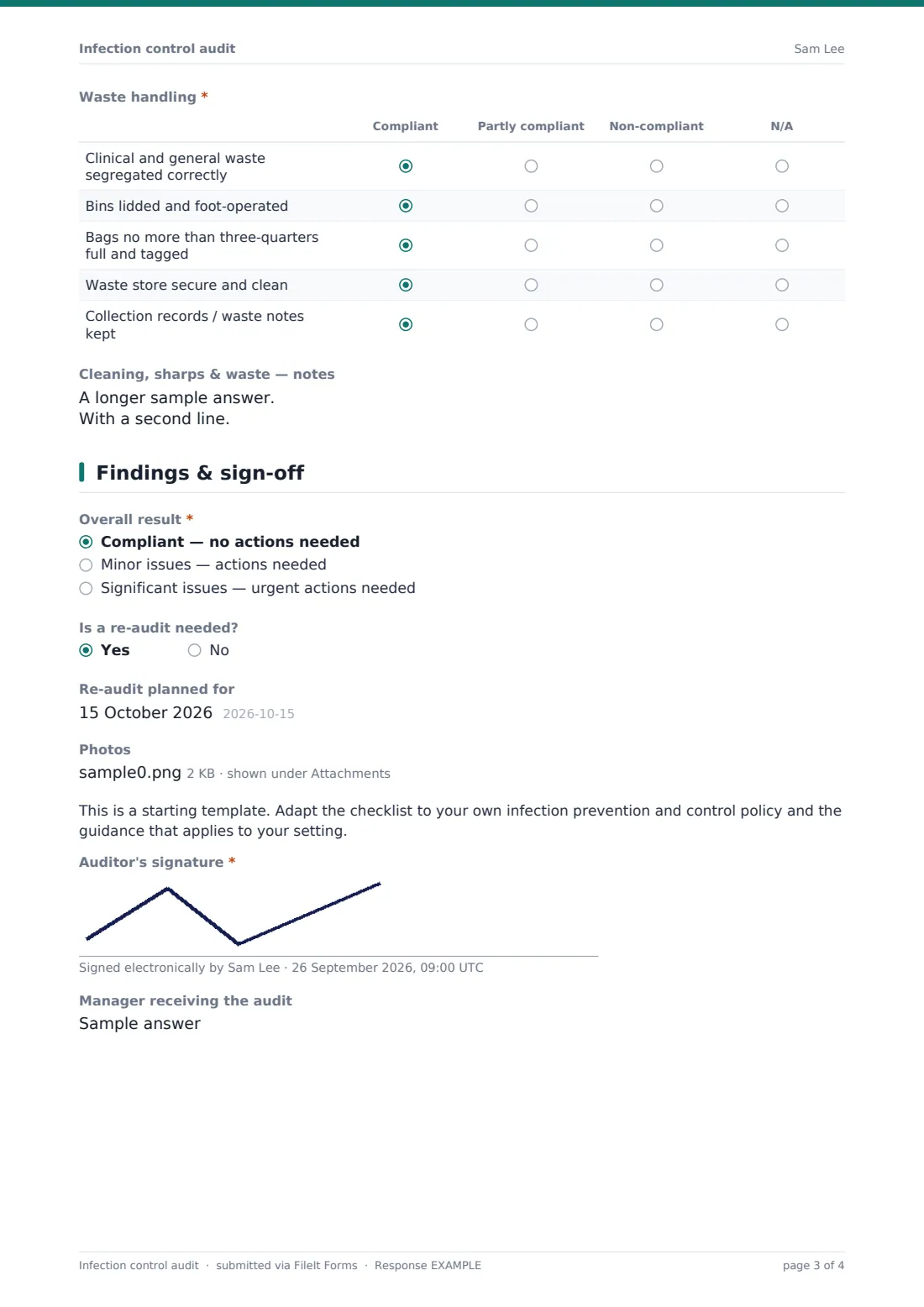
- Waste handling* Compliant · Partly compliant · Non-compliant · N/A
- Cleaning, sharps & waste — notes
4 Findings & sign-off
- Overall result* Compliant — no actions needed · Minor issues — actions needed · Significant issues — urgent actions needed
- Actions required* asked only when it applies
- Person responsible for the actions asked only when it applies
- Actions due by asked only when it applies
- Is a re-audit needed?
- Re-audit planned for asked only when it applies
- Photos
- Auditor's signature*
- Manager receiving the audit
The infection control audit form, page by page
1 Audit details
Record the Clinic / site, the Area or department audited, the Audit date and Time started, and the Auditor with their role. Type of audit separates scheduled audits from spot checks, follow-ups and outbreak responses — choosing a follow-up asks for the Previous audit date or reference so the two can be read together.
2 Hand hygiene & PPE
The Hand hygiene grid covers sinks, soap and towels, alcohol rub at the point of care, whether staff cleaned their hands at the right moments, bare below the elbows and technique posters. Two number fields — Hand hygiene opportunities observed and …of which hands were cleaned correctly — let you work out a simple compliance rate.
The PPE grid checks that gloves, aprons, masks and eye protection are available and that PPE is worn, removed and disposed of properly. A notes box collects the detail behind any poor rating.
3 Cleaning, sharps & waste
Three grids cover Environment & equipment cleaning (surfaces, cleaning between patients, clean-equipment labelling, schedules, spill kits and linen), Sharps (point of use, fill line, labelling, temporary closure, safe storage) and Waste handling (segregation, lidded bins, bag filling and tagging, the waste store and collection records). A shared notes field follows.
4 Findings & sign-off
Choose an Overall result. If it's anything other than compliant, the form asks for the Actions required, the Person responsible and an Actions due by date. Say whether a re-audit is needed and when, attach up to 10 photos, and sign. A short note reminds you to adapt the checklist to your own IPC policy and the guidance for your setting.
Make the template yours
- Add or rename grid rows so the checklist matches your own infection control policy word for word
- Duplicate the form for different settings — a dental surgery and a care home bedroom need different items
- Change the rating scale to a simple Yes / No if that's how your organisation scores audits
- Add a percentage score question if your policy sets a pass mark
- File audits under the site's entity or a governance folder so they're easy to find at inspection time
- Add the IPC lead's email to the notification list so they see every completed audit
Tips for a better infection control audit form
- Audit what you actually see — watching real care for a while tells you far more than asking staff what they do
- Record hand hygiene counts honestly, even when they're disappointing — the trend over time is what matters
- Photograph problems before they're fixed and again afterwards, so the evidence and the fix sit together
- Give every action a named owner and a date — actions without both rarely get done
- Re-audit the same area after actions are complete to confirm the change has stuck
Every response becomes a PDF in your vault
When the auditor signs, FileIt creates a PDF of the whole audit — every rating, the hand hygiene counts, notes, actions, photos and the signature — and files it in the folder you've chosen. You're notified by email, and the auditor can receive their own copy.
The PDF becomes part of the site's audit trail. Most practices share the actions with the people responsible, then schedule the re-audit using the date recorded on the form. FileIt doesn't track the actions for you, so keep them wherever your team manages tasks.
- Start from this template. It opens in the FileIt Forms designer — change any question, add pages, set the rules for when questions appear.
- Share it. Turn on a public link, or send it to people by email, each with their own link. They don’t need a FileIt account.
- Get the answers as PDFs. Each response is saved as a PDF in the vault folder you choose, with uploaded files attached — and listed in a Responses table you can export to CSV.
Infection control audit form: frequently asked questions
Is this infection control audit template free?
Yes. It's one of the starter templates in FileIt's Forms app, available on every plan, and every question can be edited.
Does it meet a particular regulator's audit standard?
It isn't tied to any one standard. It covers common infection prevention basics, and you should adapt the items to your own policy and the guidance that applies where you work.
Can we calculate a hand hygiene compliance rate?
The form records the number of opportunities observed and the number done correctly. It doesn't calculate the percentage for you, but both numbers are on the PDF.
Can I attach photos?
Yes, up to 10 photos or PDFs on the final page.
Can more than one area be audited on the same form?
The template is built for one area per submission, which keeps actions clear. Submit it once per room or department.
Where do completed audits go?
Each one is saved as a PDF in the FileIt vault folder you choose, with the auditor, area and date on it.
Can I change the rating options?
Yes. The grids' columns and rows can all be edited in the form designer.