What is the mentoring programme application form template?
Running a mentoring programme usually means juggling two different application processes — one set of questions for the people offering their time, and a completely different set for the people asking for support. This template does both jobs in a single form. A respondent picks "Mentor" or "Mentee" near the top, and the questions that follow change to match their answer, so nobody wastes time on questions that don't apply to them.
Paper sign-up sheets and email applications are hard to compare side by side, easy to lose, and awkward when a young person needs a parent's permission. An online form fixes all three: every applicant answers the same structured questions, nothing gets left in an inbox, and a parent or guardian's consent is captured in the same submission when the applicant is under 18.
Every completed application is turned into a PDF and filed in your FileIt vault automatically, with the mentor and mentee applications sitting in the same place ready for you to compare when it's time to match people up.
- Best for
- Nonprofits, faith groups, schools and workplaces running a mentoring or peer-support programme
- Filled in by
- Prospective mentors and mentees (with a parent or guardian's consent if the mentee is under 18)
- Time to complete
- About 6-8 minutes
- Includes
- Conditional logic for mentor vs. mentee questions, guardian consent, and a code-of-conduct agreement
Who uses a mentoring programme application form?
- A community mentoring charity taking applications from both volunteer mentors and young people wanting a mentor
- A professional association matching senior members with early-career mentees
- A school or college running a peer-mentoring scheme where older students support younger ones
- A workplace employee resource group pairing experienced staff with new hires or career-changers
- A faith or community group connecting newcomers with established members for informal support
- A business network matching founders with more experienced mentors for a fixed programme term
Questions on this mentoring programme application form
30 questions over 5 pages · includes conditional questions, multiple pages, consent checkbox.
1 About you
- Your name*
- Email*
- Phone
- Town or city
- Pronouns
- I'd like to be a…* Mentor — I'd like to share my experience · Mentee — I'd like support and guidance
2 Mentor questions
- Current or most recent role* asked only when it applies
- Organisation asked only when it applies
- Years of experience in your field* asked only when it applies Under 3 years · 3–10 years · 10–20 years · Over 20 years
- Where can you help most?* asked only when it applies Career planning · Study and education choices · Starting a business · Leadership & management · Tech & digital skills · Creative arts · Money & budgeting · Confidence & wellbeing · Settling into a new country
- Have you mentored before? asked only when it applies
- Why would you like to mentor?* asked only when it applies
- Are you willing to complete a background check if the programme requires one?* asked only when it applies
3 Mentee questions
- Where are you right now?* asked only when it applies At school · At college or university · Early in my career · Changing career · Starting or running a business · Looking for work
- Are you under 18?* asked only when it applies
- Parent or guardian's name* asked only when it applies
- Parent or guardian's email* asked only when it applies
- What would you like to get out of mentoring?* asked only when it applies
- Topics you'd like help with asked only when it applies Career planning · Study and education choices · Starting a business · CVs, applications & interviews · Tech & digital skills · Money & budgeting · Confidence & wellbeing · Settling into a new country
- Would any of these matter in a mentor? asked only when it applies Works in the field I'm interested in · Shares my background or experiences · Same gender as me · Speaks my first language · No preference
4 Interests & availability
- Interests outside work or study Sport & fitness · Music · Reading · Art & design · Cooking · Gaming · Travel · Volunteering · Faith & community · Outdoors & nature
- How would you like to meet?* In person · Online / video call · Either
- When are you usually free?* Weekday daytime · Weekday evenings · Weekends
- How often could you meet?* Weekly · Every two weeks · Monthly
- For how long? 3 months · 6 months · 12 months · Open-ended
- Earliest start date
- How did you hear about the programme? Friend or family · School, college or employer · Social media · Community or faith group · Other
5 Agreement
- Code of conduct*
- Your information*
- Parent or guardian consent* asked only when it applies
The mentoring programme application form, page by page
1 About you
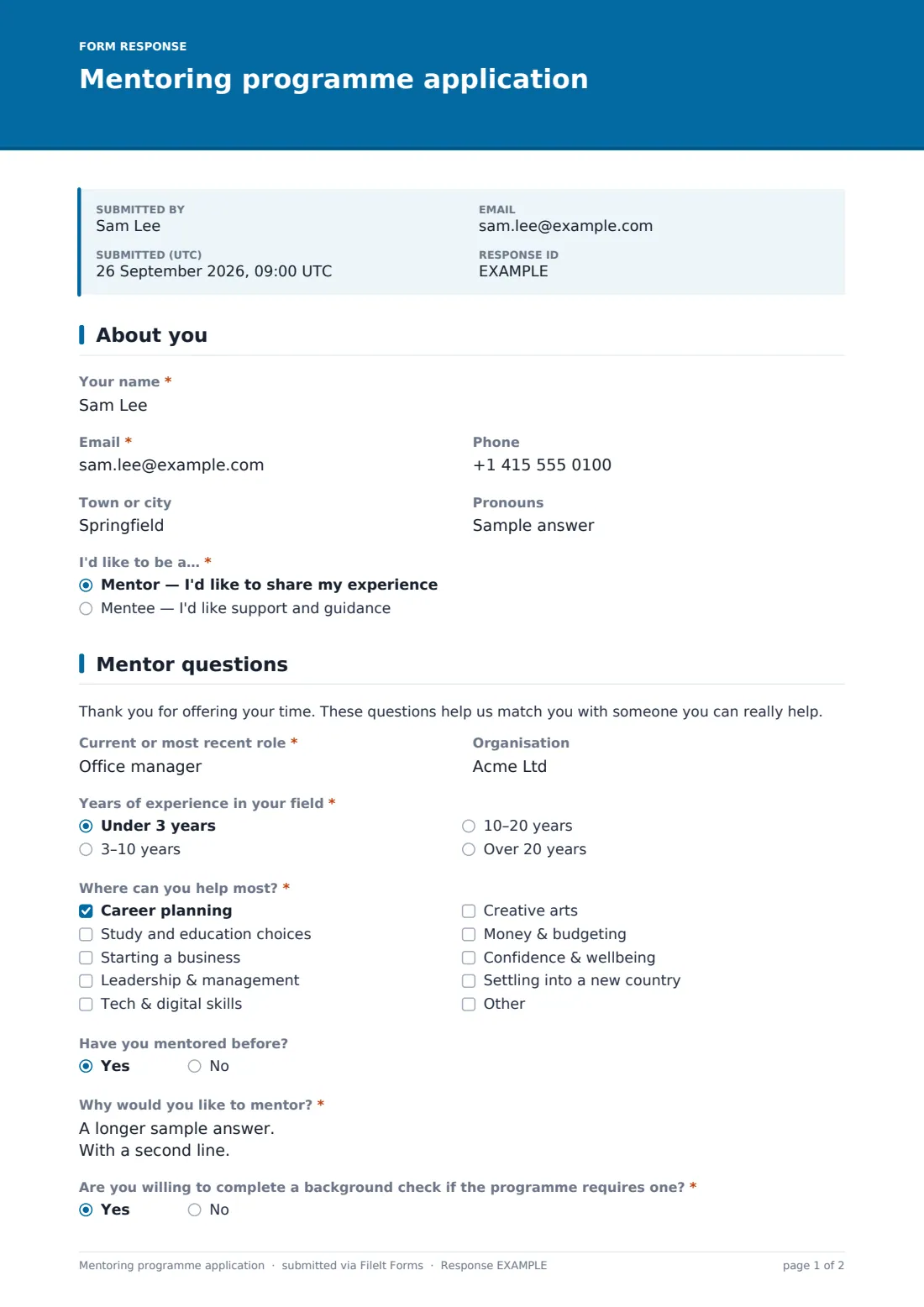
The form opens with contact details — Your name, Email, Phone, Town or city and an optional Pronouns field — followed by the single question that drives the rest of the form: "I'd like to be a…" with the choice of Mentor or Mentee.
Keeping this decision near the top means the applicant only ever sees relevant questions from this point on, and you get a clean, consistent dataset to sort by role later.
2 Mentor questions
Only someone who chose "Mentor" sees this page. It asks for their Current or most recent role and Organisation, Years of experience, and a checkbox list of Where can you help most? covering things like career planning, leadership, digital skills and confidence and wellbeing.
It also asks Have you mentored before?, Why would you like to mentor? as a longer answer, and — importantly for programmes working with young people — whether they're willing to complete a background check if the programme requires one.
3 Mentee questions
Someone who chose "Mentee" instead sees a parallel set of questions: Where are you right now? (at school, at college, early career, changing career, and so on), What would you like to get out of mentoring?, and Topics you'd like help with.
If the mentee answers yes to Are you under 18?, the form immediately asks for a Parent or guardian's name and email, and a guardian consent statement appears later in the form — the mentee can't submit without it.
4 Interests & availability
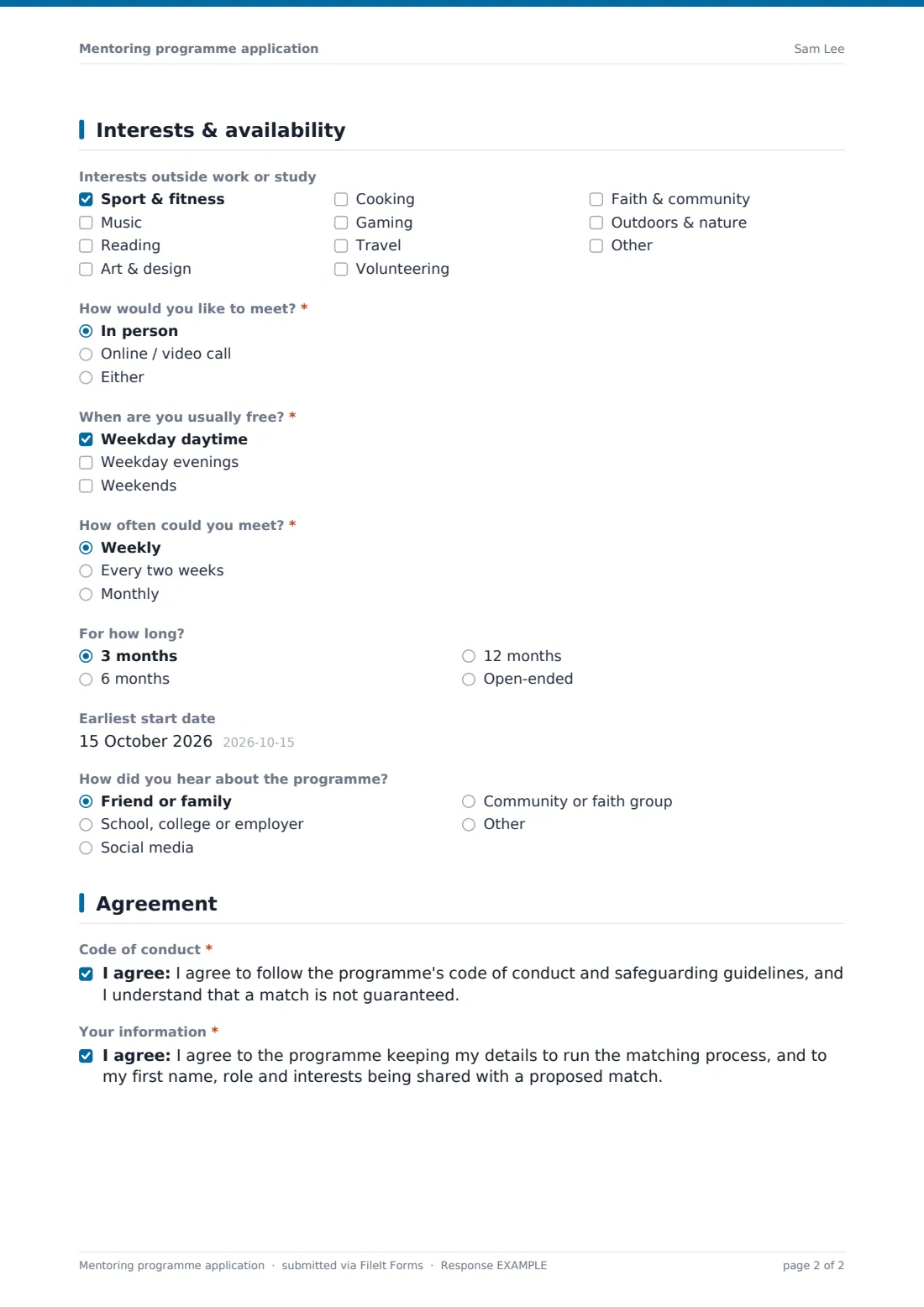
Every applicant, mentor or mentee, answers the same questions here: Interests outside work or study (shared interests often make the best matches), How would you like to meet?, When are you usually free?, How often could you meet? and For how long?.
An optional Earliest start date and How did you hear about the programme? round out the page, giving you useful context for both matching and recruitment.
5 Agreement
The final page collects the two consents every applicant must give: agreeing to follow the programme's code of conduct and safeguarding guidelines, and agreeing to their details being used for matching, including sharing their first name, role and interests with a proposed match.
If the applicant is a mentee under 18, a third consent line confirms their parent or guardian knows about the application and agrees to them taking part.
Make the template yours
- Add or remove items in the "Where can you help most?" and "Topics you'd like help with" checklists to match your programme's actual focus areas
- Add a conditional question that only appears for mentors in a particular field, using the same show-if logic already built into the template
- Set a closing date if you run matching in cohorts rather than on a rolling basis
- Cap the number of responses if you only have capacity for a fixed number of mentor or mentee places this round
- Turn on an emailed PDF copy to the respondent so applicants have a record of what they submitted
- Change which vault folder each response files into, or file mentor and mentee applications under different family members or entities if you track them separately
Tips for a better mentoring programme application form
- Ask only what you need for matching — every extra question is one more reason someone abandons the form halfway through
- Be upfront early on if a background check or reference will be needed later, so applicants aren't surprised
- Use the "why would you like to mentor / what would you like to get out of it" answers as your first filter — they tell you more about fit than a CV does
- Keep the availability and interests questions broad enough that you're not accidentally ruling out good matches over minor preferences
- Review new applications on a regular schedule (weekly works for most programmes) so people aren't left waiting to hear back
Every response becomes a PDF in your vault
As soon as someone submits, FileIt turns their answers into a PDF and files it in the vault folder you've chosen — mentor and mentee applications land in the same place, so you can open them side by side when you sit down to match people. You (and anyone else you've added) get an email notification for each new response, and the applicant sees the confirmation message you've set, along with an emailed PDF copy if you've turned that on.
From there, most programme coordinators work from the Responses table: filtering by role to see mentors and mentees separately, opening individual PDFs to review answers in full, and exporting to CSV when they want to do matching in a spreadsheet. Because everything funnels through one form, there's no risk of a mentor application and a mentee application ending up in different systems.
- Start from this template. It opens in the FileIt Forms designer — change any question, add pages, set the rules for when questions appear.
- Share it. Turn on a public link, or send it to people by email, each with their own link. They don’t need a FileIt account.
- Get the answers as PDFs. Each response is saved as a PDF in the vault folder you choose, with uploaded files attached — and listed in a Responses table you can export to CSV.
Mentoring programme application form: frequently asked questions
Is this mentor and mentee application form template free?
Yes. It's one of the ready-made templates included in FileIt's Forms app on every plan, including the free plan. You can use it as-is or edit every question in the designer.
Do applicants need a FileIt account to apply?
No. You share a public link or email it to specific people, and they fill it in and submit without creating an account.
Can one form really handle both mentors and mentees?
Yes — the form uses conditional logic so that choosing "Mentor" or "Mentee" near the top shows only the questions relevant to that role. Everyone still lands in one set of responses for you to compare.
How do we get the responses afterwards?
Each submission becomes a PDF saved automatically in your FileIt vault, and you can also see every response in a filterable table and export the whole lot to CSV.
Is the guardian consent legally binding?
The consent wording is a plain-language starting point, not a legal guarantee. If your programme works with minors, have your safeguarding policy and consent wording checked against your local rules before relying on it.
Can we require a background check before someone is matched?
The form asks mentors whether they're willing to complete one if required, which flags who's ready to proceed — but running the actual check is handled outside FileIt through whatever provider your programme uses.
Can we limit how many people apply?
Yes, set a maximum number of responses or a closing date in the form settings if you're running applications in rounds.
Can we ask different questions for a workplace mentoring scheme versus a youth programme?
Yes — every question, option and page in this template can be edited, added to, or removed in the designer, so you can tailor it to your specific programme.