What is the membership freeze or cancellation form template?
Freezes and cancellations are routine for any gym or club, but handled by email they generate a lot of back-and-forth: which dates, is there a doctor's note, do they know about the notice period, what about the access card? This template asks the right questions for each route and gives you a signed, dated request to work from.
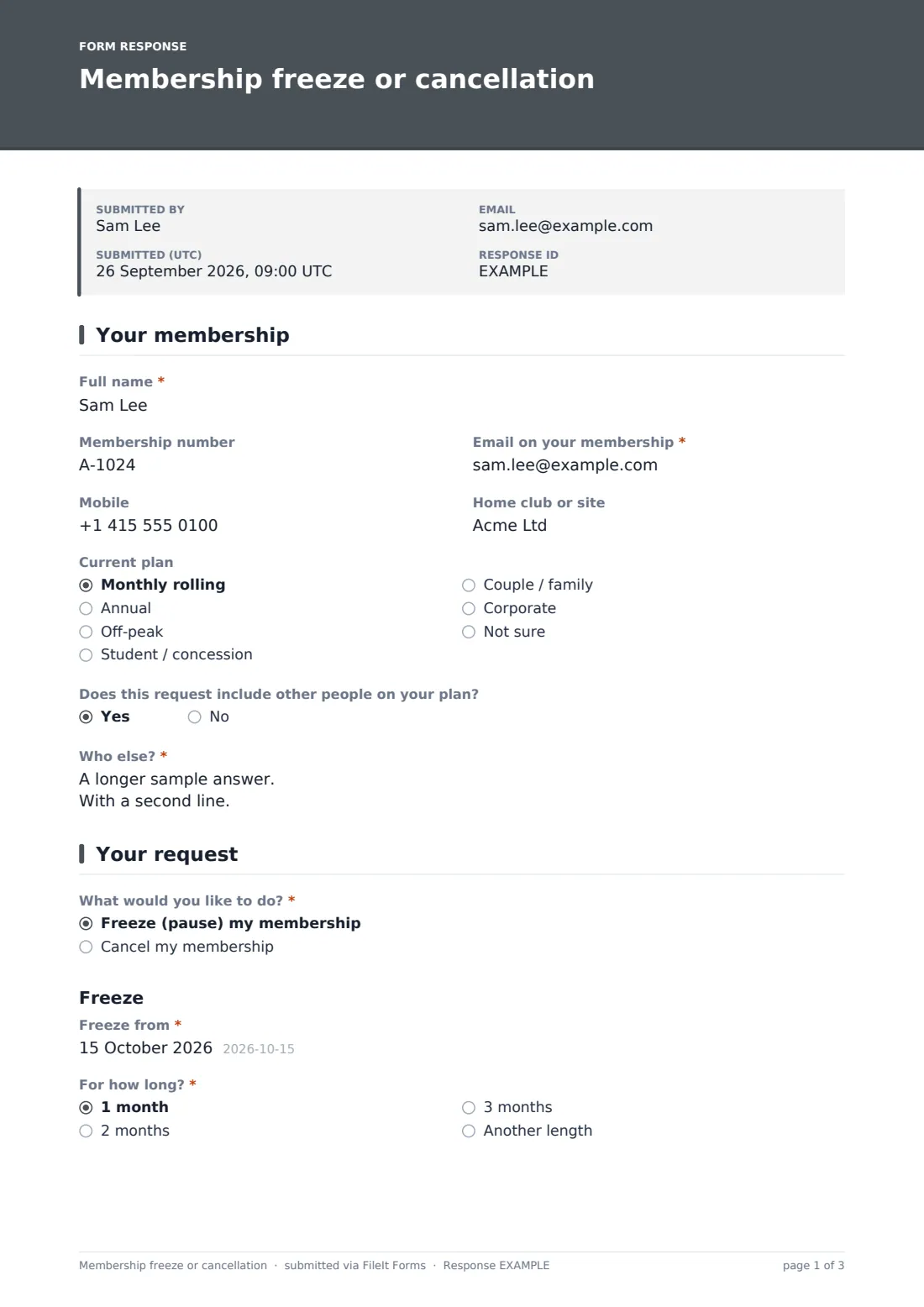
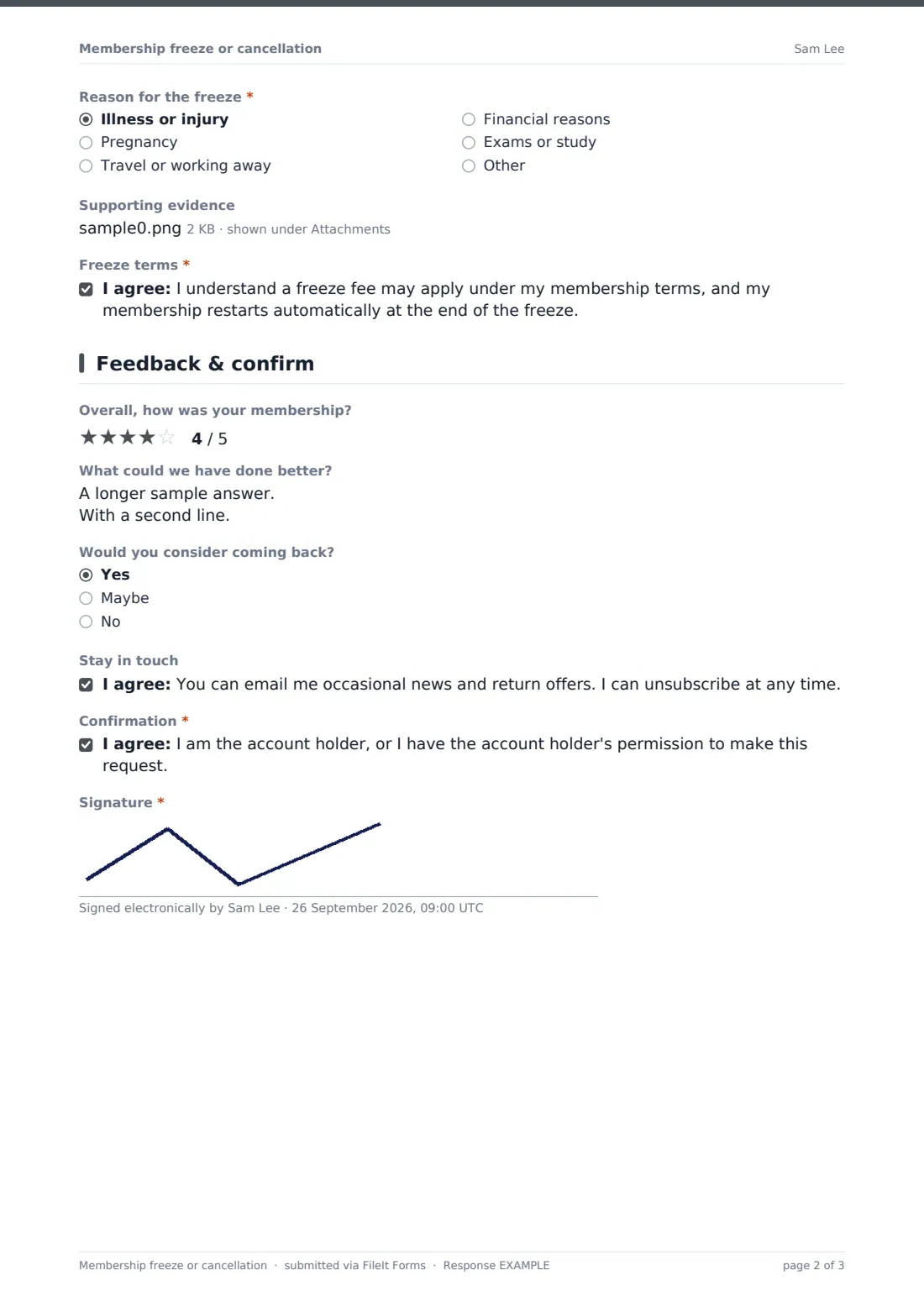
Members confirm who they are and their plan, including anyone else on a family or couple plan, then choose to freeze or cancel. A freeze asks for the start date, length, reason and — for a medical freeze — an optional doctor's note upload, plus acknowledgement that a fee may apply and the membership restarts afterwards. A cancellation asks why they're leaving, whether a freeze would suit better, their last day, whether they're still in a minimum term, an acknowledgement of the notice period, and what happens to their access card, with a note not to cancel their direct debit early.
A short feedback page and signature close the form. Each request is saved as a PDF in your FileIt vault with a timestamp — useful when a question about notice dates comes up later.
- Best for
- Gyms, leisure centres, sports clubs and studios
- Filled in by
- The member
- Time to complete
- About 3 minutes
- Includes
- Separate freeze and cancel routes, notice acknowledgement, evidence upload, feedback
Who uses a membership freeze or cancellation form?
- A member freezes their membership for two months while travelling
- A member recovering from surgery requests a medical freeze with a doctor's note
- A member moving away cancels and returns their access card by post
- A family on a shared plan cancels all their memberships in one request
- A club offers a freeze to members who are cancelling because of cost
- A studio collects feedback from everyone who leaves
Questions on this membership freeze or cancellation form
27 questions over 3 pages · includes signature, file upload, conditional questions, multiple pages, consent checkbox, ratings.
1 Your membership
- Full name*
- Membership number
- Email on your membership*
- Mobile
- Home club or site
- Current plan Monthly rolling · Annual · Off-peak · Student / concession · Couple / family · Corporate · Not sure
- Does this request include other people on your plan?
- Who else?* asked only when it applies
2 Your request
- What would you like to do?* Freeze (pause) my membership · Cancel my membership
- Freeze from* asked only when it applies
- For how long?* asked only when it applies 1 month · 2 months · 3 months · Another length
- Until* asked only when it applies
- Reason for the freeze* asked only when it applies Illness or injury · Pregnancy · Travel or working away · Financial reasons · Exams or study
- Supporting evidence asked only when it applies
- Freeze terms* asked only when it applies
- Why are you leaving?* asked only when it applies Moving away · Cost · Not using it enough · Joined another gym · Health or injury · Unhappy with facilities · Unhappy with service · Change in work or schedule
- Would a freeze suit you better than cancelling? asked only when it applies
- Last day you'd like to use the gym* asked only when it applies
- Are you still in a minimum term? asked only when it applies No · Yes · Not sure
- Notice period* asked only when it applies
- Access card or fob asked only when it applies I'll hand it in at reception · I'll post it back · I use the app — no card · I've lost it
3 Feedback & confirm
- Overall, how was your membership?
- What could we have done better?
- Would you consider coming back? Yes · Maybe · No
- Stay in touch
- Confirmation*
- Signature*
The membership freeze or cancellation form, page by page
1 Your membership
Full name, membership number if known, email, mobile, home club and current plan. Members can say whether the request includes others on their plan and list them.
2 Your request
A required choice between freezing and cancelling. Freeze shows a start date, a length of one to three months or another length with an end date, a reason — an illness or injury reason shows an optional upload for a doctor's note — and a freeze terms acknowledgement. Cancel shows the reasons for leaving, whether a freeze would suit better, the last day they want to use the gym, whether they're still in a minimum term, a notice period acknowledgement, how they'll return their access card, and a note asking them not to cancel their direct debit until the final payment date is confirmed.
3 Feedback & confirm
An optional star rating, what you could have done better, whether they'd consider coming back and an opt-in for return offers, then a required confirmation that they're the account holder or have permission, and a signature.
Make the template yours
- Edit the freeze lengths and the freeze and notice statements to match your membership terms
- Make the evidence upload required if your terms need a doctor's note for a medical freeze
- Add your cancellation fee or notice period wording in a paragraph
- Remove the access card question if you use app-based entry only
- Send requests to a membership team inbox with the notification settings
- Add a retention offer as a paragraph shown to members choosing cancel
Tips for a better membership freeze or cancellation form
- Reply with the confirmed end date and final payment date in writing
- Offer a freeze to members leaving for temporary reasons — the form already asks
- Check the minimum-term answer against your records before confirming
- Look at the reasons for leaving each month — patterns point to what to fix
- Keep the signed request with the member's record in case of a later dispute
Every response becomes a PDF in your vault
Each request is saved as a signed PDF in your vault and your team is emailed immediately. The member sees a message saying you'll confirm the dates and any final payment by email.
Use the Responses table to work through requests, and filter by request type to see freezes that end soon or cancellations that need a final payment.
- Start from this template. It opens in the FileIt Forms designer — change any question, add pages, set the rules for when questions appear.
- Share it. Turn on a public link, or send it to people by email, each with their own link. They don’t need a FileIt account.
- Get the answers as PDFs. Each response is saved as a PDF in the vault folder you choose, with uploaded files attached — and listed in a Responses table you can export to CSV.
Membership freeze or cancellation form: frequently asked questions
Is this membership freeze or cancellation template free?
Yes, it's included in the Forms app on every FileIt account, including the free plan, and every question can be edited.
Can one form handle both freezes and cancellations?
Yes. Members choose freeze or cancel, and the form shows only the questions for that choice.
Does submitting the form cancel the direct debit?
No. The form records the request. Your team processes it and confirms the final payment date, and the form asks members not to cancel their direct debit until then.
Can members upload a doctor's note?
Yes. Choosing illness or injury as the freeze reason shows an upload for supporting evidence.
Are the notice and freeze terms on the form final?
No, they're general statements. Edit them to match your own membership terms.
Can a family cancel several memberships at once?
Yes. Members can say the request includes others on their plan and list their names.