What is the account cancellation request form template?
Cancellations are going to happen, and how you handle them shapes whether a customer ever comes back. A clear, respectful cancellation form beats a hidden email address or a long phone call — and it gets you the details you need to act correctly the first time.
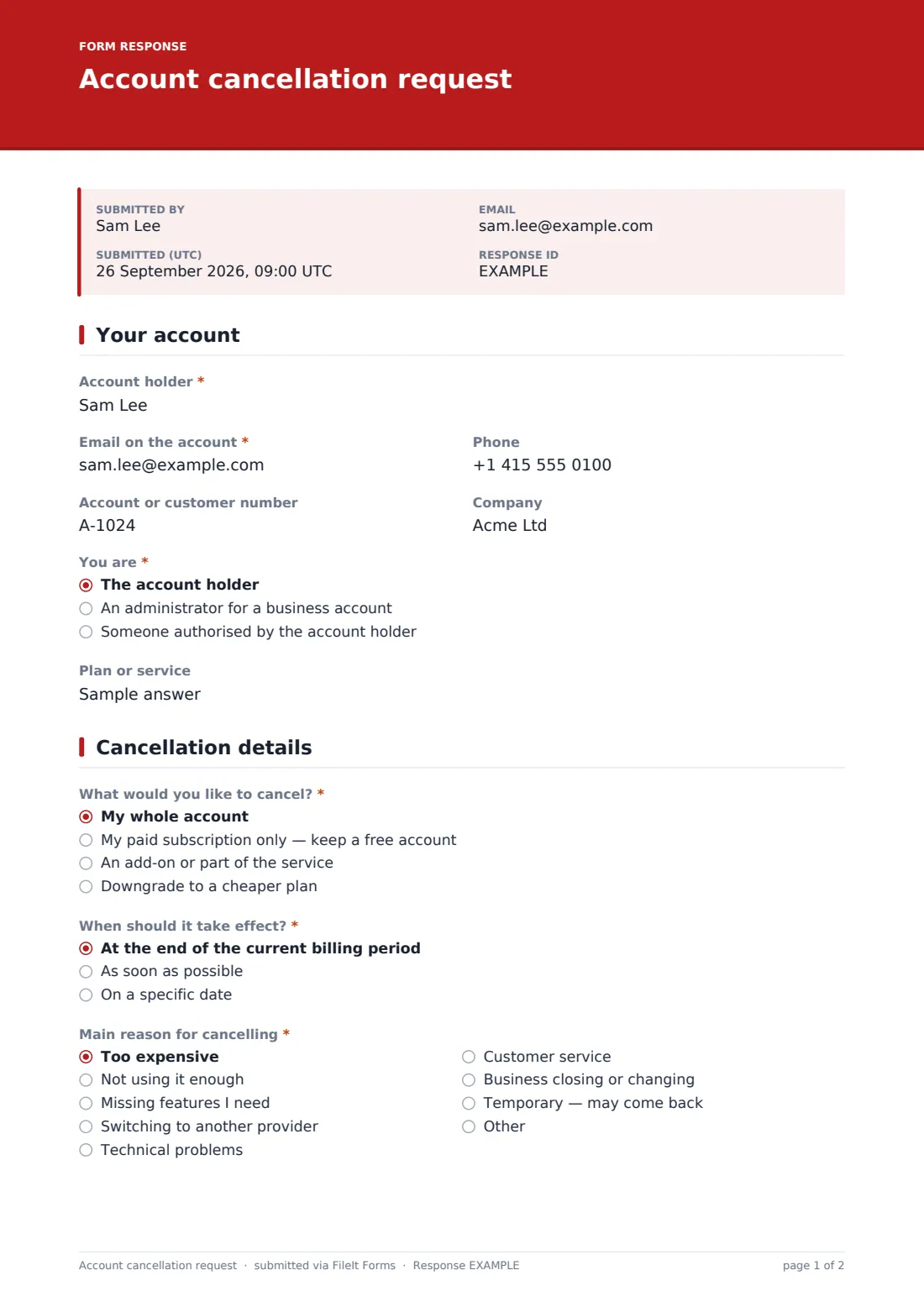
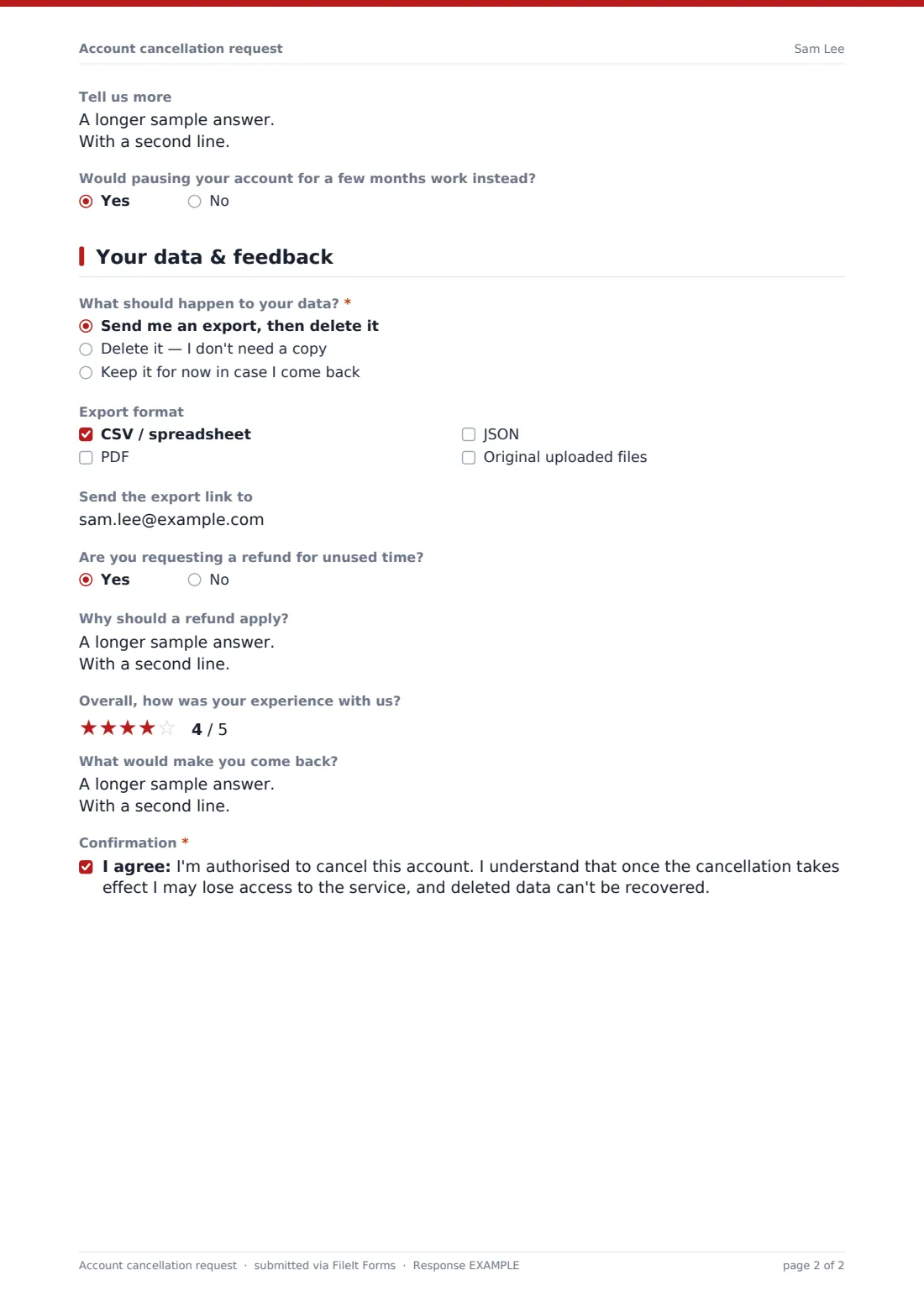
This account cancellation request form confirms who's asking and their authority, then asks what to cancel — the whole account, just the paid subscription, an add-on, or a downgrade — and when it should take effect. It captures the main reason (with the competitor they're moving to, if any), offers a pause instead of closure, and asks what should happen to their data: an export then deletion, deletion only, or keeping it for a while.
Every request is saved as a PDF in your FileIt vault, giving you a dated record of what the customer asked for — useful when billing or data questions come up later.
- Best for
- Subscription businesses, SaaS products, memberships and service providers
- Filled in by
- Customers or authorised administrators cancelling an account
- Time to complete
- About 3 minutes
- Includes
- Authority check, cancel / downgrade options, effective date, reason, pause offer, data export choices and a rating
Who uses a account cancellation request form?
- A SaaS company handling cancellations it can't process self-service
- A gym, club or membership organisation receiving cancellation notices
- A managed service provider ending a client's service on a set date
- A subscription box business recording why customers leave
- An agency closing a retainer and returning the client's data
- Any business that wants a written, dated record of cancellation requests
Questions on this account cancellation request form
25 questions over 3 pages · includes file upload, conditional questions, multiple pages, consent checkbox, ratings.
1 Your account
- Account holder*
- Email on the account*
- Phone
- Account or customer number
- Company
- You are* The account holder · An administrator for a business account · Someone authorised by the account holder
- Written authorisation from the account holder* asked only when it applies
- Plan or service
2 Cancellation details
- What would you like to cancel?* My whole account · My paid subscription only — keep a free account · An add-on or part of the service · Downgrade to a cheaper plan
- Which add-on or service?* asked only when it applies
- Which plan would you like?* asked only when it applies
- When should it take effect?* At the end of the current billing period · As soon as possible · On a specific date
- Effective date* asked only when it applies
- Main reason for cancelling* Too expensive · Not using it enough · Missing features I need · Switching to another provider · Technical problems · Customer service · Business closing or changing · Temporary — may come back · Other
- Which provider are you moving to? asked only when it applies
- Tell us more
- Would pausing your account for a few months work instead? asked only when it applies
3 Your data & feedback
- What should happen to your data?* asked only when it applies Send me an export, then delete it · Delete it — I don't need a copy · Keep it for now in case I come back
- Export format asked only when it applies CSV / spreadsheet · PDF · JSON · Original uploaded files
- Send the export link to asked only when it applies
- Are you requesting a refund for unused time?
- Why should a refund apply? asked only when it applies
- Overall, how was your experience with us?
- What would make you come back?
- Confirmation*
The account cancellation request form, page by page
1 Your account
The customer gives the account holder's name, the email on the account, phone, account number, company and plan, and says whether they're the holder, a business administrator, or someone authorised by the holder — who must upload written authorisation.
2 Cancellation details
They choose to cancel the whole account, only the paid subscription, an add-on (naming it) or downgrade (naming the plan). They pick when it takes effect — end of billing period, as soon as possible or a specific date — and the main reason, with a question about the new provider if they're switching. Closing the whole account asks whether pausing would work instead.
3 Your data & feedback
For a full closure the customer chooses to receive an export then have the data deleted, delete it outright or keep it for now, with export formats and an email for the link. They can ask for a refund with a reason, rate their experience, say what would bring them back and confirm they understand what cancellation means for access and deleted data.
Make the template yours
- Edit the effective-date options to match your contract or notice period
- Replace the reason list with the churn reasons you track
- Remove the pause question if you don't offer pauses
- Change the export formats to what your system can actually produce
- State your refund policy in the cover text so expectations are clear
- Notify your billing team with the notification email setting
Tips for a better account cancellation request form
- Confirm every cancellation by email with the date it takes effect
- Process data deletion and export promptly, and in line with the data protection rules that apply to you
- Verify the requester's identity before closing an account, especially for third-party requests
- Review the reasons monthly — they're some of your most honest product feedback
- Make it easy to leave; a smooth exit makes a return more likely
Every response becomes a PDF in your vault
When a customer submits the form, FileIt saves the request as a PDF, files it in your vault and emails you so you can process it. The customer can receive a copy as proof of when they asked.
The Responses table shows every cancellation with its reason, effective date and data choice. Export it to CSV to track churn reasons over time.
- Start from this template. It opens in the FileIt Forms designer — change any question, add pages, set the rules for when questions appear.
- Share it. Turn on a public link, or send it to people by email, each with their own link. They don’t need a FileIt account.
- Get the answers as PDFs. Each response is saved as a PDF in the vault folder you choose, with uploaded files attached — and listed in a Responses table you can export to CSV.
Account cancellation request form: frequently asked questions
Is this cancellation form template free?
Yes. It's a starter template in FileIt's Forms app, included on every plan including the free plan.
Does submitting the form cancel the account automatically?
No. The form records the request; you then cancel the account in your own system and confirm with the customer.
Can someone cancel on behalf of the account holder?
Yes. They choose 'Someone authorised by the account holder' and must upload written authorisation.
Can customers downgrade instead of cancelling?
Yes. Downgrading is one of the options, and closing the whole account also asks whether a pause would work instead.
How are data export requests handled?
The customer chooses an export and deletion, deletion only or keeping the data, plus export formats. You carry out the export and deletion in your own system.
Where are requests stored?
Each request is saved as a PDF in your FileIt vault and listed in the Responses table.