What is the order change request form template?
Order changes usually arrive as a quick email: "can we make that 20 instead of 12, and send it next week?" Without the order number or which item they mean, somebody has to write back and ask, and the change risks missing the dispatch cut-off while that happens.
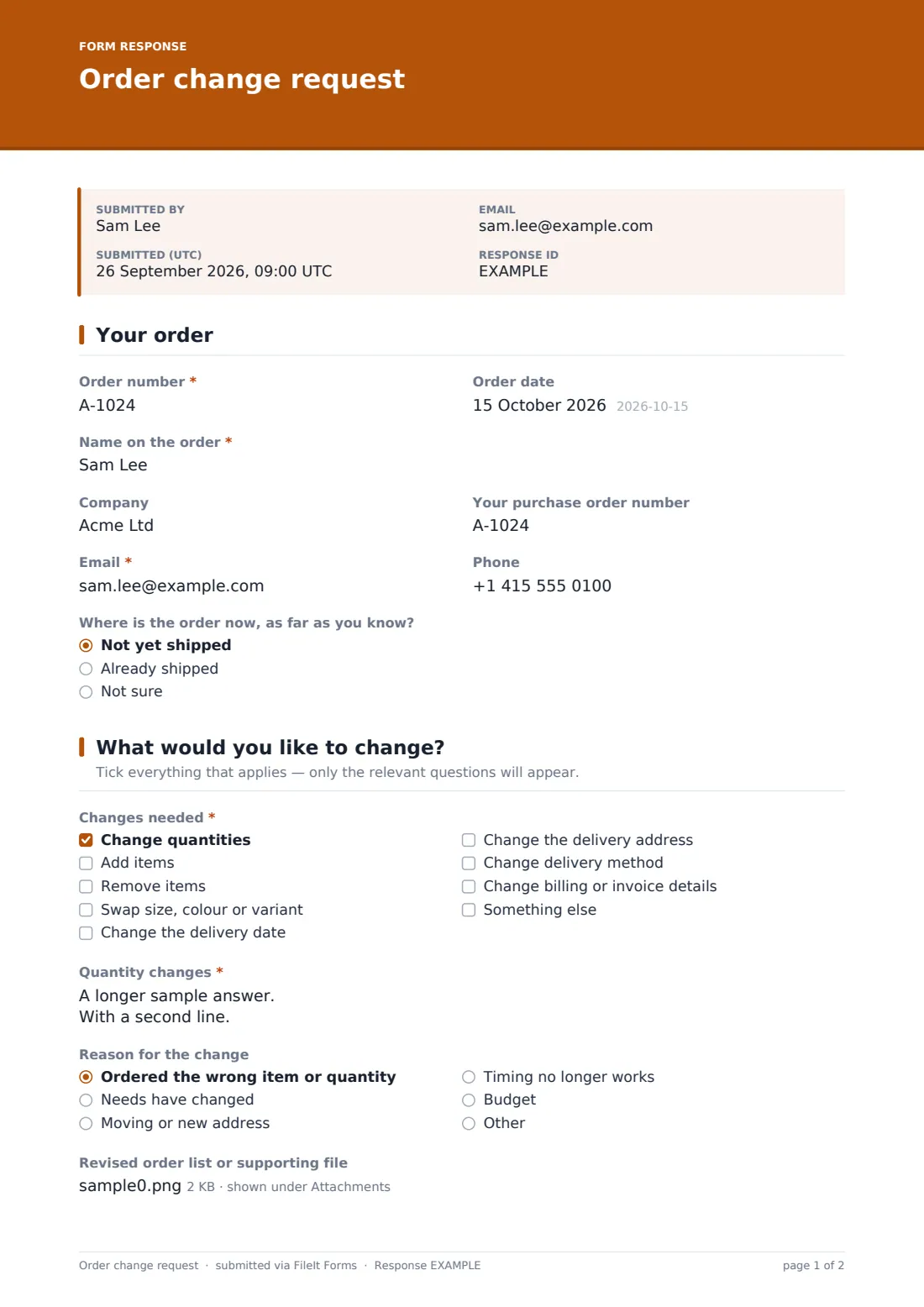
This order change request form asks for the order number and contact details first, then lets the customer tick exactly what they want to change. Only the relevant questions appear — new quantities, items to add or remove, variant swaps, a new delivery date or address, a different delivery method, or billing details. The customer also says what to do if the change isn't possible, so you can act without another round of emails.
Each request is saved as a PDF in your FileIt vault, giving you a written record of what the customer asked for and when — useful if there's ever a question about what was agreed.
- Best for
- Online shops, wholesalers, manufacturers and anyone taking orders ahead of dispatch
- Filled in by
- Customers who want to change an order they've already placed
- Time to complete
- About 3 minutes
- Includes
- Order lookup details, conditional change sections, a fallback choice and a file upload for revised lists
Who uses a order change request form?
- An online store handling address changes before an order ships
- A wholesaler taking quantity changes from trade customers
- A made-to-order business where customers swap sizes or colours
- A caterer or bakery handling changes to a confirmed order
- A B2B supplier where purchase orders need revising
- Linking from the order confirmation email so changes come in one format
Questions on this order change request form
25 questions over 3 pages · includes file upload, conditional questions, multiple pages, consent checkbox.
1 Your order
- Order number*
- Order date
- Name on the order*
- Company
- Your purchase order number
- Email*
- Phone
- Where is the order now, as far as you know? Not yet shipped · Already shipped · Not sure
2 What would you like to change?
- Changes needed* Change quantities · Add items · Remove items · Swap size, colour or variant · Change the delivery date · Change the delivery address · Change delivery method · Change billing or invoice details · Something else
- Quantity changes* asked only when it applies
- Items to add* asked only when it applies
- Items to remove* asked only when it applies
- Variants to swap* asked only when it applies
- New delivery date* asked only when it applies
- If we can't make that date asked only when it applies Send at the earliest possible date · Hold the order and contact me
- New delivery address* asked only when it applies
- New delivery method* asked only when it applies Standard delivery · Express delivery · I'll collect
- New billing or invoice details* asked only when it applies
- Describe the change* asked only when it applies
- Reason for the change Ordered the wrong item or quantity · Needs have changed · Moving or new address · Timing no longer works · Budget · Other
- Revised order list or supporting file
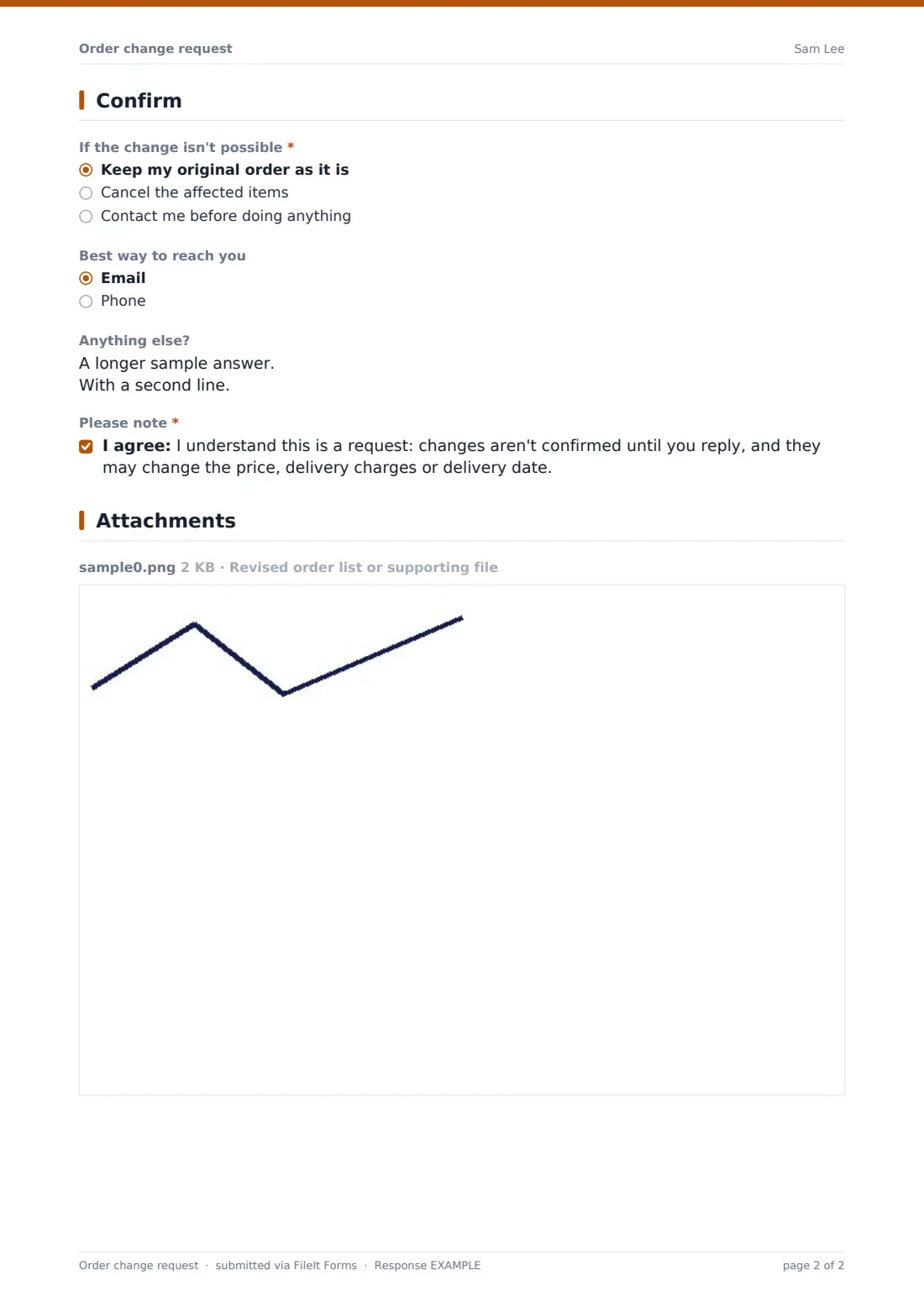
3 Confirm
- If the change isn't possible* Keep my original order as it is · Cancel the affected items · Contact me before doing anything
- Best way to reach you Email · Phone
- Anything else?
- Please note*
The order change request form, page by page
1 Your order
The customer enters the order number and date, the name on the order, company and purchase order number if relevant, email and phone, and whether they think the order has already shipped.
2 What would you like to change?
A checklist covers quantities, adding or removing items, swapping a size or colour, the delivery date, the delivery address, the delivery method, billing details or something else. Each ticked option opens its own question — for example a new delivery address or a list of items to add — so the customer only sees what's relevant. They can give a reason and attach a revised order list.
3 Confirm
The customer chooses what should happen if the change isn't possible — keep the original order, cancel the affected items or contact them first — and their preferred contact method. They confirm they understand the change isn't final until you reply and may affect price or delivery.
Make the template yours
- Remove change types you never allow, such as billing changes after invoicing
- Add your dispatch cut-off time to the cover text so customers know how quickly to ask
- Replace the reason list with the reasons you want to track
- Send the form as a personal request to a customer, prefilled with their name and email, when they phone or email about a change
- File requests in the same folder as your orders so the history sits together
- Change the confirmation message to say when customers can expect an answer
Tips for a better order change request form
- Reply quickly — order changes are time-sensitive, especially before dispatch
- Always confirm the new total and delivery date in writing before making the change
- Watch for address changes on orders that have already shipped; they may need a carrier redirect instead
- Link to this form from your order confirmation emails
- Use the reason field to spot product pages or options that confuse customers
Every response becomes a PDF in your vault
When a customer submits a change request, FileIt saves it as a PDF, files it in your vault and emails you immediately so you can act before dispatch. The customer can get their own copy of what they asked for.
The Responses table lists every change request with its order number, so you can work through them in order and export them to CSV. The PDF is a clear record of the request if there's any question later about what was changed.
- Start from this template. It opens in the FileIt Forms designer — change any question, add pages, set the rules for when questions appear.
- Share it. Turn on a public link, or send it to people by email, each with their own link. They don’t need a FileIt account.
- Get the answers as PDFs. Each response is saved as a PDF in the vault folder you choose, with uploaded files attached — and listed in a Responses table you can export to CSV.
Order change request form: frequently asked questions
Is this order change form free?
Yes. It's a starter template in FileIt's Forms app, included on every plan including the free plan.
Does the change happen automatically?
No. The form collects the request; you review it, update the order in your own system and confirm with the customer. The customer acknowledges that on the form.
Does the customer need an account?
No. They open the link, enter their order number and submit — no sign-up needed.
Can customers change more than one thing at once?
Yes. They can tick several change types and each one opens its own questions.
What if the order has already shipped?
The customer says whether they think it has shipped, and chooses what to do if the change isn't possible — keep the order, cancel affected items or be contacted.
Does it ask for card details?
No. The billing change question specifically asks customers not to include card numbers.