What is the membership application form template?
Signing someone up to a club used to mean a paper form at the back of a hall, or a scanned PDF that came back with half the fields left blank. This template gives new members one clear online form: which tier they're joining at, who else is in their household for a family membership, what they're interested in getting involved with, and a signed agreement to the club's code of conduct.
The form adjusts to the membership tier chosen — a family membership opens a box for other household members, a student membership asks for proof of student status, and a junior membership under 18 asks for a parent or guardian's details, since someone else needs to be responsible for that application. Everyone else skips straight past whichever of those doesn't apply to them.
Every completed application, including any uploaded proof of student status, is saved as a signed PDF in the club's FileIt vault, giving committees and treasurers a clean, organized membership record instead of a folder of inconsistent paper forms.
- Best for
- Clubs, associations and societies signing up new members
- Filled in by
- The applicant, or a parent/guardian for a junior membership
- Time to complete
- About 8-10 minutes
- Includes
- Conditional questions by membership tier, a payment preference, and a signed code of conduct
Who uses a membership application form?
- A sports club or society signing up individual, family, student, senior or junior members
- A committee collecting interests and volunteer skills alongside membership applications
- A club that wants every new member to formally agree to its code of conduct before joining
- Tracking how new members heard about the club, including referrals from existing members
- A family joining together under a household membership, with all household members listed in one application
- A club offering both annual and monthly payment options and wanting the preference captured upfront
Questions on this membership application form
22 questions over 4 pages · includes signature, file upload, conditional questions, multiple pages, consent checkbox.
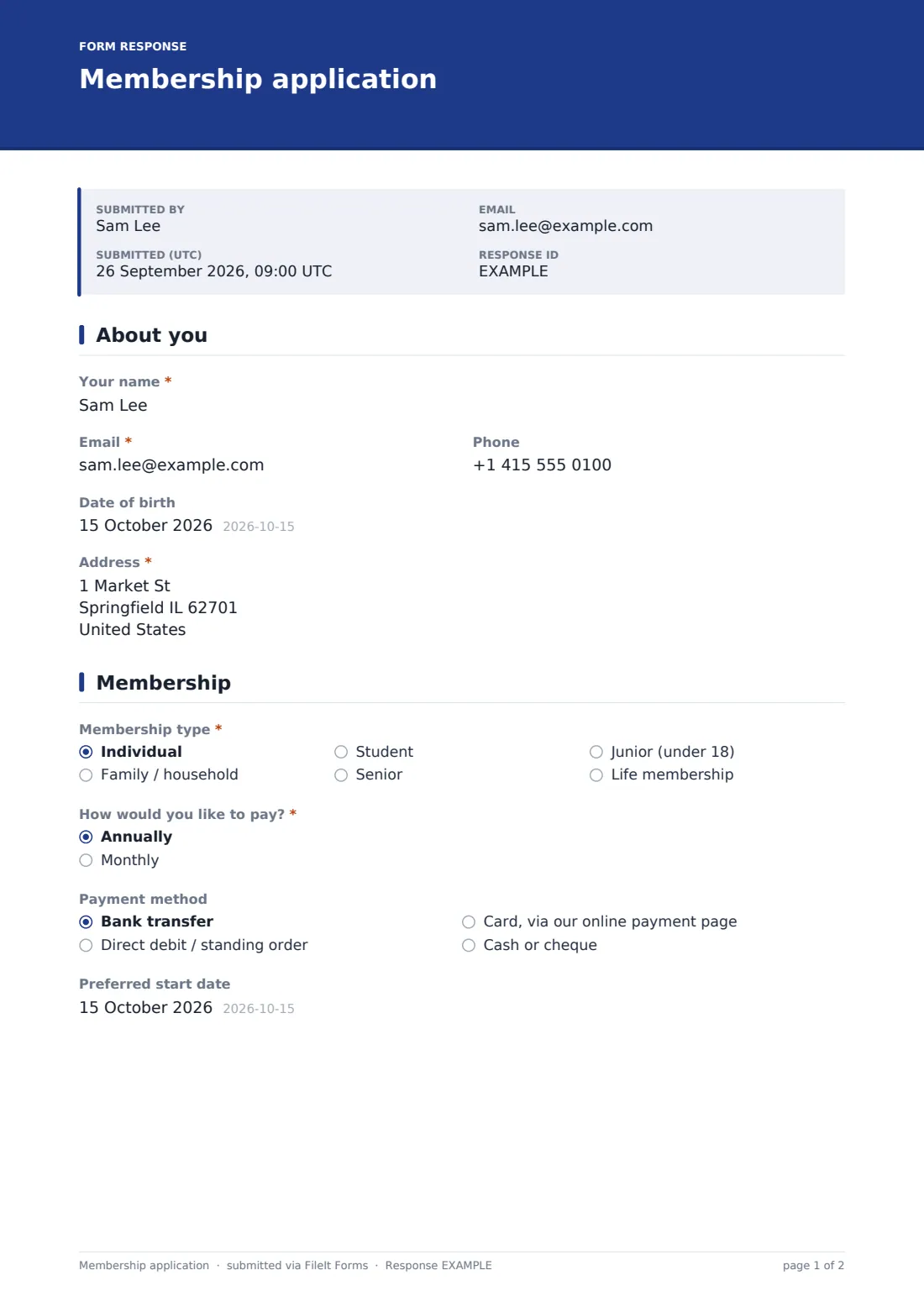
1 About you
- Your name*
- Email*
- Phone
- Date of birth
- Address*
2 Membership
- Membership type* Individual · Family / household · Student · Senior · Junior (under 18) · Life membership
- Other household members* asked only when it applies
- Proof of student status asked only when it applies
- Parent or guardian's name* asked only when it applies
- Parent or guardian's email* asked only when it applies
- How would you like to pay?* Annually · Monthly
- Payment method Bank transfer · Direct debit / standing order · Card, via our online payment page · Cash or cheque
- Preferred start date
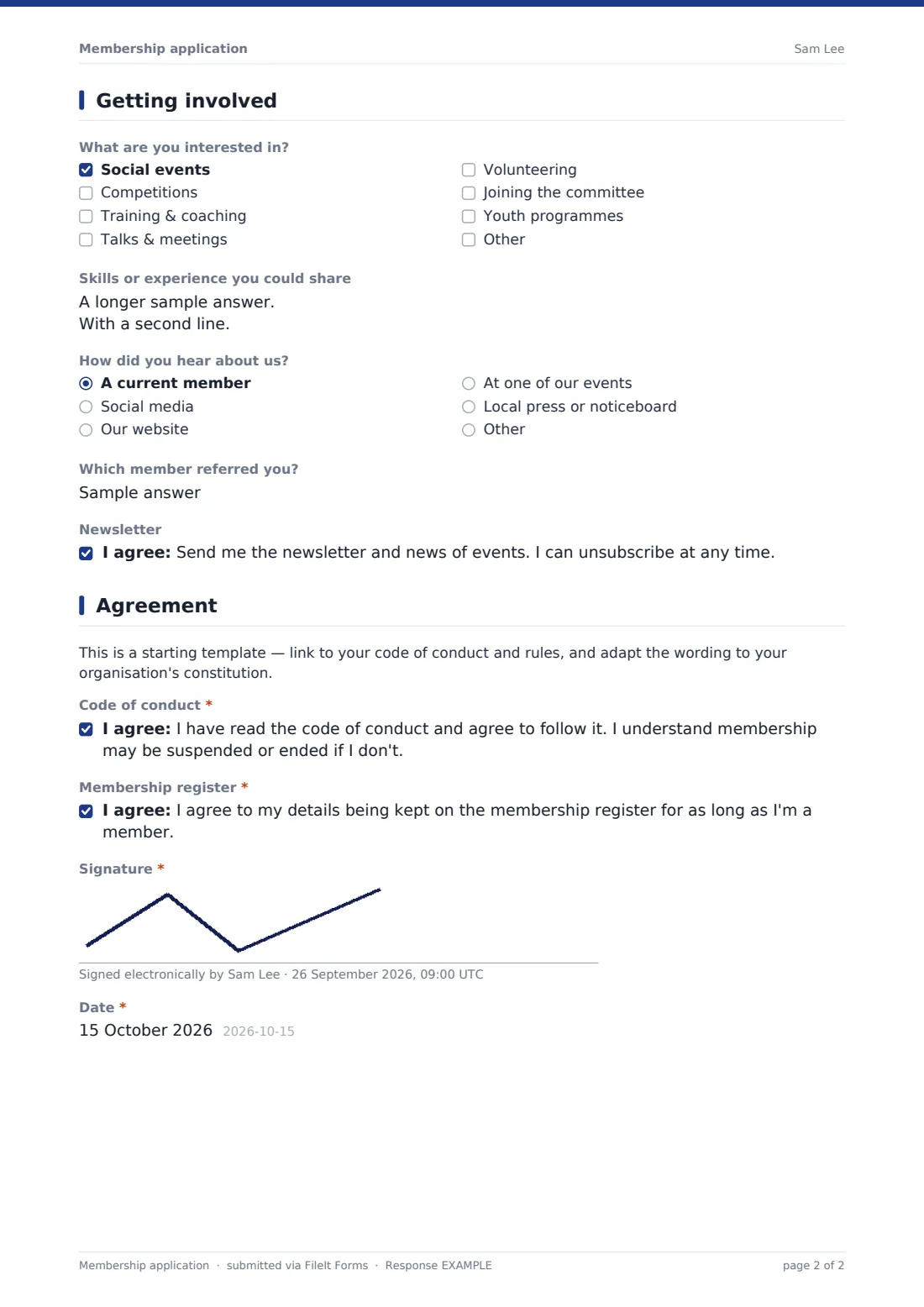
3 Getting involved
- What are you interested in? Social events · Competitions · Training & coaching · Talks & meetings · Volunteering · Joining the committee · Youth programmes
- Skills or experience you could share
- How did you hear about us? A current member · Social media · Our website · At one of our events · Local press or noticeboard · Other
- Which member referred you? asked only when it applies
- Newsletter
4 Agreement
- Code of conduct*
- Membership register*
- Signature*
- Date*
The membership application form, page by page
1 About you
The applicant gives their name, email, phone, date of birth (needed for junior, student and senior rates), and address.
2 Membership
A membership-type choice covers individual, family or household, student, senior, junior (under 18), or life membership. Choosing family opens a box to list other household members and children's ages; choosing student opens an optional upload for proof of student status, such as a student card or enrolment letter; and choosing junior opens fields for a parent or guardian's name and email, since someone else needs to take responsibility for that membership.
A billing question asks whether the applicant would like to pay annually or monthly, followed by a payment-method preference (bank transfer, direct debit, card online, or cash or cheque) and a preferred start date.
3 Getting involved
A checklist lets applicants flag what interests them — social events, competitions, training and coaching, talks and meetings, volunteering, joining the committee, or youth programmes — alongside an optional box for skills or experience they could share, such as treasurer experience, web skills, photography or coaching. A "how did you hear about us" dropdown includes a referral field when "a current member" is chosen, and an optional newsletter opt-in closes the page.
4 Agreement
A note reminds the club to link its own code of conduct and rules and adapt the wording to its constitution. The applicant then confirms they've read the code of conduct and agree to follow it, understanding membership may be suspended or ended if they don't, and separately agrees to their details being kept on the membership register for as long as they're a member. The form closes with a signature and date.
Make the template yours
- Link your actual code of conduct or rules document from the adapt-note paragraph before publishing the form
- Adjust the membership tiers and fees description to match your club's current structure
- Add a field for a specific team, section or activity group within a larger club
- Route notifications to the membership secretary or treasurer alongside the account owner
- File applications into a vault folder per membership year for easy renewal tracking
- Set a closing date if your club runs a defined enrollment window rather than accepting members year-round
- Turn on an emailed PDF copy to the new member so they have a record of what they agreed to
Tips for a better membership application form
- Keep the code of conduct link current and specific, so members know exactly what they're agreeing to
- Ask about interests and skills genuinely, and follow up — it's a good way to find volunteers and committee members
- Track how members heard about the club consistently, since it helps you see which outreach actually brings people in
- Confirm payment method and preferred start date before assuming a new member is active
- Keep junior membership applications tied to a responsible parent or guardian's contact details, not just the child's
- Review and refresh the code of conduct and register consent wording periodically as your organization's rules evolve
Every response becomes a PDF in your vault
As soon as an application is submitted, FileIt saves it as a signed PDF in the club's vault, with any uploaded proof of student status attached, and the club is notified by email. If an emailed copy to the respondent is switched on, the new member also receives their own PDF confirming what they agreed to.
From there, most clubs use the Responses table to review and approve new applications, follow up on payment, and keep a running membership register that's easy to filter and export to CSV for committee meetings or renewals.
- Start from this template. It opens in the FileIt Forms designer — change any question, add pages, set the rules for when questions appear.
- Share it. Turn on a public link, or send it to people by email, each with their own link. They don’t need a FileIt account.
- Get the answers as PDFs. Each response is saved as a PDF in the vault folder you choose, with uploaded files attached — and listed in a Responses table you can export to CSV.
Membership application form: frequently asked questions
Is this membership application form template free?
Yes. It's included in FileIt's Forms app on every plan, including free, and every question can be edited to match your club's own rules.
Does a new member need a FileIt account to apply?
No. Share the form by public link on your website or social media, or send it by email — applicants don't need a FileIt account.
How do I get a copy of a completed application?
Every submission is saved automatically as a signed PDF in your vault, and you can turn on an emailed PDF copy sent to the new member.
What if someone is applying for a junior membership under 18?
The form automatically opens fields for a parent or guardian's name and email, so someone responsible for the application is on record.
Does this form take payment?
No — FileIt Forms doesn't process payments. The form captures a payment preference and method, and your club sends payment details separately once the application is approved.
Is the code of conduct in this template ready to use as-is?
No — it's a starting point. Link your own code of conduct and rules and adapt the wording to your organization's constitution before publishing the form.
Can families apply together under one membership?
Yes — choosing the family or household tier opens a box for listing other household members, including children's ages.