

What is the landlord onboarding form template?
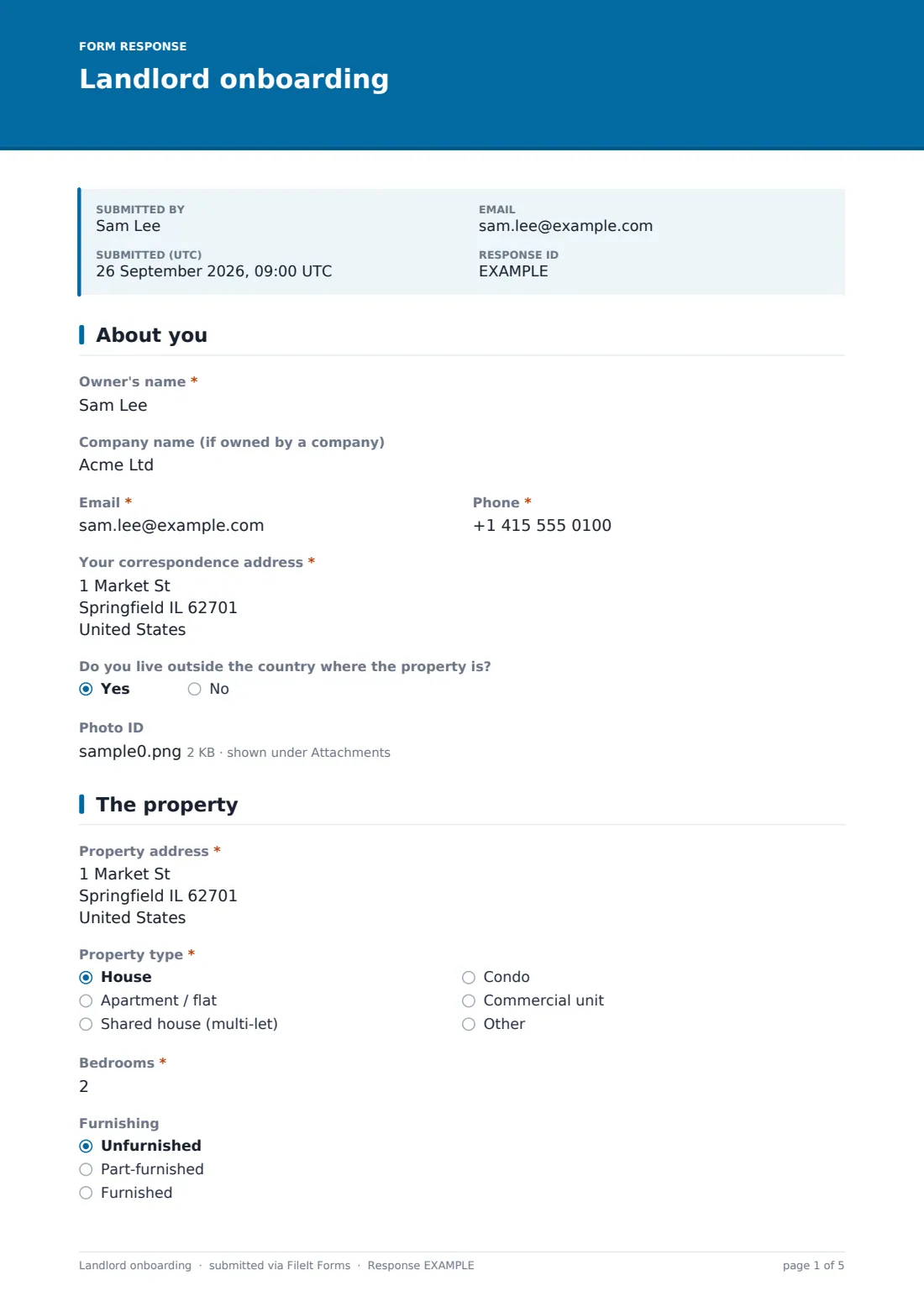
Taking on a new landlord usually means a chain of emails for ID, certificates, bank details and a dozen preferences. This template gathers it all at once. The owner gives their contact details and correspondence address, uploads photo ID, and says whether they live abroad, which can affect how rental income is taxed.
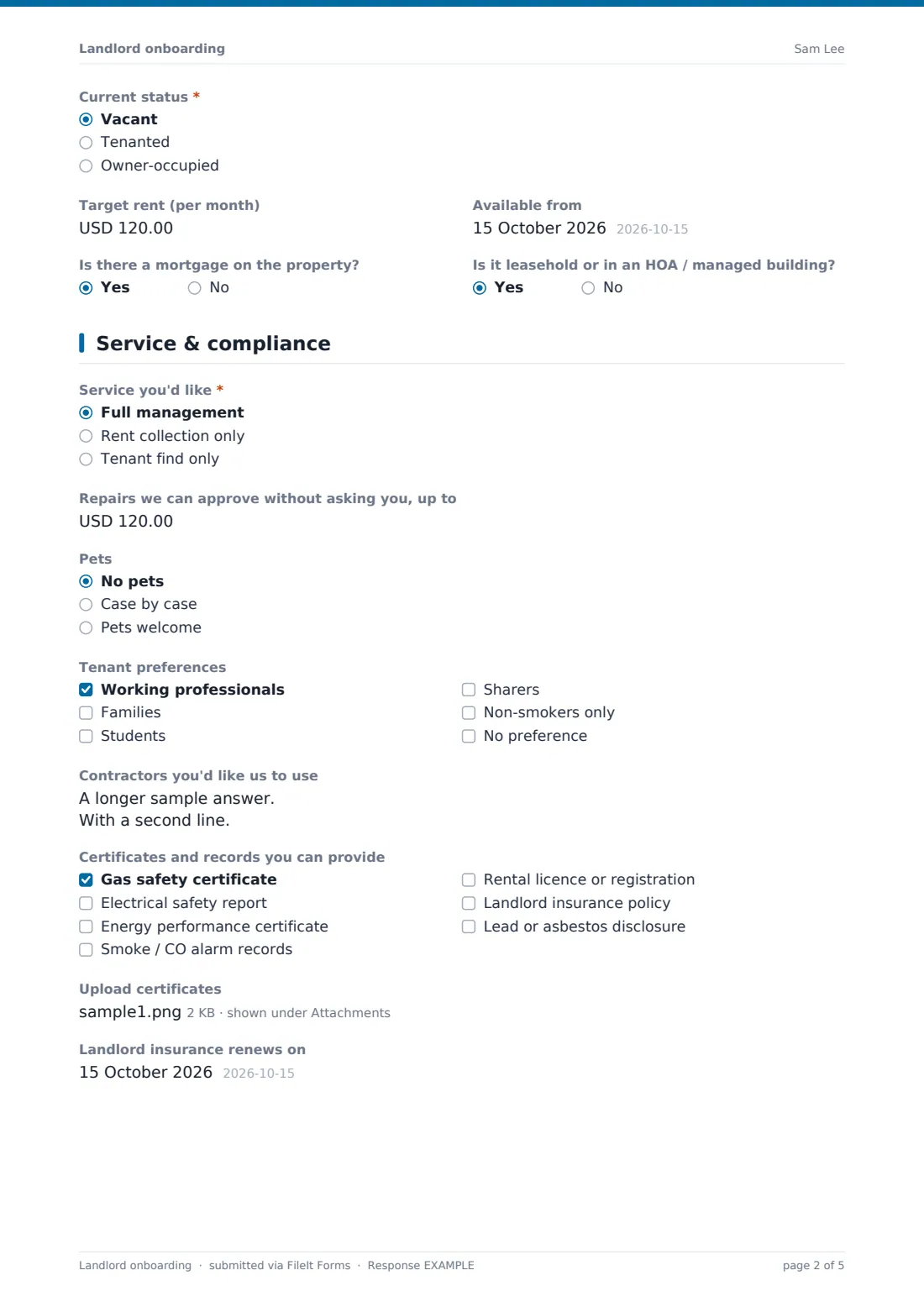
They then describe the property — type, bedrooms, furnishing and whether it's vacant or tenanted, with the current rent and tenancy end date or the target rent and availability date as appropriate — plus whether there's a mortgage or a managed building. They choose full management, rent collection or tenant find, set a repair approval limit if you're fully managing, and give pet and tenant preferences, preferred contractors and which compliance certificates they can provide, with uploads.
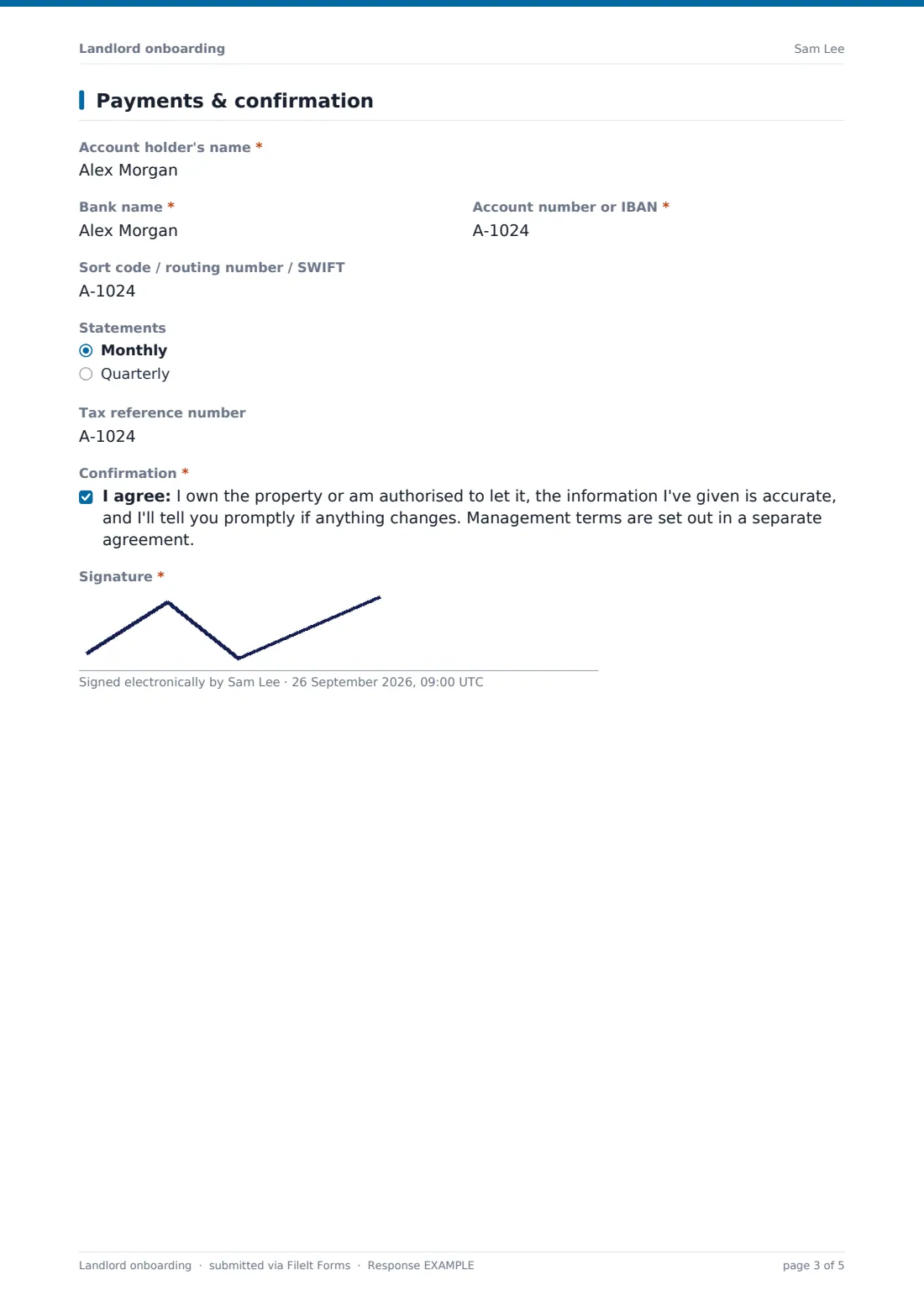
The last page collects bank details for rent payments, statement frequency and a tax reference, followed by a confirmation and signature. FileIt files the result as a PDF with every upload attached.
- Best for
- Letting agents and property management companies taking on new owners
- Filled in by
- The landlord or property owner
- Time to complete
- About 10 minutes, plus time to find certificates
- Includes
- Owner ID, property details, service level, preferences, certificate uploads, bank details, signature
Who uses a landlord onboarding form?
- A letting agency onboarding a new landlord after a valuation
- A property manager taking over a portfolio from another agent
- An agent collecting compliance certificates before marketing a property
- A build-to-rent operator onboarding individual unit owners
- A short-let manager gathering owner and property details at sign-up
- An agency refreshing records for existing landlords
Questions on this landlord onboarding form
34 questions over 4 pages · includes signature, file upload, conditional questions, multiple pages, consent checkbox.
1 About you
- Owner's name*
- Company name (if owned by a company)
- Email*
- Phone*
- Your correspondence address*
- Do you live outside the country where the property is?
- Photo ID
2 The property
- Property address*
- Property type* House · Apartment / flat · Shared house (multi-let) · Condo · Commercial unit · Other
- Bedrooms*
- Furnishing Unfurnished · Part-furnished · Furnished
- Current status* Vacant · Tenanted · Owner-occupied
- Current rent (per month) asked only when it applies
- Current tenancy ends asked only when it applies
- Target rent (per month) asked only when it applies
- Available from asked only when it applies
- Is there a mortgage on the property?
- Is it leasehold or in an HOA / managed building?
3 Service & compliance
- Service you'd like* Full management · Rent collection only · Tenant find only
- Repairs we can approve without asking you, up to asked only when it applies
- Pets No pets · Case by case · Pets welcome
- Tenant preferences Working professionals · Families · Students · Sharers · Non-smokers only · No preference
- Contractors you'd like us to use
- Certificates and records you can provide Gas safety certificate · Electrical safety report · Energy performance certificate · Smoke / CO alarm records · Rental licence or registration · Landlord insurance policy · Lead or asbestos disclosure
- Upload certificates
- Landlord insurance renews on
4 Payments & confirmation
- Account holder's name*
- Bank name*
- Account number or IBAN*
- Sort code / routing number / SWIFT
- Statements Monthly · Quarterly
- Tax reference number
- Confirmation*
- Signature*
The landlord onboarding form, page by page
1 About you
Owner's name, company name if the property is owned by a company, email, phone, correspondence address, whether they live outside the country, and a photo ID upload.
2 The property
Property address, type, bedrooms, furnishing and Current status. Tenanted properties ask for the current rent and when the tenancy ends; vacant or owner-occupied properties ask for a target rent and availability date. Two yes / no questions cover a mortgage and a leasehold or managed building.
3 Service & compliance
Service you'd like — full management, rent collection or tenant find. Full management asks for a repair approval limit. Then pets, tenant preferences, preferred contractors, which certificates and records the owner can provide, uploads, and when landlord insurance renews.
4 Payments & confirmation
Account holder's name, bank, account number or IBAN, sort code, routing number or SWIFT, statement frequency and a tax reference if needed. The owner confirms they can let the property and the information is accurate — with management terms in a separate agreement — and signs.
Make the template yours
- Replace the certificate list with exactly what's required where you operate
- Change the currency on the rent and repair limit fields
- Rename the service levels to match your own fee packages
- File each onboarding under the owner as an entity so their property documents stay together
- Add the landlord insurance renewal date as a vault document so FileIt can remind you before it expires
- Remove the tax reference if you don't report rental income for owners
Tips for a better landlord onboarding form
- Check certificate dates when they're uploaded, not when a tenant is about to move in
- Verify bank details by phone before the first payment, especially if they change later
- Agree the repair approval limit in the management agreement too
- Ask for lender consent early if the owner has a mortgage
- Keep the signed onboarding PDF with the management agreement
Every response becomes a PDF in your vault
When the owner signs, FileIt saves a PDF of the onboarding — owner and property details, service choice, preferences, bank details and signature, with ID and certificates attached — in the folder you've chosen, and emails you.
Most agents then issue the management agreement and set up the property in their own systems. Certificates uploaded here can be filed in FileIt as vault documents so their expiry dates are tracked and reminders sent.
- Start from this template. It opens in the FileIt Forms designer — change any question, add pages, set the rules for when questions appear.
- Share it. Turn on a public link, or send it to people by email, each with their own link. They don’t need a FileIt account.
- Get the answers as PDFs. Each response is saved as a PDF in the vault folder you choose, with uploaded files attached — and listed in a Responses table you can export to CSV.
Landlord onboarding form: frequently asked questions
Is this landlord onboarding form free?
Yes. It's a starter template in FileIt's Forms app on every plan, and fully editable.
Is it safe to collect bank details on this form?
Responses are saved in your FileIt vault. Because the form includes bank details, this template doesn't email the owner a copy of their answers by default — you can turn that on in Settings if you want to.
Which certificates does a landlord need?
It depends on where the property is. The checklist lists common ones — edit it to match the rules where you operate.
Does this replace a management agreement?
No. The confirmation says management terms are set out in a separate agreement.
Can owners upload documents?
Yes — photo ID and up to 10 certificate files.
Can FileIt remind us when certificates expire?
The form itself doesn't, but certificates filed as vault documents with an expiry date get FileIt's standard reminders.