What is the interview scorecard form template?
Hiring decisions made in a debrief room often come down to who spoke first or loudest. A structured interview scorecard asks every interviewer to rate the same competencies, write down the evidence behind their view, and commit to a recommendation before discussing the candidate with anyone else.
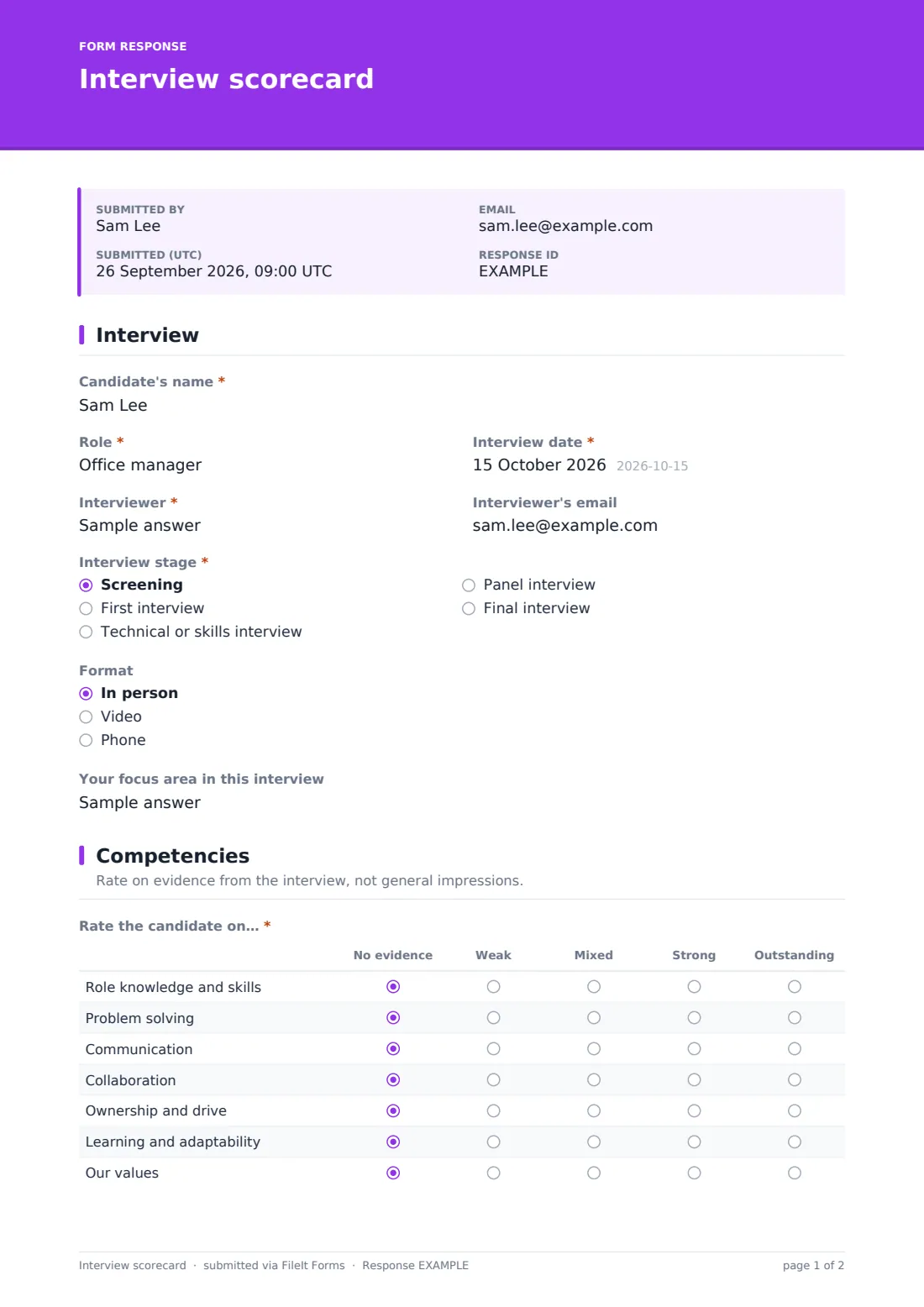
This interview scorecard template records the interview context — stage, format and the interviewer's focus area — then a competency grid covering role knowledge, problem solving, communication, collaboration, ownership, learning and values, from 'no evidence' to 'outstanding'. If there was a technical or practical exercise, it adds a 1–10 score and notes.
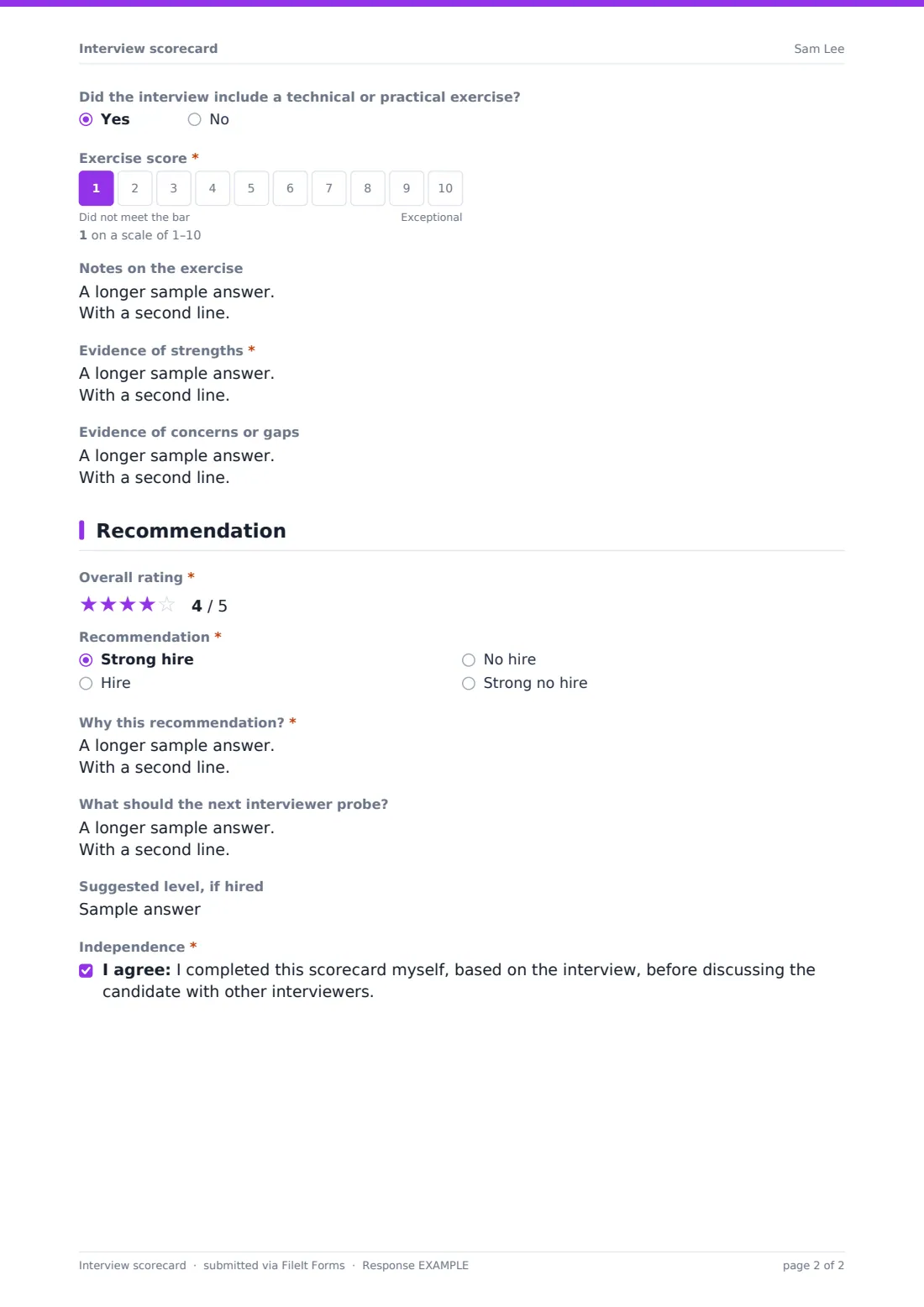
The recommendation page asks for an overall star rating, a hire or no-hire recommendation with the reasoning, what the next interviewer should probe, and a suggested level. Interviewers confirm they scored independently. Each scorecard is saved as a PDF in your FileIt vault.
- Best for
- Teams running structured, multi-stage interviews
- Filled in by
- Each interviewer, straight after the interview
- Time to complete
- About 5–10 minutes
- Includes
- Competency rating grid, optional exercise score, evidence notes, overall rating and recommendation
Who uses a interview scorecard form?
- A panel of interviewers each submitting their own scorecard
- A technical interview that includes a coding or practical exercise
- Comparing candidates on the same competencies across a shortlist
- Passing concerns from one interview stage to the next interviewer
- Recording the evidence behind a hiring decision
- Training new interviewers to rate on evidence rather than impressions
Questions on this interview scorecard form
20 questions over 3 pages · includes conditional questions, multiple pages, consent checkbox, ratings.
1 Interview
- Candidate's name*
- Role*
- Interview date*
- Interviewer*
- Interviewer's email
- Interview stage* Screening · First interview · Technical or skills interview · Panel interview · Final interview
- Format In person · Video · Phone
- Your focus area in this interview
2 Competencies
- Rate the candidate on…* No evidence · Weak · Mixed · Strong · Outstanding
- Did the interview include a technical or practical exercise?
- Exercise score* asked only when it applies
- Notes on the exercise asked only when it applies
- Evidence of strengths*
- Evidence of concerns or gaps
3 Recommendation
- Overall rating*
- Recommendation* Strong hire · Hire · No hire · Strong no hire
- Why this recommendation?*
- What should the next interviewer probe?
- Suggested level, if hired
- Independence*
The interview scorecard form, page by page
1 Interview
The interviewer records the candidate's name, the role, the interview date, their own name and email, the stage (screening through to final), the format and their focus area in the interview.
2 Competencies
A required grid rates the candidate on role knowledge and skills, problem solving, communication, collaboration, ownership and drive, learning and adaptability, and your values — from no evidence to outstanding. If the interview included an exercise, the interviewer gives a 1–10 score and notes. They then write the evidence of strengths and of any concerns or gaps.
3 Recommendation
An overall five-star rating comes next, then a recommendation — strong hire, hire, no hire or strong no hire — with the reasoning. The interviewer notes what the next interviewer should probe and a suggested level if hired, and confirms they completed the scorecard independently.
Make the template yours
- Replace the competency rows with the competencies for the specific role
- Change the rating scale labels to match your interview guide
- Add a question for each structured interview question you ask
- Set a vault folder per vacancy so all scorecards for a role are together
- Add the recruiter to notifications so they can chase missing scorecards
Tips for a better interview scorecard form
- Submit your scorecard before the debrief, not after
- Write down what the candidate actually said or did as evidence
- Use 'No evidence' honestly when a competency didn't come up
- Give every candidate for a role the same core questions
- Keep notes job-related — avoid comments on personal characteristics
Every response becomes a PDF in your vault
Each scorecard is saved as a PDF in your FileIt vault and the form owner is notified. The confirmation message reminds interviewers not to share ratings until everyone has submitted.
Recruiters can view all scorecards in the Responses table, compare recommendations, and export to CSV to line up ratings across the panel before the debrief.
- Start from this template. It opens in the FileIt Forms designer — change any question, add pages, set the rules for when questions appear.
- Share it. Turn on a public link, or send it to people by email, each with their own link. They don’t need a FileIt account.
- Get the answers as PDFs. Each response is saved as a PDF in the vault folder you choose, with uploaded files attached — and listed in a Responses table you can export to CSV.
Interview scorecard form: frequently asked questions
Is this interview scorecard template free?
Yes — it's included with the Forms app on every FileIt account, including the free plan, alongside the rest of the template gallery.
Can I change the competencies?
Yes. The rows and rating columns in the competency grid can be edited in the form designer.
What if there's no technical exercise?
The exercise score only appears when the interviewer says the interview included one.
Why does the form ask interviewers to confirm they scored independently?
Scoring before discussing a candidate helps avoid one person's opinion shaping everyone else's. The confirmation is a simple reminder of that.
Does the candidate see the scorecard?
No. Interviewers fill it in and it is filed in your vault; respondent copies go to the interviewer, not the candidate, and are off by default.
Can several interviewers use the same form?
Yes. Share one link with the panel; each submission is filed as its own PDF.