What is the insurance renewal questionnaire form template?
Every renewal starts with the same question: has anything changed? Brokers usually ask it by email and get a one-line answer, then chase turnover figures, a list of new premises and the claims history separately. This questionnaire asks for everything a renewal typically needs, once.
The client confirms which covers are renewing, then works through what the business does, turnover for last year and the coming year, staff numbers, premises, sums insured, security and claims. Follow-up questions appear only when there's something to report: details of a change in activities, the address of new premises, the date and cost of each loss, or a description of anything that could lead to a claim. Fleet clients are asked how many vehicles they run.
The completed questionnaire is signed, filed as a PDF in your FileIt vault, and stored with the accounts or schedules the client uploaded.
- Best for
- Commercial insurance brokers and in-house risk teams
- Filled in by
- A director, owner or finance contact at the client business
- Time to complete
- About 15–20 minutes
- Includes
- Change, premises, claims and fleet follow-ups, sums insured, document uploads and a signed declaration
Who uses a insurance renewal questionnaire form?
- Sending every commercial client a renewal pack 60 days before renewal
- Updating turnover and wageroll for liability covers
- Checking that sums insured have been reviewed recently
- Collecting a year's claims and incidents in writing
- Keeping a signed record of what the client disclosed each year
Questions on this insurance renewal questionnaire form
33 questions over 5 pages · includes signature, file upload, conditional questions, multiple pages, consent checkbox.
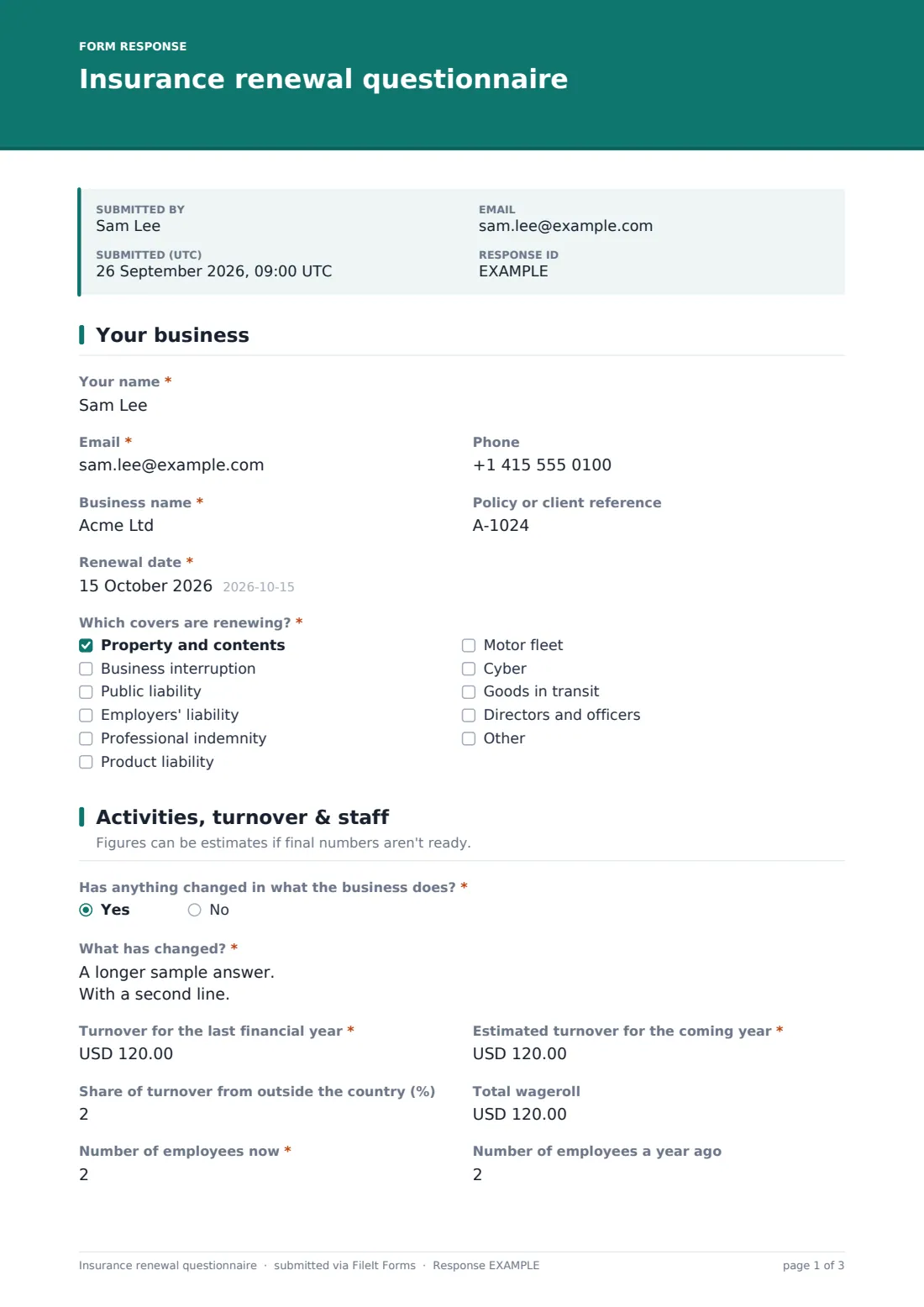
1 Your business
- Your name*
- Email*
- Phone
- Business name*
- Policy or client reference
- Renewal date*
- Which covers are renewing?* Property and contents · Business interruption · Public liability · Employers' liability · Professional indemnity · Product liability · Motor fleet · Cyber · Goods in transit · Directors and officers
2 Activities, turnover & staff
- Has anything changed in what the business does?*
- What has changed?* asked only when it applies
- Turnover for the last financial year*
- Estimated turnover for the coming year*
- Share of turnover from outside the country (%)
- Total wageroll
- Number of employees now*
- Number of employees a year ago
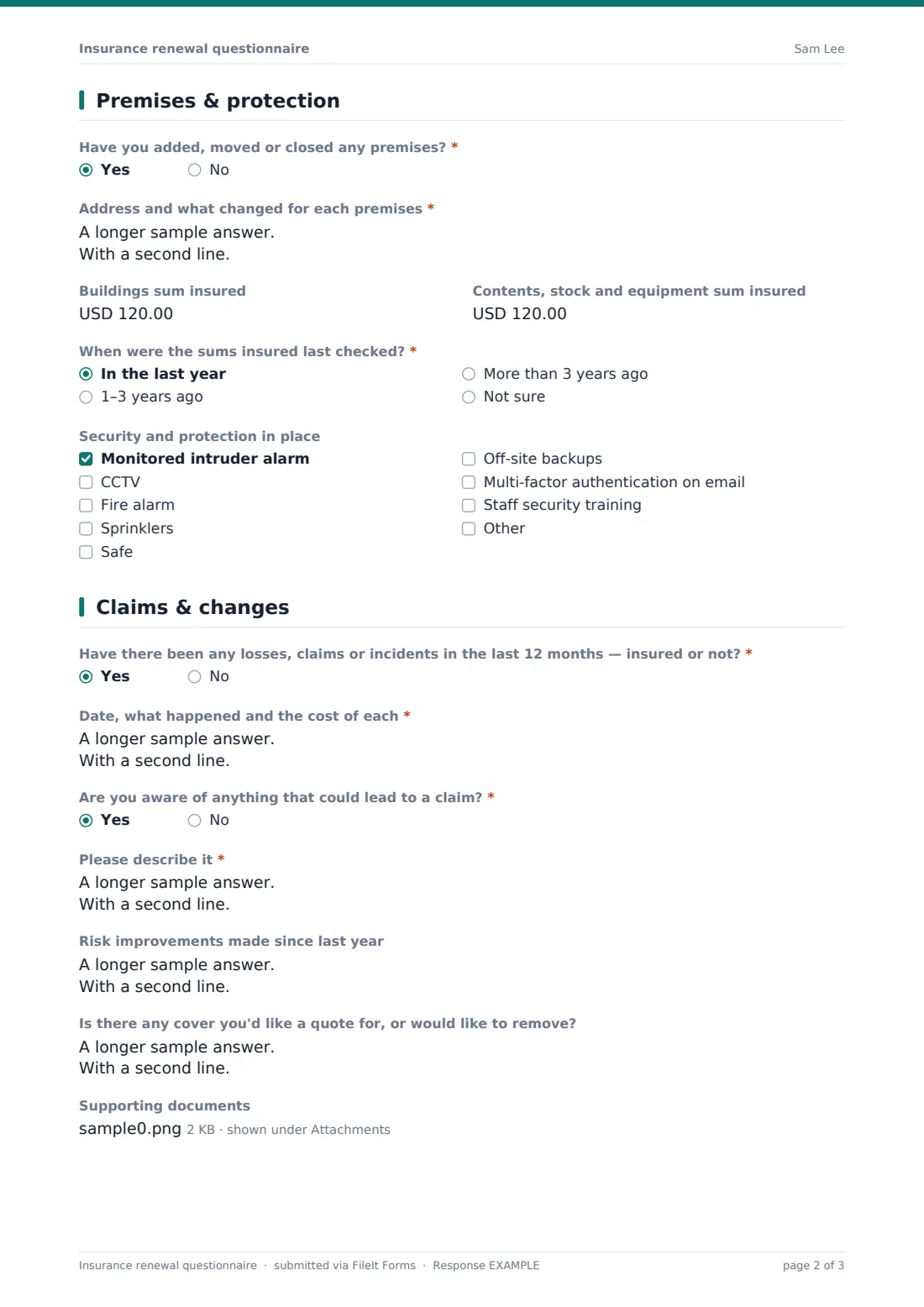
3 Premises & protection
- Have you added, moved or closed any premises?*
- Address and what changed for each premises* asked only when it applies
- Buildings sum insured
- Contents, stock and equipment sum insured
- When were the sums insured last checked?* In the last year · 1–3 years ago · More than 3 years ago · Not sure
- Security and protection in place Monitored intruder alarm · CCTV · Fire alarm · Sprinklers · Safe · Off-site backups · Multi-factor authentication on email · Staff security training
- Number of vehicles on the fleet asked only when it applies
4 Claims & changes
- Have there been any losses, claims or incidents in the last 12 months — insured or not?*
- Date, what happened and the cost of each* asked only when it applies
- Are you aware of anything that could lead to a claim?*
- Please describe it* asked only when it applies
- Risk improvements made since last year
- Is there any cover you'd like a quote for, or would like to remove?
- Supporting documents
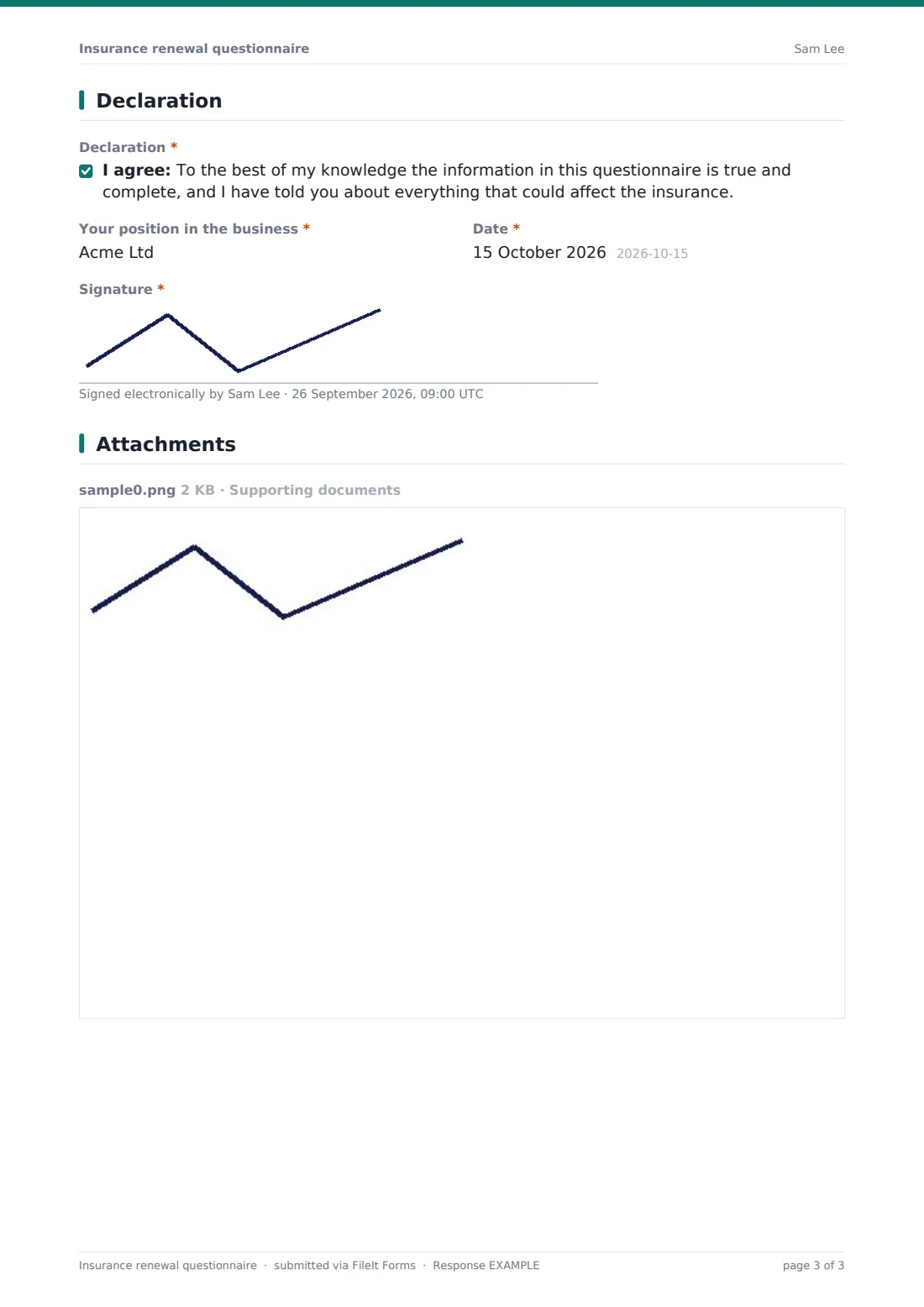
5 Declaration
- Declaration*
- Your position in the business*
- Date*
- Signature*
The insurance renewal questionnaire form, page by page
1 Your business
The client gives their name, email, phone, business name, policy or client reference and the renewal date, then ticks which covers are renewing, from property and business interruption to liability, professional indemnity, motor fleet, cyber, goods in transit and directors and officers.
2 Activities, turnover & staff
Has anything changed in what the business does? comes with help text listing examples, and a Yes asks what changed. The client gives turnover for the last financial year and an estimate for the coming year, the share from outside the country, the total wageroll, and the number of employees now and a year ago.
3 Premises & protection
A Yes to Have you added, moved or closed any premises? asks for each address and what changed. Buildings sum insured carries help text explaining it's the cost to rebuild, not the market value, alongside a contents, stock and equipment figure. The client says when sums insured were last checked and ticks the security in place, including alarms, CCTV, sprinklers, off-site backups and multi-factor authentication. Clients renewing motor fleet cover are asked how many vehicles they run.
4 Claims & changes
The client is asked about any losses, claims or incidents in the last 12 months, insured or not, with details of each if yes, and whether they're aware of anything that could lead to a claim. Optional questions cover risk improvements, cover they'd like quoted or removed, and up to six supporting documents such as accounts or a fleet list.
5 Declaration
The client confirms the information is true and complete to the best of their knowledge, gives their position in the business, dates and signs.
Make the template yours
- Trim the covers list to the policies you place for each client
- Set the currency to match where your clients trade
- Add trade-specific questions, such as hazardous materials or heat work
- File questionnaires into one vault folder per client
- Have the declaration wording checked against your own terms of business
Tips for a better insurance renewal questionnaire form
- Send the questionnaire well ahead of renewal so there's time to market the risk
- Use emailed requests with an expiry so late returns are easy to spot
- Remind clients that estimates are fine if accounts aren't final
- Read the claims answers against your own records
- Keep each year's signed questionnaire, as they're useful to compare
Every response becomes a PDF in your vault
Each questionnaire is filed as a PDF in the vault folder you chose, titled with the contact's name and the date, with accounts and schedules attached to the document. You're notified by email, and the client can receive a copy of what they signed.
The Share tab shows which clients have opened and returned their questionnaire, with reminders for the rest. Export the Responses table to CSV to compare turnover, staff and sums insured across your book.
- Start from this template. It opens in the FileIt Forms designer — change any question, add pages, set the rules for when questions appear.
- Share it. Turn on a public link, or send it to people by email, each with their own link. They don’t need a FileIt account.
- Get the answers as PDFs. Each response is saved as a PDF in the vault folder you choose, with uploaded files attached — and listed in a Responses table you can export to CSV.
Insurance renewal questionnaire form: frequently asked questions
Is this renewal questionnaire template free?
Yes. It's a starter template in FileIt's Forms app, and you can edit every question.
Does this questionnaire meet our disclosure obligations?
It's a practical starting point. What must be disclosed depends on the policy and the rules where you operate, so review the questions against them.
Can I send it to all my clients at once?
Yes. Paste a list of names and emails, and each client gets a personal link. You can track who has replied and send reminders.
Can clients upload accounts or a fleet list?
Yes. Up to six files, including spreadsheets and PDFs, are attached to the filed document.
What if the client doesn't have final figures yet?
The page description says estimates are fine. You can confirm final figures later.
Do clients need a FileIt account?
No. They open their link, fill it in and sign without signing up.