What is the insurance quote request form template?
A quote request that just says "please quote for my business" means a round of follow-up questions before anyone can approach an insurer. This template collects the details most quotes need up front, whether the prospect is a homeowner or a business.
The prospect ticks every type of cover they want — buildings, contents, vehicles, public liability, professional indemnity, employers' liability, commercial property, business interruption, cyber, travel or landlord cover — and the form asks for the matching details. Home cover opens questions about the property, contents cover asks for a value, and vehicle cover asks about the car and drivers. Business prospects are asked what the business does, headcount, turnover, years trading and the liability limit they want.
Claims history, any past refusals and the current insurer and premium round it off, with an optional upload of the current schedule so you can compare like for like. Each request lands in your FileIt vault as a PDF.
- Best for
- Insurance brokers, agents and small insurers taking new enquiries
- Filled in by
- A homeowner, driver or business owner looking for cover
- Time to complete
- About 5 minutes
- Includes
- Business and personal branches, cover-specific follow-ups, claims history and schedule upload
Who uses a insurance quote request form?
- A "get a quote" link on a broker's website
- Commercial brokers qualifying small business enquiries before sourcing
- Agents collecting renewal information from existing clients shopping around
- Landlords asking for cover on a rental property
- Trade associations offering members a route to a partner broker
- Bundling home, contents and car quotes in one enquiry
Questions on this insurance quote request form
28 questions over 3 pages · includes file upload, conditional questions, multiple pages, consent checkbox.
1 About you
- Your name*
- Email*
- Phone*
- How should we send your quote? Email · Phone call · Either
- Is this cover for a business?*
- Business name* asked only when it applies
- What does the business do?* asked only when it applies
- Number of employees asked only when it applies Just me · 2–5 · 6–20 · 21–50 · 51–250 · More than 250
- Annual turnover asked only when it applies
- Years trading asked only when it applies
2 What to insure
- What would you like a quote for?* Home — buildings · Home — contents · Car or other vehicle · Public / general liability · Professional indemnity · Employers' liability / workers' comp · Commercial property · Business interruption · Cyber · Travel · Landlord / rental property
- Address of the property or premises
- About the property asked only when it applies
- Value of contents to insure asked only when it applies
- Vehicle and drivers asked only when it applies
- Approximate total value to insure
- Liability limit wanted asked only when it applies 1 million · 2 million · 5 million · 10 million · Not sure
3 Cover & history
- When should cover start?*
- Are you insured for this now?
- Current insurer asked only when it applies
- Current annual premium asked only when it applies
- Any claims or losses in the last 5 years?*
- Claims details* asked only when it applies
- Has any insurer ever declined, cancelled or put special terms on your cover?
- Please explain asked only when it applies
- Anything else we should know?
- Current policy schedule (optional)
- Consent*
The insurance quote request form, page by page
1 About you
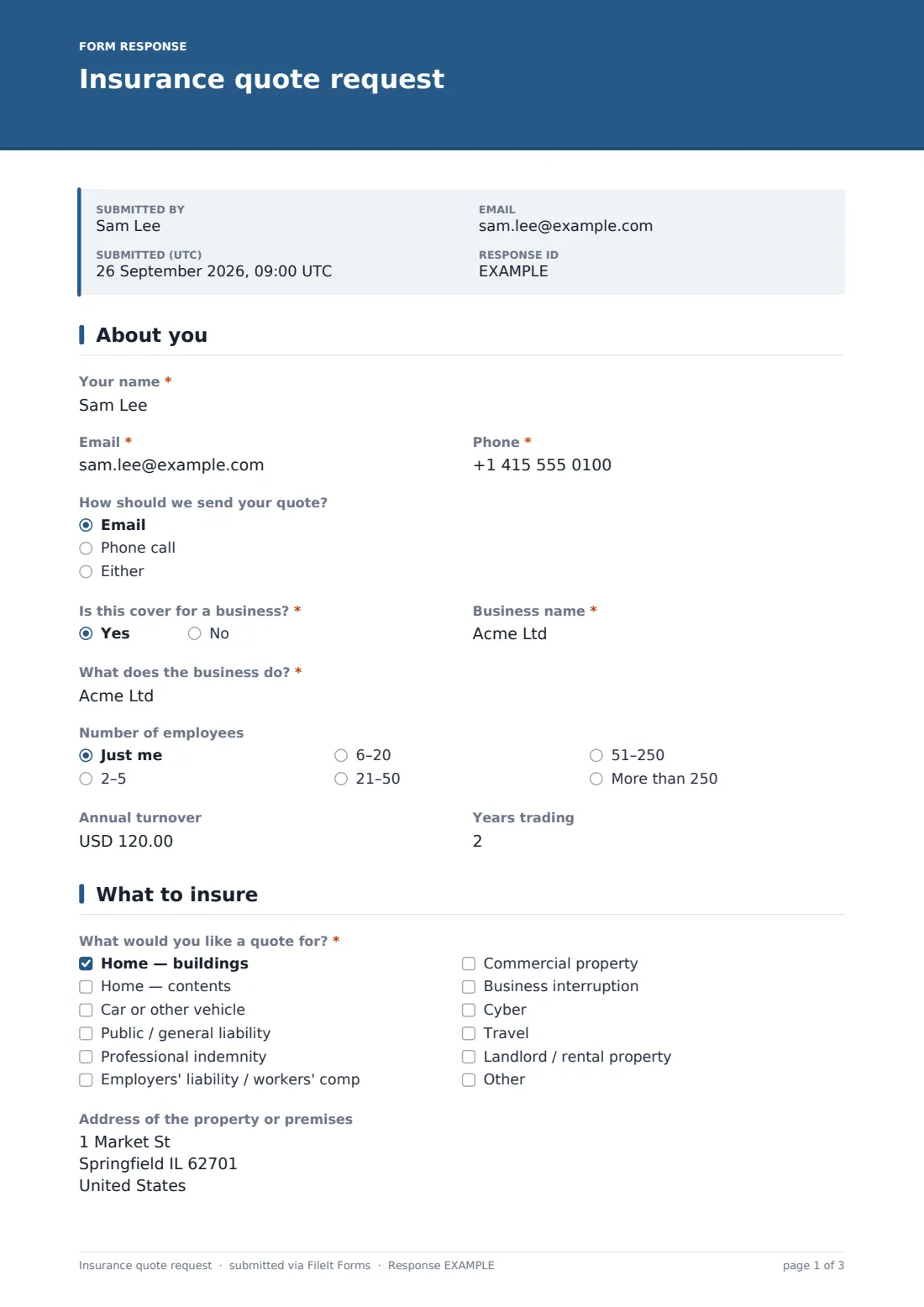
Name, email, phone and how the prospect would like the quote sent. A yes/no asks whether the cover is for a business; if so, the business name, what it does, employees, annual turnover and years trading are asked.
2 What to insure
A checklist of cover types, with room for other cover, and the address of the property or premises. Ticking home buildings opens a box about the property's type, age, construction and security; contents asks for a value; vehicle cover asks for the vehicle and main driver details. Everyone gives an approximate total value to insure, and businesses pick the liability limit they want.
3 Cover & history
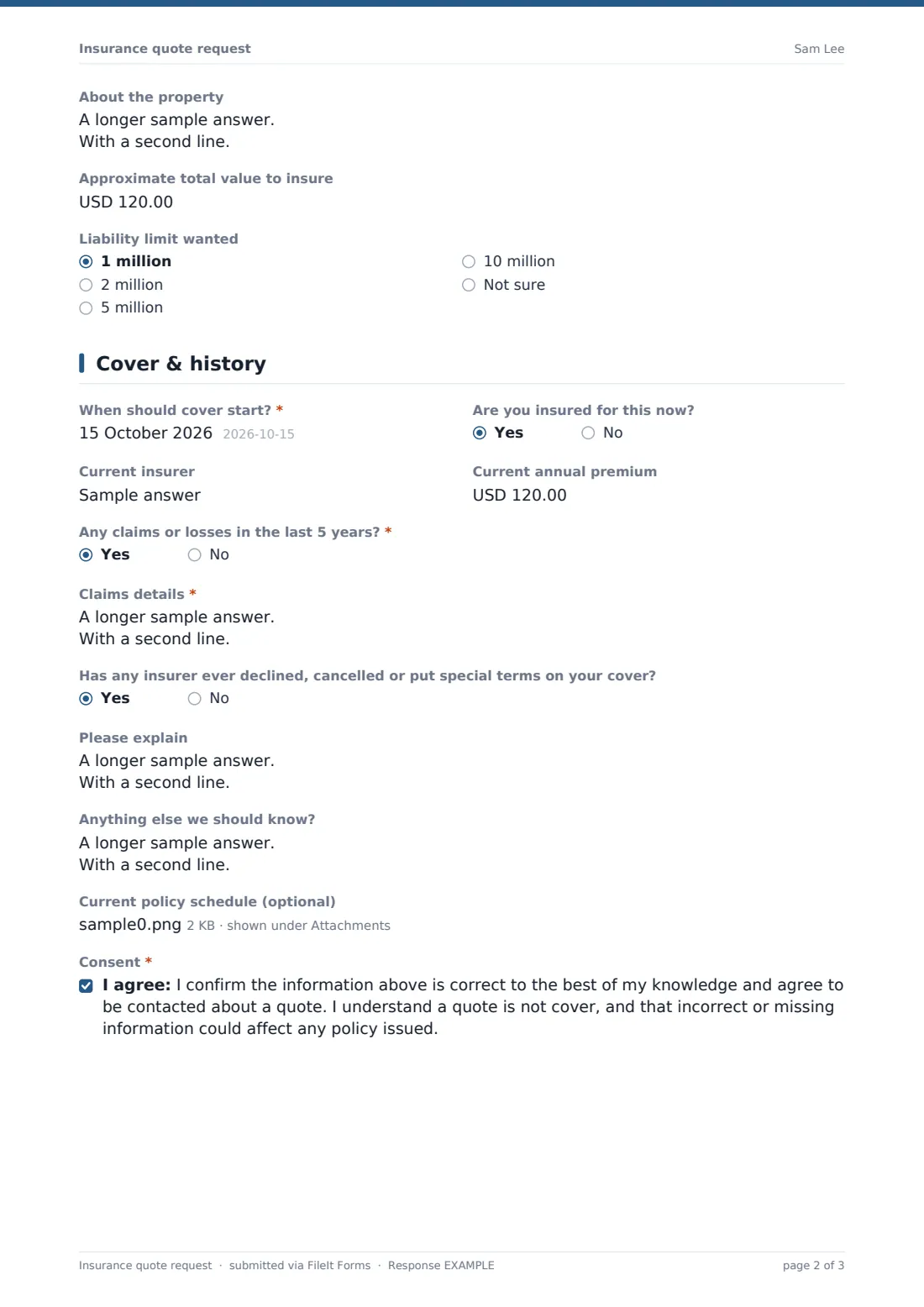
The start date, whether they're insured now (with the current insurer and premium), claims in the last five years with required details on a yes, and whether any insurer has declined, cancelled or put special terms on cover. A notes box, an optional schedule upload and a consent — acknowledging that a quote is not cover — finish the form.
Make the template yours
- Trim the cover checklist to the lines you actually write or place
- Change the liability limit options and currency to your market
- Add industry-specific questions, such as hot work for trades or patient numbers for clinics
- Send business and personal enquiries to different vault folders using separate copies of the form
- Add a notification email for the account executive who handles new business
- Add a "How did you hear about us?" question to see which campaigns bring in enquiries
Tips for a better insurance quote request form
- Ask for the current schedule — it answers many questions at once and shows the existing limits
- Rebuild cost, not market value, is usually what buildings cover is based on; say so in the help text if your clients confuse them
- Chase claims details early; missing claims history is a common reason quotes are delayed
- Respond fast — quote requests are often sent to several brokers at once
Every response becomes a PDF in your vault
Each request is filed as a PDF in the vault folder you choose, with the uploaded schedule attached, and you receive an email notification. If a respondent copy is enabled, the prospect gets a PDF of their request too.
From there, brokers typically check the details, approach insurers or run the quote, and reply using the contact method the prospect chose. The Responses table keeps every enquiry together for follow-up and can export to CSV.
- Start from this template. It opens in the FileIt Forms designer — change any question, add pages, set the rules for when questions appear.
- Share it. Turn on a public link, or send it to people by email, each with their own link. They don’t need a FileIt account.
- Get the answers as PDFs. Each response is saved as a PDF in the vault folder you choose, with uploaded files attached — and listed in a Responses table you can export to CSV.
Insurance quote request form: frequently asked questions
Is this insurance quote form template free?
Yes. It comes with FileIt's Forms app on every plan, including free.
Can one form handle both personal and business cover?
Yes. A business yes/no opens business questions, and each ticked cover type opens its own follow-up.
Does submitting the form put cover in place?
No. The consent states that a quote is not cover. You can edit that wording.
Do prospects need an account?
No, anyone with the link can fill it in.
Can I add more cover types?
Yes. Edit the checklist in the designer and add follow-up questions that show only when that option is ticked.
Can prospects upload their current policy?
Yes, up to three files — PDF or images.