What is the home inspection report form template?
A home inspection report tells a buyer what condition a property is in before they commit to it. This template follows the order most inspections run in — exterior and structure, then plumbing, electrical and heating, then the interior — and rates each item Satisfactory, Monitor, Repair needed, Safety concern or Not inspected.
Ratings on their own aren't enough, so every section has a findings box for the detail, and the report ends with a summary split into safety concerns, major repairs and items to monitor, plus the specialists the buyer should call next. Questions only appear when they're needed: if the roof wasn't walked, the form asks why; if moisture or pest evidence is found, it asks where and what.
The finished report is saved in your FileIt vault as a PDF with photos and the inspector's signature, ready to send to the client and their agent.
- Best for
- Home inspectors, surveyors and buyers doing their own pre-purchase checks
- Filled in by
- The inspector, on site or right after the visit
- Time to complete
- 30–60 minutes alongside the inspection
- Includes
- Five rating grids, moisture and pest follow-ups, summary, specialist referrals, photos, signature
Who uses a home inspection report form?
- An independent home inspector producing a consistent report for every buyer
- A small inspection company standardising reports across several inspectors
- A buyer's agent recording a quick pre-offer walkthrough with a client
- A buyer doing their own checks on a property before paying for a full survey
- An inspector documenting a re-inspection after the seller's repairs
- A property investor checking the condition of a house before purchase
Questions on this home inspection report form
43 questions over 5 pages · includes signature, file upload, conditional questions, multiple pages, consent checkbox, ratings.
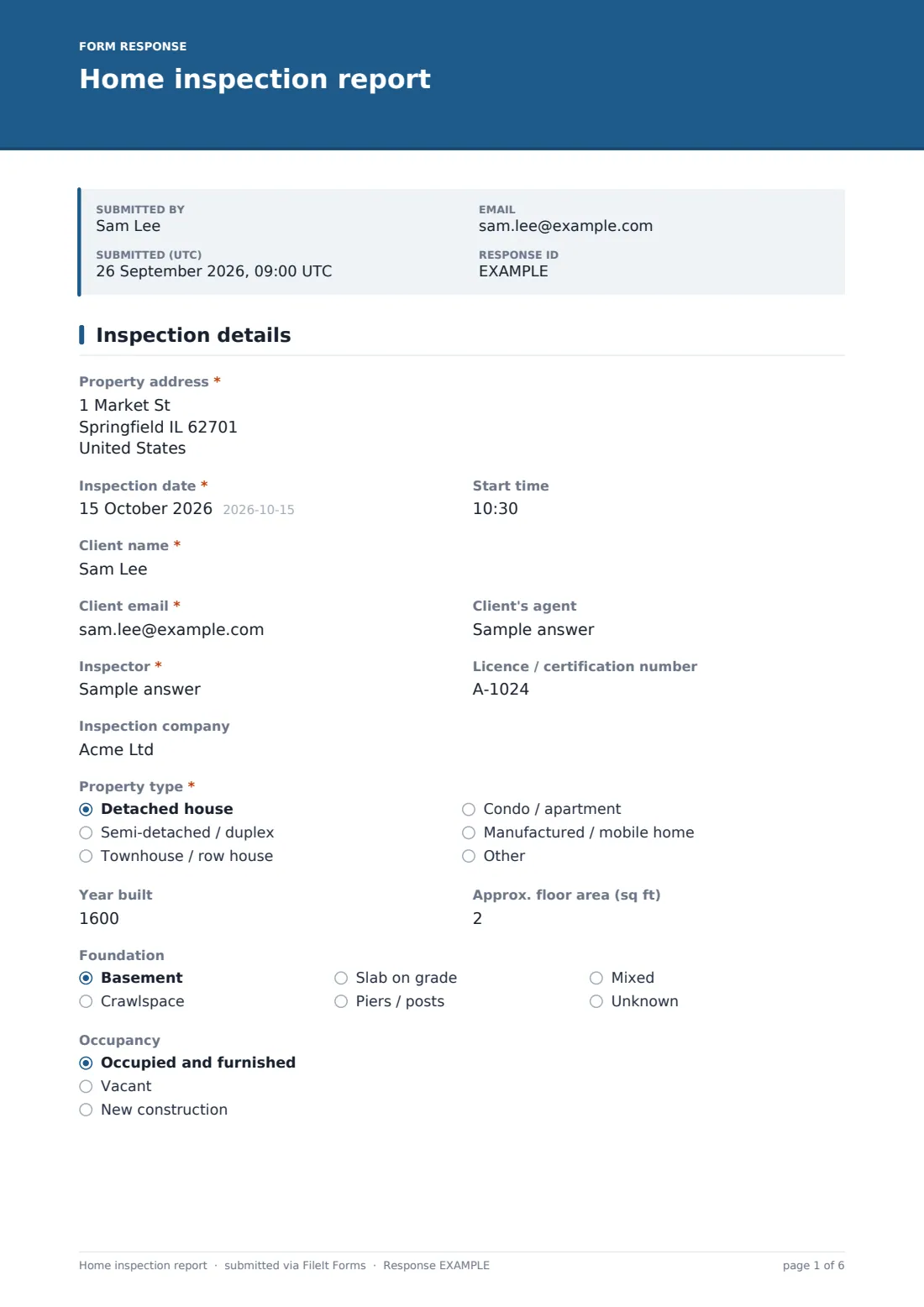
1 Inspection details
- Property address*
- Inspection date*
- Start time
- Client name*
- Client email*
- Client's agent
- Inspector*
- Licence / certification number
- Inspection company
- Property type* Detached house · Semi-detached / duplex · Townhouse / row house · Condo / apartment · Manufactured / mobile home · Other
- Year built
- Approx. floor area (sq ft)
- Foundation Basement · Crawlspace · Slab on grade · Piers / posts · Mixed · Unknown
- Occupancy Occupied and furnished · Vacant · New construction
- Weather at the time Clear / dry · Overcast · Rain · Snow · Recent rain
- Present at the inspection Buyer · Buyer's agent · Seller · Listing agent
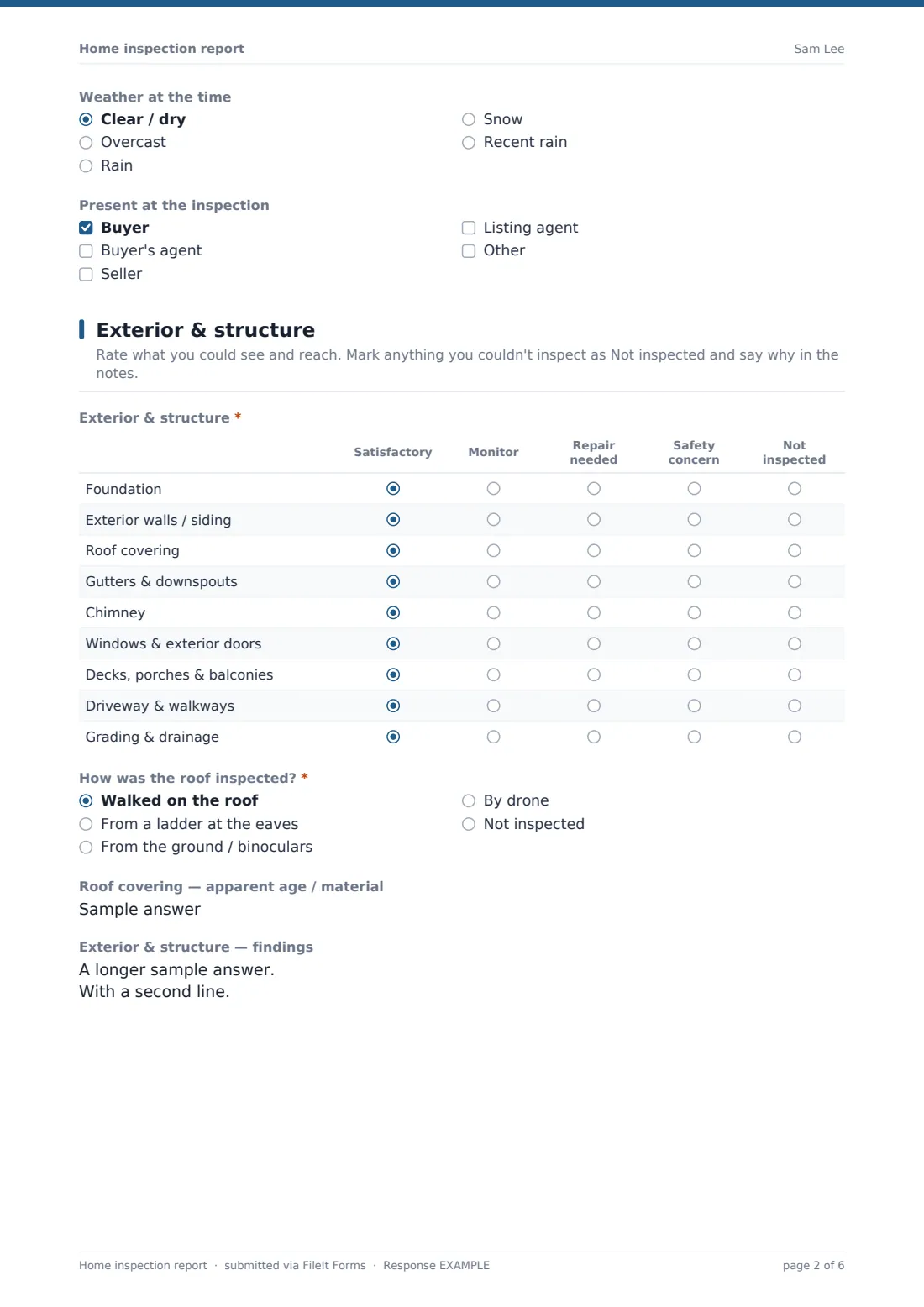
2 Exterior & structure
- Exterior & structure* Satisfactory · Monitor · Repair needed · Safety concern · Not inspected
- How was the roof inspected?* Walked on the roof · From a ladder at the eaves · From the ground / binoculars · By drone · Not inspected
- Why wasn't the roof inspected?* asked only when it applies
- Roof covering — apparent age / material
- Exterior & structure — findings
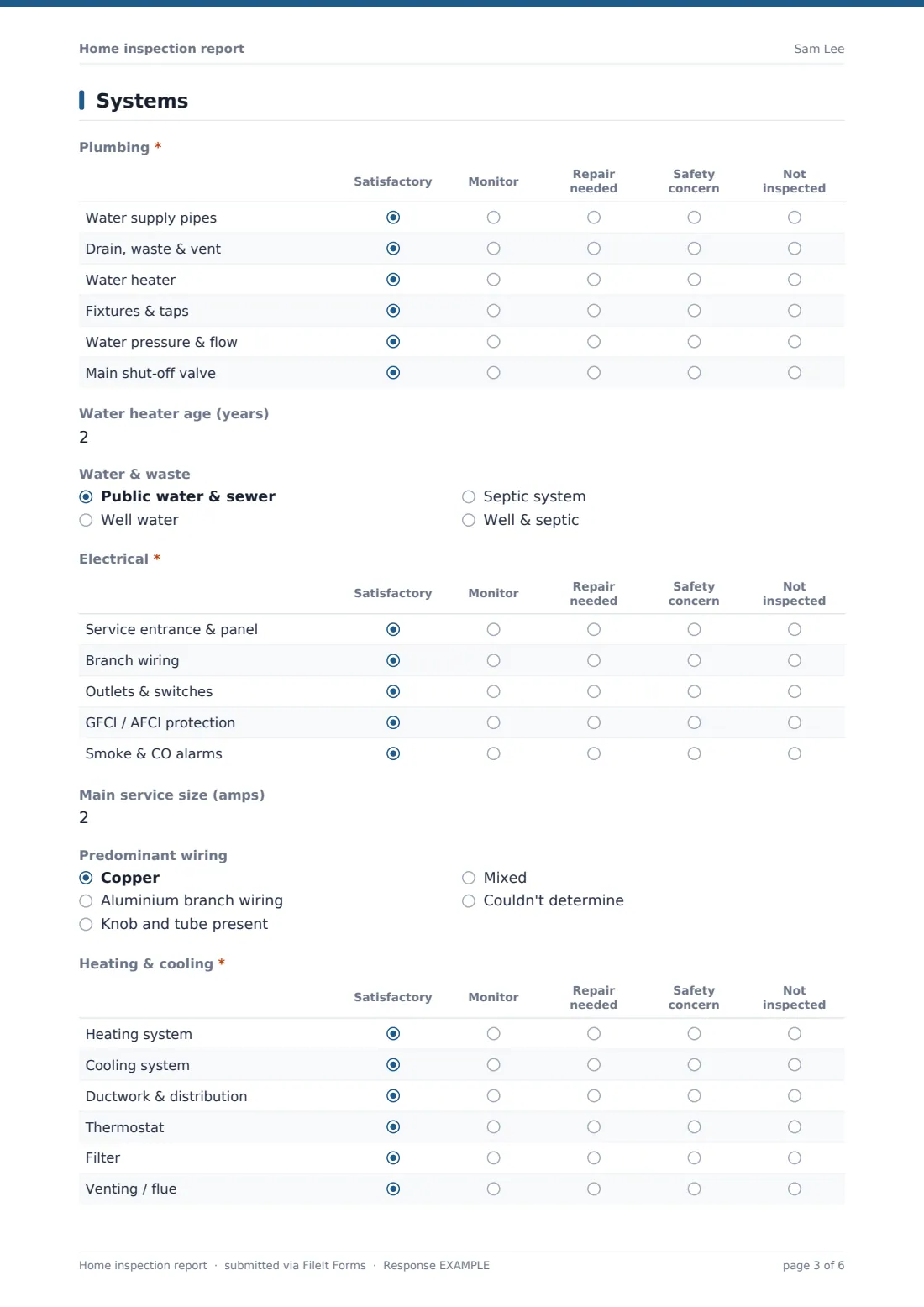
3 Systems
- Plumbing* Satisfactory · Monitor · Repair needed · Safety concern · Not inspected
- Water heater age (years)
- Water & waste Public water & sewer · Well water · Septic system · Well & septic
- Electrical* Satisfactory · Monitor · Repair needed · Safety concern · Not inspected
- Main service size (amps)
- Predominant wiring Copper · Aluminium branch wiring · Knob and tube present · Mixed · Couldn't determine
- Heating & cooling* Satisfactory · Monitor · Repair needed · Safety concern · Not inspected
- Heating / cooling equipment — type and apparent age
- Systems — findings
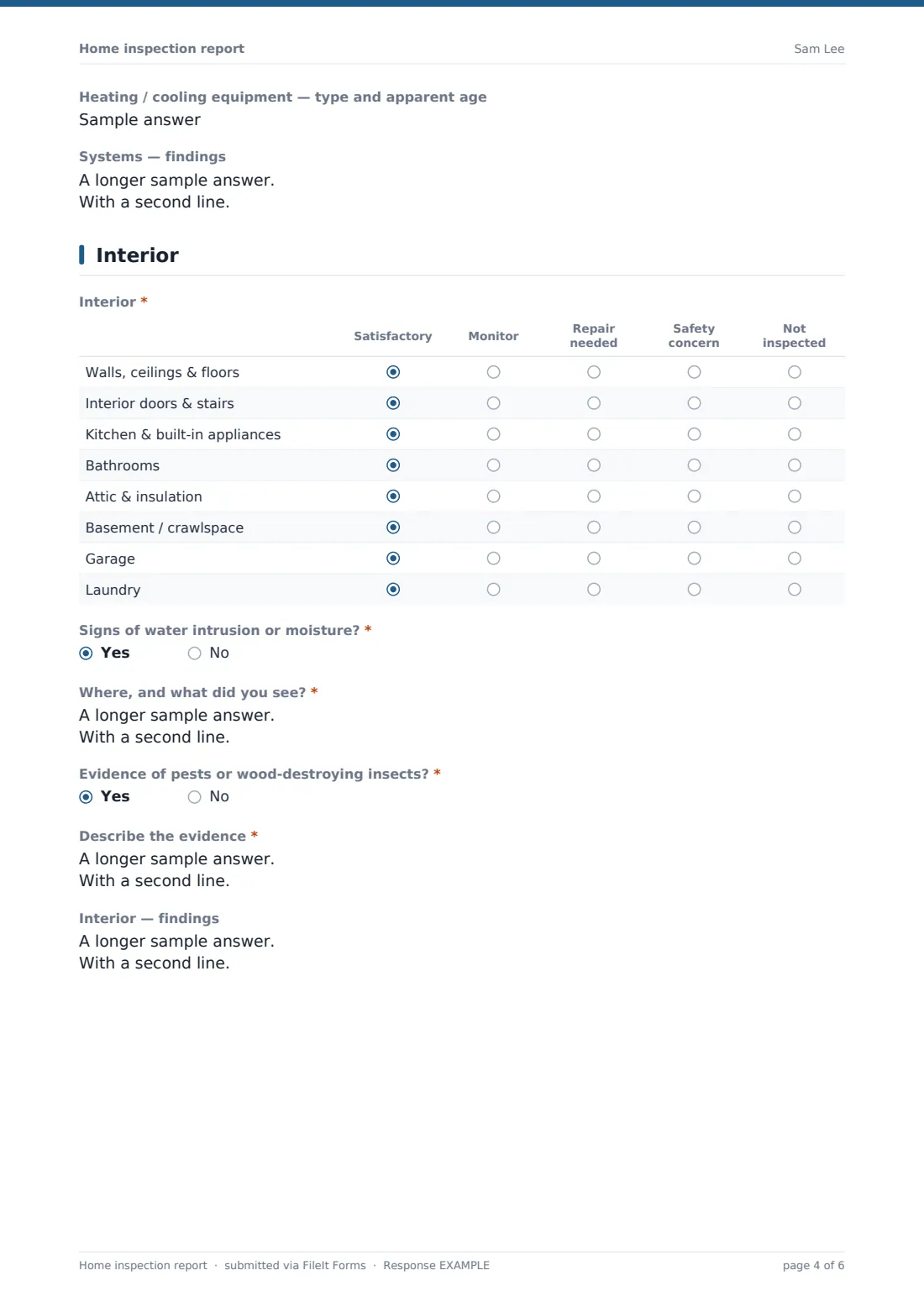
4 Interior
- Interior* Satisfactory · Monitor · Repair needed · Safety concern · Not inspected
- Signs of water intrusion or moisture?*
- Where, and what did you see?* asked only when it applies
- Evidence of pests or wood-destroying insects?*
- Describe the evidence* asked only when it applies
- Interior — findings
5 Summary & sign-off
- Safety concerns
- Major repairs or replacements
- Items to monitor or maintain
- Further evaluation recommended by Structural engineer · Roofer · Licensed electrician · Plumber · HVAC technician · Pest inspector · Mould or air-quality specialist · Sewer scope · Chimney sweep
- Photos
- Inspector's statement*
- Inspector's signature*
The home inspection report form, page by page
1 Inspection details
Property address, date and start time, the client's name, email and agent, and the inspector's name, licence number and company. Then the property itself — type, year built, approximate floor area, foundation type and occupancy — along with the weather and who was present.
2 Exterior & structure
One rating grid covers the foundation, siding, roof covering, gutters, chimney, windows and doors, decks and porches, driveway and grading. How the roof was inspected is required; choosing Not inspected asks for the reason. The roof's apparent age and material and a findings box finish the page.
3 Systems
Plumbing, electrical and heating & cooling each have their own grid — supply and drain pipes, water heater, pressure and shut-off; panel, wiring, outlets, GFCI/AFCI protection and alarms; heating, cooling, ducts, thermostat, filter and venting. Supporting fields capture the water heater's age, water and waste type, service size in amps, predominant wiring and the HVAC equipment's type and age.
4 Interior
A grid rates walls, ceilings and floors, doors and stairs, kitchen appliances, bathrooms, attic and insulation, basement or crawlspace, garage and laundry. Two required yes/no questions ask about moisture and pests; a yes reveals a required description.
5 Summary & sign-off
Safety concerns, major repairs and items to monitor are written up separately, followed by the specialists recommended for further evaluation — structural engineer, roofer, electrician, plumber, HVAC, pest, mould, sewer scope or chimney sweep. Up to 10 photos can be attached. A limitations note describes the scope of a visual inspection, and the inspector confirms and signs.
Make the template yours
- Rewrite the limitations paragraph to match your own pre-inspection agreement and standards of practice
- Add grids for pools, outbuildings or solar panels if you inspect them
- Switch floor area to square metres if that's what your market uses
- Add questions for radon, mould or sewer-scope results if you offer those add-on tests
- File each report in a folder per client or per property address
- Turn on the emailed copy so the client receives the PDF as soon as you submit
Tips for a better home inspection report form
- Write the summary for the buyer, not for another inspector — plain language and where each issue is
- Say why an area wasn't inspected; an unexplained gap is the first thing a buyer will ask about
- Photograph every item rated Repair needed or Safety concern
- Recommend a specialist rather than guessing at a repair cost outside your expertise
- Record the weather — recent rain, or a long dry spell, affects what you can see
- Finish the report the same day while the details are fresh
Every response becomes a PDF in your vault
When you submit, FileIt renders the full report — every grid, finding, photo and your signature — as a PDF, files it in the vault folder you chose and notifies the form owner. With emailed copies on, the client receives the same PDF.
Reports stay searchable in the Responses table by client, date or address, and can be exported to CSV if you track your inspections elsewhere. Negotiating repairs with the seller happens outside the form; a re-inspection can be recorded as a new submission.
- Start from this template. It opens in the FileIt Forms designer — change any question, add pages, set the rules for when questions appear.
- Share it. Turn on a public link, or send it to people by email, each with their own link. They don’t need a FileIt account.
- Get the answers as PDFs. Each response is saved as a PDF in the vault folder you choose, with uploaded files attached — and listed in a Responses table you can export to CSV.
Home inspection report form: frequently asked questions
Is this home inspection report template free?
Yes. It's included in the Forms app on every FileIt account, including the free plan.
Does this meet my state or national standards of practice?
It's a starting template, not a certified report format. Check it against the standards and any required disclosures that apply to you, and edit the questions and limitations wording to match.
Can I add photos to each finding?
You can attach up to 10 photos or PDFs on the summary page. If you need more, add another upload question to any page in the designer.
Can the client see the report straight away?
Yes, if emailed copies are turned on and you collect the client's email — they receive the PDF the moment it's submitted.
What do the ratings mean?
Satisfactory means working as intended when inspected; Monitor means worn or ageing but serviceable; Repair needed means it needs a contractor; Safety concern means a risk that should be dealt with promptly; Not inspected means it couldn't be seen or reached.
Can I use it for a condo or apartment?
Yes. Mark items like the roof or foundation as Not inspected where they're the association's responsibility, and say so in the findings.