What is the pest control service report form template?
A pest control visit isn't finished until there's a proper record of what was found, what was treated, and exactly which products were used and where. This template gives technicians a structured, phone-friendly form to fill in on site, covering findings, treatment methods and products, and the safety advice given to the client before they leave.
A handwritten job sheet is easy to lose and hard to search months later when a client or an inspector asks what was actually applied on a specific date. A digital report captures the same detail every time — including the exact product name, active ingredient and registration number — and attaches photos and a site plan directly to the record, not to a separate folder on someone's phone.
Every completed report becomes a PDF saved in your FileIt vault the moment it's signed, giving both the technician and the client a clear, dated record of the visit that's easy to find again if there's a follow-up, a query, or a compliance check.
- Best for
- Pest control technicians and companies documenting every service visit
- Filled in by
- The technician, on site during or immediately after the visit
- Time to complete
- About 5-8 minutes
- Includes
- A pests-found checklist, detailed product and treatment logging, and safety advice for the client
Who uses a pest control service report form?
- A pest control company standardising service reports across every technician
- A technician documenting rodent, insect or bird treatments for a residential client
- A commercial contract covering routine visits to a restaurant, warehouse or food business
- An emergency call-out that needs the same level of documentation as a scheduled visit
- A business that needs to show clients and inspectors exactly which products were used and where
- A technician logging a survey-only visit ahead of a treatment quote
Questions on this pest control service report form
30 questions over 4 pages · includes signature, file upload, conditional questions, multiple pages, consent checkbox.
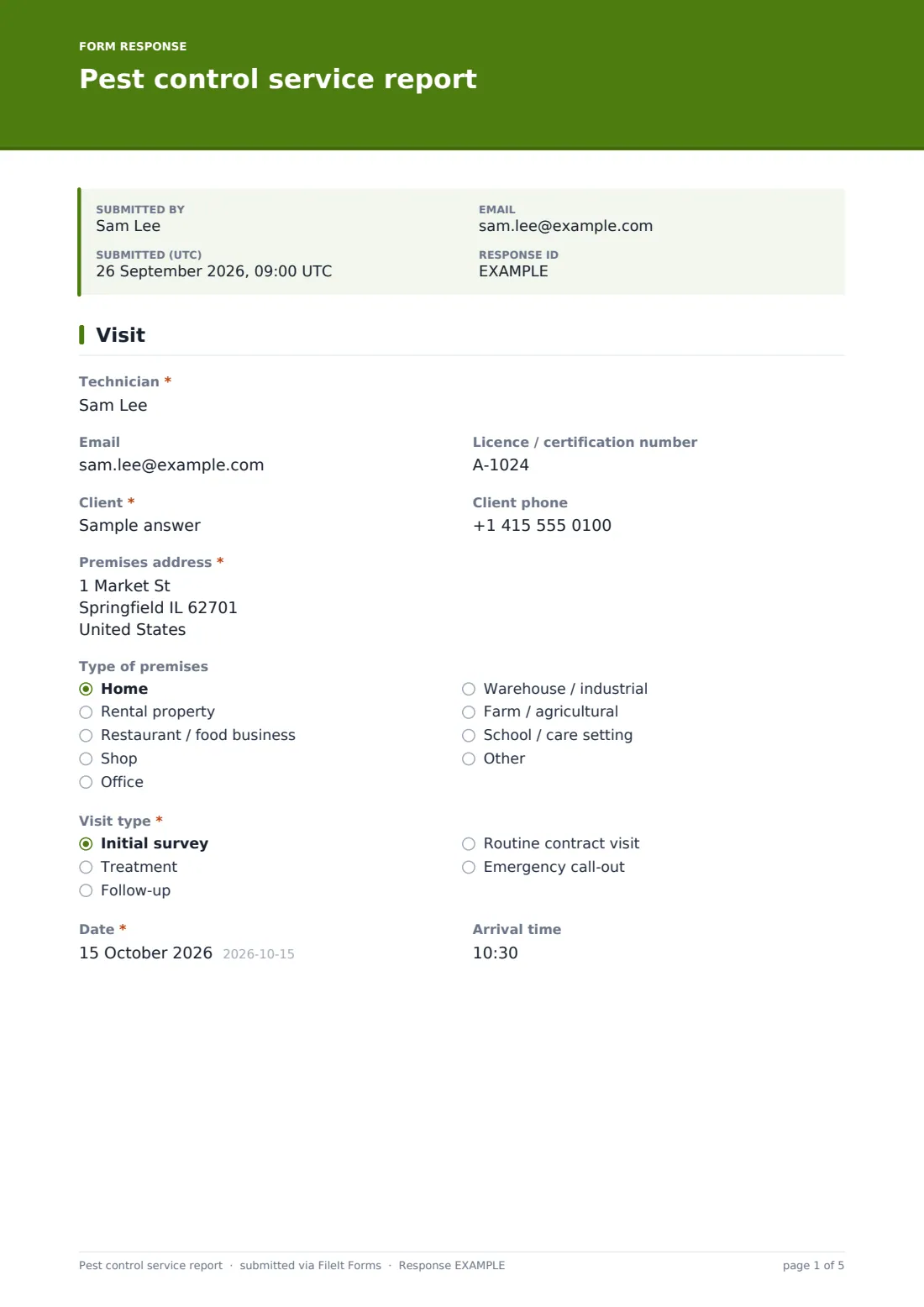
1 Visit
- Technician*
- Licence / certification number
- Client*
- Client phone
- Premises address*
- Type of premises Home · Rental property · Restaurant / food business · Shop · Office · Warehouse / industrial · Farm / agricultural · School / care setting · Other
- Visit type* Initial survey · Treatment · Follow-up · Routine contract visit · Emergency call-out
- Date*
- Arrival time
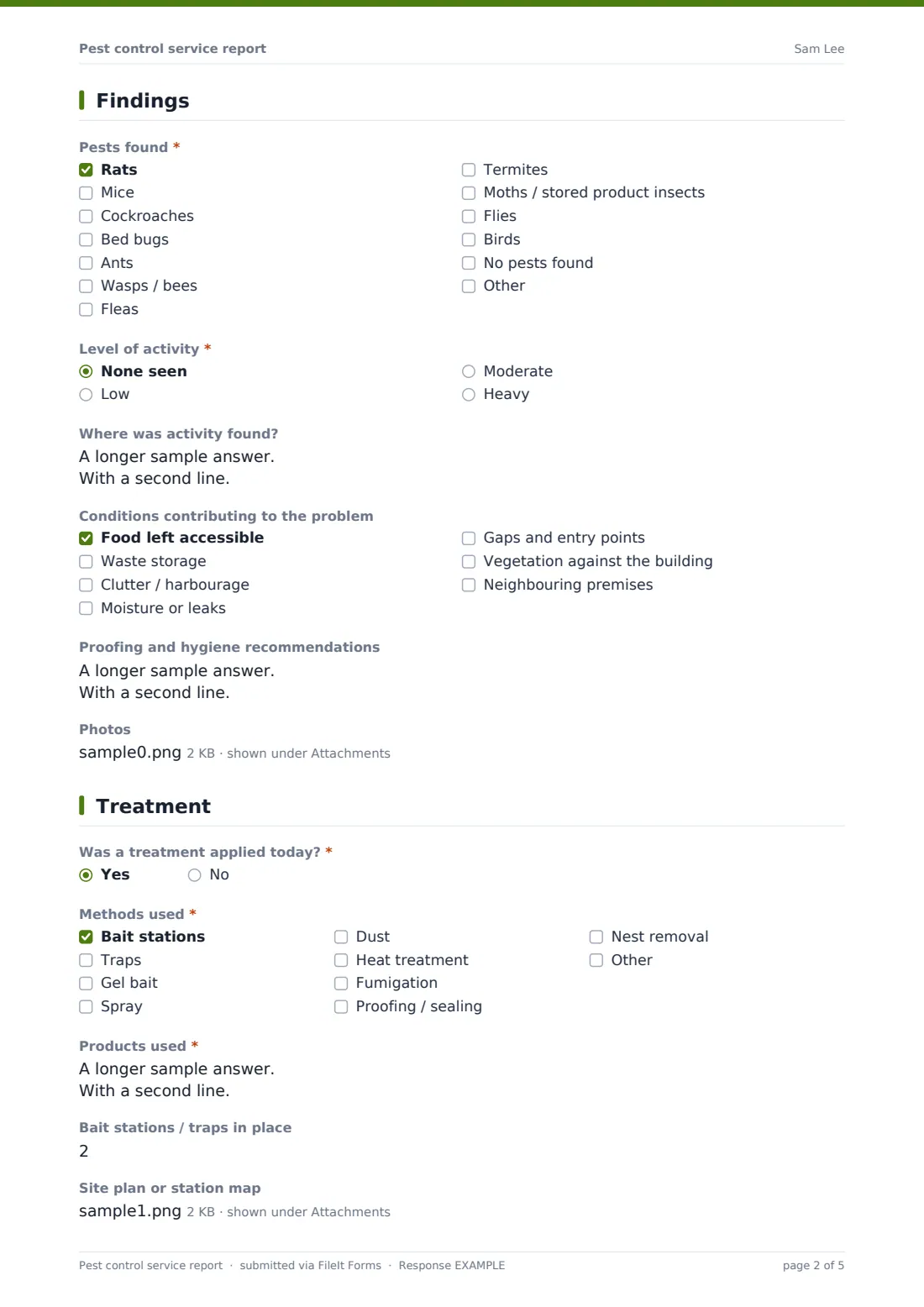
2 Findings
- Pests found* Rats · Mice · Cockroaches · Bed bugs · Ants · Wasps / bees · Fleas · Termites · Moths / stored product insects · Flies · Birds · No pests found
- Level of activity* None seen · Low · Moderate · Heavy
- Where was activity found?
- Conditions contributing to the problem Food left accessible · Waste storage · Clutter / harbourage · Moisture or leaks · Gaps and entry points · Vegetation against the building · Neighbouring premises
- Proofing and hygiene recommendations
- Photos
3 Treatment
- Was a treatment applied today?*
- Why not? asked only when it applies
- Methods used* asked only when it applies Bait stations · Traps · Gel bait · Spray · Dust · Heat treatment · Fumigation · Proofing / sealing · Nest removal
- Products used* asked only when it applies
- Bait stations / traps in place asked only when it applies
- Site plan or station map asked only when it applies
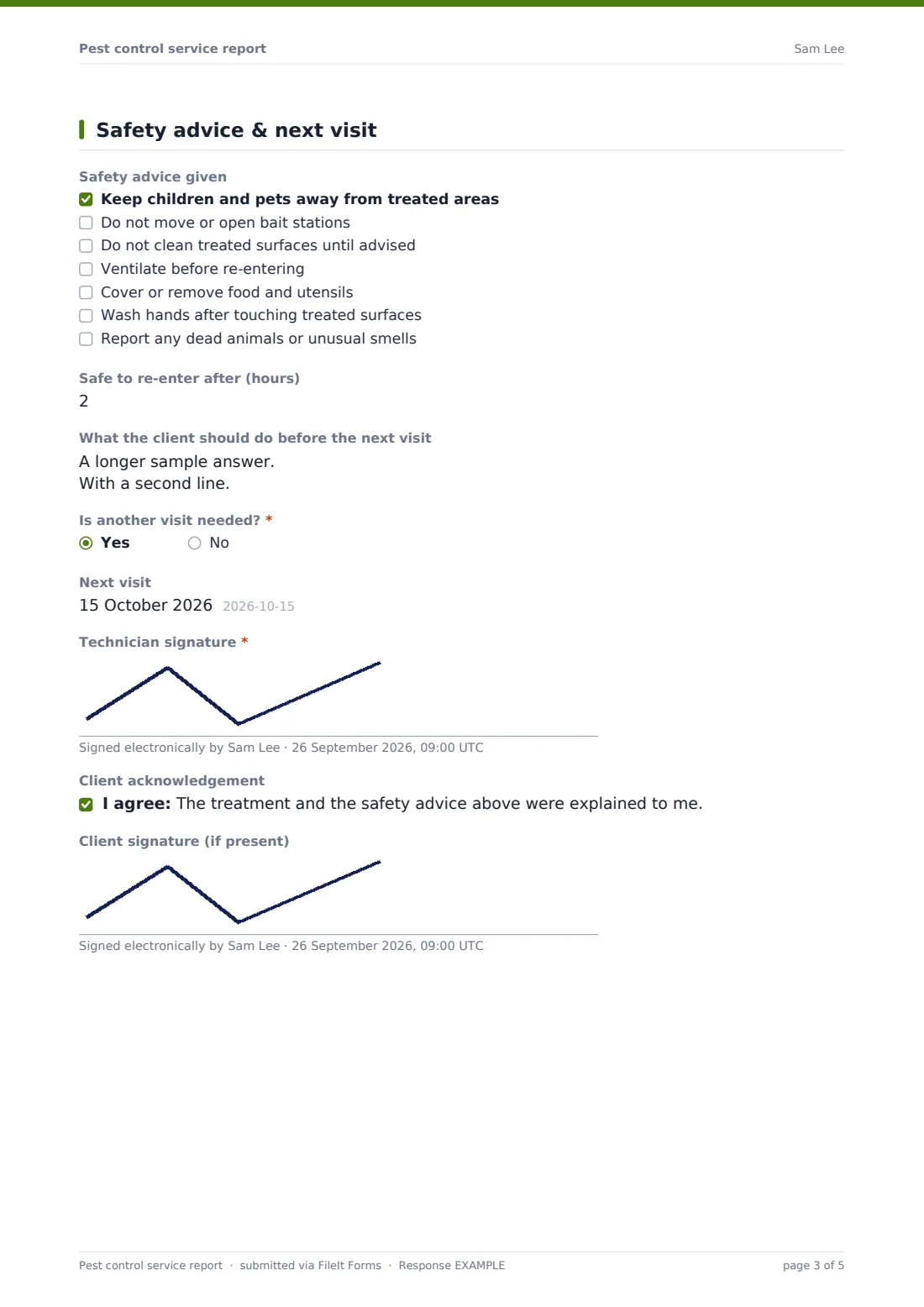
4 Safety advice & next visit
- Safety advice given asked only when it applies Keep children and pets away from treated areas · Do not move or open bait stations · Do not clean treated surfaces until advised · Ventilate before re-entering · Cover or remove food and utensils · Wash hands after touching treated surfaces · Report any dead animals or unusual smells
- Safe to re-enter after (hours) asked only when it applies
- What the client should do before the next visit
- Is another visit needed?*
- Next visit asked only when it applies
- Technician signature*
- Client acknowledgement asked only when it applies
- Client signature (if present)
The pest control service report form, page by page
1 Visit
The report opens with Technician name, email and optional Licence / certification number, the Client and their phone, the Premises address and type, the Visit type (initial survey, treatment, follow-up, routine contract visit, or emergency call-out), Date and Arrival time — the basic record of who, where and when.
2 Findings
A checklist covers Pests found — rats, mice, cockroaches, bed bugs, ants, wasps or bees, fleas, termites, moths, flies, birds, or none found — with a specific safety note appearing if wasps or bees are selected, reminding the technician that bees are protected in many places and a beekeeper relocation may be preferable to treatment. The technician records the Level of activity, Where activity was found, Conditions contributing to the problem (like moisture, clutter or gaps and entry points), Proofing and hygiene recommendations, and can attach up to 10 photos.
3 Treatment
A yes/no records whether treatment was applied — answering no opens a short field for why not, such as a survey-only visit. If treatment was applied, a required checklist covers Methods used (bait stations, spray, dust, heat treatment, fumigation and more), and a detailed Products used field asks for product name, active ingredient, registration number, amount and exactly where it was applied. Optional fields record the number of bait stations or traps in place and a site plan or station map.
4 Safety advice & next visit
A checklist of Safety advice given covers things like keeping children and pets away from treated areas and not moving bait stations, along with a Safe to re-enter after (hours) field. The technician notes what the client should do before the next visit, whether another visit is needed, signs the report, and can capture the client's signature acknowledging the treatment and safety advice were explained, if the client is present.
Make the template yours
- Adjust the pests-found and methods-used checklists to match the specific services your company offers
- Make the client signature required if your company always wants sign-off confirming advice was given
- Add a required photo upload for every visit if your quality process depends on visual evidence
- File reports under the client's own vault folder so a treatment history builds up over multiple visits
- Add a field for contract or job reference number if you manage recurring commercial accounts
- Turn on the emailed PDF copy to the client automatically after every report is submitted
Tips for a better pest control service report form
- Record product details in full — name, active ingredient, registration number and amount — every time, even for routine visits
- Take photos of both the problem and the treatment applied, not just one or the other
- Give the client verbal safety advice on site as well as recording it, and confirm they understood before you leave
- Note contributing conditions like moisture or clutter clearly, since proofing recommendations are often more valuable to the client long-term than the treatment itself
- Complete the report before leaving the site while details are fresh, rather than trying to remember them later
Every response becomes a PDF in your vault
As soon as the technician signs off, FileIt saves the report as a PDF — photos, site plan and all — in your vault, filed under the client or property it relates to. You get a notification straight away, and if you've turned it on, the client also receives their own PDF copy documenting the visit.
Most pest control businesses use the Responses table to track follow-up visits that are due, and to pull up a client's treatment history when a new report is filed or a query comes in. Because product and method details are recorded consistently every time, the report also stands up well if a client, landlord or inspector ever asks exactly what was used and when.
- Start from this template. It opens in the FileIt Forms designer — change any question, add pages, set the rules for when questions appear.
- Share it. Turn on a public link, or send it to people by email, each with their own link. They don’t need a FileIt account.
- Get the answers as PDFs. Each response is saved as a PDF in the vault folder you choose, with uploaded files attached — and listed in a Responses table you can export to CSV.
Pest control service report form: frequently asked questions
Is this pest control service report template free?
Yes, it's included in FileIt's Forms app on every account, including the free plan, and every field can be edited to match your business.
Does the technician need a FileIt account to file a report?
The business managing the form needs a FileIt account, but technicians filling in reports on site do so directly through the shared form link — no separate account is required to submit.
Do we get a PDF of every service report?
Yes, each report is saved automatically as a PDF in your FileIt vault, and all reports are browsable and exportable from the Responses table.
Can technicians attach photos and a site plan?
Yes, there are file upload fields for photos of findings and treatment, plus a separate upload for a site plan or bait station map.
Does the form record exact products used?
Yes, there's a detailed field for product name, active ingredient, registration number, amount used, and exactly where it was applied.
Can the client sign to confirm they received safety advice?
Yes, there's an optional client signature field alongside the technician's own signature, for use when the client is present at the end of the visit.
Is this suitable for survey-only visits with no treatment?
Yes — if no treatment was applied, the form asks why (for example, a survey ahead of a quote) instead of requiring treatment details.
Can we customise the checklist of pests and methods?
Yes, every checklist option is editable in the designer, so you can tailor it to the pests and treatments your business actually handles.