What is the hVAC service report form template?
A good HVAC service report does two jobs. It shows the customer what they paid for, and it gives the next technician a baseline: what the pressures, temperatures and amp draws were last time, what was cleaned, and what was flagged for repair. Handwritten sheets rarely manage either.
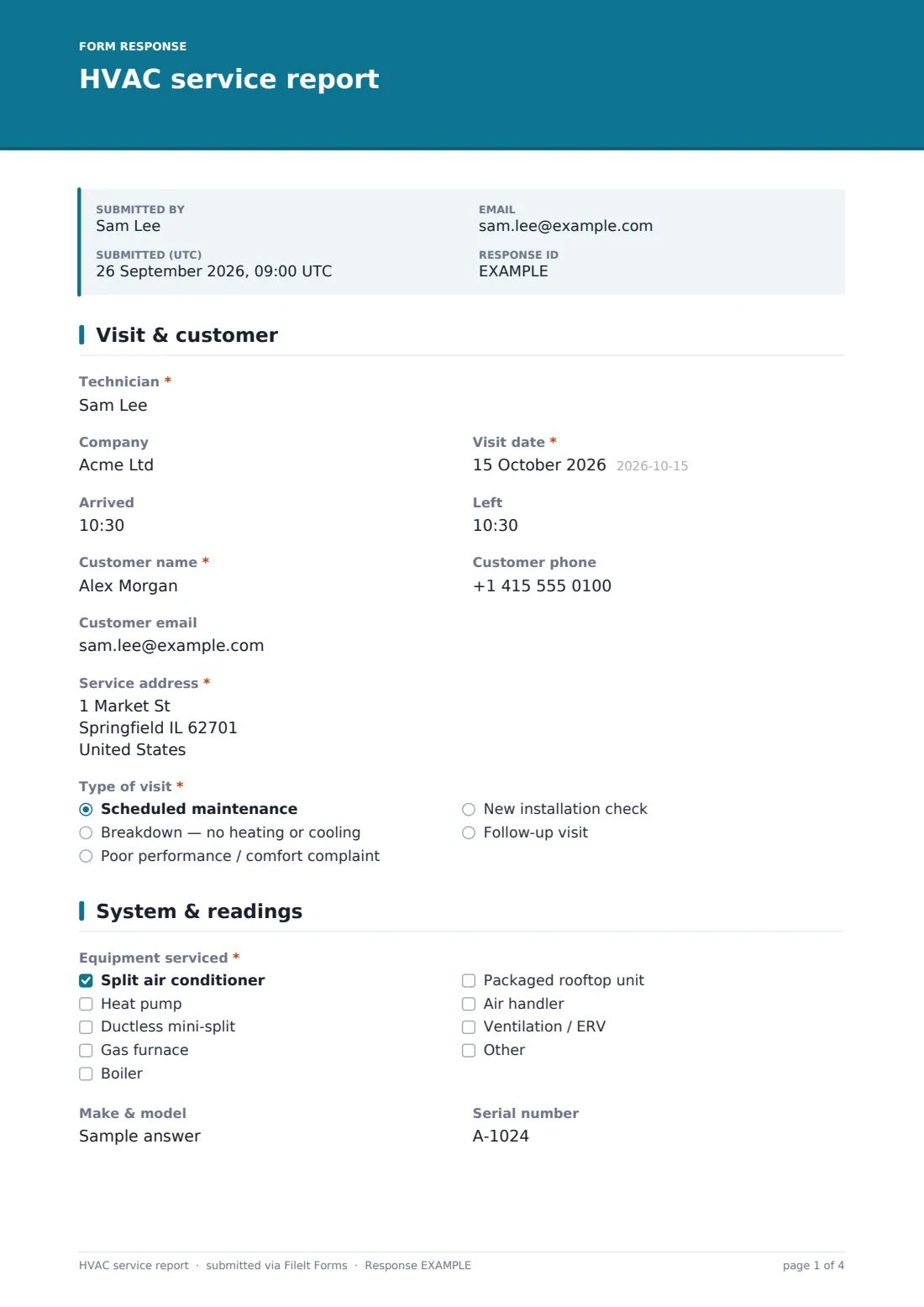
This template takes a technician through the visit in four pages: the customer and visit type, the equipment and operating readings, the work done, and the system status with recommendations. Refrigerant questions only open when refrigerant was added, the fault description only when faults were found, and a clear instruction appears if a combustion or carbon monoxide check fails.
Each report becomes a PDF in your FileIt vault with photos attached, and the customer can get a copy by email. Over time you build a service history for every system you look after.
- Best for
- HVAC contractors, heating engineers, facilities teams and maintenance technicians
- Filled in by
- The technician on site, with the customer signing
- Time to complete
- About 8–12 minutes
- Includes
- Readings, component grid, refrigerant and combustion checks, photos, two signatures
Who uses a hVAC service report form?
- A seasonal tune-up on a split air conditioner or heat pump
- A no-heat call-out on a gas furnace in winter
- A maintenance contract visit to a rooftop unit on a commercial building
- A follow-up visit after parts arrive to complete a repair
- A commissioning check on a newly installed system
- A facilities team keeping records of its own plant maintenance
Questions on this hVAC service report form
47 questions over 4 pages · includes signature, file upload, conditional questions, multiple pages, ratings.
1 Visit & customer
- Technician*
- Company
- Visit date*
- Arrived
- Left
- Customer name*
- Customer phone
- Customer email
- Service address*
- Type of visit* Scheduled maintenance · Breakdown — no heating or cooling · Poor performance / comfort complaint · New installation check · Follow-up visit
- What did the customer report?* asked only when it applies
2 System & readings
- Equipment serviced* Split air conditioner · Heat pump · Ductless mini-split · Gas furnace · Boiler · Packaged rooftop unit · Air handler · Ventilation / ERV
- Make & model
- Serial number
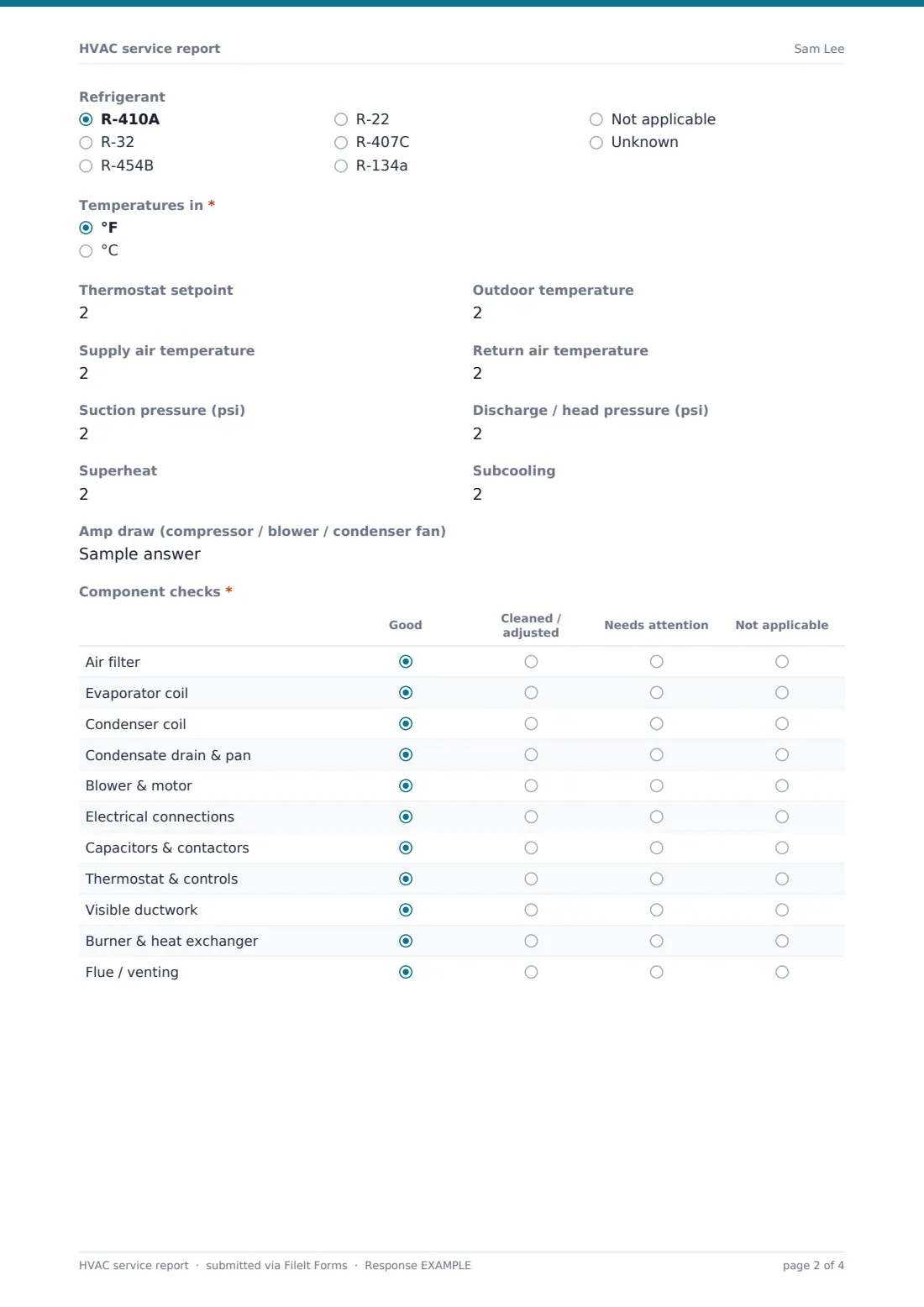
- Refrigerant R-410A · R-32 · R-454B · R-22 · R-407C · R-134a · Not applicable · Unknown
- Temperatures in* °F · °C
- Thermostat setpoint
- Outdoor temperature
- Supply air temperature
- Return air temperature
- Suction pressure (psi)
- Discharge / head pressure (psi)
- Superheat
- Subcooling
- Amp draw (compressor / blower / condenser fan)
- Component checks* Good · Cleaned / adjusted · Needs attention · Not applicable
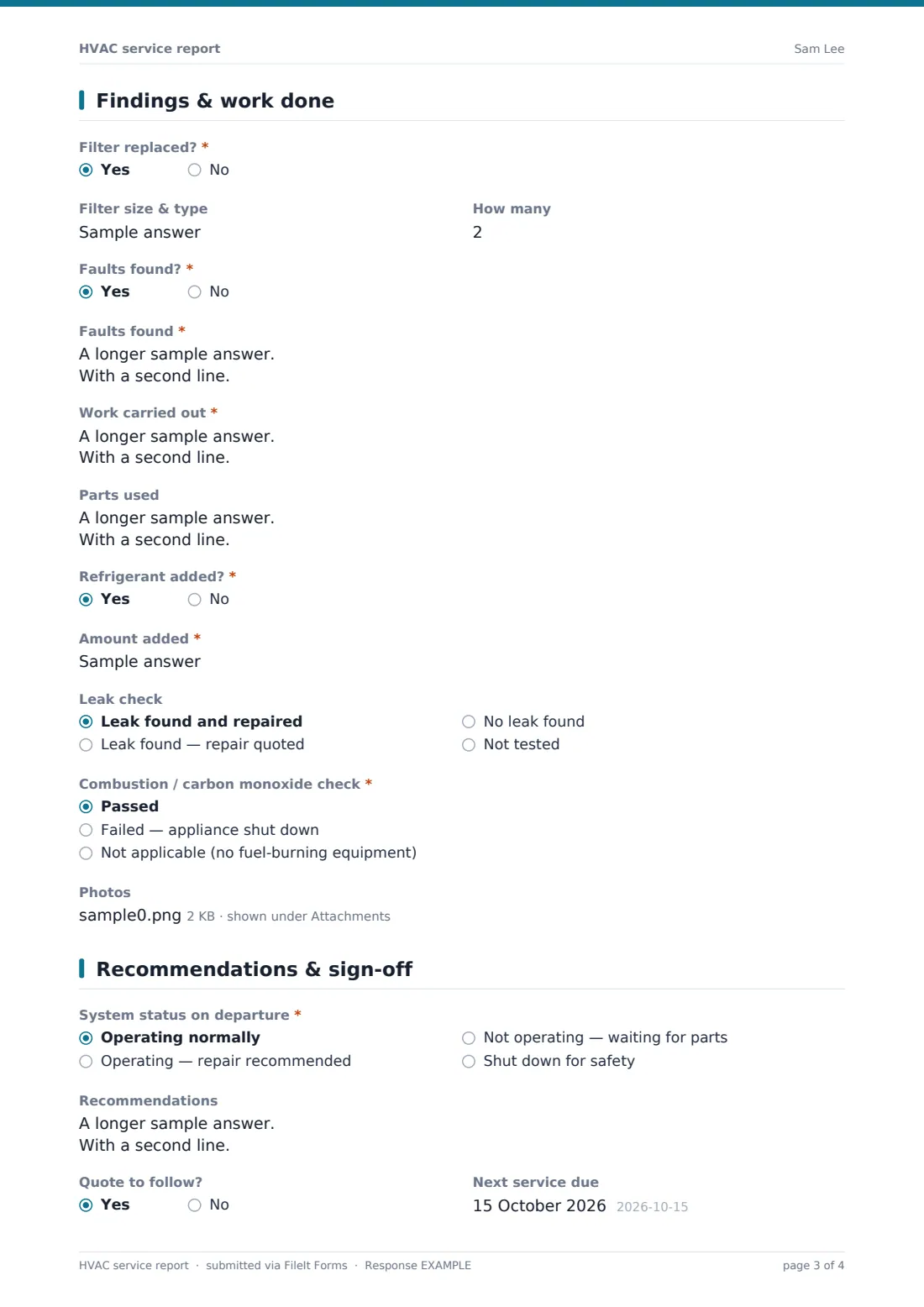
3 Findings & work done
- Filter replaced?*
- Filter size & type asked only when it applies
- How many asked only when it applies
- Faults found?*
- Faults found* asked only when it applies
- Work carried out*
- Parts used
- Refrigerant added?*
- Amount added* asked only when it applies
- Leak check asked only when it applies Leak found and repaired · Leak found — repair quoted · No leak found · Not tested
- Combustion / carbon monoxide check* Passed · Failed — appliance shut down · Not applicable (no fuel-burning equipment)
- Photos
4 Recommendations & sign-off
- System status on departure* Operating normally · Operating — repair recommended · Not operating — waiting for parts · Shut down for safety
- Recommendations
- Quote to follow?
- Next service due
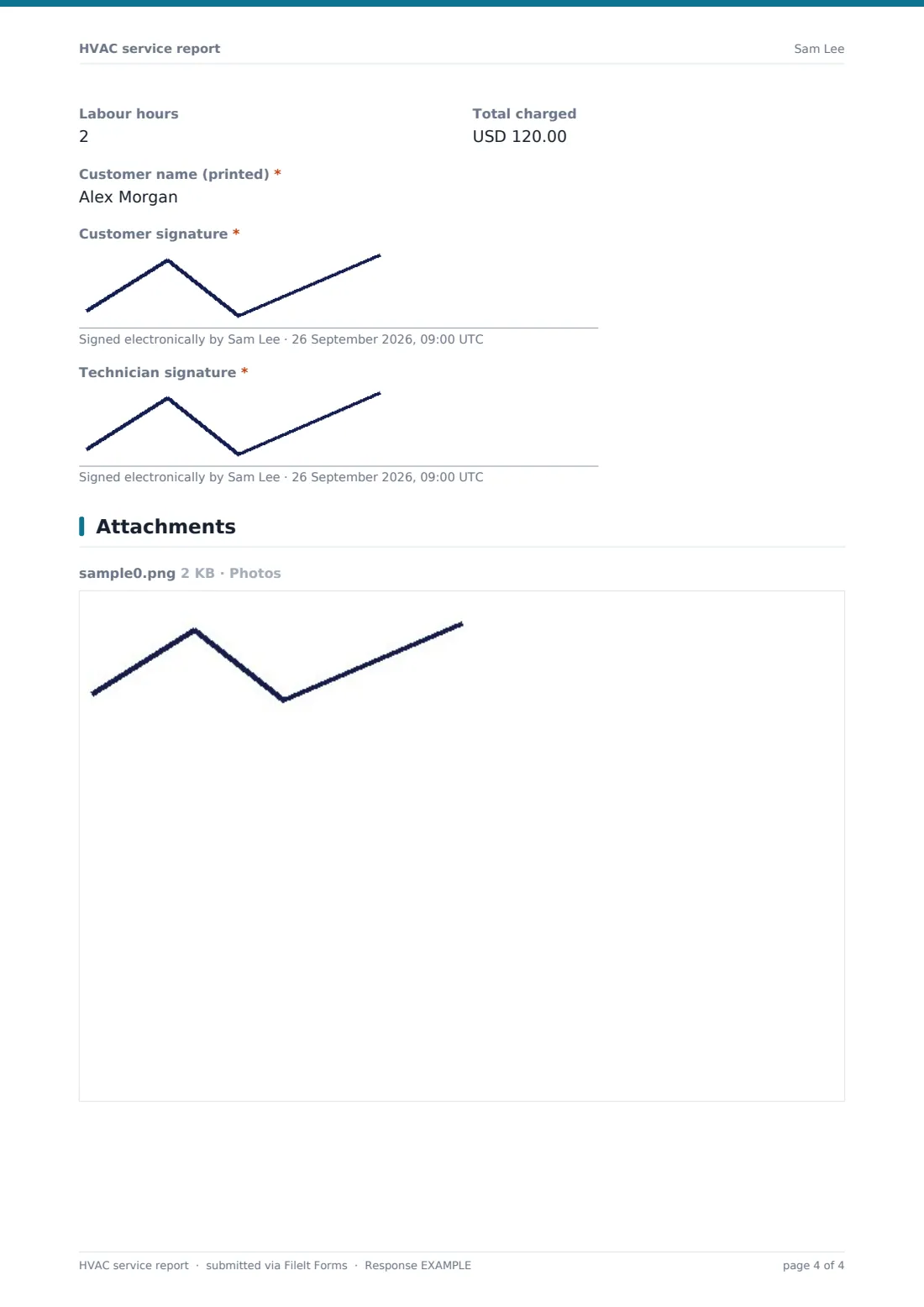
- Labour hours
- Total charged
- Customer name (printed)*
- Customer signature*
- Technician signature*
The hVAC service report form, page by page
1 Visit & customer
The technician, company, visit date and arrival and departure times come first, then the customer's name, phone, email and service address. The type of visit is scheduled maintenance, breakdown, poor performance, new installation check, or follow-up; for anything other than scheduled maintenance, the customer's reported problem is required.
2 System & readings
The technician ticks the equipment serviced — from split systems and heat pumps to furnaces, boilers, rooftop units and ventilation — and records the make, model, serial number and refrigerant type. Readings follow: thermostat setpoint, outdoor, supply and return temperatures (in °F or °C), suction and discharge pressures, superheat, subcooling and amp draw.
A required grid rates eleven components — filter, coils, condensate drain, blower, electrical connections, capacitors and contactors, controls, ductwork, burner and heat exchanger, and flue — as good, cleaned or adjusted, needs attention, or not applicable.
3 Findings & work done
Required yes/no questions cover whether the filter was replaced (with size and quantity), whether faults were found (with a description), and whether refrigerant was added (with the amount and the leak check result). The work carried out is required, with parts used optional.
The combustion or carbon monoxide check is passed, failed, or not applicable. A failure shows a note reminding the technician to tell the customer in person, leave the appliance isolated and labelled, and record it under recommendations. Photos can be attached.
4 Recommendations & sign-off
The system's status on departure is required: operating normally, operating with repair recommended, not operating while waiting for parts, or shut down for safety. Recommendations, whether a quote will follow, the next service date, labour hours and the total charged are recorded, and the customer prints their name and signs, followed by the technician.
Make the template yours
- Remove the equipment types you don't service, and the readings that go with them
- Add rows to the component grid for equipment you service often, such as humidifiers or UV lamps
- Change the temperature and pressure labels to the units your technicians use
- Turn off the emailed copy in settings if you'd rather check reports before customers receive them
- File reports by customer so each system's history sits in one folder
- Change the currency on the total charged
Tips for a better hVAC service report form
- Record readings even when everything's fine — they're the baseline for the next visit
- Photograph the nameplate on every visit; it saves typing serial numbers
- Write the recommendation in plain language the customer will understand
- Note the filter size so the next visit brings the right one
- Explain a safety shutdown face to face, as well as in the report
- Book the next service date before you leave
Every response becomes a PDF in your vault
The report is filed as a PDF in your FileIt vault with photos and both signatures. The customer can receive a copy by email, and the office can be notified.
Most HVAC businesses follow up on "quote to follow" responses from the Responses table, and export service data to CSV to plan maintenance visits and track repeat faults.
- Start from this template. It opens in the FileIt Forms designer — change any question, add pages, set the rules for when questions appear.
- Share it. Turn on a public link, or send it to people by email, each with their own link. They don’t need a FileIt account.
- Get the answers as PDFs. Each response is saved as a PDF in the vault folder you choose, with uploaded files attached — and listed in a Responses table you can export to CSV.
HVAC service report form: frequently asked questions
Is this HVAC service report template free?
Yes. It's included with the Forms app on every FileIt account, including the free plan, and you can edit any question to fit the way you work.
Can I use it for heating and cooling?
Yes. It covers air conditioners, heat pumps, mini-splits, furnaces, boilers, rooftop units, air handlers and ventilation.
Does the customer need an account to sign?
No. They sign on your phone or tablet at the end of the visit.
Can I record refrigerant added?
Yes. When you answer yes, the form asks for the amount and the result of the leak check.
What happens if a combustion check fails?
Choose "Failed — appliance shut down" and the form shows a reminder to tell the customer, leave it isolated and labelled, and record the details under recommendations.
Can I keep a service history for each customer?
Yes. File each customer's reports in their own folder, and every visit is kept as its own PDF.