What is the employee goal setting (OKRs) form template?
Goals set in a meeting and never written down tend to drift. By review time, nobody quite remembers whether the target was "improve onboarding" or "cut onboarding to four days". This template turns the goal-setting conversation into a short, structured record: the objective, the key results that prove it happened, what it links to, when it's due and how much weight it carries.
It follows the objectives-and-key-results pattern without being dogmatic about it. Up to three objectives have their own fields, a yes/no question opens each extra one, and anything beyond three goes in a free-text field in the same format. The rest of the form covers development, support, risks and how often you'll check in.
The employee signs, says whether the manager has agreed the goals, and submits. FileIt saves the result as a PDF, so the goals you review at the end of the period are the ones you actually agreed at the start.
- Best for
- Teams setting quarterly, half-year or annual goals, or new-starter goals during probation
- Filled in by
- The employee, usually during or straight after a goal-setting conversation with their manager
- Time to complete
- About 15-20 minutes
- Includes
- Up to three structured objectives with key results, a confidence scale, and employee sign-off
Who uses a employee goal setting (OKRs) form?
- A company introducing OKRs and wanting every employee's objectives recorded in the same format
- A manager agreeing quarterly goals with each direct report
- An HR team collecting annual objectives ahead of the performance review cycle
- Setting clear, measurable goals for a new starter's probation period
- Scoping personal objectives for someone leading a single project
- Building a record of goals over time that feeds straight into later self-reviews
Questions on this employee goal setting (OKRs) form
38 questions over 4 pages · includes signature, conditional questions, multiple pages, consent checkbox, ratings.
1 About you
- Your name*
- Work email*
- Job title*
- Manager*
- Department Operations · Sales · Marketing · Finance · Engineering · Customer support · Human resources · Other
- Goal period from*
- Goal period to*
- What kind of goal period is this?* Quarterly · Half-year · Annual · Probation or new-starter goals · A single project
2 Objectives & key results
- Objective*
- Key results*
- Links to A company goal · A team or department goal · Core role responsibilities · My personal development
- Target date*
- Weight (%)
- Add a second objective?*
- Objective* asked only when it applies
- Key results* asked only when it applies
- Links to asked only when it applies A company goal · A team or department goal · Core role responsibilities · My personal development
- Target date* asked only when it applies
- Weight (%) asked only when it applies
- Add a third objective?* asked only when it applies
- Objective* asked only when it applies
- Key results* asked only when it applies
- Links to asked only when it applies A company goal · A team or department goal · Core role responsibilities · My personal development
- Target date* asked only when it applies
- Weight (%) asked only when it applies
- Any further objectives and key results asked only when it applies
3 Development & support
- Personal development goal
- What support will you need?
- Risks or dependencies
- How often will you review progress together?* Weekly · Every two weeks · Monthly · Quarterly
- How confident are you that these goals are achievable?
- What would make you more confident? asked only when it applies
4 Agreement
- Employee agreement*
- Employee signature*
- Has your manager agreed these goals?*
- Date agreed* asked only when it applies
- Manager's email
- What still needs to be agreed? asked only when it applies
The employee goal setting (OKRs) form, page by page
1 About you
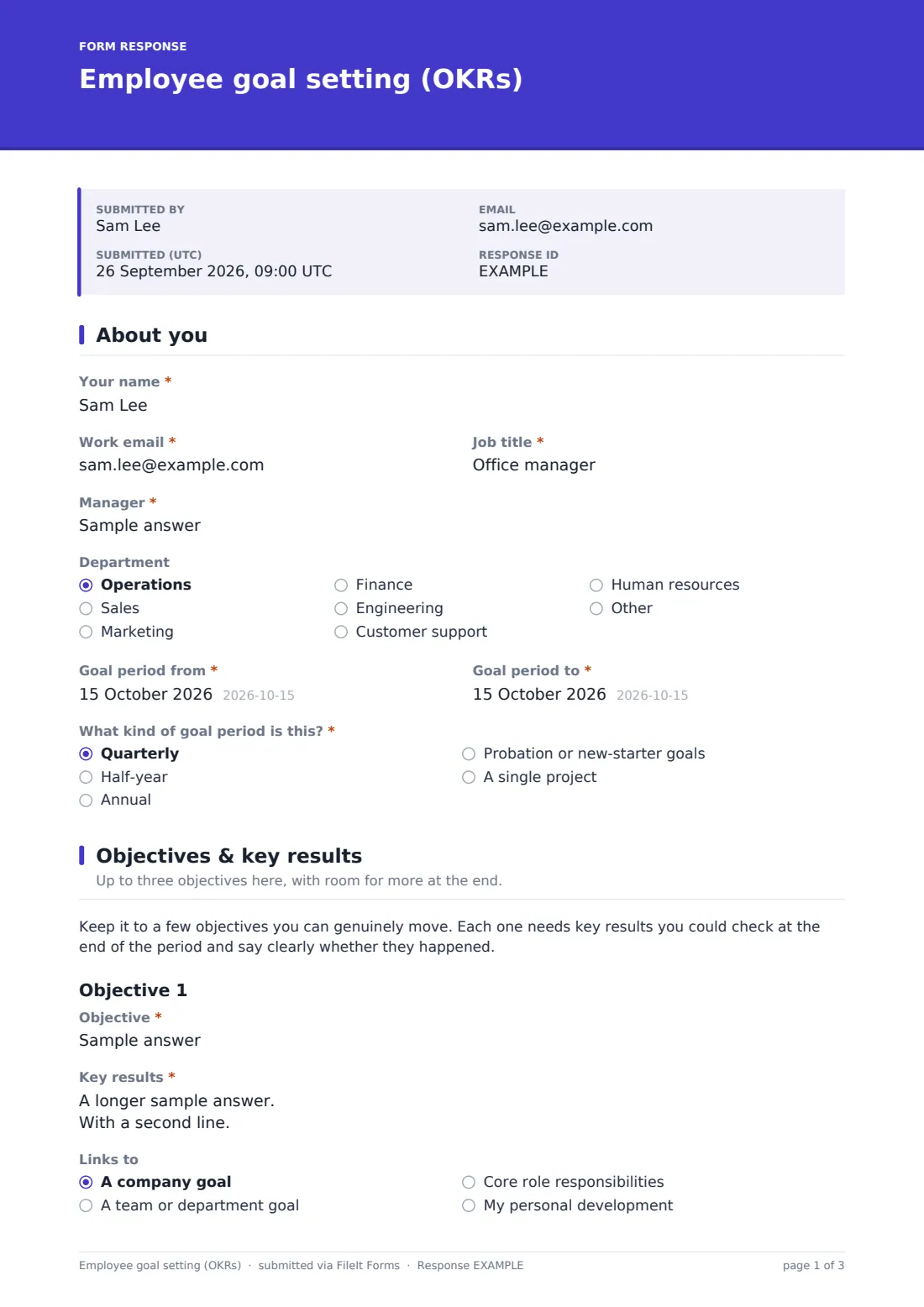
The employee gives Your name, Work email, Job title, Manager and Department, the Goal period dates, and the kind of period it is: quarterly, half-year, annual, probation or a single project.
2 Objectives & key results
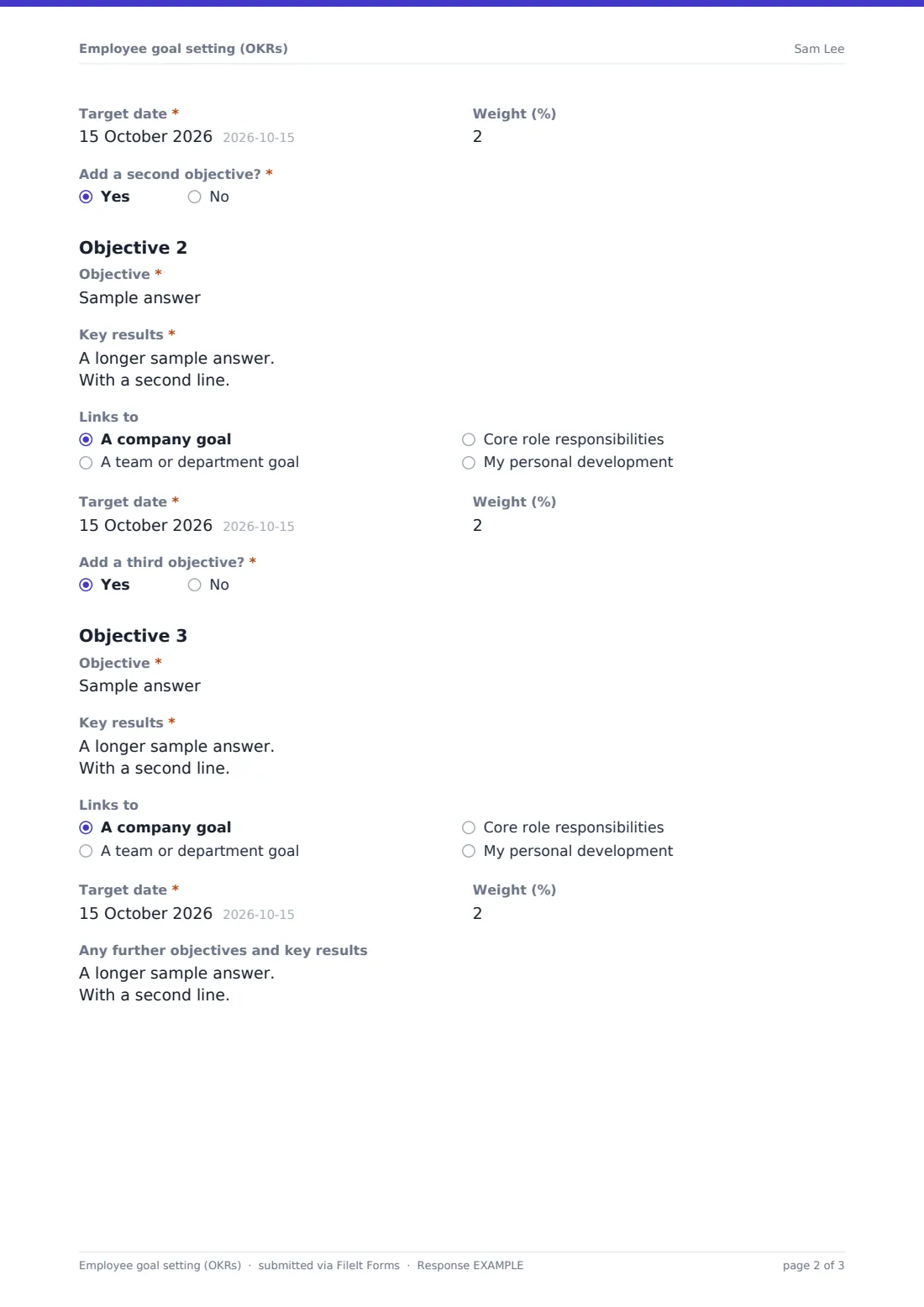
Each objective has a one-line Objective, a Key results box for two to four measurable outcomes, a Links to choice (company goal, team goal, core role responsibilities or personal development), a Target date and an optional Weight (%). After the first objective, Add a second objective? and Add a third objective? open the next set. Anyone with more than three can list the rest in a free-text field.
3 Development & support
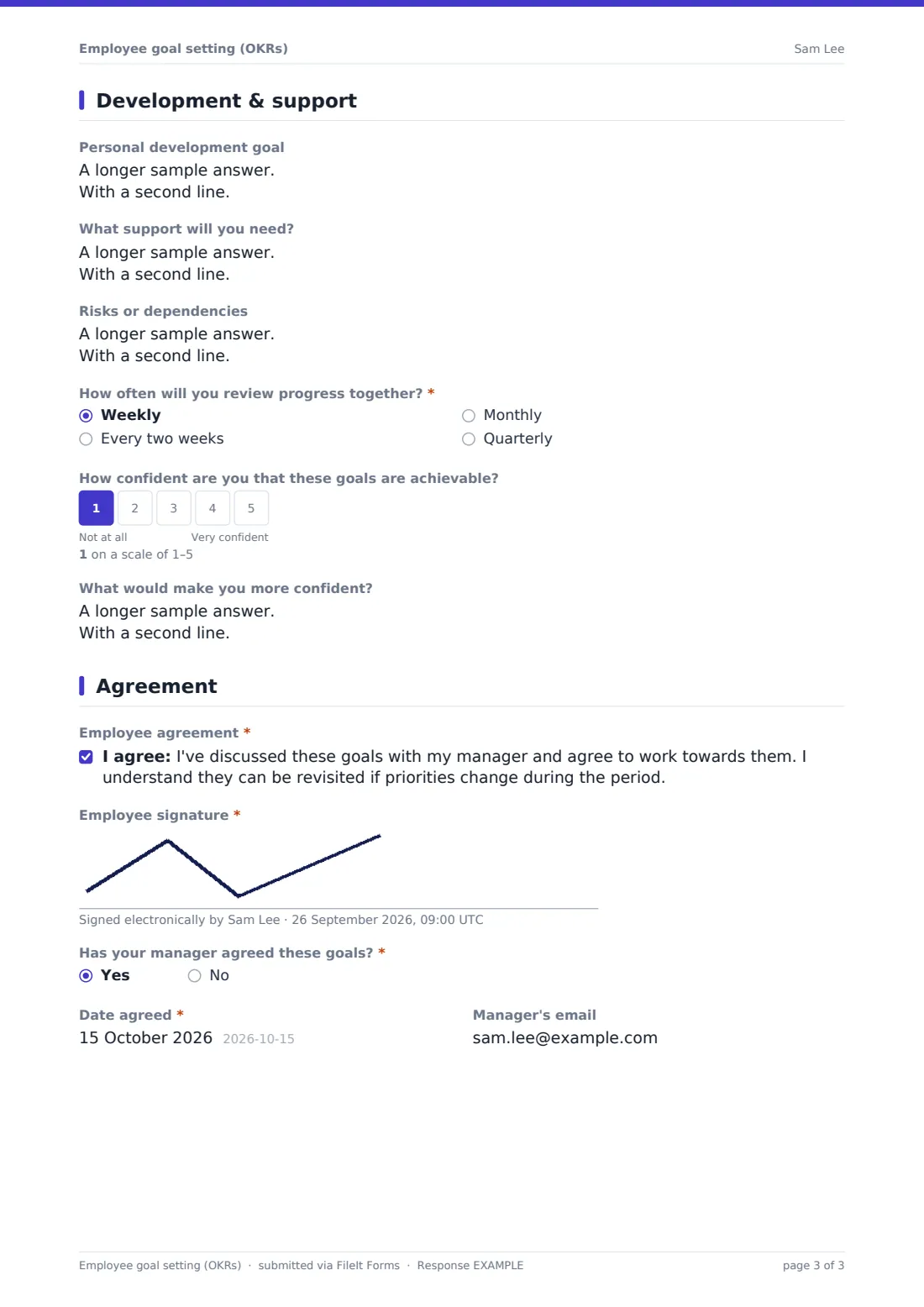
Optional fields cover a Personal development goal, What support will you need?, and Risks or dependencies outside the employee's control. They choose how often progress will be reviewed, weekly to quarterly, and rate how confident they are that the goals are achievable on a 1-5 scale. A score below 3 opens What would make you more confident?
4 Agreement
The employee ticks an agreement statement and signs. They then say whether the manager has agreed the goals. Yes asks for the date agreed. No asks what still needs to be agreed, so a draft can be submitted for discussion first. The manager's email is optional.
Make the template yours
- Replace the Links to options with your own company objectives so every goal is tied to one of them
- Remove the Weight (%) field if your organisation doesn't weight goals
- Make the Personal development goal required if development plans are part of your review process
- File each employee's goals in their own vault folder so goals and later self-reviews sit side by side
- Add the manager's email to the notification list so they get the signed copy straight away
- Set the form to close at the end of your goal-setting window so late submissions are easy to spot
Tips for a better employee goal setting (OKRs) form
- Write key results as outcomes you could check with a yes or no, not activities like "work on" or "support"
- Three to five objectives a year, or fewer per quarter, is plenty for most people
- Agree the check-in rhythm now, and put the first check-in in the diary before you finish
- Take a low confidence score seriously. It usually means the goal, the timeline or the support needs to change
- Revisit and re-submit goals if priorities change mid-period rather than judging people against stale targets
Every response becomes a PDF in your vault
When the employee submits, FileIt saves the signed goals as a PDF in your vault and emails the form owner. The employee gets a copy too, so both sides work from the same version at every check-in.
Most managers keep the PDF open in check-ins and at the end of the period. Because every submission is dated and filed, you can pull up exactly what was agreed for any period, which makes the later performance review much easier to write.
- Start from this template. It opens in the FileIt Forms designer — change any question, add pages, set the rules for when questions appear.
- Share it. Turn on a public link, or send it to people by email, each with their own link. They don’t need a FileIt account.
- Get the answers as PDFs. Each response is saved as a PDF in the vault folder you choose, with uploaded files attached — and listed in a Responses table you can export to CSV.
Employee goal setting (OKRs) form: frequently asked questions
Is this goal setting form template free?
Yes. It's included in FileIt's Forms app on every account, including the free plan, and you can edit every question.
Do employees need a FileIt account to fill it in?
No. You share the form as a link and employees fill it in and submit without an account.
Do I have to use OKRs?
No. The objective and key results fields work just as well for SMART goals or plain targets. You can also rename the labels to match your own language.
How many goals can an employee enter?
Three objectives have their own structured fields, and a free-text field below them takes any further objectives in the same format.
Can a draft be submitted before the manager agrees?
Yes. The employee answers no to Has your manager agreed these goals? and describes what still needs to be agreed, then submits an updated version once it's settled.
Does the manager sign the form too?
The form records whether the manager agreed and when. If you need a manager signature as well, add a second signature field in the designer.
Where are the goals stored?
Each submission is saved as a PDF in your FileIt vault and appears in the form's Responses table, where you can filter and export them.