What is the food delivery receiving log form template?
Food safety starts at the back door. A delivery receiving log (or goods-in record) captures who delivered what, whether chilled and frozen food arrived cold enough, whether packaging, dates and labels were acceptable, and whether the delivery matched the order — before the goods go into your fridges.
The form adapts to the delivery. Tick Chilled or Frozen and it asks which item you probed and the reading. If anything was rejected, short or substituted, it asks for the items and quantities, the reasons, whether the driver noted it, the credit to request and whether the supplier has been contacted, with photos of labels, temperatures or damage.
Each check is saved as a signed PDF in your FileIt vault — useful evidence when you chase a credit, and a record of how you manage suppliers.
- Best for
- Restaurants, hotels, cafés, schools, care homes and food retailers
- Filled in by
- Whoever receives the delivery
- Time to complete
- 2–3 minutes per delivery
- Includes
- Eight-point check grid, chilled and frozen probe readings, rejection and credit details, photos, signature
Who uses a food delivery receiving log form?
- Probing a meat delivery and rejecting a box that arrived warm
- Recording a short delivery so accounts can claim a credit
- Spotting a supplier whose deliveries often arrive short-dated
- Checking allergen labels on a new product line
- Logging dry goods and drinks deliveries as well as fresh food
- Keeping goods-in records for a food safety inspection
Questions on this food delivery receiving log form
27 questions over 4 pages · includes signature, file upload, conditional questions, multiple pages, consent checkbox, ratings.
1 Delivery details
- Kitchen / site*
- Delivery date*
- Arrival time*
- Supplier*
- Invoice / delivery note number*
- Driver's name
- Received by*
- What was delivered?* Chilled · Frozen · Fresh produce · Meat and poultry · Fish and seafood · Dairy and eggs · Bakery · Dry goods · Drinks
2 Checks
- Delivery checks* Pass · Fail · N/A
- Temperatures in* °C · °F
- Chilled item probed* asked only when it applies
- Chilled reading* asked only when it applies
- Frozen item probed* asked only when it applies
- Frozen reading* asked only when it applies
- Overall quality of this delivery
3 Rejections & shortages
- Were any items rejected, short or substituted?*
- Items and quantities* asked only when it applies
- Reasons* asked only when it applies Temperature out of range · Damaged or open packaging · Out of date or short dated · Wrong item or substitution · Short delivered · Poor quality — look or smell · Signs of pests
- Rejection noted on the delivery note by the driver? asked only when it applies
- Credit to request asked only when it applies
- Supplier contacted? asked only when it applies
- Photos
4 Put away & sign-off
- Chilled and frozen goods in storage by
- Invoice total
- Notes
- Confirmation*
- Signature*
The food delivery receiving log form, page by page
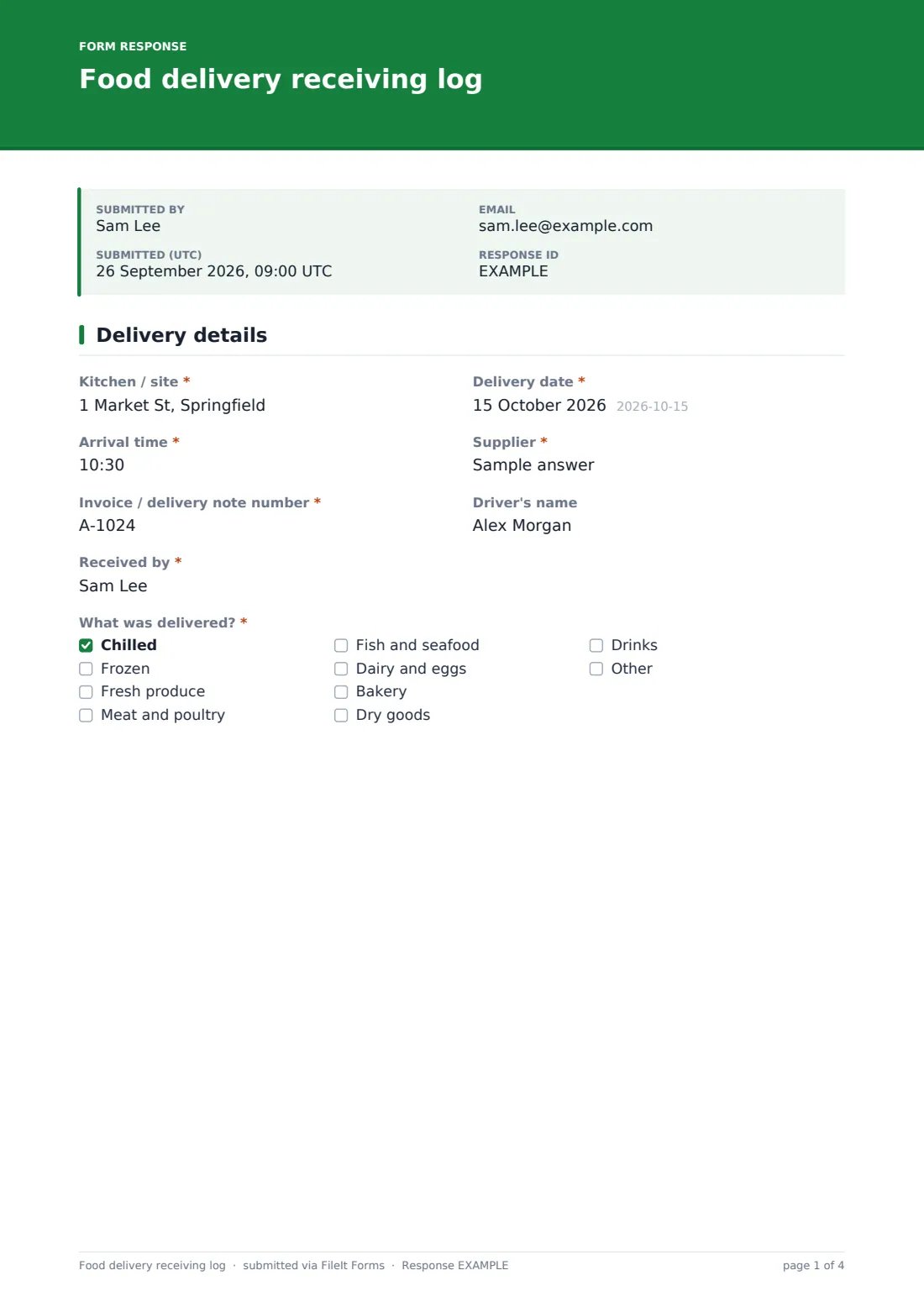
1 Delivery details
Site, date, arrival time, supplier, invoice or delivery note number, driver and who received it, then a checklist of what was delivered — chilled, frozen, produce, meat, fish, dairy, bakery, dry goods, drinks.
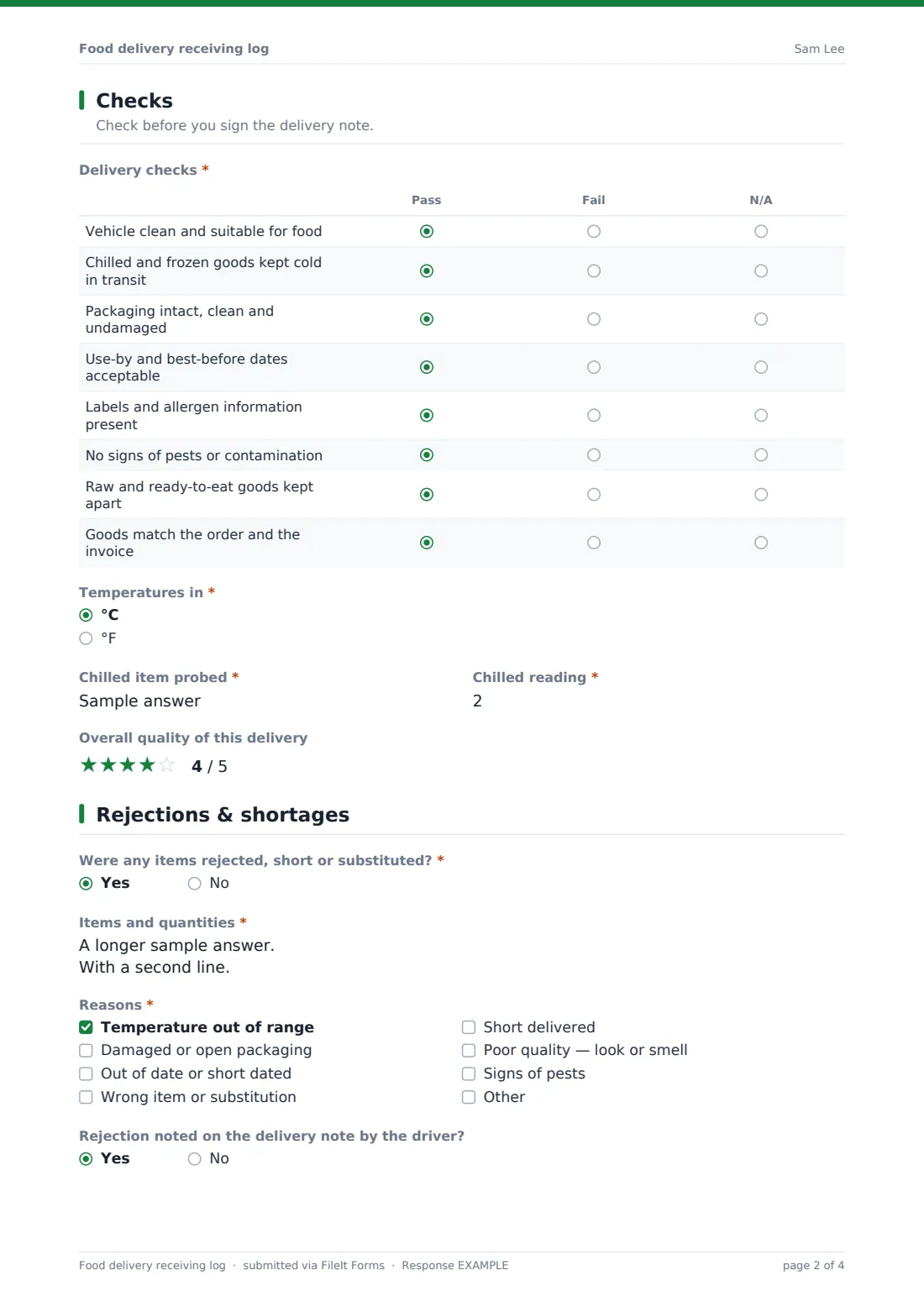
2 Checks
An eight-row grid marked Pass, Fail or N/A: vehicle condition, cold chain in transit, packaging, use-by dates, labels and allergen information, pests, raw and ready-to-eat kept apart, and whether goods match the order. Chilled and frozen deliveries each ask for the item probed and its reading. An optional star rating scores the delivery's overall quality.
3 Rejections & shortages
A required yes/no asks whether anything was rejected, short or substituted. Yes reveals the items and quantities, the reasons, whether the driver noted it, the credit to request and whether the supplier was contacted. Up to six photos can be attached.
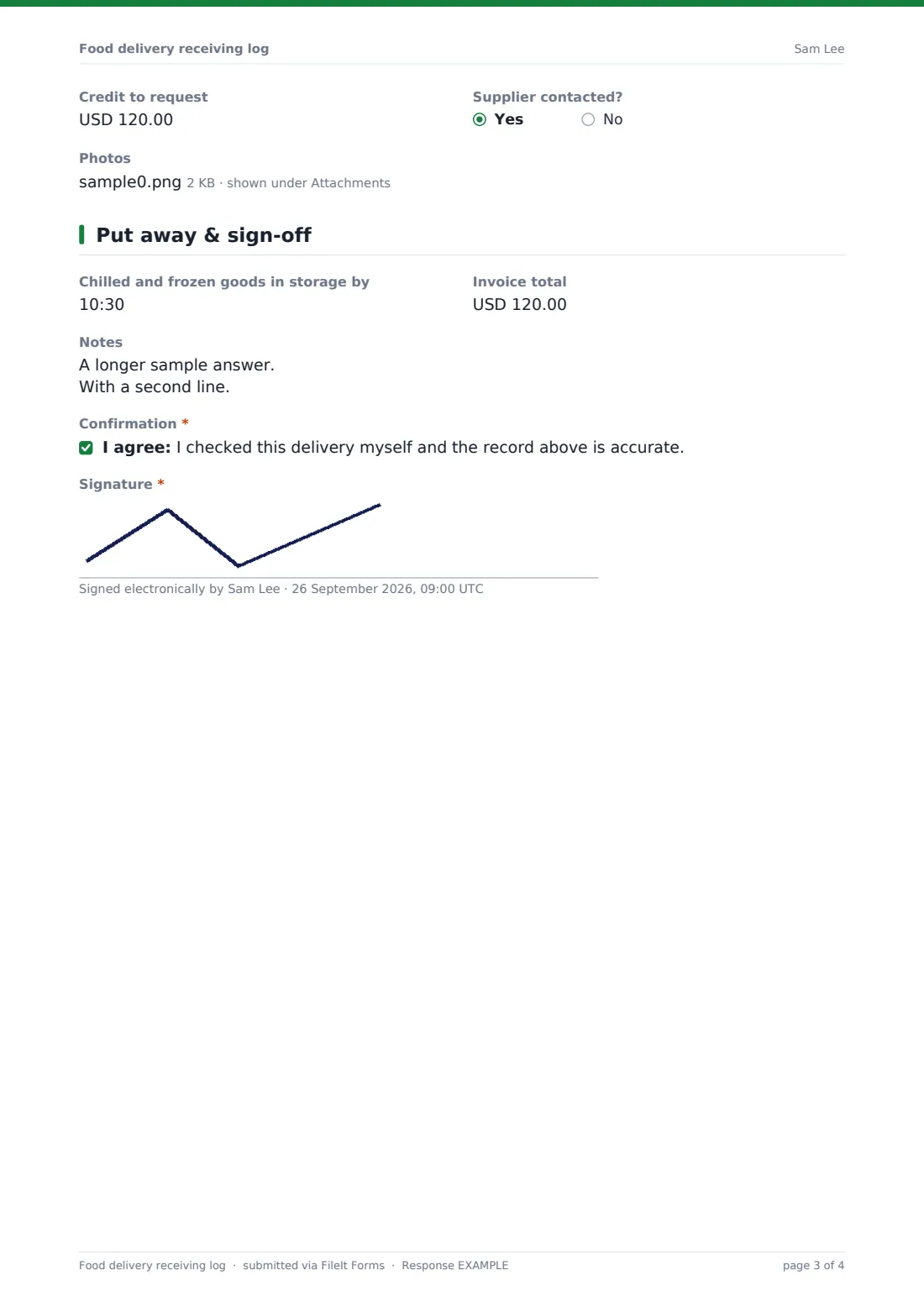
4 Put away & sign-off
The time chilled and frozen goods were in storage, the invoice total, notes, a confirmation and a signature.
Make the template yours
- Edit the delivered-goods list to match what you buy
- Change the currency on the credit and invoice fields
- Add accounts to notifications so they see credit requests straight away
- Make photos required whenever something is rejected
- Pre-fill the supplier as a dropdown of your regular suppliers
- File records per supplier to build a history for supplier reviews
Tips for a better food delivery receiving log form
- Probe between packs rather than piercing food where you can
- Check before signing the delivery note — it's much harder to claim afterwards
- Get chilled and frozen goods into storage first, then do the paperwork
- Write down the reading, not just 'OK'
- Photograph labels and temperatures on anything you reject
- Review the log with suppliers who keep failing the same check
Every response becomes a PDF in your vault
When the log is submitted, FileIt saves it as a signed PDF — with photos — in the vault folder you chose, and emails the form owner.
In the Responses table you can filter by supplier or by deliveries with rejections, and export to CSV when reviewing suppliers or reconciling credits. The form doesn't contact the supplier; use the record to chase credits and replacements.
- Start from this template. It opens in the FileIt Forms designer — change any question, add pages, set the rules for when questions appear.
- Share it. Turn on a public link, or send it to people by email, each with their own link. They don’t need a FileIt account.
- Get the answers as PDFs. Each response is saved as a PDF in the vault folder you choose, with uploaded files attached — and listed in a Responses table you can export to CSV.
Food delivery receiving log form: frequently asked questions
Is this delivery receiving log free?
Yes. It's part of the Forms app on every FileIt account, including the free plan.
What temperature should a chilled delivery be?
Use the limits in your food safety plan and your local rules. The form records the reading; it doesn't set the limit.
Can I use it for non-food deliveries?
It's written for food, but you can remove the temperature questions and use it for any goods-in check.
Does it request the credit from the supplier?
No. It records the credit you plan to request. Contact the supplier through your usual process.
Can I attach a photo of the delivery note?
Yes — up to six photos or PDFs per delivery.
Do staff need an account?
No. They can use the link or a QR code at the back door.