What is the kitchen opening & closing checklist form template?
A commercial kitchen runs on routine: equipment on and working before prep, food labelled and stored properly at the end of the night, gas off and surfaces sanitised before anyone leaves. This checklist puts those routines on a phone or tablet so every cook works through the same list and signs for it.
Staff pick Opening, Closing or Both and only see the checks that apply. Each check is marked Done, Issue or N/A, and fridge and freezer temperatures are recorded at opening and close. If anything is wrong, the last page asks what kind of issue, what was done and for a photo, plus stock to reorder and notes for the next shift.
Every completed checklist is filed in your FileIt vault as a signed PDF, building a day-by-day record you can show when asked how the kitchen is managed.
- Best for
- Restaurants, cafés, pubs, hotels and catering kitchens
- Filled in by
- The chef or cook opening or closing the kitchen
- Time to complete
- 3–5 minutes per checklist
- Includes
- Opening and closing grids, fridge and freezer temperatures, issue reporting with photos, reorder list, signature
Who uses a kitchen opening & closing checklist form?
- A restaurant making sure the closing chef isolates the gas and bins the waste every night
- A café where one person opens and closes on quiet days, using the Both option
- A hotel kitchen keeping a daily record alongside its food safety paperwork
- A head chef reviewing the week's checklists to spot an unreliable fridge
- A dark kitchen running several shifts that need a clean handover
- A pub training new staff on its opening routine
Questions on this kitchen opening & closing checklist form
25 questions over 4 pages · includes signature, file upload, conditional questions, multiple pages, consent checkbox, ratings.
1 Shift details
- Kitchen / site*
- Date*
- Completed by*
- Role Head chef · Sous chef · Chef de partie · Commis / cook · Kitchen porter · Manager
- Which checklist?* Opening · Closing · Both (opening and closing today)
- Temperatures recorded in* °C · °F
2 Opening checks
- Time arrived asked only when it applies
- Equipment & safety* asked only when it applies Done · Issue · N/A
- Chiller / fridge temperature asked only when it applies
- Freezer temperature asked only when it applies
- Food & prep* asked only when it applies Done · Issue · N/A
3 Closing checks
- Food & storage* asked only when it applies Done · Issue · N/A
- Equipment* asked only when it applies Done · Issue · N/A
- Cleaning* asked only when it applies Done · Issue · N/A
- Chiller / fridge temperature at close asked only when it applies
- Freezer temperature at close asked only when it applies
- Time left the kitchen asked only when it applies
4 Issues & sign-off
- Anything to report?*
- What kind of issue? asked only when it applies Equipment fault · Temperature out of range · Food safety · Pest sighting · Injury or near miss · Stock shortage · Cleaning not finished
- Details and action taken* asked only when it applies
- Photos asked only when it applies
- Stock to order
- Notes for the next shift
- Confirmation*
- Signature*
The kitchen opening & closing checklist form, page by page
1 Shift details
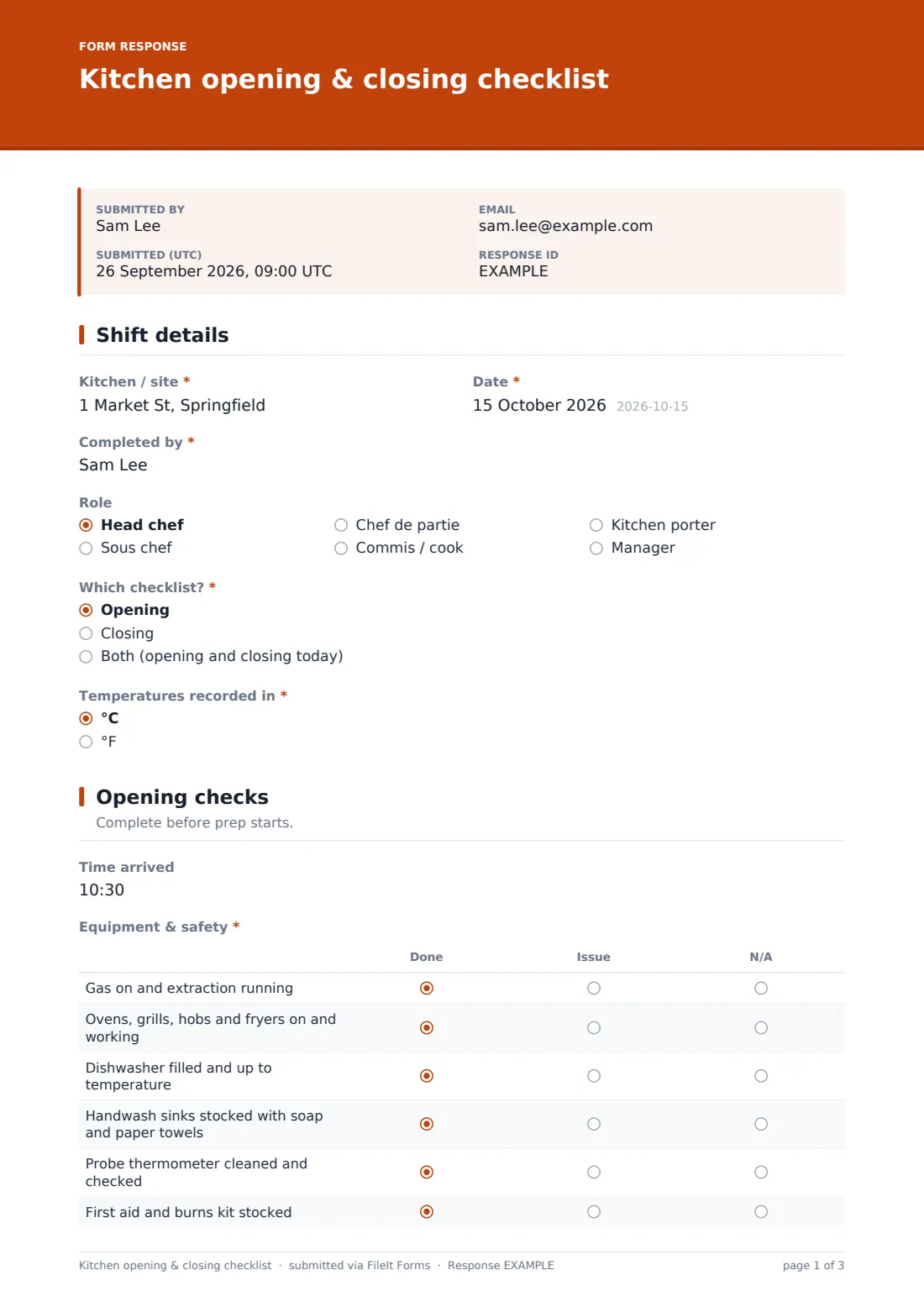
Kitchen or site, date, who completed it and their role, which checklist they're doing — Opening, Closing or Both — and whether temperatures are in °C or °F.
2 Opening checks
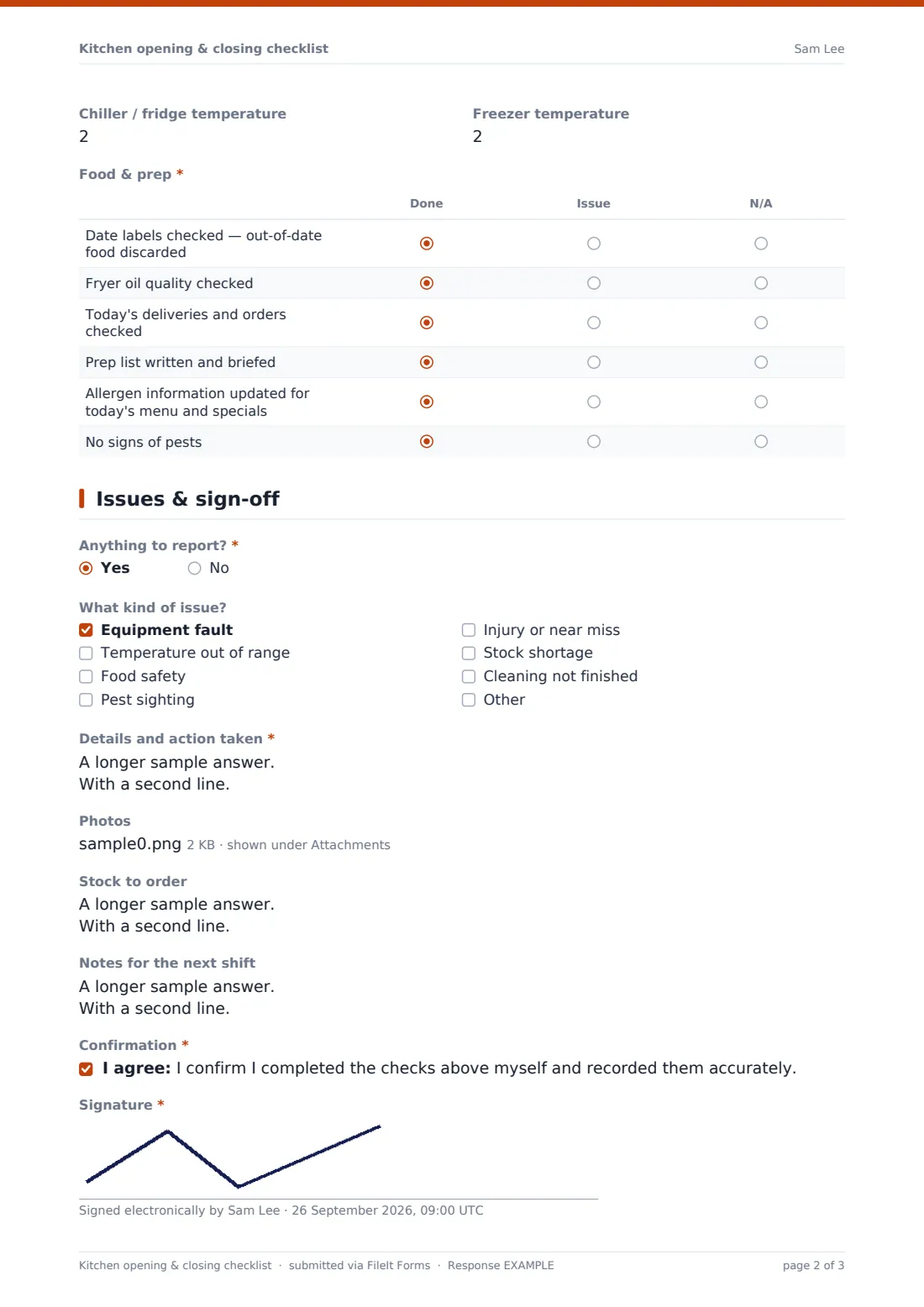
Arrival time, then an Equipment & safety grid (gas and extraction, cooking equipment, dishwasher temperature, handwash sinks stocked, probe thermometer, first aid kit), chiller and freezer temperatures, and a Food & prep grid covering date labels, fryer oil, deliveries, the prep list, today's allergen information and a pest check. Every item is Done, Issue or N/A.
3 Closing checks
Food & storage (covered, labelled and dated, hot food cooled, unsafe food discarded, stock rotated, fridge doors and seals), Equipment (cooking equipment off, gas isolated, fryers filtered, filters, dishwasher) and Cleaning (surfaces, floors, sinks and drains, bins, cloths), then closing temperatures and the time the kitchen was left.
4 Issues & sign-off
Anything to report? is required. Yes reveals the type of issue — equipment, temperature, food safety, pests, injury, stock or cleaning — a required description of what was done, and photos. Stock to order and notes for the next shift follow, then a confirmation and signature.
Make the template yours
- Rename or add rows to match your kitchen — a pizza oven, a blast chiller, a hot cupboard
- Add more temperature fields if you have several fridges and freezers
- Add the head chef's email to notifications so issues reach them immediately
- Make photos required for any reported issue
- File checklists into a folder per site and month
- Add a manager's review question on the last page if a supervisor checks each closing
Tips for a better kitchen opening & closing checklist form
- Fill it in as you go, not from memory at the end of the shift
- Use Issue honestly — a flagged problem can be fixed, a hidden one can't
- Record temperatures from the probe or display at the time you check, not what they usually read
- Keep stock notes short and specific so whoever orders can act on them
- Review a week of checklists together to spot patterns
- Keep the list short enough that people actually complete it every day
Every response becomes a PDF in your vault
When the checklist is submitted, FileIt saves it as a signed PDF in the vault folder you chose and notifies the form owner — so the head chef or manager sees reported issues without waiting for a handover.
Past checklists are searchable in the Responses table by date, site or person, and can be exported to CSV. The form doesn't raise repair jobs or orders on its own; use the issue and reorder notes to follow up.
- Start from this template. It opens in the FileIt Forms designer — change any question, add pages, set the rules for when questions appear.
- Share it. Turn on a public link, or send it to people by email, each with their own link. They don’t need a FileIt account.
- Get the answers as PDFs. Each response is saved as a PDF in the vault folder you choose, with uploaded files attached — and listed in a Responses table you can export to CSV.
Kitchen opening & closing checklist form: frequently asked questions
Is this kitchen checklist template free?
Yes. It's included in the Forms app on every FileIt account, including the free plan.
Do kitchen staff need FileIt accounts?
No. Share the form link or a QR code on the kitchen wall and staff can submit without an account.
Can we do opening and closing on one form?
Yes. Choosing Both shows the opening and closing checks together.
Does this replace our food safety management system?
No. It's a daily checklist that can support your food safety records. Your documented system, and what your local authority expects, still apply.
Can I record several fridges?
The template has one chiller and one freezer reading at opening and close. Add more number fields in the designer, or use the Food temperature log template for detailed logging.
Where do the completed checklists go?
Each one is saved as a PDF in your FileIt vault and listed in the Responses table.