What is the store opening & closing checklist form template?
Opening and closing a shop involves a dozen small steps that are easy to skip on a busy day: the float not counted, a fire exit blocked, the back door left unlocked. A paper checklist on the wall helps, but it's rarely filled in consistently and you can't see it from another site.
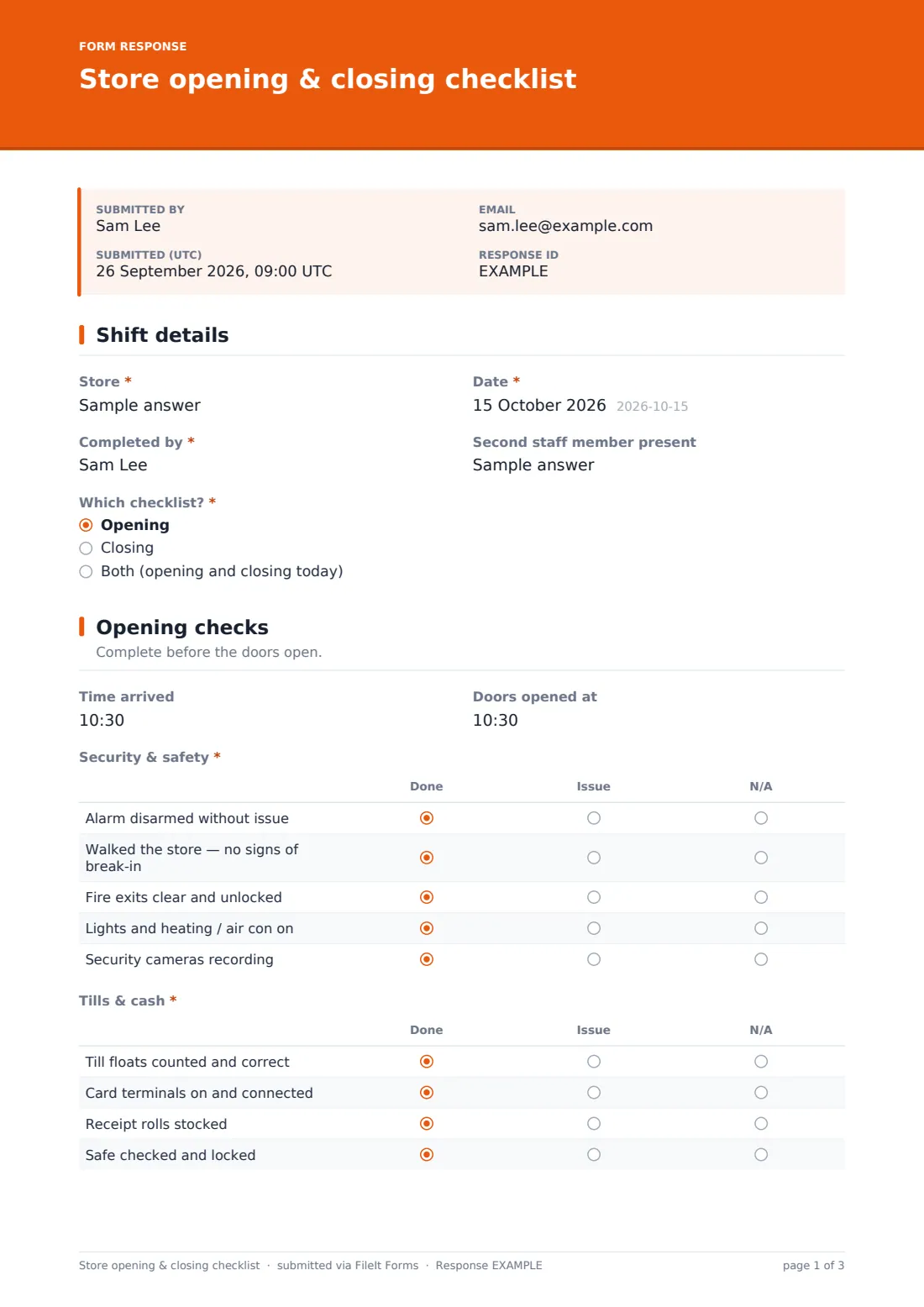
This store opening and closing checklist lets staff choose opening, closing or both, and then shows only the relevant checks. Opening covers alarm and security, tills and cash, and the shop floor, plus the opening float. Closing covers till reconciliation with takings and any over or short, cleaning and tidying, and a full lock-up sequence. Each check is marked done, issue or N/A in a grid, and anything that went wrong is reported with details, photos and whether the manager knows.
Each completed checklist is saved as a signed PDF in your FileIt vault, giving you a dated record for every store and every day.
- Best for
- Retail shops, boutiques, pharmacies, cafés and multi-site retailers
- Filled in by
- Keyholders and shift leads at opening and closing
- Time to complete
- About 3–5 minutes per checklist
- Includes
- Opening and closing check grids, float, takings and variance, issue reporting with photos, handover notes and signature
Who uses a store opening & closing checklist form?
- An independent shop where different staff open and close each day
- A retail chain checking that every branch follows the same routine
- A café or bakery combining till and food-storage checks at close
- A pharmacy or specialist retailer recording who locked up and when
- New keyholders learning the opening and closing routine
- Area managers reviewing closing records after an incident
Questions on this store opening & closing checklist form
26 questions over 4 pages · includes signature, file upload, conditional questions, multiple pages, consent checkbox, ratings.
1 Shift details
- Store*
- Date*
- Completed by*
- Second staff member present
- Which checklist?* Opening · Closing · Both (opening and closing today)
2 Opening checks
- Time arrived asked only when it applies
- Doors opened at asked only when it applies
- Security & safety* asked only when it applies Done · Issue · N/A
- Tills & cash* asked only when it applies Done · Issue · N/A
- Shop floor* asked only when it applies Done · Issue · N/A
- Opening float asked only when it applies
3 Closing checks
- Doors closed at asked only when it applies
- Time left the building asked only when it applies
- Tills & cash* asked only when it applies Done · Issue · N/A
- Day's takings asked only when it applies
- Till over / short asked only when it applies
- Shop floor & cleaning* asked only when it applies Done · Issue · N/A
- Lock-up* asked only when it applies Done · Issue · N/A
4 Issues & sign-off
- Anything to report?*
- What kind of issue? asked only when it applies Cash discrepancy · Maintenance or repair · Security or theft · Health & safety · Stock or delivery · Staffing · Customer incident
- Details and action taken* asked only when it applies
- Photos asked only when it applies
- Has the manager been told? asked only when it applies
- Notes for the next shift
- Confirmation*
- Signature*
The store opening & closing checklist form, page by page
1 Shift details
Staff enter the store, date, their name and any second staff member present, then choose the opening checklist, the closing checklist or both.
2 Opening checks
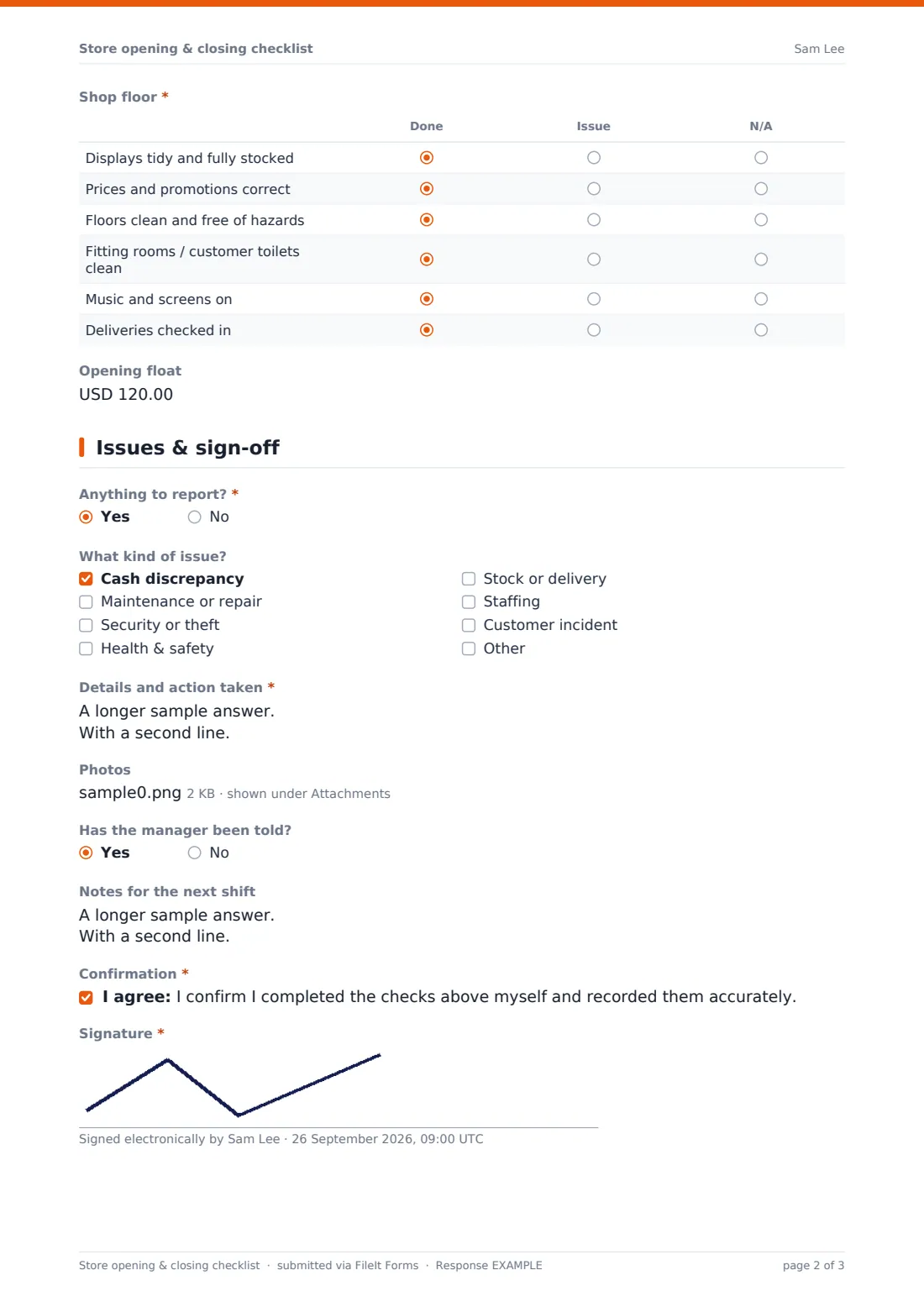
Record arrival and door-opening times, then work through three grids: security and safety (alarm, walk-round, fire exits, lights and heating, cameras), tills and cash (floats, card terminals, receipt rolls, safe) and the shop floor (displays, prices, floors, fitting rooms, music and screens, deliveries). Each line is marked done, issue or N/A, and the opening float is recorded.
3 Closing checks
Record when the doors closed and when staff left, then complete grids for tills and cash (reconciliation, card terminal totals, cash in the safe, floats for tomorrow), shop floor and cleaning, and lock-up — from checking nobody is left inside to setting the alarm and locking the shutters. The day's takings and any till over or short are recorded.
4 Issues & sign-off
If there's anything to report, staff tick the type of issue, describe it and the action taken, add photos and say whether the manager has been told. Handover notes go to the next shift, and the person completing the checklist confirms the checks and signs.
Make the template yours
- Edit the grid rows to match your store's own routine
- Change the currency on the float, takings and variance fields
- Remove the cash section if another system handles till reconciliation
- Turn the store name into a dropdown if you run several sites
- Notify the area manager whenever a checklist is submitted
- File checklists in a folder per store
Tips for a better store opening & closing checklist form
- Keep the checklist on the shop phone or tablet so it's always to hand
- Mark 'Issue' honestly — the report is only useful if problems are recorded
- Review closing checklists regularly for patterns in till variances
- Walk the store before setting the alarm, every time
- Train new keyholders by completing the checklist alongside them for their first few shifts
Every response becomes a PDF in your vault
When a checklist is submitted, FileIt saves it as a signed PDF with any photos, files it in your vault and notifies you, so a missed check or a reported issue reaches the manager the same day.
The Responses table gives you a daily log for each store. Export it to CSV to review takings and variances, or open a single day's PDF to see exactly who opened or closed and what they recorded.
- Start from this template. It opens in the FileIt Forms designer — change any question, add pages, set the rules for when questions appear.
- Share it. Turn on a public link, or send it to people by email, each with their own link. They don’t need a FileIt account.
- Get the answers as PDFs. Each response is saved as a PDF in the vault folder you choose, with uploaded files attached — and listed in a Responses table you can export to CSV.
Store opening & closing checklist form: frequently asked questions
Is this opening and closing checklist free?
Yes. It's included in FileIt's Forms app on every plan, including the free plan.
Can staff do opening and closing on the same form?
Yes. They choose opening, closing or both, and only the relevant sections appear.
Can I add my own checks?
Yes. Each section is a grid, and you can add, remove or rename rows in the designer.
Does it work on a phone?
Yes. Staff can fill it in and sign on a phone or tablet, and upload photos from the camera.
Can I use it for several stores?
Yes. Each checklist records the store name, or you can make a copy of the form per store.
Where are the checklists stored?
Each one is saved as a signed PDF in your FileIt vault and listed in the Responses table.