What is the food safety self-inspection form template?
A regular self-inspection is how a food business catches problems before a customer or an inspector does. This template walks a manager through the areas an inspection usually covers — staff hygiene, storage and temperature control, cleaning and premises, pest control and allergen controls — and rates each point Compliant, Minor issue, Major issue or N/A.
Every section has room for notes, and a required pest-activity question shows an immediate reminder to call the contractor if the answer is yes. The last page turns the audit into a result: an overall rating, key findings and — unless the result is Good — corrective actions, the person responsible and a completion date, with photos and the next inspection date.
Each inspection is saved as a signed PDF in your FileIt vault, so you can show a history of checking and fixing, not just a single good day.
- Best for
- Restaurant, café, hotel and catering managers, multi-site operators
- Filled in by
- A manager or food safety lead walking the premises
- Time to complete
- 20–30 minutes
- Includes
- Five rating grids, pest alert, overall result, corrective actions with owner and date, photos, signatures
Who uses a food safety self-inspection form?
- A general manager running a monthly kitchen audit
- An area manager inspecting several outlets to one standard
- A follow-up visit to check last month's actions were completed
- A review after a customer complaint about food
- Preparing for an official food hygiene inspection
- Training a new head chef on what good looks like
Questions on this food safety self-inspection form
25 questions over 5 pages · includes signature, file upload, conditional questions, multiple pages, consent checkbox, ratings.
1 Inspection details
- Site / outlet*
- Inspection date*
- Inspected by*
- Role
- Manager on duty
- Type of inspection* Routine (weekly or monthly) · Follow-up on earlier findings · After a complaint or incident · Before an official inspection
- Date of the last self-inspection
2 Staff & hygiene
- Staff practice* Compliant · Minor issue · Major issue · N/A
- Staff & hygiene — notes asked only when it applies
3 Storage & temperature control
- Storage & temperatures* Compliant · Minor issue · Major issue · N/A
- Storage — notes asked only when it applies
4 Cleaning, pests & allergens
- Cleaning & premises* Compliant · Minor issue · Major issue · N/A
- Pest control* Compliant · Minor issue · Major issue · N/A
- Allergen controls* Compliant · Minor issue · Major issue · N/A
- Any sign of pest activity today?*
- Cleaning, pests & allergens — notes
5 Findings & actions
- Overall result* Good — no significant issues · Some improvements needed · Urgent action needed
- Key findings*
- Corrective actions* asked only when it applies
- Person responsible asked only when it applies
- Complete by asked only when it applies
- Photos
- Next inspection date
- Inspector's signature*
- Manager on duty
The food safety self-inspection form, page by page
1 Inspection details
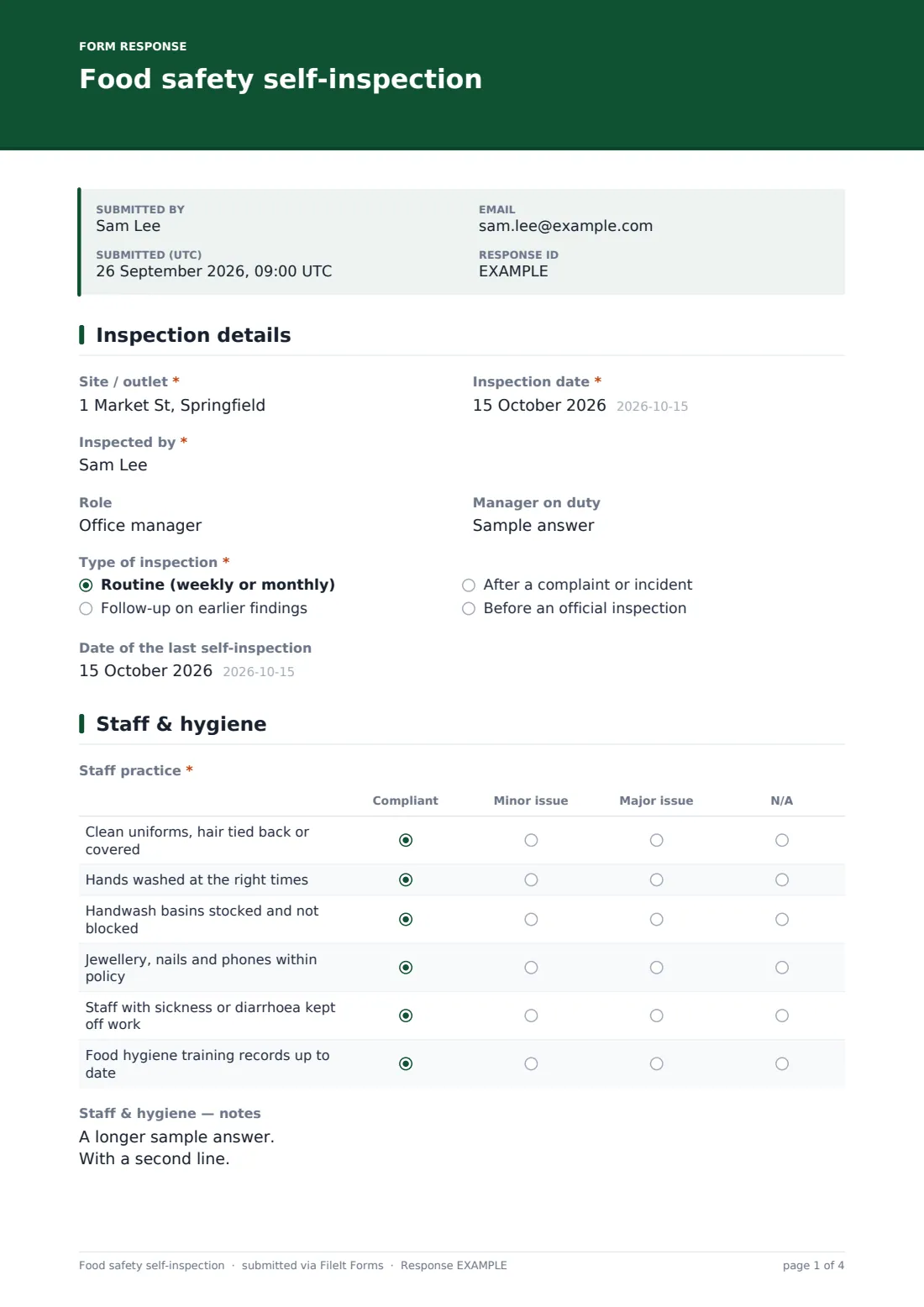
Site, date, who is inspecting, their role and the manager on duty, then the type of inspection — routine, follow-up, after a complaint or before an official inspection — and the date of the last one.
2 Staff & hygiene
Uniforms and hair, handwashing, stocked handwash basins, jewellery and phones, excluding sick staff, and training records. Notes appear once the grid is started.
3 Storage & temperature control
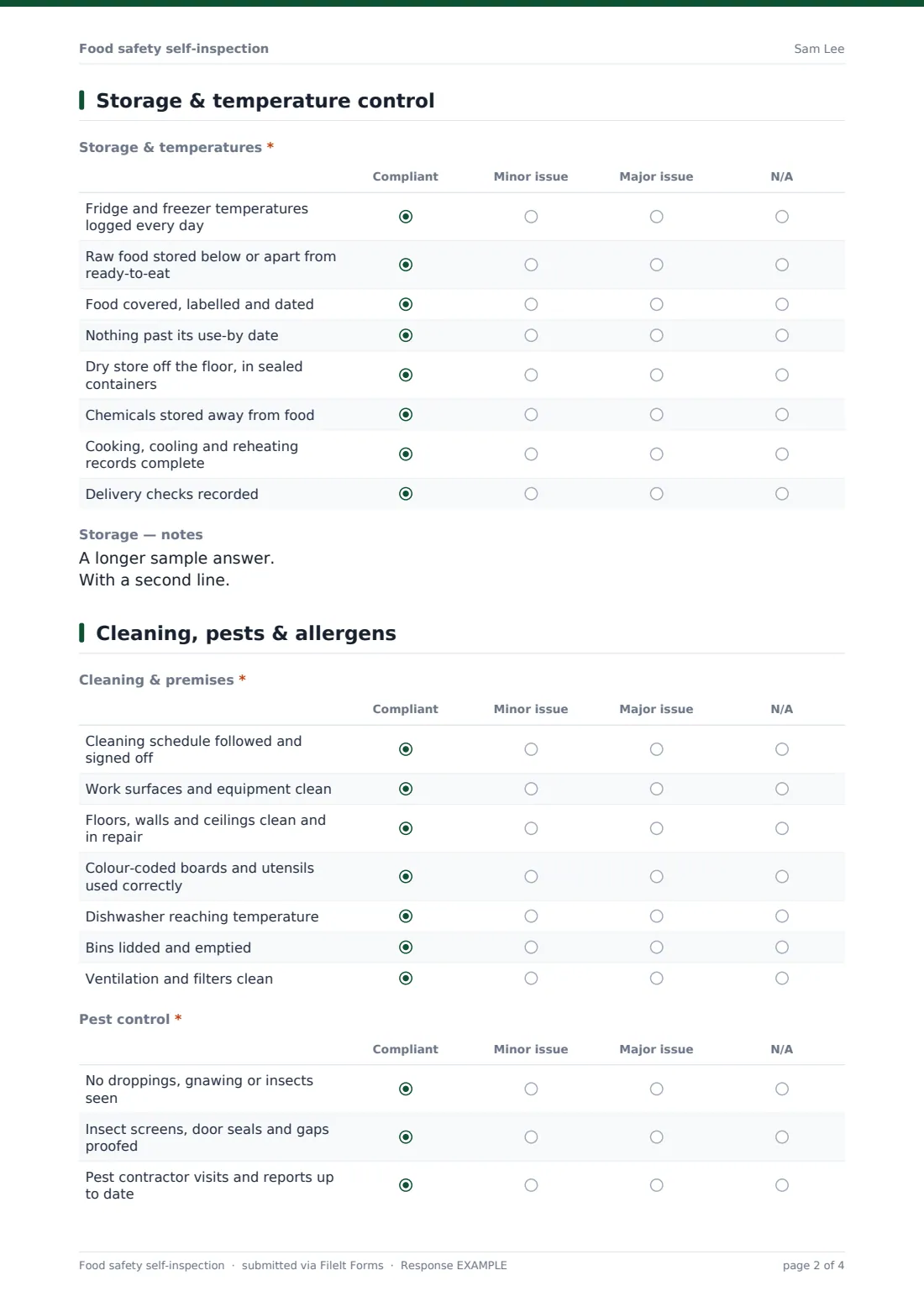
Daily temperature logs, raw and ready-to-eat separation, labelling and dating, use-by dates, dry store, chemical storage, cooking and cooling records, and delivery checks.
4 Cleaning, pests & allergens
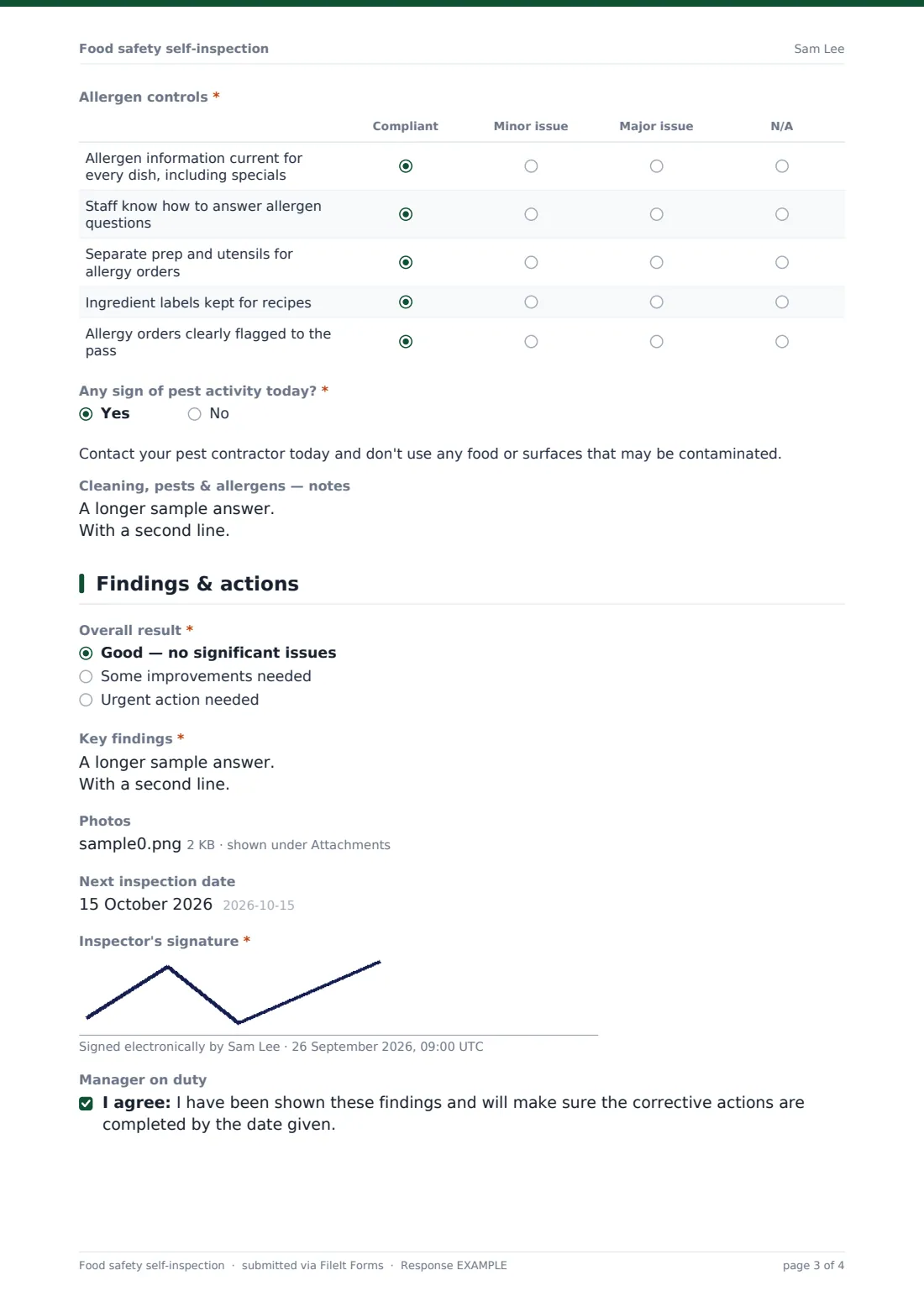
Cleaning schedule, surfaces, premises condition, colour-coding, dishwasher temperature, bins and ventilation; pest sightings, proofing and contractor reports; and allergen controls from up-to-date dish information to flagging allergy orders at the pass. Any sign of pest activity today? is required, and a yes shows an urgent reminder. One notes box covers the whole page.
5 Findings & actions
Overall result, key findings and — unless the result is Good — corrective actions with a responsible person and completion date. Photos, the next inspection date, the inspector's signature and the manager on duty's acknowledgement finish the audit.
Make the template yours
- Add rows specific to your operation — sushi rice acidity, vacuum packing, a salad bar
- Rename the grids to match the headings in your own food safety system
- Make the manager's acknowledgement required
- Add area managers to notifications for results needing urgent action
- File inspections per site to see each outlet's history
- Duplicate the form for front-of-house or bar audits
Tips for a better food safety self-inspection form
- Inspect during service now and then — that's when shortcuts appear
- Check records against reality: a perfect fridge log for a fridge that's warm now is a finding
- Give every action one owner and a date
- Photograph good practice too, for training
- Start the next inspection by checking the last one's actions
- Keep the tone constructive — the aim is fixing, not blaming
Every response becomes a PDF in your vault
When submitted, the inspection is saved as a signed PDF — all ratings, notes, actions and photos — in the vault folder you chose, and the form owner is notified.
The Responses table lets you compare results across sites and dates and export to CSV. The form doesn't track actions to completion by itself; the next inspection's follow-up type is the natural place to confirm they were done.
- Start from this template. It opens in the FileIt Forms designer — change any question, add pages, set the rules for when questions appear.
- Share it. Turn on a public link, or send it to people by email, each with their own link. They don’t need a FileIt account.
- Get the answers as PDFs. Each response is saved as a PDF in the vault folder you choose, with uploaded files attached — and listed in a Responses table you can export to CSV.
Food safety self-inspection form: frequently asked questions
Is this food safety self-inspection template free?
Yes. It's part of the Forms app on every FileIt account, including the free plan.
Is this the same as an official food hygiene inspection?
No. It's an internal audit. Official inspections are carried out by the relevant authority and may look at things this template doesn't cover.
Can I add my own checks?
Yes. Every grid row and question can be edited in the designer.
Does it produce a score?
It records an overall result chosen by the inspector — Good, Some improvements needed or Urgent action needed — rather than calculating a number.
Can the manager on duty sign it?
Yes, there's an acknowledgement at the end. It's optional by default; make it required in the designer if you want.
How many photos can I attach?
Up to 10 per inspection.