What is the goods received note form template?
A goods received note is the receiving team's record of what actually arrived — and it's one leg of the purchase order, GRN and invoice match that stops you paying for goods you never got. A carbon copy that's scribbled on and left in a tray doesn't do that job well.
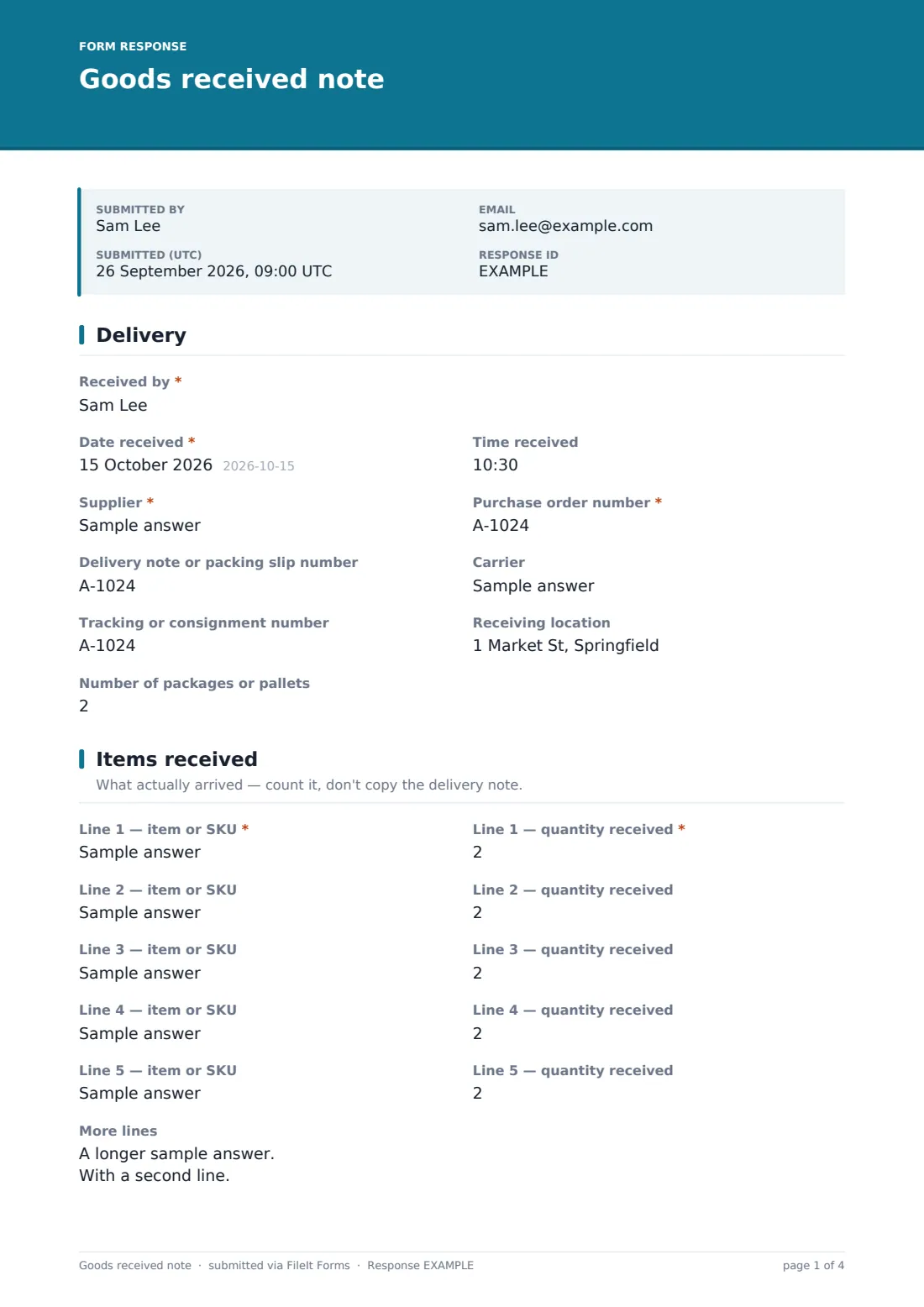
This template asks for the delivery's details (supplier, PO number, delivery note, carrier and tracking), the quantity actually received on each line, whether the delivery was complete, its condition, how it was signed for, and any batch numbers, temperatures and put-away location. Damage and discrepancies prompt further questions and a photo upload.
Each GRN is saved as a signed PDF in your FileIt vault, so purchasing and accounts can find it by PO number when the invoice arrives, and there's evidence to back up a claim with the supplier or carrier.
- Best for
- Warehouses, stock rooms, shops and any team receiving goods against purchase orders
- Filled in by
- The person who checks the delivery in
- Time to complete
- About 3–6 minutes per delivery
- Includes
- Five item lines plus bulk lines, completeness and condition follow-ups, temperature check, photo uploads, signature
Who uses a goods received note form?
- A warehouse receiving supplier deliveries against purchase orders
- A small business matching deliveries to invoices before paying
- A kitchen or food business checking chilled deliveries and recording temperatures
- A site office receiving materials for a construction project
- A school or office receiving equipment and furniture orders
- Recording short or damaged deliveries to support a claim
Questions on this goods received note form
36 questions over 4 pages · includes signature, file upload, conditional questions, multiple pages, consent checkbox.
1 Delivery
- Received by*
- Date received*
- Time received
- Supplier*
- Purchase order number*
- Delivery note or packing slip number
- Carrier
- Tracking or consignment number
- Receiving location
- Number of packages or pallets
2 Items received
- Line 1 — item or SKU*
- Line 1 — quantity received*
- Line 2 — item or SKU
- Line 2 — quantity received
- Line 3 — item or SKU
- Line 3 — quantity received
- Line 4 — item or SKU
- Line 4 — quantity received
- Line 5 — item or SKU
- Line 5 — quantity received
- More lines
- Is the delivery complete against the purchase order?* Yes — complete · Partial — balance to follow · Short — items missing · Over-delivered
- What's missing or still to come?* asked only when it applies
3 Condition & discrepancies
- Condition on arrival* All in good condition · Minor damage to packaging only · Some goods damaged · Wrong items received
- Describe the damage or discrepancy* asked only when it applies
- How was the delivery signed for? asked only when it applies Signed as unchecked or damaged · Part of the delivery refused · Whole delivery refused · Signed clean
- Photos
- Are these temperature-controlled goods?
- Temperature on arrival (°C)* asked only when it applies
- Batch or lot numbers and expiry dates
- Put-away location
4 Sign-off
- Has purchasing been told about the discrepancy?* asked only when it applies
- Notes
- Delivery note or packing slip
- Receiver's declaration*
- Signature*
The goods received note form, page by page
1 Delivery
The receiver records their name, the date and time received, the supplier, the purchase order number, the delivery note or packing slip number, the carrier and tracking number, the receiving location and the number of packages or pallets.
2 Items received
Five pairs of fields record each line's item or SKU next to the quantity actually received, with the first line required. Longer deliveries go in the More lines box — item, quantity ordered and quantity received on each line.
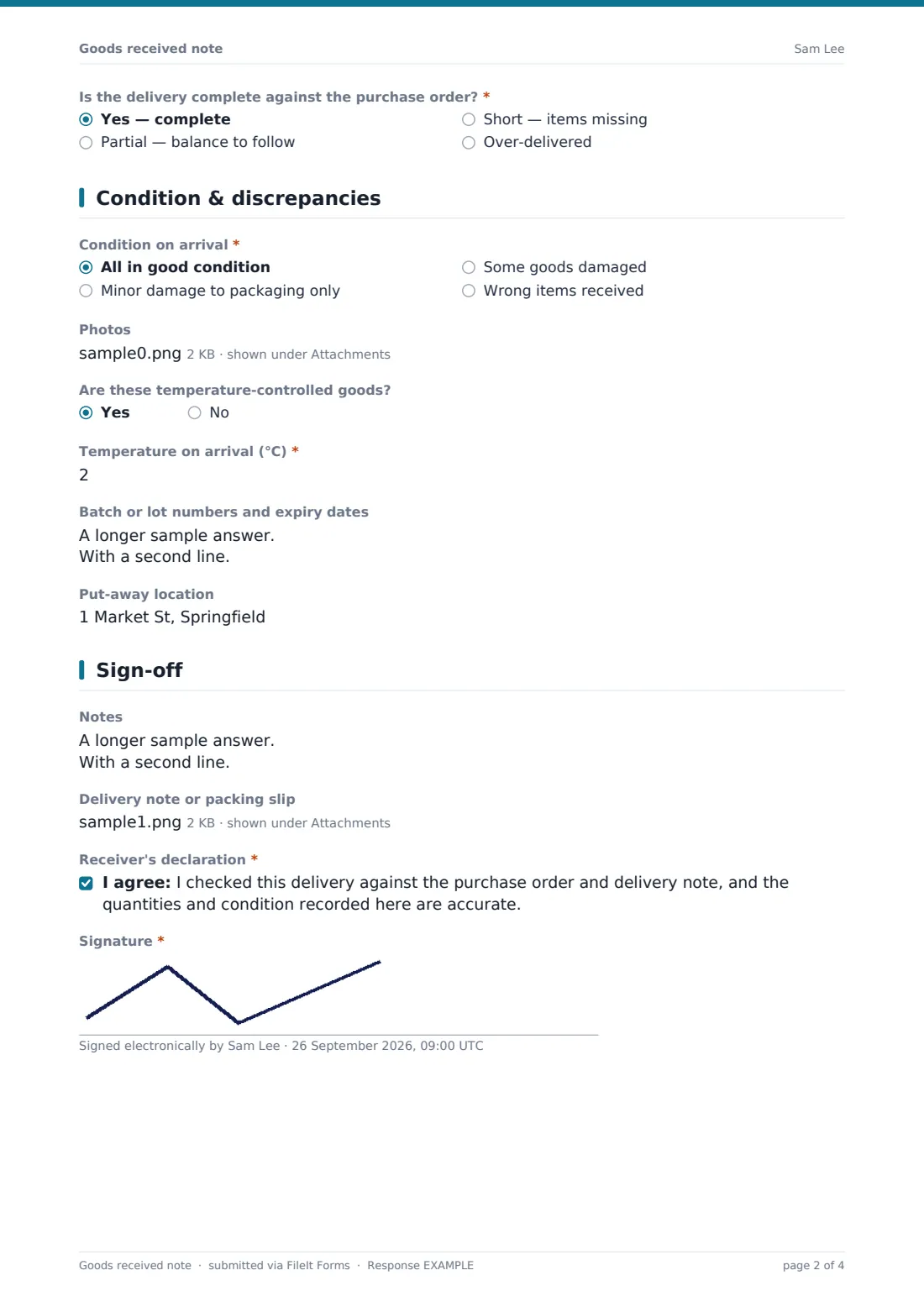
A required question asks whether the delivery is complete, partial with a balance to follow, short, or over-delivered. Anything other than complete asks what's missing or still to come.
3 Condition & discrepancies
The receiver chooses the condition on arrival: all good, minor packaging damage only, some goods damaged, or wrong items received. Anything other than all good asks for a description and how the delivery was signed for — unchecked or damaged, part refused, all refused, or signed clean.
Photos of damage, labels and the delivery note can be uploaded. Temperature-controlled goods ask for the temperature on arrival. Batch or lot numbers with expiry dates and the put-away location finish the page.
4 Sign-off
If there was a problem, the receiver confirms whether purchasing has been told. After any notes and an upload of the signed delivery note, they declare that the delivery was checked against the PO and delivery note and that the record is accurate, and sign.
Make the template yours
- Add more item lines, or a unit of measure next to each quantity
- Turn the supplier field into a dropdown of your regular suppliers
- Add accounts payable to the notification emails so they know a GRN is ready to match
- Remove the temperature question if you never receive chilled or frozen goods
- Change the document title to include the supplier's name if you file by supplier
- Add a quality check question if some goods need inspection before put-away
Tips for a better goods received note form
- Count what arrived rather than copying the quantity from the delivery note
- Sign as unchecked or damaged if you can't check everything before the driver leaves
- Photograph damage before moving the pallet or opening the packaging further
- Report discrepancies to purchasing the same day — carriers and suppliers often have short claim windows
- Record batch and expiry details for anything with a shelf life
- Search the Responses table by PO number when an invoice arrives
Every response becomes a PDF in your vault
Each GRN is saved as a signed PDF in your chosen vault folder, with photos and the delivery note attached, and the form owner is notified by email.
Purchasing and accounts can use the Responses table to find GRNs by PO number or supplier and export them to CSV for matching. FileIt doesn't connect to accounting or inventory systems, so stock and invoice updates are done in your own tools.
- Start from this template. It opens in the FileIt Forms designer — change any question, add pages, set the rules for when questions appear.
- Share it. Turn on a public link, or send it to people by email, each with their own link. They don’t need a FileIt account.
- Get the answers as PDFs. Each response is saved as a PDF in the vault folder you choose, with uploaded files attached — and listed in a Responses table you can export to CSV.
Goods received note form: frequently asked questions
Is this goods received note template free?
Yes. It's one of the starter templates in the FileIt Forms app, available on every account including the free plan.
Does the GRN match invoices automatically?
No. The form records and files what was received. Matching it to the purchase order and invoice happens in your own accounting process.
How do we record a short or partial delivery?
Choose partial or short on the completeness question, and a required box asks what's missing or still to come.
Can receivers attach photos of damage?
Yes. There's a photo upload for damage, labels and pallets, and a separate upload for the signed delivery note.
Can we record temperatures for chilled deliveries?
Yes. Saying the goods are temperature-controlled asks for the temperature on arrival.
What if a delivery has more than five lines?
Use the More lines box, one line per item, or attach the delivery note showing all the lines.
Do receiving staff need a FileIt account?
No. They can fill it in from a link on a phone or tablet at the loading bay.
Can we use this for a delivery claim?
The signed PDF with photos gives you a dated record of what arrived and its condition. Each supplier and carrier has its own claim process and deadlines, so check those too.