What is the quality inspection report form template?
An inspection is only as useful as its record. If the report just says "OK", nobody can tell later what was checked, how many parts were looked at, what the measurements were, or who made the call — which is exactly what you need when a customer complaint arrives months later.
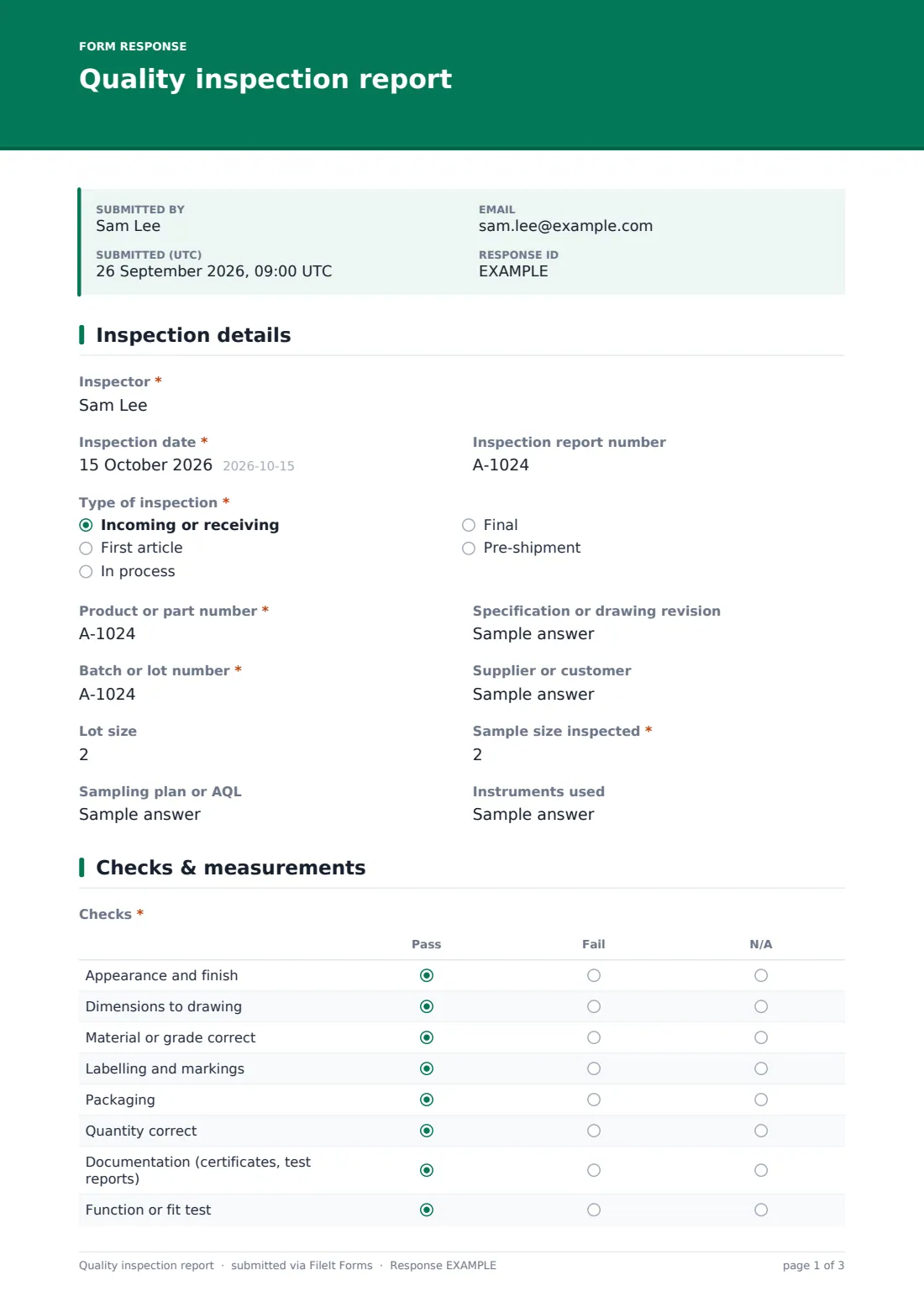
This template records the whole inspection: the type (incoming, first article, in process, final or pre-shipment), product, revision, batch, lot and sample size, sampling plan and instruments; an eight-point pass/fail checklist; three key characteristics with nominal, tolerance and measured values; defects found and their types; and a result with the follow-up each outcome needs.
Each inspection is saved as a signed PDF in your FileIt vault with photos and measurement sheets attached, giving you traceable evidence of what was inspected and why it was accepted or rejected.
- Best for
- Manufacturers, importers, labs and quality teams inspecting products or batches
- Filled in by
- Quality inspectors or trained operators
- Time to complete
- About 5–10 minutes to record, after the inspection
- Includes
- Sampling details, 8-row pass/fail grid, three measured characteristics, defect follow-ups, result-dependent questions, signature
Who uses a quality inspection report form?
- Incoming inspection of supplier deliveries before they're accepted into stock
- First article inspection of a new part or a new production run
- In-process checks at set intervals during a shift
- Final inspection before products are released
- Pre-shipment inspection at a supplier's factory
- Keeping batch inspection records for customer or regulatory traceability
Questions on this quality inspection report form
32 questions over 3 pages · includes signature, file upload, conditional questions, multiple pages, ratings.
1 Inspection details
- Inspector*
- Inspection date*
- Inspection report number
- Type of inspection* Incoming or receiving · First article · In process · Final · Pre-shipment
- Product or part number*
- Specification or drawing revision
- Batch or lot number*
- Supplier or customer
- Lot size
- Sample size inspected*
- Sampling plan or AQL
- Instruments used
2 Checks & measurements
- Checks* Pass · Fail · N/A
- Characteristic 1 — nominal and tolerance
- Characteristic 1 — measured values
- Characteristic 2 — nominal and tolerance
- Characteristic 2 — measured values
- Characteristic 3 — nominal and tolerance
- Characteristic 3 — measured values
- Other measurements
- Defective units found*
- Types of defect* asked only when it applies Dimensional · Cosmetic · Functional · Contamination · Wrong material · Labelling · Packaging
- Describe the defects asked only when it applies
- Photos and measurement sheets
3 Result
- Result* Accepted · Accepted with deviation or concession · Rejected · On hold — pending review
- Deviation or concession reference* asked only when it applies
- Reason for rejection* asked only when it applies
- Has a nonconformance report been raised? asked only when it applies
- NCR number asked only when it applies
- What's it waiting for? asked only when it applies
- Comments
- Inspector's signature*
The quality inspection report form, page by page
1 Inspection details
The inspector records the date, a report number and the inspection type. The product or part number, specification or drawing revision, batch or lot number and supplier or customer identify what's being inspected. Lot size, the required sample size, the sampling plan or AQL and the instruments used (with calibration in date) complete the page.
2 Checks & measurements
An eight-row grid marks pass, fail or not applicable for appearance and finish, dimensions, material, labelling and markings, packaging, quantity, documentation such as certificates, and a function or fit test.
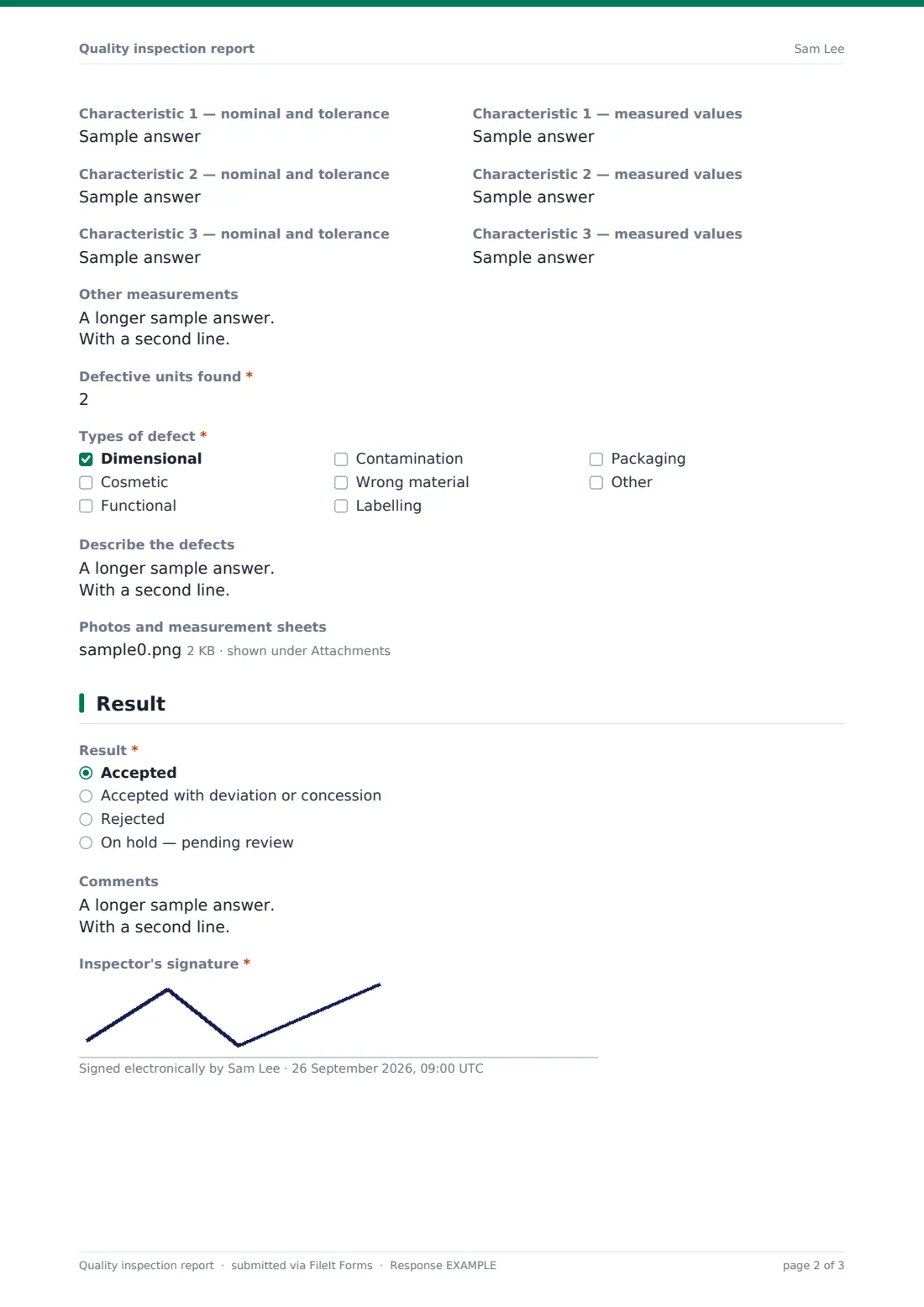
Three pairs of fields record key characteristics — the nominal and tolerance next to the measured values — with a box for any other measurements. The number of defective units found is required; if it's more than zero, the form asks for the types of defect (dimensional, cosmetic, functional, contamination, wrong material, labelling, packaging or other) and a description. Photos and measurement sheets can be uploaded.
3 Result
The inspector chooses a result: accepted, accepted with deviation or concession (which asks for the reference), rejected (which asks for the reason and whether an NCR has been raised, with its number), or on hold (which asks what it's waiting for). Comments and the inspector's signature finish the report.
Make the template yours
- Replace the checklist rows with your product's inspection plan
- Add more characteristic fields for parts with many critical dimensions
- Make a copy of the form for each product family with its own checks
- Add a second signature for quality release if your procedure needs one
- Add your quality manager to the notification emails so rejected batches are seen quickly
- Remove the measurement fields if your inspections are purely visual
Tips for a better quality inspection report form
- Check the drawing or specification revision before you start measuring
- Record actual measured values, not just pass or fail
- Make sure instruments are calibrated and note their IDs
- Photograph defects with a scale or reference in the picture
- Keep rejected or held batches physically separated and labelled
- Raise an NCR for every rejection so the cause gets looked at
Every response becomes a PDF in your vault
Each inspection is saved as a signed PDF in your chosen vault folder, with photos and measurement sheets attached, and the form owner is notified by email.
The Responses table lets you search inspections by product, batch, type or result, and export them to CSV to track reject rates by supplier or product. For rejections, the nonconformance report template takes the problem forward.
- Start from this template. It opens in the FileIt Forms designer — change any question, add pages, set the rules for when questions appear.
- Share it. Turn on a public link, or send it to people by email, each with their own link. They don’t need a FileIt account.
- Get the answers as PDFs. Each response is saved as a PDF in the vault folder you choose, with uploaded files attached — and listed in a Responses table you can export to CSV.
Quality inspection report form: frequently asked questions
Is this quality inspection report template free?
Yes. It's included in the FileIt Forms app on every account, including the free plan.
Does the form work out the sample size from an AQL table?
No. The inspector enters the sample size and the sampling plan or AQL used. Working out sample sizes is up to your inspection procedure.
Can we add our own checks and measurements?
Yes. Edit the checklist rows and add or remove characteristic fields in the designer.
What happens when a batch is rejected?
The form asks for the reason and whether an NCR has been raised, with its number. Use the nonconformance report template for the NCR itself.
Can inspectors attach measurement data?
Yes. Up to eight files — photos, PDFs, spreadsheets or CSV exports from measuring equipment.
Can suppliers or third-party inspectors use it?
Yes. Send them a personal link — they don't need a FileIt account — and their reports are filed in your vault.
Can we use this for first article inspection?
Yes. First article is one of the inspection types. For complex parts, attach your full first article measurement sheet.
Do inspection reports prove compliance with a customer's requirements?
They're a signed, dated record of what was inspected and found. Whether that's enough depends on your customer's specific requirements.