What is the dishwasher sanitizer log form template?
A commercial dishwasher only sanitizes properly when it reaches the right final rinse temperature, or the right sanitizer concentration on chemical machines. Many food safety plans call for a check every shift, written down, and a note of what was done when a reading was wrong.
This template handles both kinds of machine. Staff choose high-temperature or chemical sanitizing, and the form asks only the questions that apply: wash and final rinse temperatures and a test strip result for hot-water machines, or the sanitizer product and its ppm reading for chemical ones. If a reading is out of range, corrective actions, a re-check and a service call reference appear.
Entries are saved as PDFs in your FileIt vault, giving you a dated log of every machine check that a manager can review and an inspector can be shown.
- Best for
- Restaurants, hotels, schools, care homes, bars and contract catering kitchens
- Filled in by
- Kitchen porters, dishwashers and kitchen staff, with optional supervisor initials
- Time to complete
- About 1 minute per check
- Includes
- Separate questions for hot-water and chemical machines, corrective actions and machine condition checks
Who uses a dishwasher sanitizer log form?
- A restaurant checking the dish machine's final rinse temperature at the start of each service
- A bar logging the glasswasher's sanitizer concentration every shift
- A school kitchen keeping records for its food safety inspection
- A hotel banqueting kitchen with several machines on different floors
- A manager following up every failed reading with the chemical supplier
- A care home kitchen standardising checks across day and evening staff
Questions on this dishwasher sanitizer log form
21 questions · includes conditional questions.
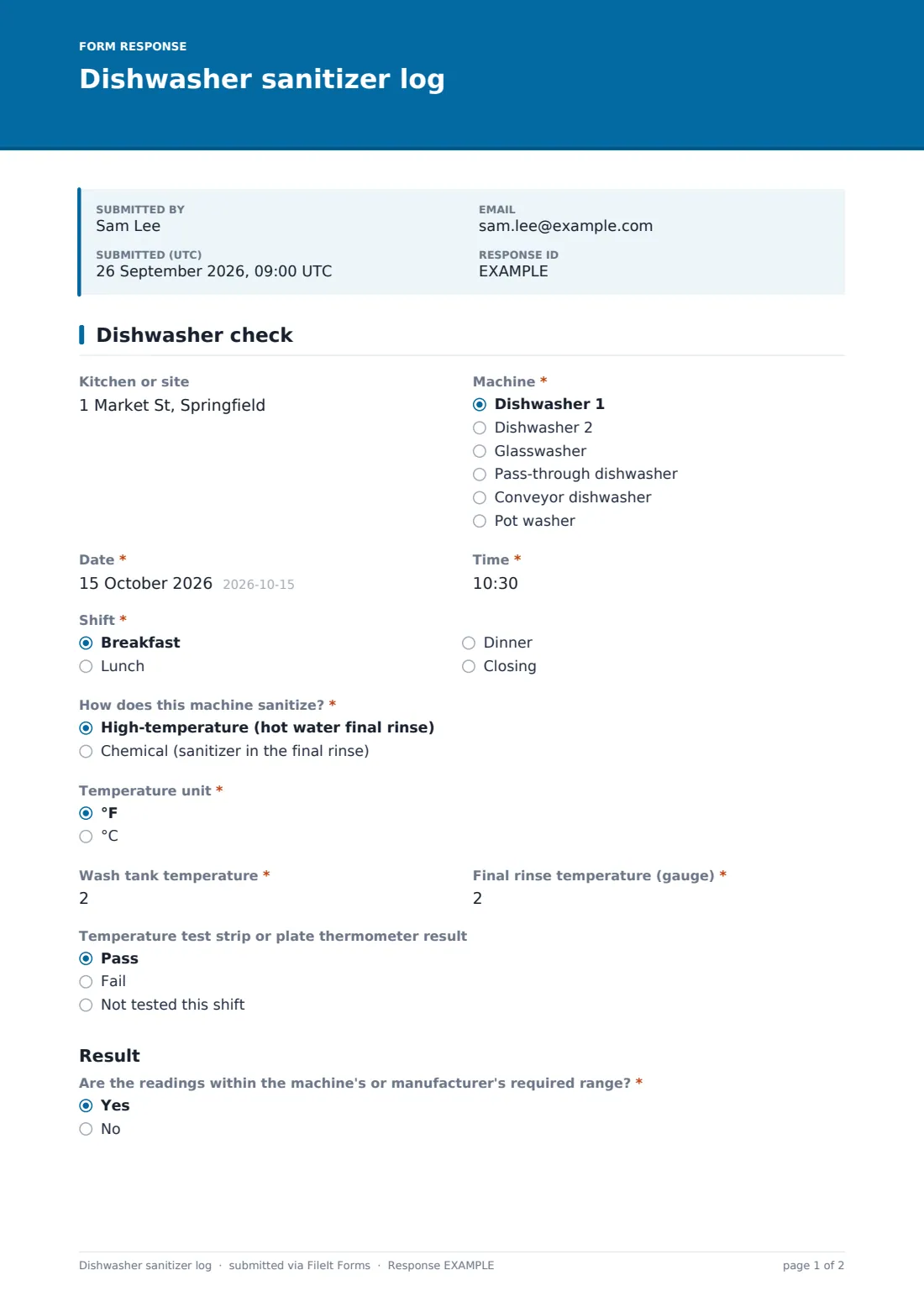
1 Dishwasher check
- Kitchen or site
- Machine* Dishwasher 1 · Dishwasher 2 · Glasswasher · Pass-through dishwasher · Conveyor dishwasher · Pot washer
- Date*
- Time*
- Shift* Breakfast · Lunch · Dinner · Closing
- How does this machine sanitize?* High-temperature (hot water final rinse) · Chemical (sanitizer in the final rinse)
- Temperature unit* °F · °C
- Wash tank temperature* asked only when it applies
- Final rinse temperature (gauge)* asked only when it applies
- Temperature test strip or plate thermometer result asked only when it applies Pass · Fail · Not tested this shift
- Wash tank temperature asked only when it applies
- Sanitizer product* asked only when it applies
- Sanitizer concentration (ppm)* asked only when it applies
- Are the readings within the machine's or manufacturer's required range?* Yes · No
- Corrective action taken* asked only when it applies Stopped using the machine · Re-washed items from this cycle · Drained and refilled the tanks · Replaced or primed the chemical · Adjusted booster heater · Switched to manual three-sink washing · Called the engineer or chemical supplier
- Reading after correction asked only when it applies
- Service call or engineer reference asked only when it applies
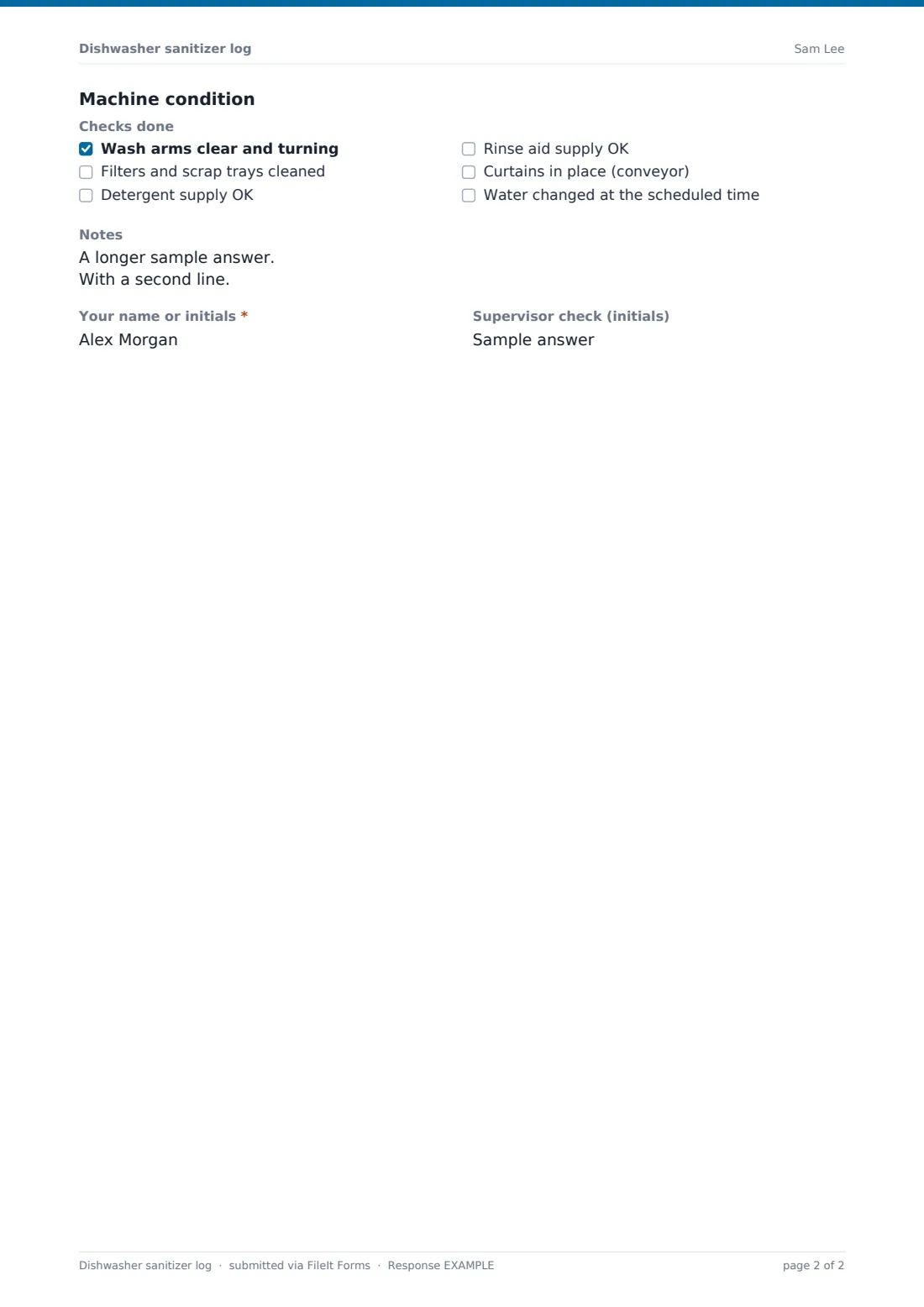
- Checks done Wash arms clear and turning · Filters and scrap trays cleaned · Detergent supply OK · Rinse aid supply OK · Curtains in place (conveyor) · Water changed at the scheduled time
- Notes
- Your name or initials*
- Supervisor check (initials)
The dishwasher sanitizer log form, page by page
1 Dishwasher check
Staff record the site, machine, date, time and shift, then say how the machine sanitizes and which temperature unit they're using. High-temperature machines ask for the wash tank temperature, final rinse temperature and a test strip or plate thermometer result. Chemical machines ask for an optional wash temperature, the sanitizer product and its concentration in ppm from a test strip.
The result section asks whether the readings are within the machine's or manufacturer's required range. If not, staff tick the corrective actions taken, such as stopping the machine, re-washing items, draining and refilling, replacing the chemical, adjusting the booster heater, switching to manual washing or calling the engineer, then record the reading after correction and any service call reference. A final checklist covers wash arms, filters, detergent and rinse aid supply, curtains and water changes, followed by notes, initials and a supervisor check.
Make the template yours
- Rename the machine list to match your kitchen
- Put your machines' required temperatures or ppm range into the help text so staff know the target
- Remove the chemical or hot-water questions if all your machines use one method
- Send failed checks to the kitchen manager by email
- Print a QR code for each machine so staff open the form in one scan
- File entries into a vault folder per site
Tips for a better dishwasher sanitizer log form
- Use the target figures on the machine's data plate or from your chemical supplier, not a general rule of thumb
- Check sanitizer concentration with fresh test strips that match your chemical
- If a reading fails, don't keep washing: fix it or switch to manual washing first
- Clean filters and scrap trays regularly, since blocked filters affect wash results
- Review the log weekly for repeated failures that point to a machine needing service
Every response becomes a PDF in your vault
Each check is saved as a PDF in your FileIt vault, and managers can be emailed as entries come in.
The Responses table becomes your machine log: filter by machine or by failed checks, open any entry, or export to CSV for an audit or inspection.
- Start from this template. It opens in the FileIt Forms designer — change any question, add pages, set the rules for when questions appear.
- Share it. Turn on a public link, or send it to people by email, each with their own link. They don’t need a FileIt account.
- Get the answers as PDFs. Each response is saved as a PDF in the vault folder you choose, with uploaded files attached — and listed in a Responses table you can export to CSV.
Dishwasher sanitizer log form: frequently asked questions
Is this dishwasher sanitizer log free?
Yes. It's one of the ready-made templates in the FileIt Forms app on every account, including the free plan.
Does it work for both hot-water and chemical machines?
Yes. Staff choose how the machine sanitizes and only the relevant questions are shown.
What temperature or ppm should the machine reach?
That depends on the machine, the chemical and your local food code. Use the figures from the manufacturer, chemical supplier or your food safety plan, and add them to the help text.
When do the corrective action questions appear?
When staff answer no to the readings being within the required range.
Do staff need a FileIt account?
No. Anyone with the link or QR code can log a check.
Can I keep separate logs for each machine?
Yes. Each entry records the machine, so you can filter the Responses table by machine, or make a copy of the form per machine.