What is the fitness assessment form template?
A proper baseline is what lets a trainer show a client real progress. This fitness assessment template gives you a consistent record for every new client: a health screen, body measurements, strength, cardio and flexibility tests, a quick movement screen, and goals with a plan.
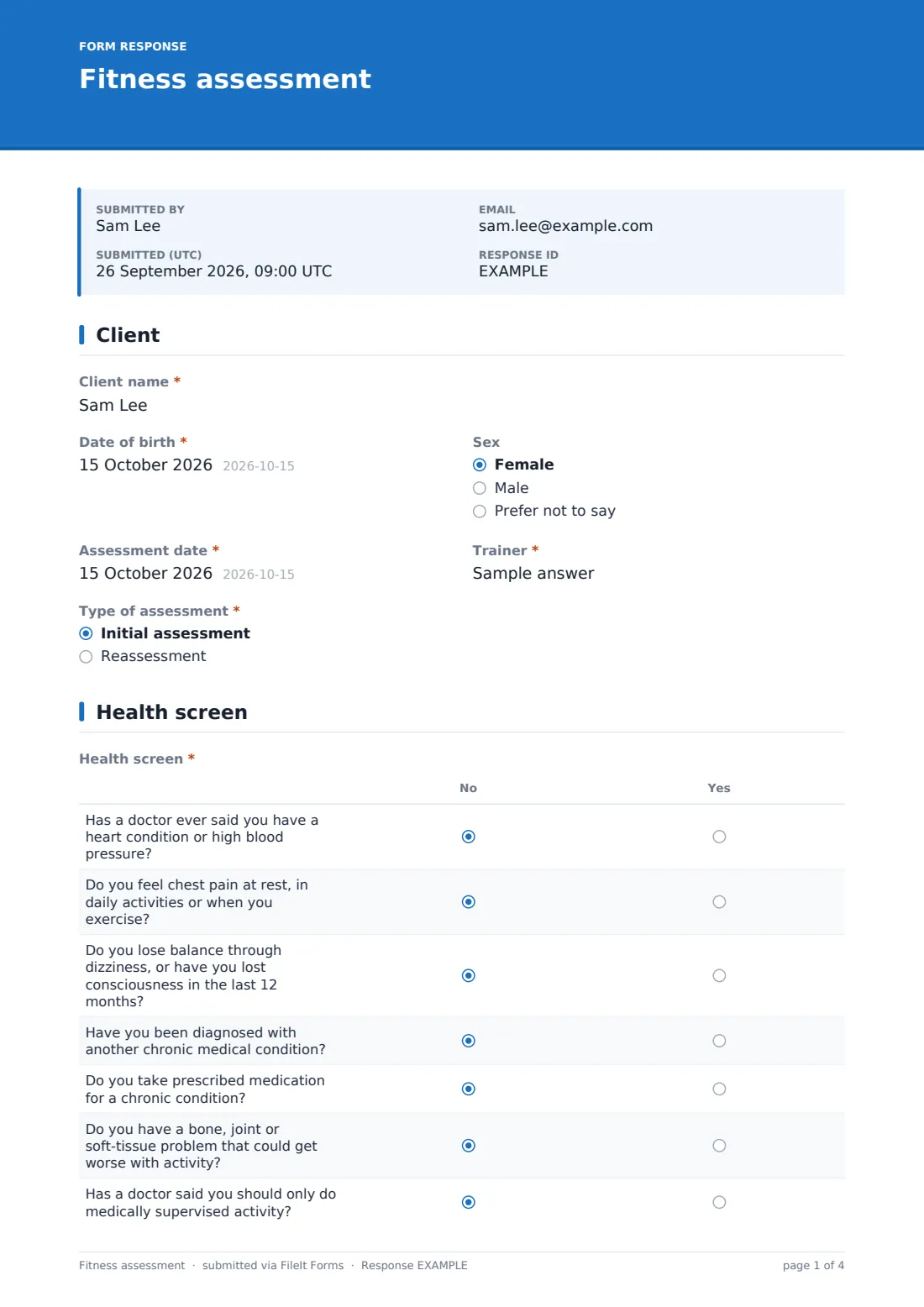
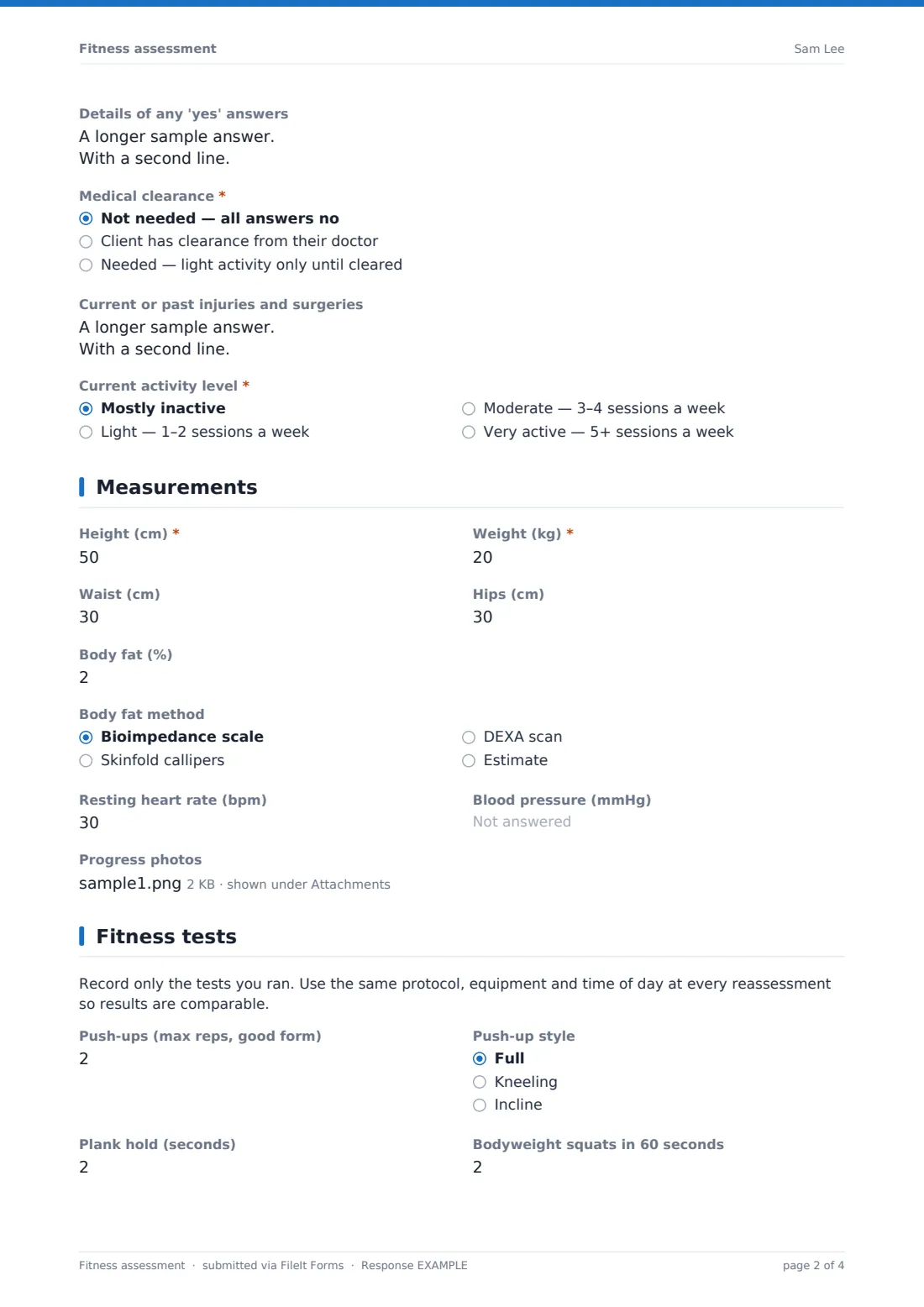
It opens with the client's details and whether this is an initial assessment or a reassessment. The health screen is a seven-question yes/no grid covering heart conditions, chest pain, dizziness, chronic conditions, medication, joint problems and medically supervised activity, followed by the medical clearance status (with an upload for a clearance letter), injuries and current activity level. Measurements cover height, weight, waist, hips, body fat with the method used, resting heart rate, blood pressure and optional progress photos.
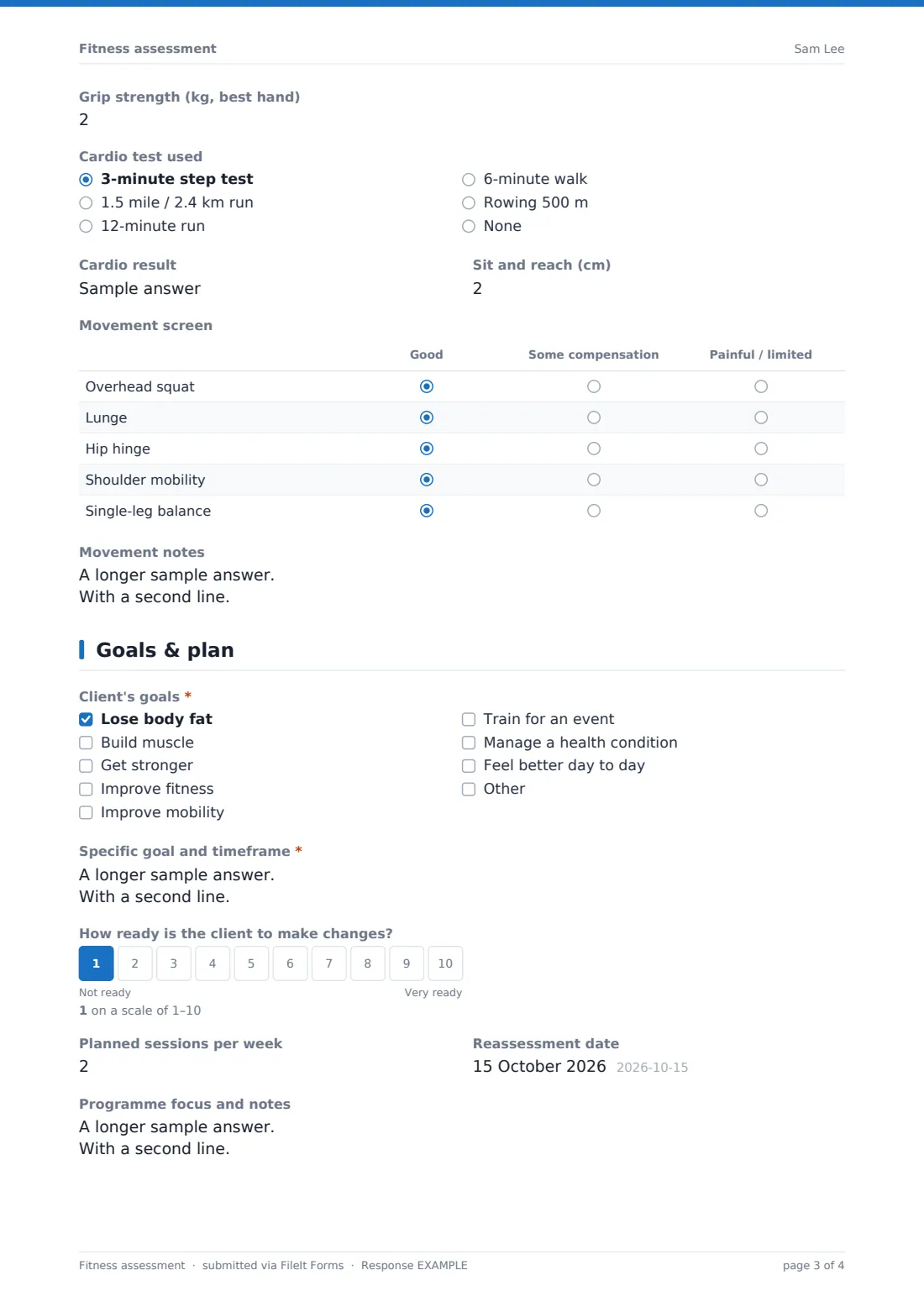
The tests page records push-ups, plank, squats, grip strength, a cardio test and result, sit and reach, and a five-row movement screen. The client's goals, readiness, planned sessions, reassessment date and programme notes close the form, with the client's signed consent. Each assessment is saved as a PDF in your FileIt vault.
- Best for
- Personal trainers, gyms and strength coaches
- Filled in by
- The trainer, with the client present
- Time to complete
- About 10 minutes of form time during a 45–60 minute assessment
- Includes
- A health screen grid, measurement and test fields, a movement screen, signed consent
Who uses a fitness assessment form?
- A personal trainer runs a first assessment with a new client
- A gym records baselines for members joining a 12-week programme
- A coach reassesses a client every 8–12 weeks and compares results
- A trainer screens for medical clearance before starting vigorous testing
- A small-group coach keeps a consistent record for each participant
- A trainer shares progress with a client using the PDFs from each assessment
Questions on this fitness assessment form
40 questions over 5 pages · includes signature, file upload, conditional questions, multiple pages, consent checkbox, ratings.
1 Client
- Client name*
- Date of birth*
- Sex Female · Male · Prefer not to say
- Assessment date*
- Trainer*
- Type of assessment* Initial assessment · Reassessment
- Weeks since last assessment asked only when it applies
2 Health screen
- Health screen* No · Yes
- Details of any 'yes' answers
- Medical clearance* Not needed — all answers no · Client has clearance from their doctor · Needed — light activity only until cleared
- Clearance letter asked only when it applies
- Current or past injuries and surgeries
- Current activity level* Mostly inactive · Light — 1–2 sessions a week · Moderate — 3–4 sessions a week · Very active — 5+ sessions a week
3 Measurements
- Height (cm)*
- Weight (kg)*
- Waist (cm)
- Hips (cm)
- Body fat (%)
- Body fat method asked only when it applies Bioimpedance scale · Skinfold callipers · DEXA scan · Estimate
- Resting heart rate (bpm)
- Blood pressure (mmHg)
- Progress photos
4 Fitness tests
- Push-ups (max reps, good form)
- Push-up style asked only when it applies Full · Kneeling · Incline
- Plank hold (seconds)
- Bodyweight squats in 60 seconds
- Grip strength (kg, best hand)
- Cardio test used 3-minute step test · 1.5 mile / 2.4 km run · 12-minute run · 6-minute walk · Rowing 500 m · None
- Cardio result asked only when it applies
- Sit and reach (cm)
- Movement screen Good · Some compensation · Painful / limited
- Movement notes
5 Goals & plan
- Client's goals* Lose body fat · Build muscle · Get stronger · Improve fitness · Improve mobility · Train for an event · Manage a health condition · Feel better day to day
- Specific goal and timeframe*
- How ready is the client to make changes?
- Planned sessions per week
- Reassessment date
- Programme focus and notes
- Client consent*
- Client signature*
The fitness assessment form, page by page
1 Client
Client name, date of birth, optional sex (for test norms), assessment date, trainer, and whether it's an initial assessment or a reassessment — a reassessment asks how many weeks since the last one.
2 Health screen
A required seven-row yes/no grid, with help text reminding the trainer to get medical clearance before vigorous testing if anything is yes. Space for details, a required medical clearance status (a clearance letter can be uploaded), injuries and surgeries, and a required current activity level.
3 Measurements
Required height (cm) and weight (kg), plus optional waist, hips, body fat (which asks for the method used), resting heart rate, blood pressure in 122/78 format and up to four progress photos, taken only with the client's agreement.
4 Fitness tests
A note asks you to record only the tests you ran and repeat the same protocol at reassessment. Fields cover push-ups (with style), plank, 60-second squats, grip strength, a cardio test choice with its result, and sit and reach, then a movement screen grid for overhead squat, lunge, hip hinge, shoulder mobility and single-leg balance, and movement notes.
5 Goals & plan
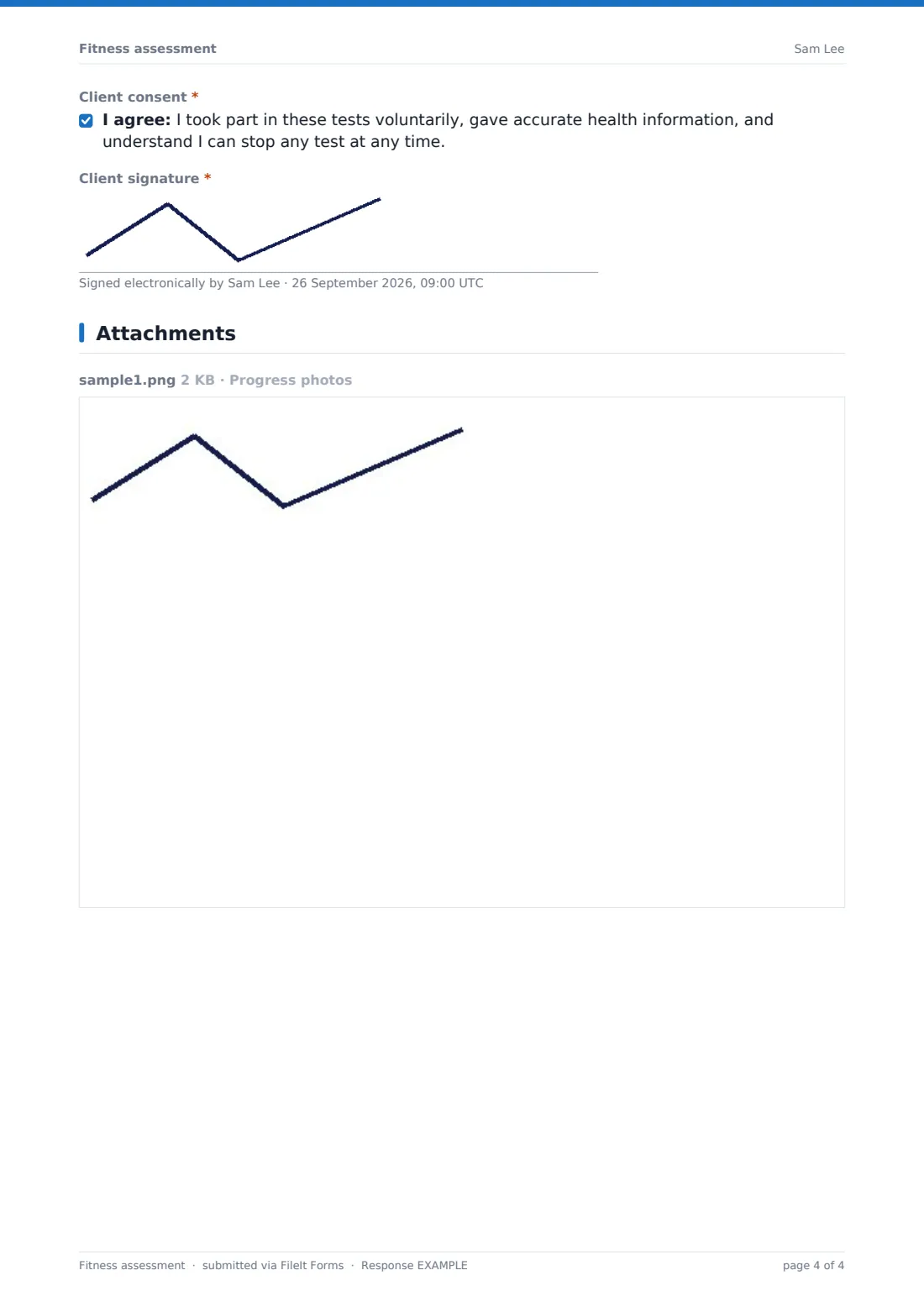
A required goals checklist and a specific goal with a timeframe, a 1–10 readiness scale, planned sessions per week, a reassessment date and programme notes, then the client's consent and signature.
Make the template yours
- Switch the units to inches and pounds in the labels if that's what you use
- Replace the tests with your own battery — for example a 1RM, a vertical jump or a beep test
- Edit the health screen wording to match the screening questionnaire you already use
- Remove the progress photos question if you don't take photos
- Add a nutrition or lifestyle section for a combined coaching intake
- File assessments in a vault folder per client so each reassessment sits next to the last
Tips for a better fitness assessment form
- Do the health screen before any test, and don't run vigorous tests until clearance is sorted
- Measure at the same time of day, in similar clothing, with the same equipment each time
- Record only the tests you actually ran — empty is better than a guess
- Book the reassessment date before the client leaves the first session
- Share the PDF with the client; seeing their own numbers is a strong motivator
Every response becomes a PDF in your vault
Each assessment is saved as a PDF in the vault folder you choose. Filing initial assessments and reassessments for a client together makes it easy to compare them side by side.
The Responses table lists every assessment, so you can check who's due a reassessment and whose clearance is still outstanding.
- Start from this template. It opens in the FileIt Forms designer — change any question, add pages, set the rules for when questions appear.
- Share it. Turn on a public link, or send it to people by email, each with their own link. They don’t need a FileIt account.
- Get the answers as PDFs. Each response is saved as a PDF in the vault folder you choose, with uploaded files attached — and listed in a Responses table you can export to CSV.
Fitness assessment form: frequently asked questions
Is this fitness assessment template free?
Yes, it's included in the Forms app on every FileIt account, including the free plan, and every question can be edited.
Who fills in this form — the trainer or the client?
The trainer, during the assessment with the client present. The client signs the consent at the end.
Is the health screen a medical assessment?
No. It's a screening questionnaire to spot when a client should get medical clearance before vigorous exercise. It doesn't diagnose anything.
Can I use imperial units?
Yes. Edit the labels and the minimum and maximum values on the measurement questions.
Can I use the same form for reassessments?
Yes. Choose 'Reassessment' at the start and it asks how many weeks it's been since the last one.
Can clients upload a doctor's clearance letter?
Yes. Choosing 'Client has clearance from their doctor' reveals an upload for the letter.