What is the weekly fitness check-in form template?
Personal trainers and online coaches live or die by consistent client accountability, and that's hard to keep up over text messages that get buried in a chat history. This weekly fitness check-in template gives clients a short, repeatable form to fill in at the end of each week — workouts done, energy and sleep, any pain, and what actually happened, good or bad.
A form works better than a running chat thread because every week's answers follow the same structure, so a coach can quickly compare this week to last rather than scrolling back through messages. The single page keeps it fast to complete, while conditional logic only asks what got in the way if a client fell short of their planned sessions, and only asks what would help next week if their energy score was low.
Every check-in becomes its own dated PDF in the client's FileIt vault folder, building a simple week-by-week record of progress that both coach and client can look back over — far easier to review than reconstructing history from old messages.
- Best for
- Personal trainers and online coaches with ongoing clients
- Filled in by
- The coaching client, once a week
- Time to complete
- About 4–5 minutes
- Includes
- Progress photo upload, conditional follow-ups on low energy or missed sessions
Who uses a weekly fitness check-in form?
- An online coach asks every client to check in each Sunday before planning the coming week
- A personal trainer tracks a client's energy and sleep alongside their workout completion
- A nutrition-focused coach uses the optional weight and steps fields alongside training data
- A rehab-focused trainer watches the pain question closely after a client returns from injury
- A coach spots a pattern of low energy scores and reaches out before a client burns out
- A client shares progress photos privately with their coach without a separate messaging app
Questions on this weekly fitness check-in form
20 questions · includes file upload, conditional questions, ratings.
1 Your week
- Name*
- Email*
- Week ending*
- Workouts completed*
- Workouts planned
- Did anything get in the way? asked only when it applies Time / work · Too tired · Illness · Injury / pain · Motivation · Travel
- Energy*
- Sleep quality*
- Stress
- How well did you stick to your nutrition plan?
- Any new pain or injury?*
- Where, and how bad?* asked only when it applies
- Weight (kg)
- Average daily steps
- Wins this week*
- What was hard?
- What would help you feel better next week? asked only when it applies
- One focus for next week
- Progress photos
- Would you like a call with your coach this week?
The weekly fitness check-in form, page by page
1 Your week
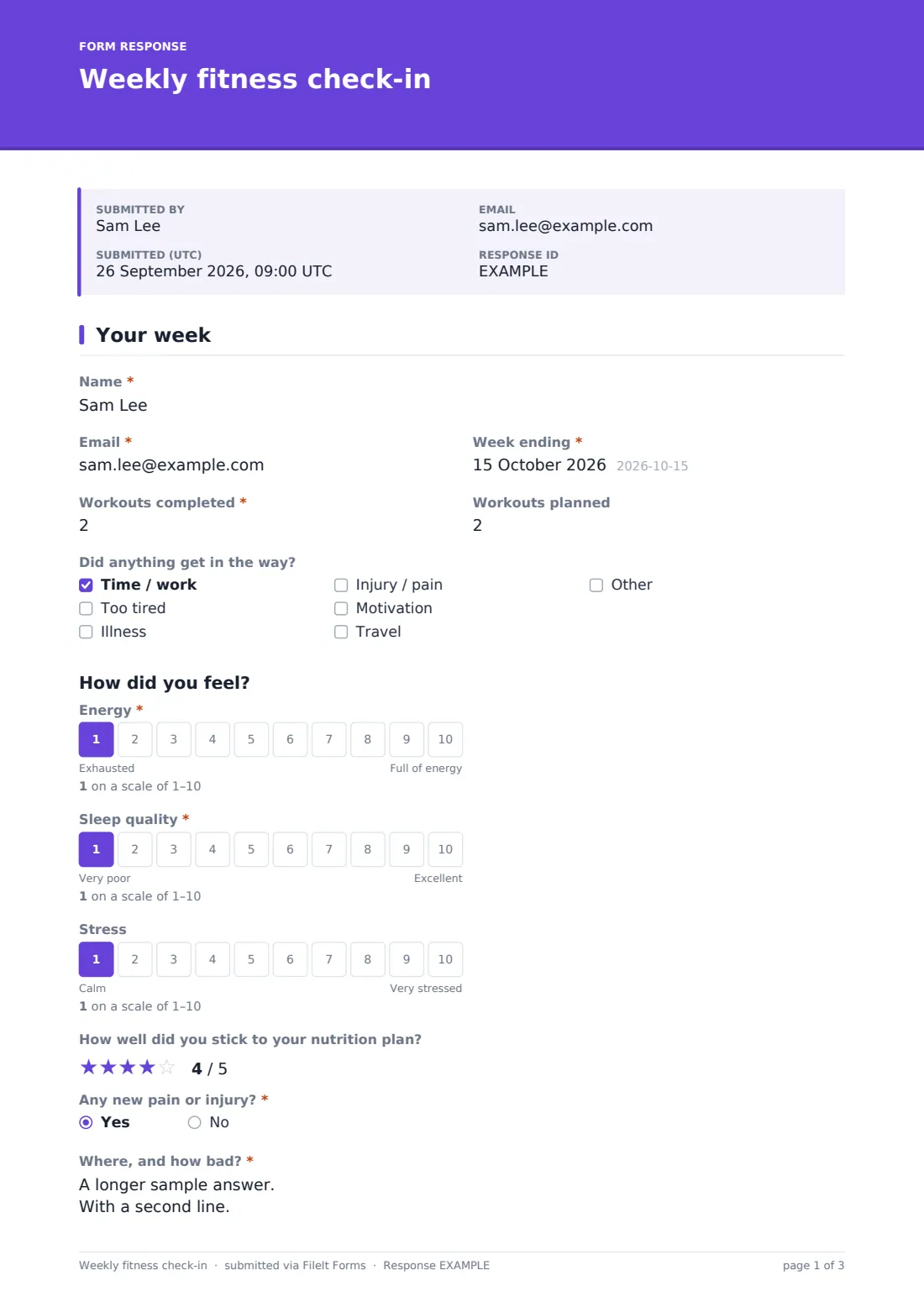
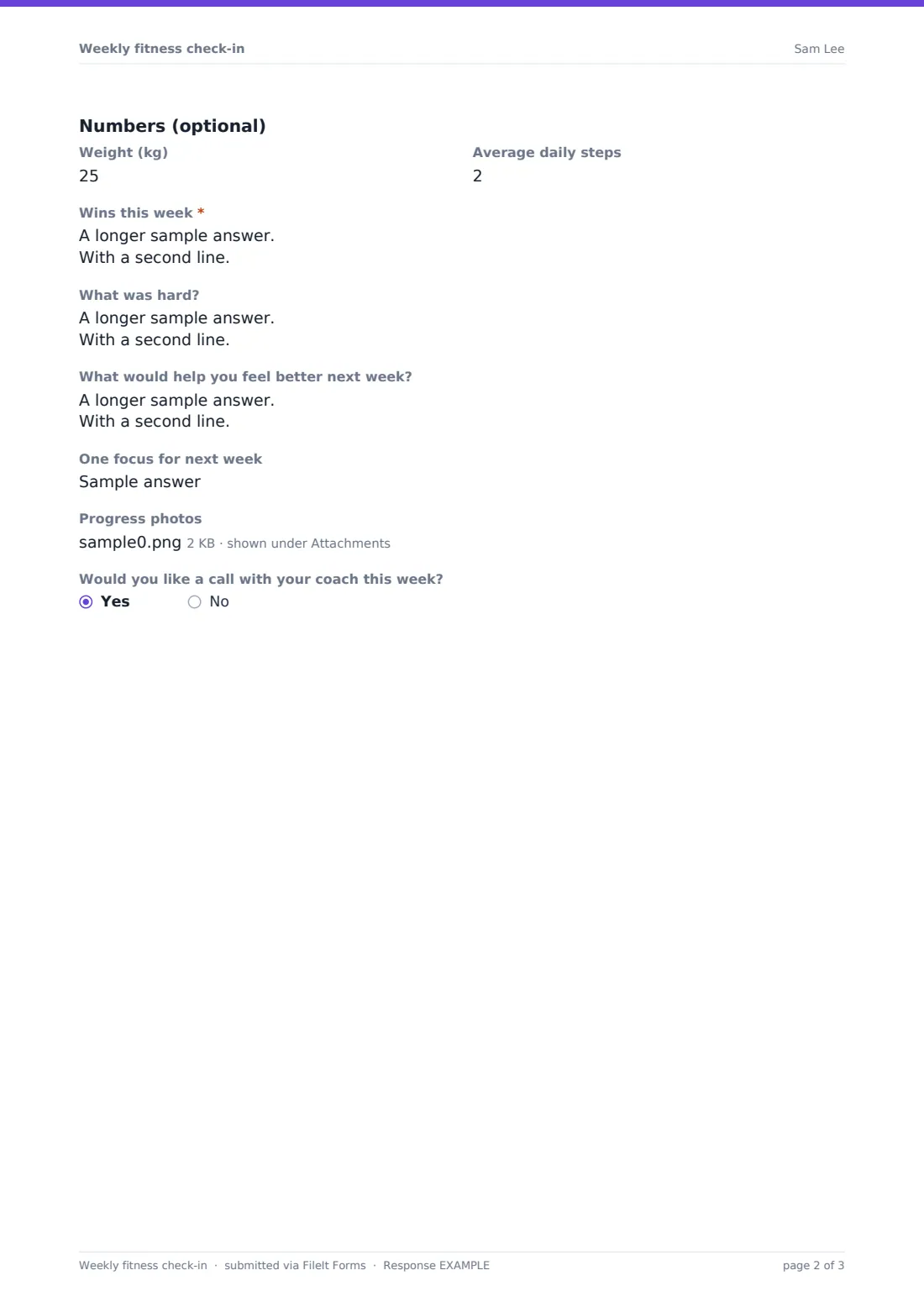
Everything lives on one page so a client can move through it quickly. It opens with Name, Email and Week ending, followed by Workouts completed against Workouts planned; falling short of three sessions reveals a checklist asking what got in the way (time, tiredness, illness, injury, motivation or travel). A How did you feel section covers Energy, Sleep quality and Stress on 1–10 scales, plus a 1–5 Nutrition rating, and Any new pain or injury, which if answered yes requires a note on where and how bad. Optional Numbers fields for Weight and Average daily steps suit clients tracking those metrics, while Wins this week is required — deliberately, since even a rough week usually has something worth naming — alongside an optional Struggles box. A low Energy score reveals a question asking what would help next week, and the check-in ends with One focus for next week, optional Progress photos, and a yes/no on wanting a call with the coach that week.
Make the template yours
- Add a question specific to your programme, such as adherence to a specific protocol or supplement
- Turn off progress photos entirely if your coaching style doesn't use them
- Adjust the missed-session reasons checklist to match patterns you commonly see with your clients
- Set the vault folder per client so each person's weekly check-ins build into their own running history
- Add a short heading reminding clients this takes under five minutes, to encourage consistent completion
- Consider a reminder email each week if your workflow benefits from a nudge rather than relying on habit
Tips for a better weekly fitness check-in form
- Read check-ins the same day they arrive so feedback stays timely and the habit sticks for the client
- Respond to honesty, especially a tough week, rather than only celebrating good weeks — that's what keeps clients checking in truthfully
- Look at trends across several weeks' energy and sleep scores rather than reacting to any single number
- Keep the form itself short; a check-in that takes fifteen minutes to fill in won't get completed consistently
- Treat this as a coaching accountability tool, not a medical record — anything concerning about pain or health should prompt a direct conversation, not just a form answer
Every response becomes a PDF in your vault
The moment a client submits their weekly check-in, FileIt saves it as a PDF — including any progress photos — in the vault folder for that client, and you get an email notification so you can read it without needing to check a chat app.
Coaches typically review new check-ins in the Responses table before writing their weekly programming or reply, and can look back through a client's history of PDFs to see how energy, sleep or workout completion has trended over recent weeks — a much clearer picture than reconstructing it from memory or old messages.
- Start from this template. It opens in the FileIt Forms designer — change any question, add pages, set the rules for when questions appear.
- Share it. Turn on a public link, or send it to people by email, each with their own link. They don’t need a FileIt account.
- Get the answers as PDFs. Each response is saved as a PDF in the vault folder you choose, with uploaded files attached — and listed in a Responses table you can export to CSV.
Weekly fitness check-in form: frequently asked questions
Is this weekly fitness check-in form template free?
Yes, it's included in the Forms app on every FileIt account, including the free plan, and every question can be edited.
Do coaching clients need a FileIt account to check in?
No. Send the form link once and clients can bookmark it, filling it in and submitting each week with no account required.
How do we get each week's check-in as a PDF?
Every submission is automatically saved as a PDF, including any uploaded photos, in the vault folder you set up for that client.
Can a client submit this form every week without it being blocked?
Yes — the form allows multiple responses, so the same client can submit a fresh check-in each week indefinitely.
What happens if a client reports new pain or an injury?
The form requires them to describe where and how bad it is, giving the coach the detail needed to adjust the week's plan or suggest medical advice.
Can we track weight and steps as well as workouts?
Yes, there are optional fields for weight and average daily steps for clients who want to track those numbers alongside training.
Is this suitable for group coaching as well as one-on-one clients?
Yes — each client submits their own check-in, so it works whether you coach individually or run a group programme.