What is the coworking membership application form template?
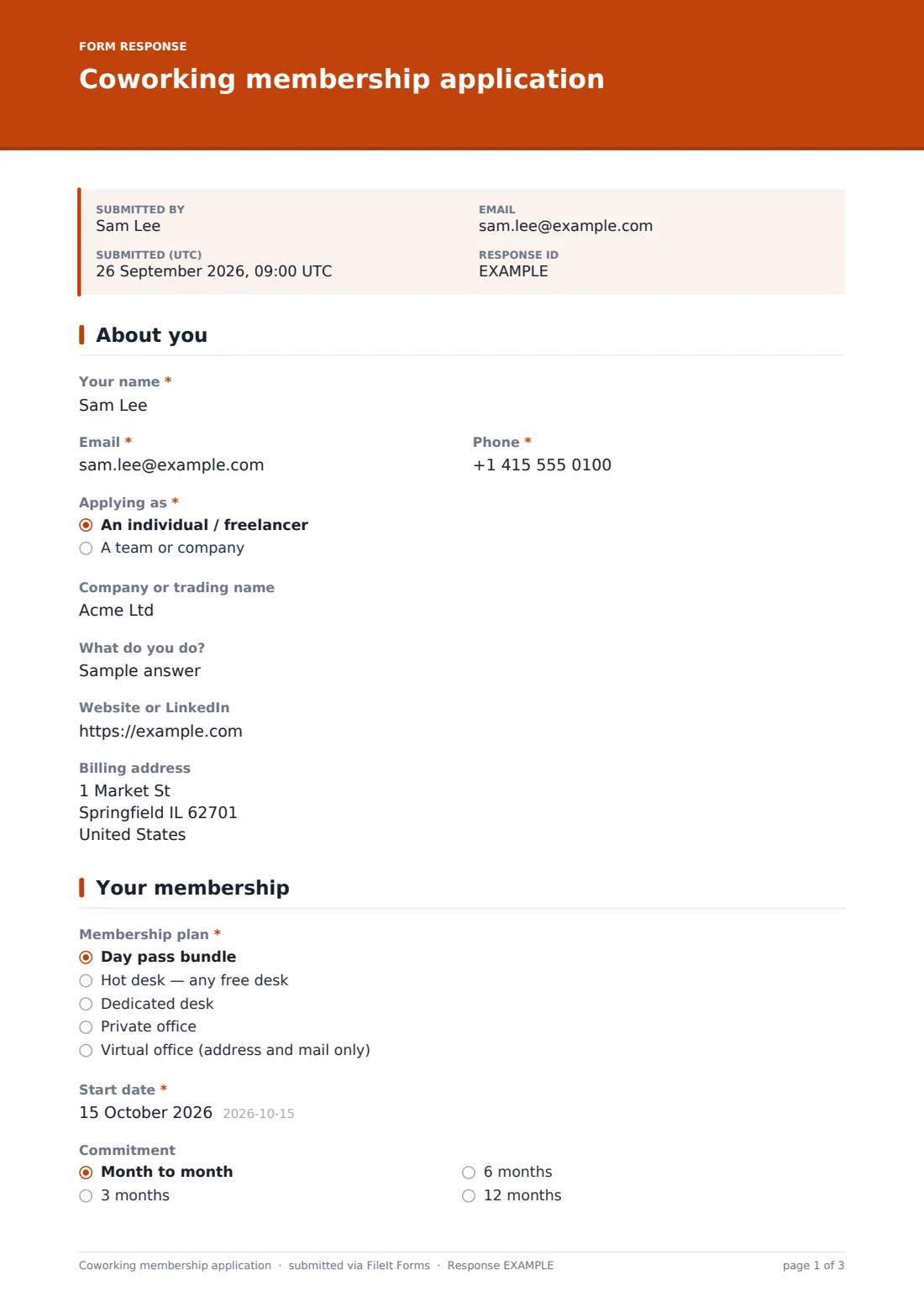
Coworking spaces sign up members in lots of different shapes: a freelancer wanting a hot desk three days a week, a start-up needing a six-person office, someone who only wants a business address. This template handles all of them. Applicants say whether they're an individual or a team (teams give a headcount), describe what they do, and choose a plan.
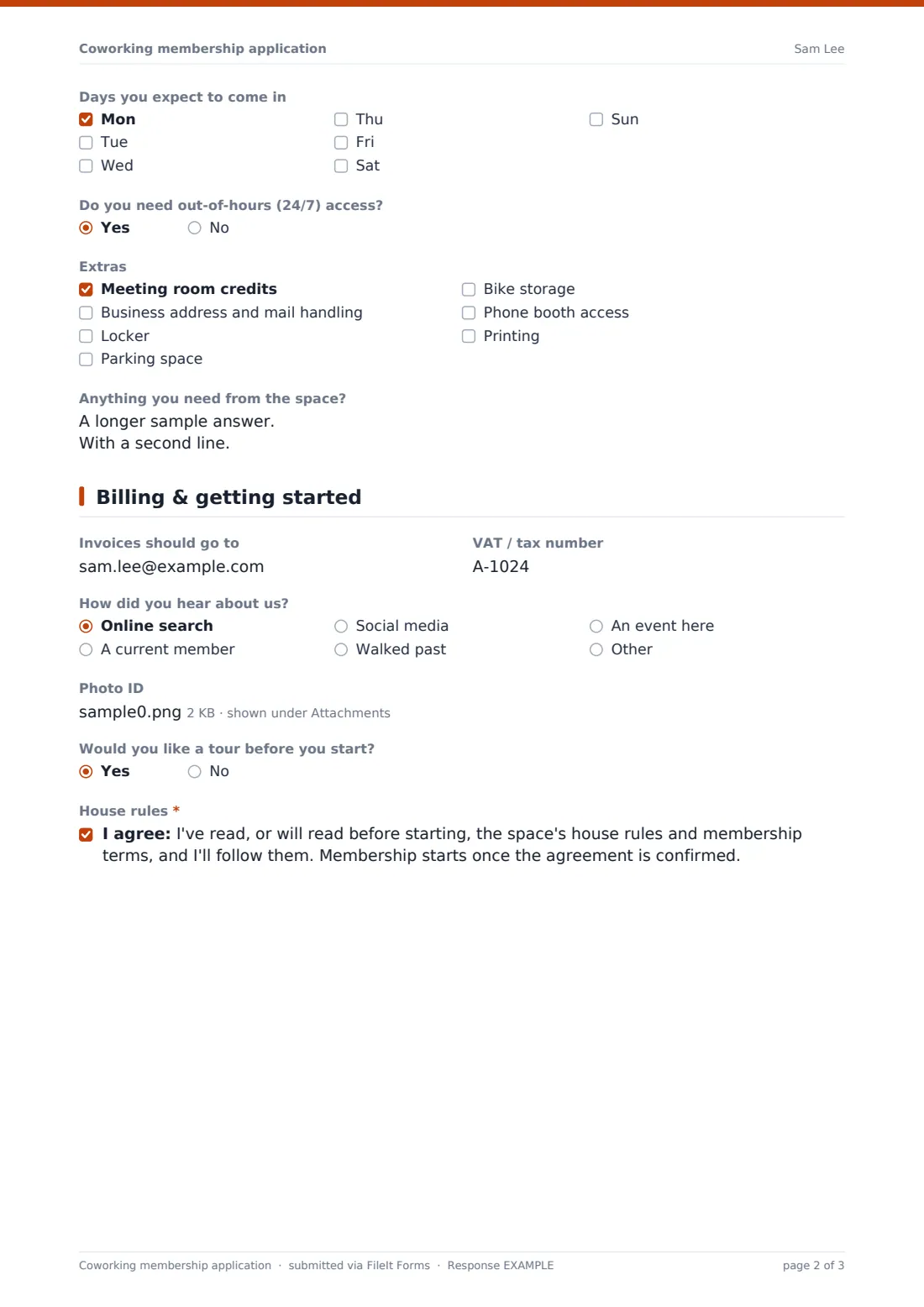
The membership page covers the start date, commitment length, the days they expect to come in, 24/7 access and extras such as meeting room credits, mail handling, lockers and parking. Anyone choosing mail handling is asked whether they'll register the address as their business address. The last page collects billing details, an optional ID upload, whether they'd like a tour first, and agreement to the space's house rules.
Every application is saved in FileIt as a PDF, ready for the community team to confirm availability and send the membership agreement.
- Best for
- Coworking spaces, business centres and flexible office operators
- Filled in by
- The freelancer, or the person applying for a team
- Time to complete
- About 4 minutes
- Includes
- Plan choice, team size, access days, extras, billing details, ID upload, house rules
Who uses a coworking membership application form?
- An independent coworking space taking membership applications from its website
- A business centre signing up virtual office clients who need mail handling
- A flexible office operator qualifying enquiries for private offices
- A library or community hub running a small desk-share scheme
- A coworking space that needs ID for building access or business address services
- An operator collecting team sizes before offering an office
Questions on this coworking membership application form
24 questions over 3 pages · includes file upload, conditional questions, multiple pages, consent checkbox.
1 About you
- Your name*
- Email*
- Phone*
- Applying as* An individual / freelancer · A team or company
- Company or trading name
- How many people need access?* asked only when it applies
- What do you do?
- Website or LinkedIn
- Billing address
2 Your membership
- Membership plan* Day pass bundle · Hot desk — any free desk · Dedicated desk · Private office · Virtual office (address and mail only)
- Office for how many people? asked only when it applies
- Start date*
- Commitment Month to month · 3 months · 6 months · 12 months
- Days you expect to come in Mon · Tue · Wed · Thu · Fri · Sat · Sun
- Do you need out-of-hours (24/7) access?
- Extras Meeting room credits · Business address and mail handling · Locker · Parking space · Bike storage · Phone booth access · Printing
- Will you register this address as your business address? asked only when it applies
- Anything you need from the space?
3 Billing & getting started
- Invoices should go to
- VAT / tax number
- How did you hear about us? Online search · A current member · Social media · Walked past · An event here · Other
- Photo ID
- Would you like a tour before you start?
- House rules*
The coworking membership application form, page by page
1 About you
Name, email and phone, Applying as an individual or a team — teams say how many people need access — company or trading name, what they do, website or LinkedIn, and billing address.
2 Your membership
Membership plan — day pass bundle, hot desk, dedicated desk, private office (which asks for the number of people) or virtual office. Then Start date, Commitment, the days they expect to come in, out-of-hours access, Extras, and anything they need from the space. Choosing mail handling asks whether they'll register the address as their business address.
3 Billing & getting started
Where invoices should go, a VAT or tax number, how they heard about the space, an optional photo ID upload, whether they'd like a tour, and agreement to the house rules and membership terms.
Make the template yours
- Rename the plans to match your own membership names and add prices in the option labels or a paragraph
- Change the extras to what your space actually offers
- Make photo ID required if your building access or mail service needs it
- Link to your house rules in the consent statement
- Send new applications to your community manager's email as well as your own
- File applications by plan type so private office enquiries get picked up first
Tips for a better coworking membership application form
- Confirm availability quickly — people looking for workspace often apply to several places
- Offer the tour even if they don't ask; it's the best way to show the space
- Check business address rules where you operate before offering mail handling
- Match expected days against busy days to avoid overselling hot desks
- Send the membership agreement for signature separately and keep it with the application
Every response becomes a PDF in your vault
When an application arrives, FileIt saves a PDF — applicant, plan, dates, extras, billing and any ID — in the folder you've chosen and emails you. The applicant can receive their own copy.
Your team then confirms availability, arranges a tour if requested and sends the membership agreement. FileIt doesn't take payments or issue access cards, so those steps stay in your own systems.
- Start from this template. It opens in the FileIt Forms designer — change any question, add pages, set the rules for when questions appear.
- Share it. Turn on a public link, or send it to people by email, each with their own link. They don’t need a FileIt account.
- Get the answers as PDFs. Each response is saved as a PDF in the vault folder you choose, with uploaded files attached — and listed in a Responses table you can export to CSV.
Coworking membership application form: frequently asked questions
Is this coworking application form free?
Yes. It's a starter template in FileIt's Forms app on every plan, and every question can be edited.
Can teams apply on one form?
Yes. Choosing A team or company asks how many people need access; you can collect individual names afterwards.
Does the form take payment?
No. FileIt Forms collects the application; billing is handled separately.
Can I list my prices on the form?
Yes — add them to the plan option labels or in a paragraph on the membership page.
Do applicants need an account?
No. They apply from a public link, for example on your website.
Does submitting the form start the membership?
No. The house rules confirmation says membership starts once the agreement is confirmed.