What is the building amenity booking form template?
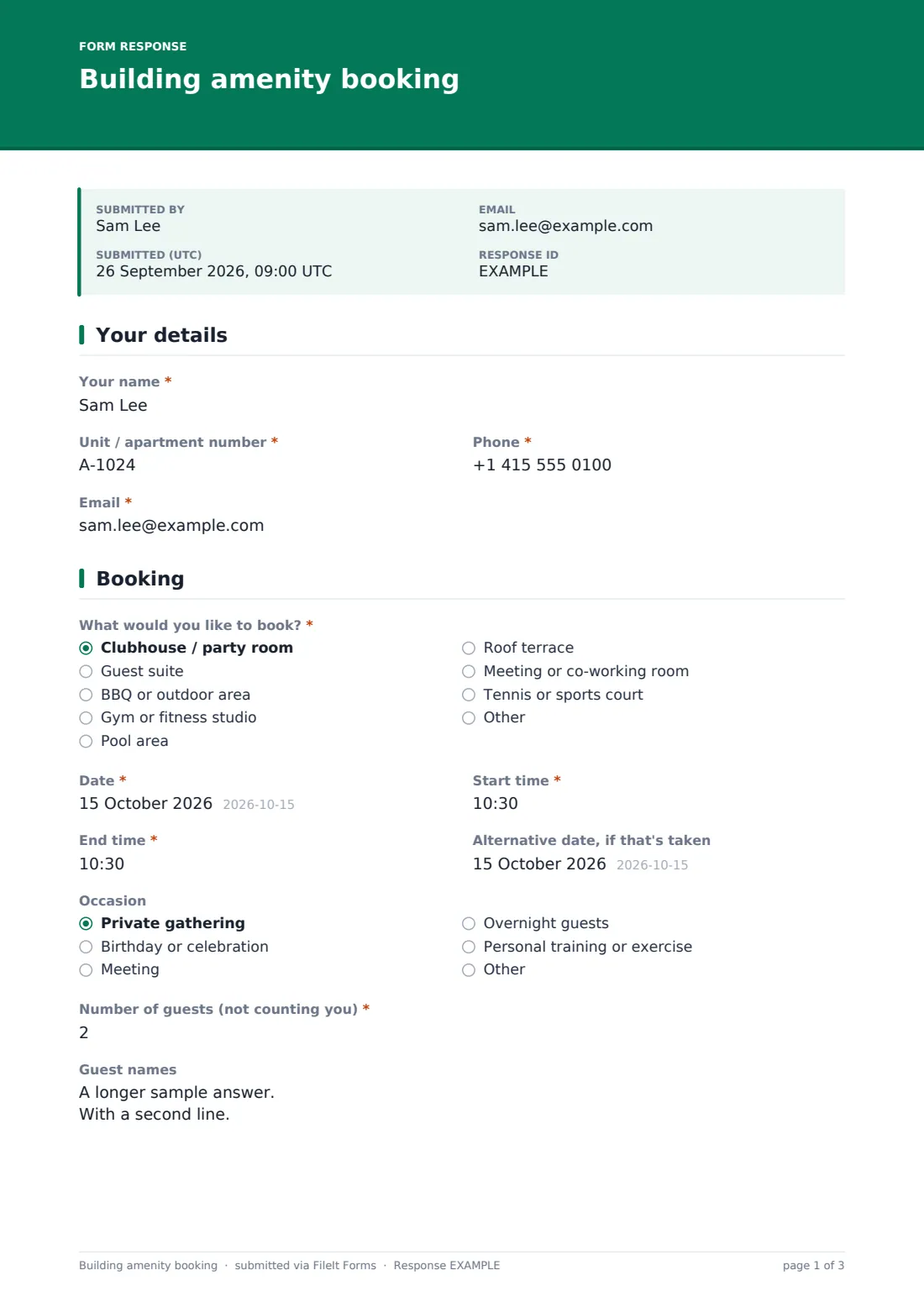
Shared amenities work best when everyone books them the same way. This template gives residents one form for the clubhouse, guest suite, BBQ area, gym, pool, roof terrace, meeting room or sports court, with a date, start and end time, and an alternative date in case the first is taken. Guest suite bookings also ask for a check-out date.
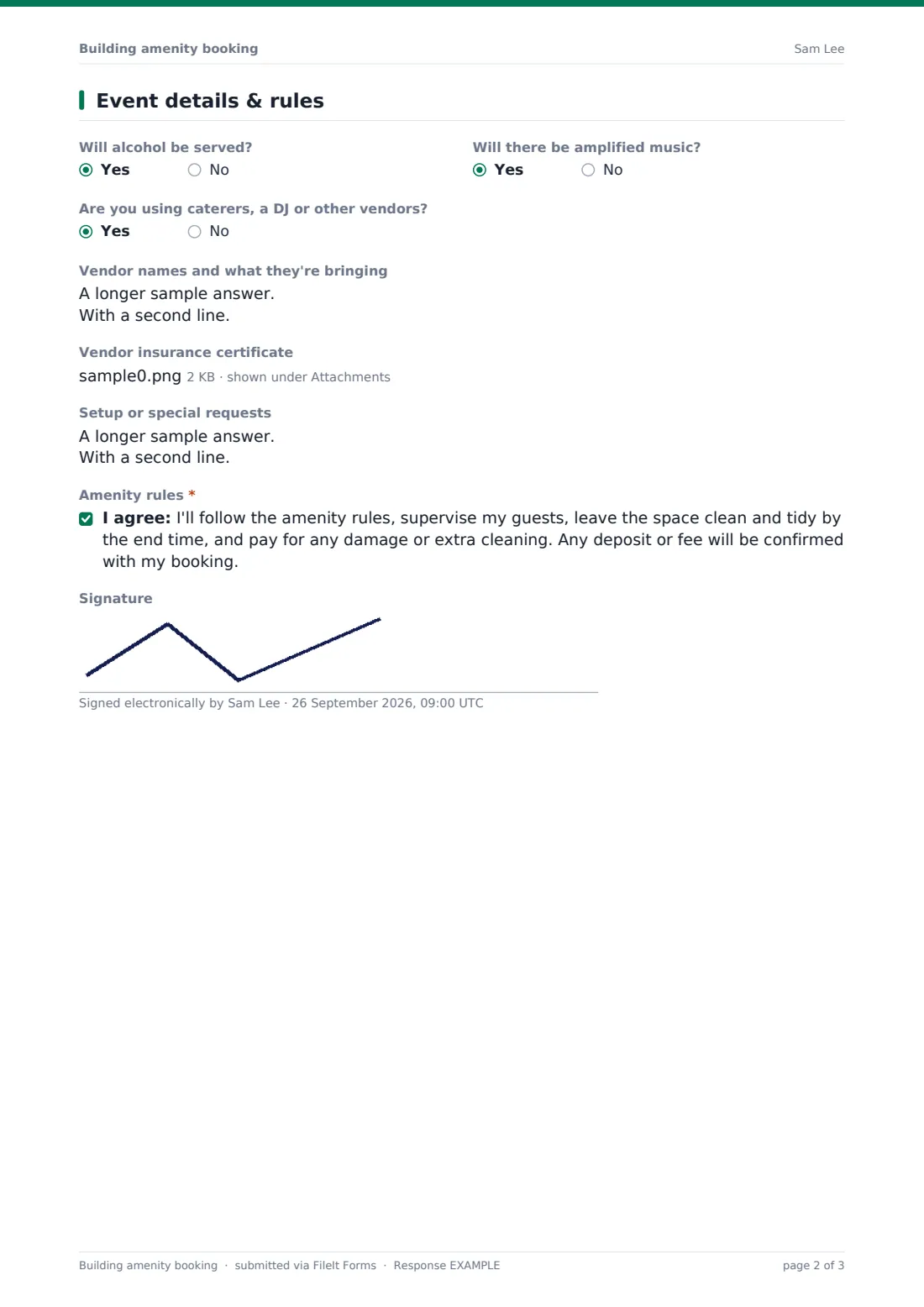
Residents say what the occasion is, how many guests they're bringing and, where the building needs it, guest names for the front desk. The last page flags the things management usually needs to know — alcohol, amplified music, caterers or DJs — and asks vendors' details and insurance certificates when they're involved. The resident agrees to supervise guests, leave the space clean and pay for damage or extra cleaning.
Each request is saved to FileIt as a PDF so the building office has a record of who booked what, and what they agreed to.
- Best for
- Condo and apartment buildings, HOAs, student housing and managed communities
- Filled in by
- The resident making the booking
- Time to complete
- About 3 minutes
- Includes
- Amenity choice, date and times, guest count and names, vendor details and insurance, rules and signature
Who uses a building amenity booking form?
- A condo concierge taking party room bookings from residents
- An HOA managing clubhouse and pool reservations
- A build-to-rent building letting residents book the guest suite
- Student housing managing study room and BBQ bookings
- A property manager collecting vendor insurance before events in common areas
- A community association recording who used a shared space and when
Questions on this building amenity booking form
22 questions over 3 pages · includes signature, file upload, conditional questions, multiple pages, consent checkbox.
1 Your details
- Your name*
- Unit / apartment number*
- Phone*
- Email*
2 Booking
- What would you like to book?* Clubhouse / party room · Guest suite · BBQ or outdoor area · Gym or fitness studio · Pool area · Roof terrace · Meeting or co-working room · Tennis or sports court · Other
- Which amenity?* asked only when it applies
- Date*
- Check-out date* asked only when it applies
- Start time*
- End time*
- Alternative date, if that's taken
- Occasion Private gathering · Birthday or celebration · Meeting · Overnight guests · Personal training or exercise · Other
- Number of guests (not counting you)*
- Guest names
3 Event details & rules
- Will alcohol be served?
- Will there be amplified music?
- Are you using caterers, a DJ or other vendors?
- Vendor names and what they're bringing asked only when it applies
- Vendor insurance certificate asked only when it applies
- Setup or special requests
- Amenity rules*
- Signature
The building amenity booking form, page by page
1 Your details
Name, unit number, phone and email.
2 Booking
What would you like to book? (Other asks which amenity), the Date, and a Check-out date for the guest suite. Then Start time, End time, an alternative date, the Occasion, the Number of guests and optional guest names.
3 Event details & rules
Whether alcohol will be served or amplified music played, and whether caterers, a DJ or other vendors are coming — a yes asks for their details and an insurance certificate. Setup or special requests, agreement to the amenity rules, and an optional signature.
Make the template yours
- Replace the amenity list with the spaces in your building, and remove any you don't have
- Put opening hours, fees and deposits in a paragraph on the booking page
- Make guest names required if your front desk needs them
- Make vendor insurance required if your building's policy asks for it
- Add a link to the full amenity rules in the consent statement
- Change the guest suite's check-in and check-out help text to your building's standard times
Tips for a better building amenity booking form
- Confirm or decline every request promptly so residents can plan
- Keep an eye on the alternative date — it saves a round of emails when the first choice is taken
- Check vendor insurance before the day, not at the door
- Inspect the space after bookings with larger guest counts so any damage is recorded fairly
- Use the saved requests to see which amenities are in demand
Every response becomes a PDF in your vault
When the resident submits, FileIt saves a PDF of the booking request — amenity, date and times, guests, vendors, uploads and the rules agreement — in your chosen folder and emails you. The resident can get a copy.
Management then checks the calendar and confirms. FileIt doesn't keep a booking calendar or block double bookings, so confirm availability in your own calendar before replying.
- Start from this template. It opens in the FileIt Forms designer — change any question, add pages, set the rules for when questions appear.
- Share it. Turn on a public link, or send it to people by email, each with their own link. They don’t need a FileIt account.
- Get the answers as PDFs. Each response is saved as a PDF in the vault folder you choose, with uploaded files attached — and listed in a Responses table you can export to CSV.
Building amenity booking form: frequently asked questions
Is this amenity booking form free?
Yes. It's a starter template in FileIt's Forms app on every plan, and every question can be edited.
Does it stop two residents booking the same slot?
No. It collects booking requests; management checks availability and confirms each one.
Can I take a deposit through the form?
No. The rules statement says any deposit or fee is confirmed with the booking — collect it the way you normally do.
Can residents list their guests?
Yes. There's an optional guest names field you can make required.
Can vendors' insurance be uploaded?
Yes. When a resident says vendors are coming, the form asks for their details and an insurance certificate upload.
Do residents need an account?
No. Share the public link, for example in the residents' newsletter or lobby.