What is the corporate wellness challenge sign-up form template?
Workplace wellness challenges work best when signing up is easy and people feel in control of what's shared. This template collects the essentials for a steps, activity or wellbeing challenge: who's taking part, which challenges they want, their team, their goal and how they'll track it — and how they'd like to appear on the leaderboard.
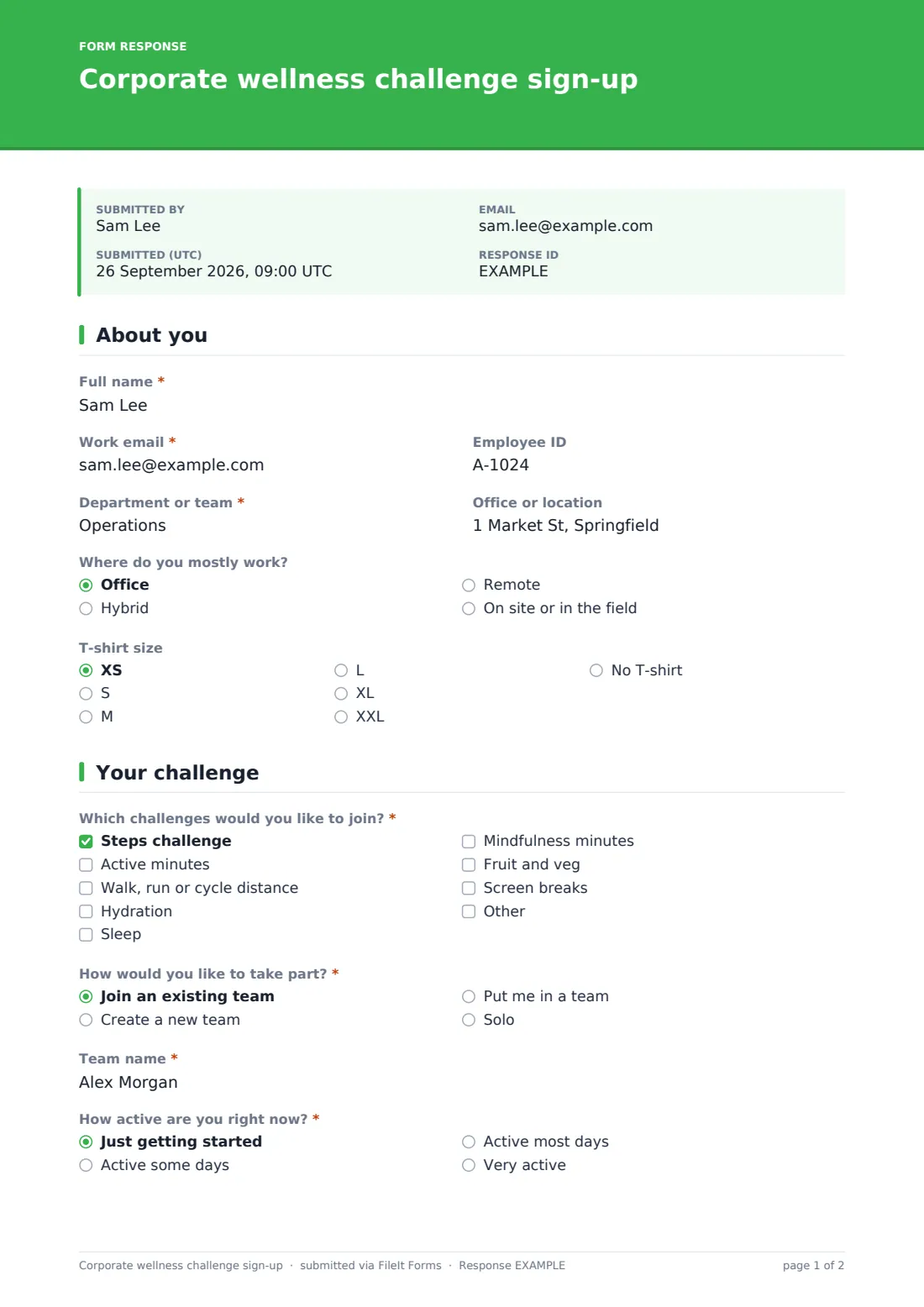
Employees give their name, work email, employee ID, department, office, work pattern and T-shirt size for a kit pack. They pick from challenges including steps, active minutes, distance, hydration, sleep, mindfulness, fruit and veg and screen breaks, then join a team, create one (inviting teammates and volunteering as captain), ask to be placed in one, or go solo. Current activity level, a daily step goal or weekly active minutes goal (for those challenges), a personal goal and a tracking method follow, with an option to request an adapted version of the challenge.
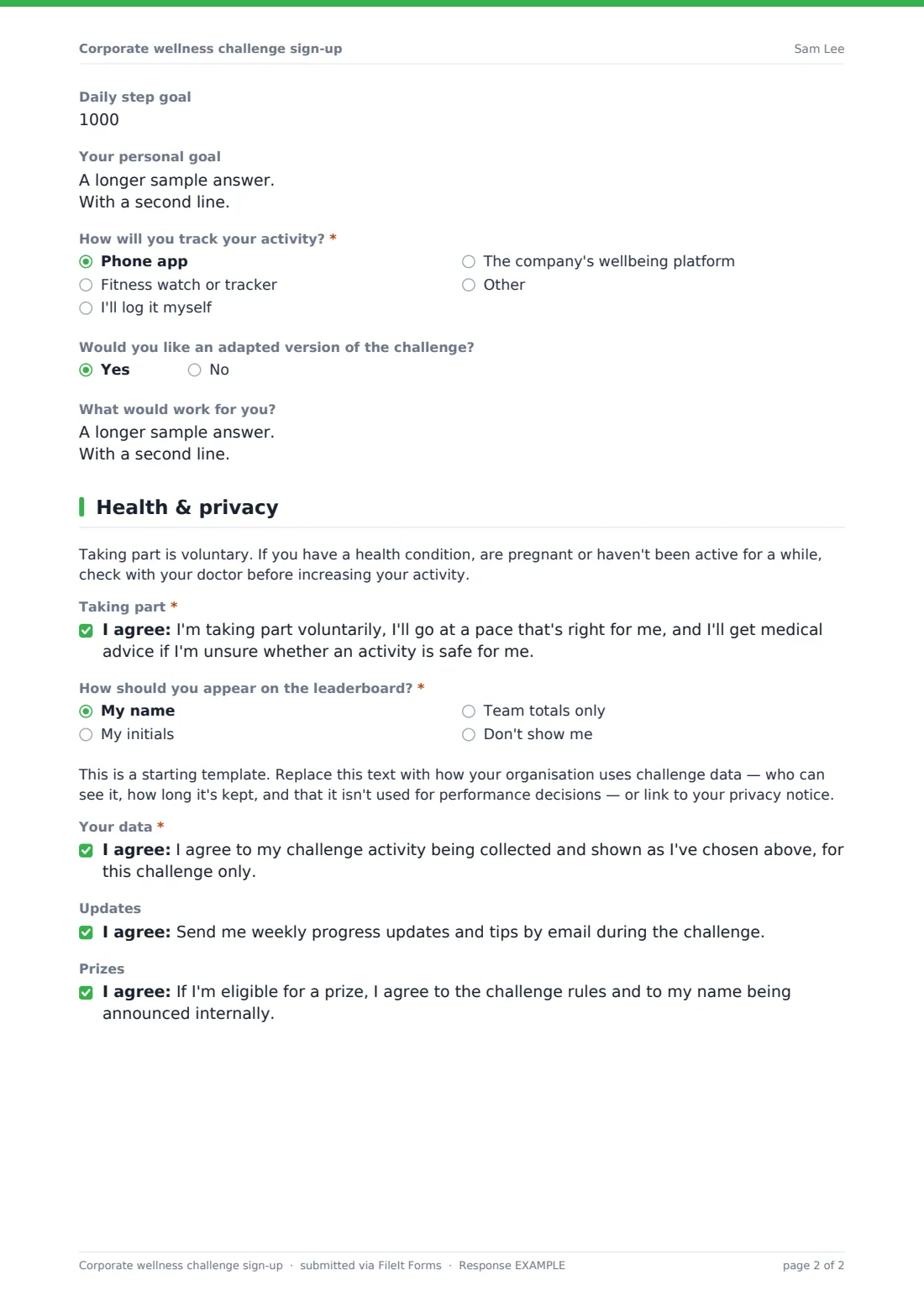
The last page makes taking part clearly voluntary, asks how the employee wants to appear on the leaderboard — name, initials, team totals only or hidden — and includes a placeholder for your challenge data notice, a data consent, and opt-ins for updates and prize rules. Every sign-up is saved as a PDF in your FileIt vault.
- Best for
- HR teams, wellbeing leads and employee wellness committees
- Filled in by
- Employees
- Time to complete
- About 3 minutes
- Includes
- Team formation, goals, tracking method, adapted options, leaderboard privacy choice
Who uses a corporate wellness challenge sign-up form?
- An HR team runs a four-week spring step challenge across offices
- A wellbeing committee launches a team-based active minutes challenge
- Remote and hybrid staff join a mindfulness and sleep challenge
- Departments compete as teams with named captains
- An employer offers an adapted challenge for staff who use wheelchairs
- A company runs a hydration and screen-break challenge for desk-based staff
Questions on this corporate wellness challenge sign-up form
26 questions over 3 pages · includes conditional questions, multiple pages, consent checkbox.
1 About you
- Full name*
- Work email*
- Employee ID
- Department or team*
- Office or location
- Where do you mostly work? Office · Hybrid · Remote · On site or in the field
- T-shirt size XS · S · M · L · XL · XXL · No T-shirt
2 Your challenge
- Which challenges would you like to join?* Steps challenge · Active minutes · Walk, run or cycle distance · Hydration · Sleep · Mindfulness minutes · Fruit and veg · Screen breaks
- How would you like to take part?* Join an existing team · Create a new team · Put me in a team · Solo
- Team name* asked only when it applies
- New team name* asked only when it applies
- Teammates' names or emails asked only when it applies
- Happy to be team captain? asked only when it applies
- How active are you right now?* Just getting started · Active some days · Active most days · Very active
- Daily step goal asked only when it applies
- Weekly active minutes goal asked only when it applies
- Your personal goal
- How will you track your activity?* Phone app · Fitness watch or tracker · I'll log it myself · The company's wellbeing platform
- Device or app asked only when it applies
- Would you like an adapted version of the challenge?
- What would work for you? asked only when it applies
3 Health & privacy
- Taking part*
- How should you appear on the leaderboard?* My name · My initials · Team totals only · Don't show me
- Your data*
- Updates
- Prizes
The corporate wellness challenge sign-up form, page by page
1 About you
Full name, work email, optional employee ID, department, office, where they mostly work and a T-shirt size for a kit pack.
2 Your challenge
A required choice of challenges and how to take part: joining a team asks for the team name; creating one asks for a new name, teammates to invite and whether they'll captain; or they can be placed in a team or go solo. A required current activity level, a daily step goal for the steps challenge and weekly minutes goal for the active minutes challenge, a personal goal, a required tracking method (a watch asks which device), and an option to request an adapted version of the challenge.
3 Health & privacy
A note that taking part is voluntary and when to check with a doctor, a required taking-part agreement, a required leaderboard choice, a placeholder for your data notice, a required data consent for this challenge only, and optional opt-ins for weekly updates and prize rules.
Make the template yours
- Replace the placeholder with your own challenge data and privacy notice
- Edit the challenge list to what you're actually running this season
- Add the challenge start and end dates and prizes as a paragraph
- Replace the office field with a dropdown of your locations
- Remove the T-shirt question if there's no kit pack
- Close the form automatically on the challenge start date with the close date setting
Tips for a better corporate wellness challenge sign-up form
- Offer adapted versions so everyone can join, whatever their mobility or health
- Default to team totals if staff are unsure about appearing by name
- Never use challenge data for performance or HR decisions — and say so
- Encourage cross-department teams to help people meet new colleagues
- Celebrate participation and improvement, not just the top of the leaderboard
Every response becomes a PDF in your vault
Each sign-up is saved as a PDF in your vault and the wellbeing team is emailed. Employees see a message saying team details and logging instructions will follow.
Use the Responses table to build teams, count T-shirt sizes, see who asked for an adapted challenge and respect each person's leaderboard choice.
- Start from this template. It opens in the FileIt Forms designer — change any question, add pages, set the rules for when questions appear.
- Share it. Turn on a public link, or send it to people by email, each with their own link. They don’t need a FileIt account.
- Get the answers as PDFs. Each response is saved as a PDF in the vault folder you choose, with uploaded files attached — and listed in a Responses table you can export to CSV.
Corporate wellness challenge sign-up form: frequently asked questions
Is this corporate wellness challenge sign-up template free?
Yes, it's included in the Forms app on every FileIt account, including the free plan, and every question can be edited.
Does this form track steps or activity?
No. It signs people up and records how they'll track their activity. Logging happens in the app, device or platform you choose.
Can employees stay off the leaderboard?
Yes. They can appear by name, by initials, as team totals only, or not at all.
Can people form their own teams?
Yes. They can join an existing team, create a new one and invite teammates, ask to be placed in a team, or go solo.
Is there an option for people with disabilities or health conditions?
Yes. Employees can ask for an adapted version of the challenge and describe what would work for them.
Do employees need a FileIt account?
No. They sign up from a shared link.