What is the candidate experience survey form template?
Candidates remember how a hiring process made them feel, and they talk about it. A short survey sent after a decision tells a recruiter or hiring manager where the process is slow, confusing or unfair — from the people who went through it.
This survey adapts to how far each person got. Everyone rates the application and communication; interview questions only appear for people who were interviewed, and ask about preparation, relevance, respect, fairness, scheduling and any adjustments they needed.
Responses are anonymous unless the candidate asks to be contacted, and the cover makes clear the survey won't affect any decision. Each one is saved as a PDF in your FileIt vault.
- Best for
- Recruiters, HR teams and hiring managers
- Filled in by
- Job applicants after a hiring decision
- Time to complete
- About 4 minutes
- Includes
- Stage-aware interview questions, communication grid, time-to-reply and a 0–10 recommend score
Who uses a candidate experience survey form?
- Sending with every rejection and offer email to measure the whole funnel
- Comparing candidate experience across roles, recruiters or agencies
- Checking whether interview panels are prepared and consistent
- Finding where candidates withdraw, and why
- Tracking a candidate recommend score as part of employer brand work
- Testing a new assessment or take-home task
Questions on this candidate experience survey form
20 questions over 4 pages · includes conditional questions, multiple pages, ratings.
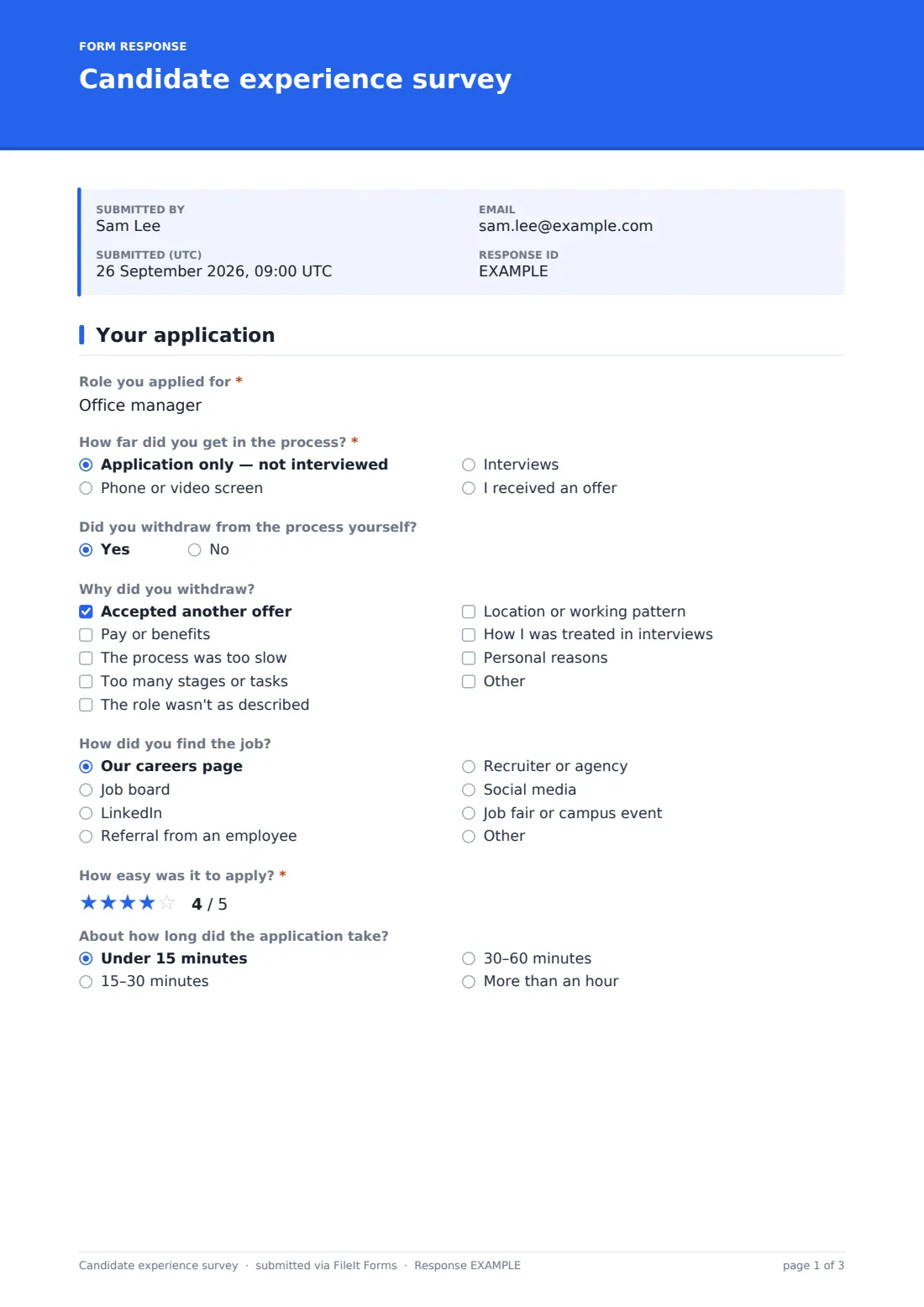
1 Your application
- Role you applied for*
- How far did you get in the process?* Application only — not interviewed · Phone or video screen · Interviews · I received an offer
- Did you withdraw from the process yourself?
- Why did you withdraw? asked only when it applies Accepted another offer · Pay or benefits · The process was too slow · Too many stages or tasks · The role wasn't as described · Location or working pattern · How I was treated in interviews · Personal reasons
- How did you find the job? Our careers page · Job board · LinkedIn · Referral from an employee · Recruiter or agency · Social media · Job fair or campus event · Other
- How easy was it to apply?*
- About how long did the application take? Under 15 minutes · 15–30 minutes · 30–60 minutes · More than an hour
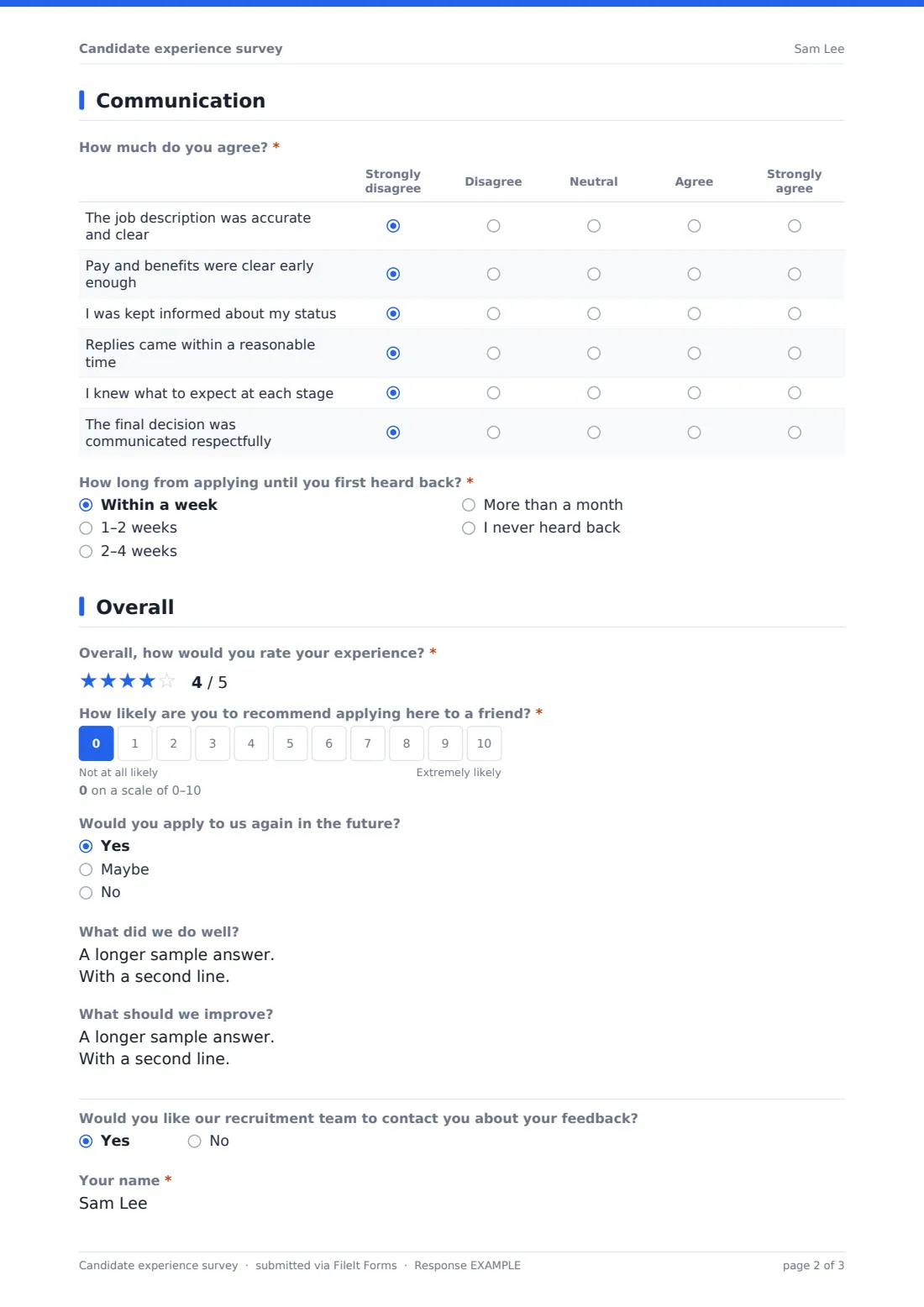
2 Communication
- How much do you agree?* Strongly disagree · Disagree · Neutral · Agree · Strongly agree
- How long from applying until you first heard back?* Within a week · 1–2 weeks · 2–4 weeks · More than a month · I never heard back
3 Interviews
- Which steps did you go through?* asked only when it applies Phone screen · Video interview · In-person interview · Panel interview · Skills test or assessment · Take-home task · Presentation
- How much do you agree?* asked only when it applies Strongly disagree · Disagree · Neutral · Agree · Strongly agree
- Was the time asked of you for tests or tasks reasonable? asked only when it applies Yes · A bit much · Far too much · There was no task
4 Overall
- Overall, how would you rate your experience?*
- How likely are you to recommend applying here to a friend?*
- Would you apply to us again in the future? Yes · Maybe · No
- What did we do well?
- What should we improve?
- Would you like our recruitment team to contact you about your feedback?
- Your name* asked only when it applies
- Email* asked only when it applies
The candidate experience survey form, page by page
1 Your application
The candidate names the role and the furthest stage they reached — application only, screen, interviews or an offer — and says whether they withdrew themselves; if so, a checklist asks why (another offer, pay, a slow or demanding process, the role, location, interview treatment or personal reasons). They say where they found the job, rate how easy it was to apply, and how long the application took.
2 Communication
Six agreement statements cover an accurate job description, clarity on pay and benefits, status updates, timely replies, knowing what to expect, and a respectful final decision. A required question asks how long it took to first hear back, including 'I never heard back'.
3 Interviews
Candidates who weren't interviewed see a note to continue. Everyone else picks which steps they went through (screen, video, in person, panel, test, take-home task, presentation or other), rates seven statements on preparation, relevance, respect, their chance to ask questions, fairness, scheduling and adjustments, and says whether the time asked for tests or tasks was reasonable.
4 Overall
A required star rating and 0–10 likelihood to recommend applying, whether they'd apply again, what went well and what to improve. An optional contact request reveals name and email fields.
Make the template yours
- Edit the job sources to list your job boards and agencies
- Add a dropdown of open roles instead of a free-text role
- Adjust the interview steps to match your process
- Add a question about a specific assessment platform or tool
- Duplicate the form per department for separate results
- Route responses to an HR folder away from hiring managers
Tips for a better candidate experience survey form
- Send it after the decision, never before, so answers can't affect the outcome
- Include unsuccessful candidates — they give the most useful feedback
- Watch the 'never heard back' answers; they often point to a single bottleneck
- Share themes with interviewers and hiring managers, not individual responses
- Compare scores before and after process changes
- Keep the survey short so candidates finish it
Every response becomes a PDF in your vault
Each response is saved as a PDF titled with the submission date in the vault folder you choose, and you're notified by email.
In the Responses table, filter by stage or job source and export to CSV to see scores and time-to-reply across the whole hiring funnel.
- Start from this template. It opens in the FileIt Forms designer — change any question, add pages, set the rules for when questions appear.
- Share it. Turn on a public link, or send it to people by email, each with their own link. They don’t need a FileIt account.
- Get the answers as PDFs. Each response is saved as a PDF in the vault folder you choose, with uploaded files attached — and listed in a Responses table you can export to CSV.
Candidate experience survey form: frequently asked questions
Is this candidate experience survey free?
Yes. It's a starter template in the FileIt Forms app, and every question can be edited.
Is it anonymous?
Yes, unless the candidate chooses to leave their name and email for follow-up.
Does it show interview questions to people who weren't interviewed?
No. Interview questions only appear if the candidate got past the application stage.
When should I send it?
After the hiring decision has been communicated, whatever the outcome.
Do candidates need an account?
No. They open the link and answer in their browser.
Can I measure a candidate Net Promoter Score?
The form collects a 0–10 recommend answer. Export to CSV to calculate the score yourself.
Can I see why candidates withdrew?
Yes. Candidates who say they withdrew themselves choose their reasons from a checklist, such as accepting another offer, pay, or a slow or demanding process.