What is the new hire onboarding survey form template?
Onboarding is usually designed by people who went through it years ago. The quickest way to improve it is to ask the people who just did — while they still remember which login didn't work and who made them feel welcome.
This survey follows the new starter's journey: the time between offer and start date, what was ready on day one, the first day itself, training and team welcome, and whether the job matched what was described during hiring. A readiness grid covers devices, logins, building access, workspace, kit and payroll, so IT, facilities and HR each see their part.
It's anonymous by default — no name or email is collected unless the new hire asks HR to follow up. Responses are saved as PDFs in your FileIt vault and collected in a Responses table you can export.
- Best for
- HR teams and people managers who hire regularly
- Filled in by
- Employees in their first 1–6 months, anonymously
- Time to complete
- About 5 minutes
- Includes
- Day-one readiness grid, agreement grids, a 1–10 onboarding score and optional follow-up
Who uses a new hire onboarding survey form?
- Sending a personal link to every new starter at 30 or 60 days
- Checking whether IT and facilities have equipment ready on day one
- Comparing onboarding for on-site, hybrid and remote hires
- Evaluating a new buddy or mentor program
- Spotting mismatches between the job advert and the real role
- Reporting onboarding quality to leadership each quarter
Questions on this new hire onboarding survey form
21 questions over 5 pages · includes conditional questions, multiple pages, ratings.
1 About your start
- When did you start? Less than 1 month ago · 1–3 months ago · 3–6 months ago · More than 6 months ago
- Your area Operations · Sales · Marketing · Finance · Engineering · Customer support · Human resources · Other
- Where do you mostly work? On-site · Hybrid · Remote
- Your role Individual contributor · Team lead or supervisor · Manager · Intern or trainee
2 Before day one
- How much do you agree?* Strongly disagree · Disagree · Neutral · Agree · Strongly agree
3 Your first day
- Was this ready on your first day?* Ready · Arrived later · Still waiting · Not needed
- Is anything you need still missing?*
- What's still missing?* asked only when it applies
- How was your first day overall?*
4 Training & your team
- How much do you agree?* Strongly disagree · Disagree · Neutral · Agree · Strongly agree
- Were you given a buddy or mentor?
- How helpful was your buddy or mentor? asked only when it applies
- What would you like more training on?
5 Overall
- Overall, how would you rate your onboarding?*
- Is the job what you expected from the hiring process?* Better than expected · Yes — as described · Different from what was described
- What's different? asked only when it applies
- What was the best part of your onboarding?
- What one thing should we change for the next new starter?
- Would you like HR to follow up with you?
- Your name* asked only when it applies
- Email* asked only when it applies
The new hire onboarding survey form, page by page
1 About your start
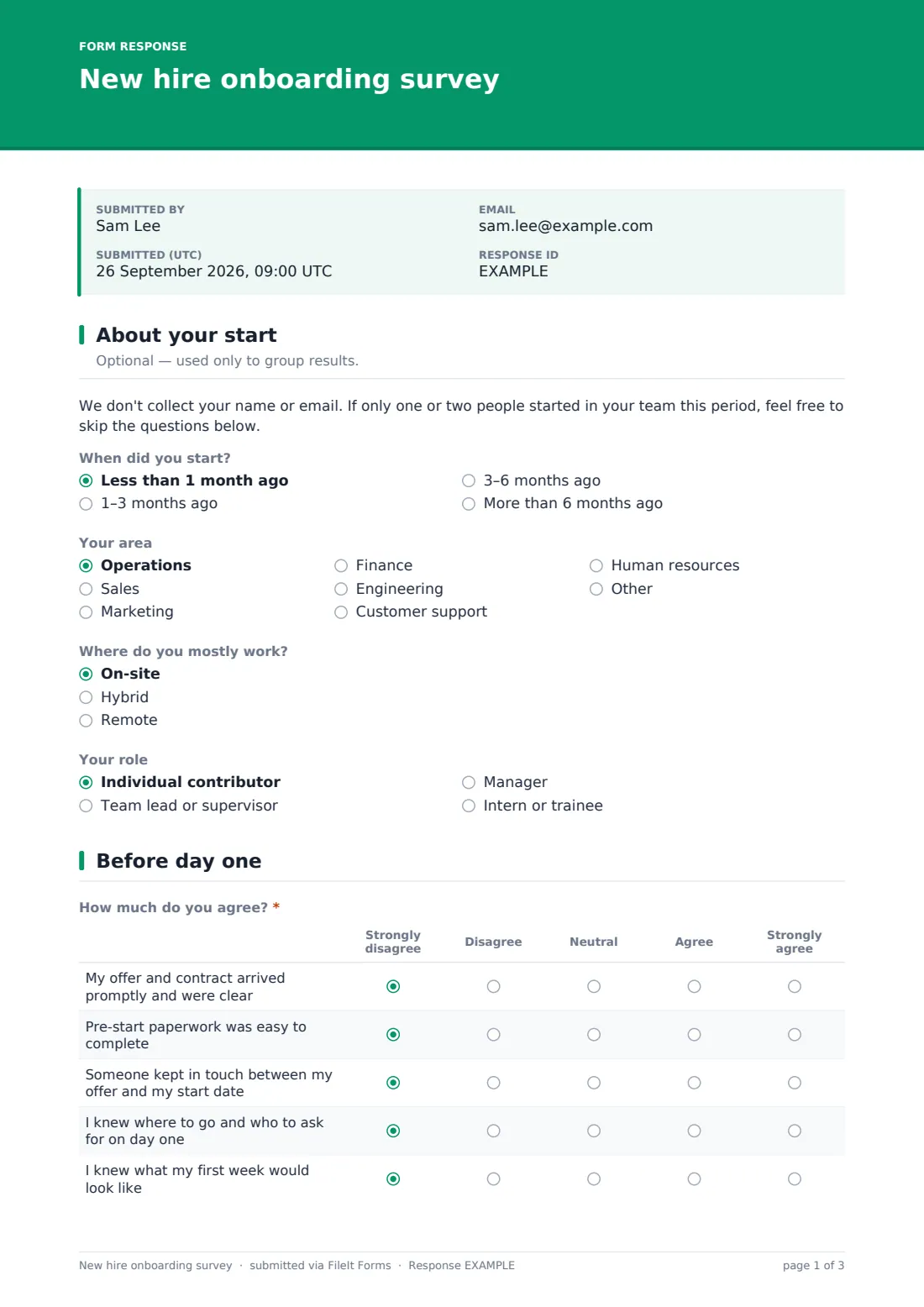
A short note explains that no name or email is collected. Optional questions ask when they started, their area, where they mostly work and their role level — only for grouping results.
2 Before day one
An agreement grid covers the offer and contract arriving promptly and clearly, easy pre-start paperwork, someone keeping in touch before the start date, knowing where to go on day one, and knowing what the first week would look like.
3 Your first day
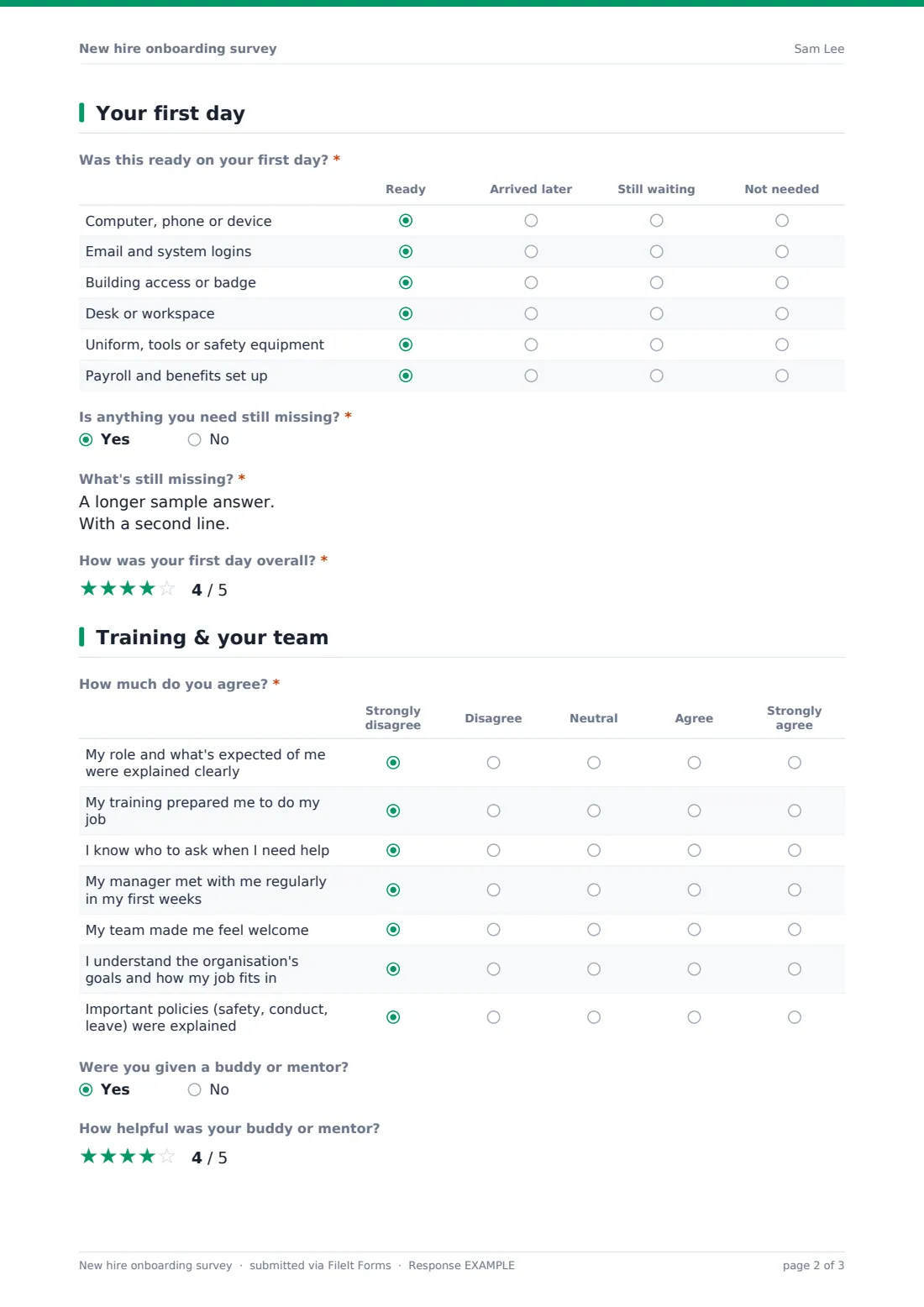
A grid asks whether six things were ready, arrived later, are still awaited or weren't needed: device, logins, building access, workspace, uniform or safety kit, and payroll and benefits. A required yes/no asks if anything is still missing, opening a description box, and a star rating captures the first day overall.
4 Training & your team
Seven agreement statements cover role clarity, training, knowing who to ask, regular manager check-ins, team welcome, understanding the organisation's goals, and key policies being explained. If they had a buddy or mentor, they rate how helpful that was, and they can name topics they'd like more training on.
5 Overall
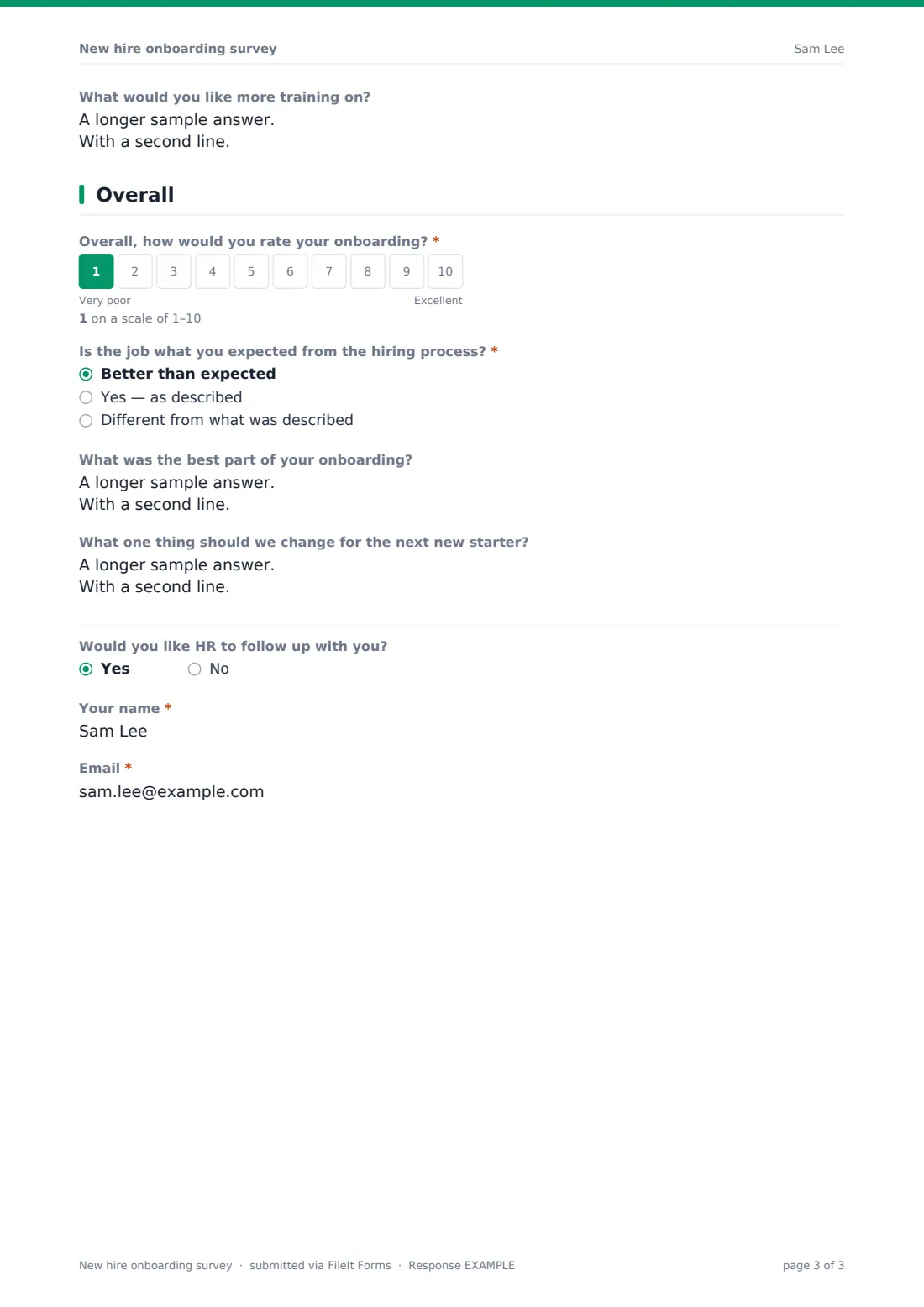
A required 1–10 onboarding score, then whether the job was better than expected, as described, or different — 'different' opens a box to explain. Open questions ask for the best part and one change, and an optional follow-up request reveals name and email fields.
Make the template yours
- Edit the area list to match your departments
- Add rows to the day-one readiness grid for tools specific to your roles
- Add a question about a specific orientation session or welcome pack
- Set a close date for each hiring cohort, or keep one form open all year
- Route responses to an HR-only vault folder
- Remove the follow-up question if you want fully anonymous answers
Tips for a better new hire onboarding survey form
- Send it around day 30, when the new hire has seen enough but still remembers the start
- Share the readiness results with IT and facilities — they often don't hear about day-one gaps
- Avoid breaking results down by team when only one or two people started
- Look at the 'different from what was described' answers together with recruitment
- Pair it with a 90-day check-in conversation for the personal side
- Close the loop — tell new hires what changed because of earlier feedback
Every response becomes a PDF in your vault
Each response is saved as a PDF titled with the submission date in the vault folder you choose, and you're notified by email. No respondent copy is sent, in keeping with the anonymous design.
In the Responses table you can filter by start period, area or work location, and export to CSV to track the onboarding score and readiness gaps over time.
- Start from this template. It opens in the FileIt Forms designer — change any question, add pages, set the rules for when questions appear.
- Share it. Turn on a public link, or send it to people by email, each with their own link. They don’t need a FileIt account.
- Get the answers as PDFs. Each response is saved as a PDF in the vault folder you choose, with uploaded files attached — and listed in a Responses table you can export to CSV.
New hire onboarding survey form: frequently asked questions
Is this onboarding survey template free?
Yes. It's a starter template in the FileIt Forms app, and every question can be edited.
Is it anonymous?
Yes, by default. It asks for a name and email only if the new hire chooses to have HR follow up.
When should I send it?
Many teams send it at around 30 days, and some again at 90 days. You can share one public link or send it to each new hire.
How is this different from a 90-day check-in?
A 90-day check-in is a named conversation between the employee and their manager. This survey is anonymous feedback on the onboarding process itself.
Can I stop people answering twice?
The template accepts one response per browser by default, and you can change that in Settings. Sending each new hire a personal link also limits them to one response.
Do new hires need a FileIt account?
No. They just open the link.