What is the audit document request (PBC) form template?
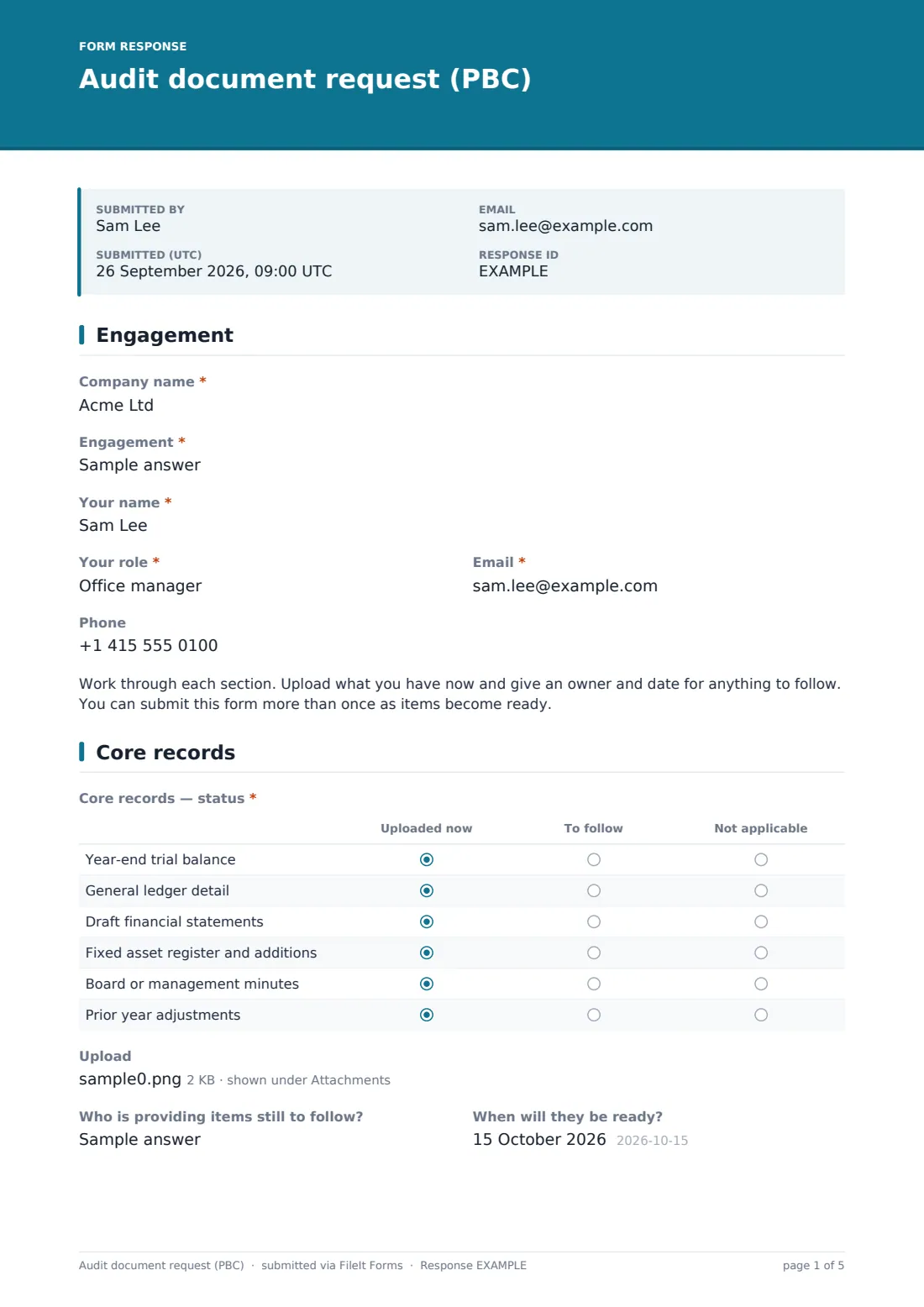
The PBC list, short for 'provided by client' (also called 'prepared by client'), is where audits get delayed. Documents arrive in scattered emails, nobody is sure what's still missing, and fieldwork starts with half the evidence. This form lets the client work through the list section by section, uploading what's ready and saying who is providing the rest and when.
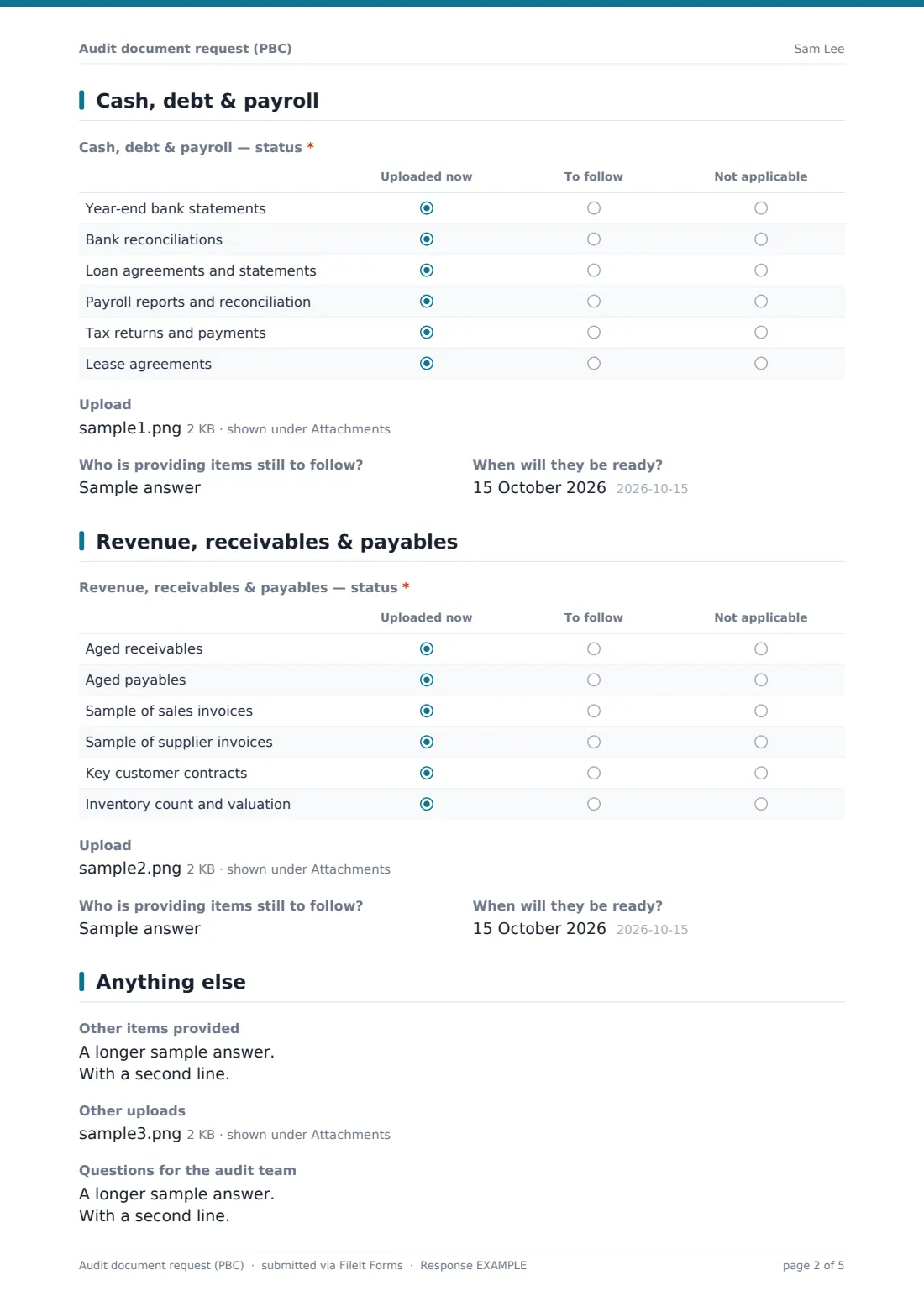
Status grids cover core records (trial balance, general ledger, draft accounts, asset register, minutes, prior year adjustments), cash, debt and payroll, and revenue, receivables and payables, each marked uploaded now, to follow, or not applicable. Every section has its own upload, owner and due date.
Each submission is a PDF in the audit team's vault, with uploads attached. The client can submit again as more items become ready, and the Responses table shows the history.
- Best for
- Audit and accounting firms, and internal audit teams
- Filled in by
- The client's finance contact
- Time to complete
- About 10–15 minutes per submission, plus uploads
- Includes
- Status grids, uploads per section, owners and dates, questions for the auditors
Who uses a audit document request (PBC) form?
- An accounting firm sends the link to a client at the start of year-end fieldwork
- A small audit practice replaces emailed spreadsheet lists with one form per client
- A client's finance manager uploads bank and payroll items as each is ready
- An internal audit team collects documents from a business unit before a review
- A reviewer checks what's outstanding before booking fieldwork days
- A non-profit gathers what its independent examiner needs
Questions on this audit document request (PBC) form
22 questions over 5 pages · includes file upload, multiple pages, consent checkbox, ratings.
1 Engagement
- Company name*
- Engagement*
- Your name*
- Your role*
- Email*
- Phone
2 Core records
- Core records — status* Uploaded now · To follow · Not applicable
- Upload
- Who is providing items still to follow?
- When will they be ready?
3 Cash, debt & payroll
- Cash, debt & payroll — status* Uploaded now · To follow · Not applicable
- Upload
- Who is providing items still to follow?
- When will they be ready?
4 Revenue, receivables & payables
- Revenue, receivables & payables — status* Uploaded now · To follow · Not applicable
- Upload
- Who is providing items still to follow?
- When will they be ready?
5 Anything else
- Other items provided
- Other uploads
- Questions for the audit team
- Confirmation*
The audit document request (PBC) form, page by page
1 Engagement
The client's company name, the engagement (for example 'Audit — year ended 30 June 2026'), and the contact's name, role, email and phone. A note explains that the form can be sent more than once.
2 Core records
A status grid for the year-end trial balance, general ledger detail, draft financial statements, fixed asset register and additions, board minutes and prior year adjustments. Up to ten files can be uploaded, and the client names who is providing anything still to follow and when.
3 Cash, debt & payroll
The same pattern for year-end bank statements, bank reconciliations, loan agreements, payroll reports and reconciliation, tax returns and payments, and leases.
4 Revenue, receivables & payables
Aged receivables and payables, samples of sales and supplier invoices, key customer contracts, and inventory count and valuation, with uploads, an owner and a date.
5 Anything else
Other items from the request list not covered above, more uploads, and questions for the audit team. The client confirms the documents are complete copies and that they're authorised to share them.
Make the template yours
- Rewrite the grid rows to match your firm's standard request list
- Add sections for grants, related parties or group companies as needed
- Duplicate the form per client so each files into that client's vault folder
- Add your fieldwork dates to the cover text
- Set a closing date after fieldwork ends
- Add the engagement manager's email to notifications
Tips for a better audit document request (PBC) form
- Send the link early with the list agreed in advance, not on the first day of fieldwork
- Ask for file names that say what each document is; it saves hours of sorting
- Chase items by the owner and date the client gave, not in general
- Use the questions box to settle queries before fieldwork starts
- Keep the upload form separate from any confidential engagement letter or fee discussion
Every response becomes a PDF in your vault
Each submission becomes a PDF with the status grids and every uploaded file, filed in the vault folder you choose. The audit team is emailed straight away. The client gets a copy of what they sent.
Look at the latest submission to see what's still to follow, with owners and dates. Because the client can submit several times, the Responses table shows how the list progressed.
- Start from this template. It opens in the FileIt Forms designer — change any question, add pages, set the rules for when questions appear.
- Share it. Turn on a public link, or send it to people by email, each with their own link. They don’t need a FileIt account.
- Get the answers as PDFs. Each response is saved as a PDF in the vault folder you choose, with uploaded files attached — and listed in a Responses table you can export to CSV.
Audit document request (PBC) form: frequently asked questions
Is this audit PBC request template free?
Yes. It's one of the ready-made templates in the Forms app on every FileIt account, including the free plan. Use it as it is or change any question in the designer.
Do clients need a FileIt account to upload documents?
No. Share the form by public link or send personal email invitations, and anyone can fill it in and submit it without creating an account.
Can the client upload in several sittings?
Yes. The form allows multiple responses, so the client can submit what's ready now and send it again later with the rest.
What file types can be uploaded?
PDF, Excel, CSV, Word and images, up to ten files per section. Each file can be up to 10 MB.
Is it suitable for confidential financial records?
Uploads and answers are stored in your FileIt vault with the same protection as other documents. Share the link only with the client contact, or send a personal invitation.
Can we change the list of requested items?
Yes. The grid rows and sections can all be edited in the designer to match each engagement.