

What is the tax document checklist form template?
Every tax season starts the same way: an accountant sends a general list of documents, and clients reply piecemeal — a payslip here, a question about rental income there, nothing quite complete. This tax document checklist form template flips that around. Clients tick every type of income they had, and the form only asks for the documents that actually apply to them, so nobody wades through questions about rental properties or foreign income they don't have.
Because the checklist adapts as clients answer, someone with only employment income sees a short, quick form, while someone with self-employment, rental and investment income gets exactly the extra upload fields they need — pay statements, business records, rent statements, broker statements — without a generic one-size-fits-all document list.
Every submission becomes a single PDF in the accountant's FileIt vault, with every uploaded document attached to it, so a full year's tax information for one client sits in one place, ready when it's time to start the return.
- Best for
- Accountants and bookkeepers collecting client documents ahead of tax season
- Filled in by
- The client
- Time to complete
- About 10–15 minutes, depending on income types
- Includes
- Income-type checklist with matching document uploads, life-event questions, a completeness declaration
Who uses a tax document checklist form?
- An accounting firm gathering documents from every client at the start of tax season
- A bookkeeper checking what's changed for a client compared to the previous year
- Collecting self-employment records, rental statements and investment documents in one submission
- Flagging life events — a move, a marriage, a new child, a property sale — that could affect a return
- Identifying documents a client is still waiting on, so preparation can start without delay
- Building a consistent, filed intake record for every client, year after year
Questions on this tax document checklist form
29 questions over 5 pages · includes file upload, conditional questions, multiple pages, consent checkbox.
1 About you
- Your name*
- Email*
- Phone
- Tax year*
- Did we prepare your return last year?*
- Last year's tax return asked only when it applies
- Marital status at year end Single · Married or civil partnership · Separated or divorced · Widowed
2 Your year
- Did any of these happen during the year? Moved home · Married or separated · Had or adopted a child · Bought property · Sold property · Started or closed a business · Retired · Moved country · None of these
- Tell us a little more asked only when it applies
- Number of dependants
3 Income
- Types of income* Employment (wages, salary) · Self-employment or freelance · Rental income · Interest and dividends · Sold shares, crypto or property · Pension or annuity · Benefits or government payments · Income from abroad
- Year-end pay statements asked only when it applies
- How do you keep your business records? asked only when it applies Accounting software · Spreadsheet · Paper receipts · I don't yet
- Business income and expense records asked only when it applies
- How many rental properties? asked only when it applies
- Rent received, agent statements and property costs asked only when it applies
- Bank interest and dividend statements asked only when it applies
- What did you sell? asked only when it applies
- Broker statements or sale documents asked only when it applies
- Pension or annuity statements asked only when it applies
- Which countries? asked only when it applies
4 Deductions & payments
- Deductions or reliefs you may be able to claim Pension or retirement contributions · Charitable donations · Medical expenses · Childcare · Education or tuition · Working from home · Mortgage interest · Unreimbursed work expenses · None / not sure
- Receipts or statements for these asked only when it applies
- Did you make any advance or estimated tax payments?
- Dates and amounts asked only when it applies
- Letters from the tax authority this year
5 Anything else
- Documents you're still waiting for
- Questions for us
- Confirmation*
The tax document checklist form, page by page
1 About you
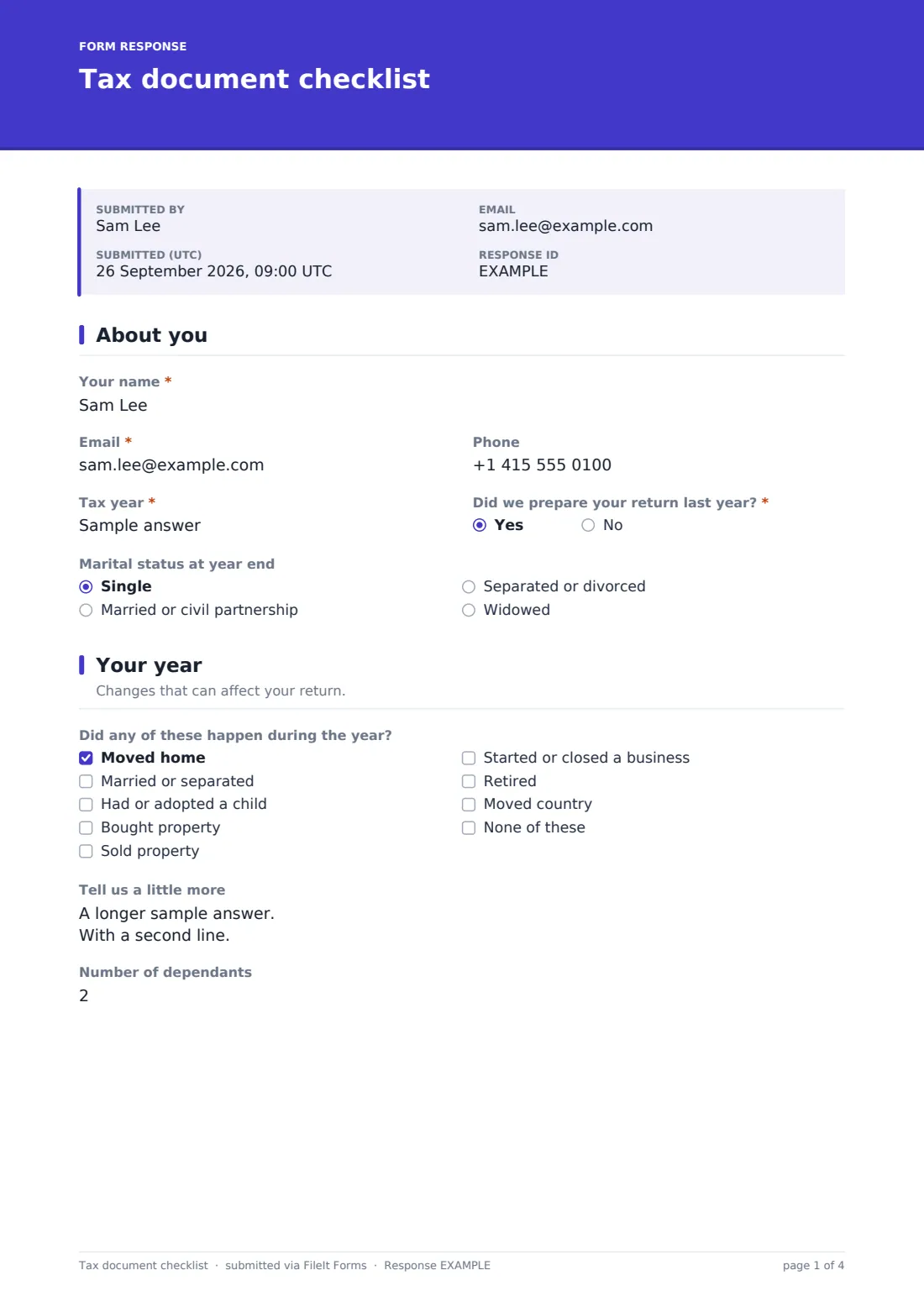
The checklist opens with the client's name, email, phone and the tax year in question, then asks whether the firm prepared their return last year — answering "No" opens a place to upload the prior year's return for reference. It also records marital status at year end.
2 Your year
Clients tick any life events that happened during the year — moving home, marrying or separating, having or adopting a child, buying or selling property, starting or closing a business, retiring, or moving country — with a follow-up question for more detail if anything is ticked. It also records the number of dependants.
3 Income
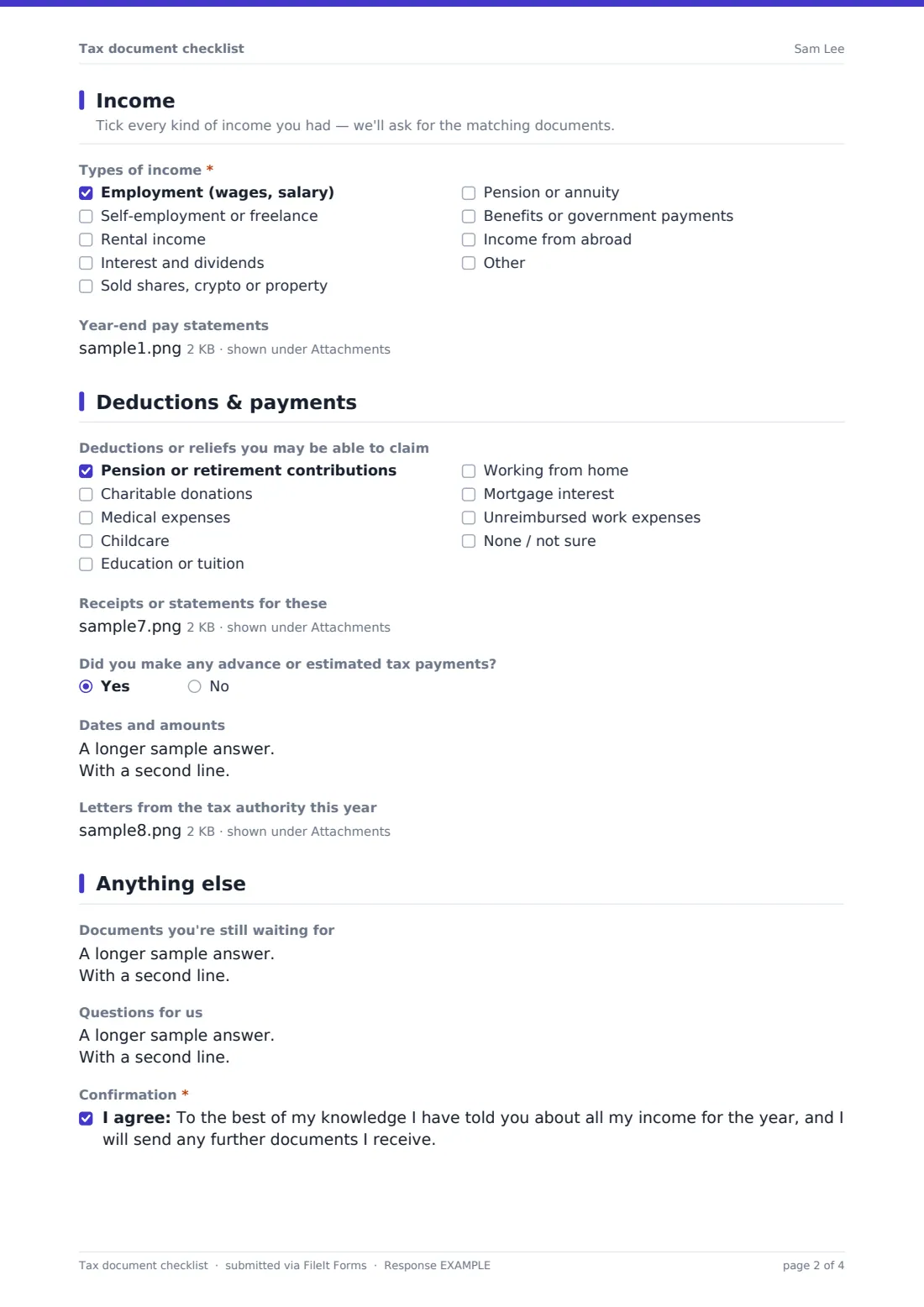
This is the heart of the checklist. Clients tick every type of income they had: employment, self-employment or freelance work, rental income, interest and dividends, sales of shares, crypto or property, pension income, benefits, or foreign income. Each one, once ticked, opens its own matching upload — year-end pay statements for employment, business income and expense records for self-employment, rent and property cost documents for rental income, broker or bank statements for investments and gains, and pension statements where relevant. Selling shares or property also opens a question asking what was sold, when, and for how much.
4 Deductions & payments
Clients tick any deductions or reliefs that might apply — pension contributions, charitable donations, medical expenses, childcare, education, working from home, mortgage interest, or unreimbursed work expenses — which opens an upload for the matching receipts or statements. The form also asks about any advance or estimated tax payments made during the year, and lets clients upload any letters received from the tax authority.
5 Anything else
The checklist finishes with an open space for documents the client is still waiting on (so preparation can start without them) and any questions they have. Clients confirm, to the best of their knowledge, that they've disclosed all their income for the year and will send on any further documents as they arrive.
Make the template yours
- Add your own firm-specific deadlines to the closing date, so late submissions are flagged automatically
- Adjust the income and deduction checklists to match the tax categories most relevant to your client base
- Set the vault folder so each client's checklist and documents file into their own existing client folder
- Add a question for a spouse's or partner's details if you commonly prepare joint returns
- Increase or reduce upload limits per section depending on how many documents clients typically provide
- Turn on an emailed PDF copy so clients keep a record of exactly what they submitted
Tips for a better tax document checklist form
- Send the checklist out well ahead of your filing deadline so there's time to chase anything missing
- Encourage clients to submit even a partial checklist rather than waiting until everything is ready — you can always follow up
- Review conflicting answers early, such as an income type ticked without a matching document attached
- Keep prior-year checklists on file for comparison, so a missing income type this year is easy to spot
- This form is not tax, legal or financial advice — it's a way to collect documents. Always apply your own professional judgment when preparing a return.
Every response becomes a PDF in your vault
As soon as a client submits the checklist, FileIt saves it — along with every attached document — as one PDF in your vault, and you get an email notification straight away.
From there, most firms use the Responses table to track which clients have submitted, open a specific client's PDF when starting their return, and export the full list to CSV to plan workload across the team during a busy filing season.
- Start from this template. It opens in the FileIt Forms designer — change any question, add pages, set the rules for when questions appear.
- Share it. Turn on a public link, or send it to people by email, each with their own link. They don’t need a FileIt account.
- Get the answers as PDFs. Each response is saved as a PDF in the vault folder you choose, with uploaded files attached — and listed in a Responses table you can export to CSV.
Tax document checklist form: frequently asked questions
Is this tax document checklist template free?
Yes — it's included with the Forms app on every FileIt account, including the free plan, along with more than 160 other ready-made templates.
Do clients need a FileIt account to submit their documents?
No. You send them a link or a personal email invitation, and they complete the checklist and upload documents without creating an account.
Where do the uploaded documents go?
Everything a client uploads is attached to their submission's PDF, saved automatically in your FileIt vault, so the checklist and the documents stay together.
Does the checklist only ask for documents that apply to each client?
Yes — ticking an income type or deduction opens only the matching upload questions, using conditional logic already built into the template, so clients aren't asked for documents they don't have.
Is there a limit on how many files a client can upload?
Each upload field allows several files up to 10 MB each, which covers most pay statements, receipts and account documents — clients can submit further documents later if needed.
Does completing this form count as filing a tax return?
No. This form only collects the information and documents needed to prepare a return — it doesn't file anything with a tax authority, and it isn't tax advice.
Can a client update their checklist after submitting?
The form allows multiple submissions, so a client can fill it in again to add documents they were waiting on, and you'll have both submissions on file.