What is the small business tax organizer form template?
Every tax season starts the same way for small-practice accountants: a client sends a shoebox of receipts, a few bank statements and an email saying "I think that's everything". Then come the follow-up questions about mileage, the new laptop and whether they worked from home.
This four-page organizer asks those questions up front. The client describes the business, its structure and how the books are kept, then gives total sales and other income, followed by year totals across ten common expense categories. Separate sections cover equipment and other assets bought or sold, business use of a vehicle and working from home, with the detail questions appearing only when they apply.
The last page takes uploads of statements and spreadsheets, any tax already paid for the year, changes in the business and questions for the accountant. Each submission is saved as a PDF in your FileIt vault with its attachments, ready to work from.
- Best for
- Bookkeepers, accountants and tax preparers with self-employed and small business clients
- Filled in by
- The business owner
- Time to complete
- About 15-25 minutes with records to hand
- Includes
- Ten expense categories, asset purchases, vehicle and home office sections, uploads
Who uses a small business tax organizer form?
- An accountant sending the same organizer to every sole-trader client in January
- A freelancer pulling together their own figures before booking a tax appointment
- A bookkeeper collecting year-end details from clients who keep spreadsheets
- A new business owner's first year, where start date and set-up assets matter
- A tax preparer gathering vehicle and home office facts that bank statements don't show
- A couple running a partnership who want one place to put their numbers
Questions on this small business tax organizer form
47 questions over 4 pages · includes file upload, conditional questions, multiple pages, consent checkbox.
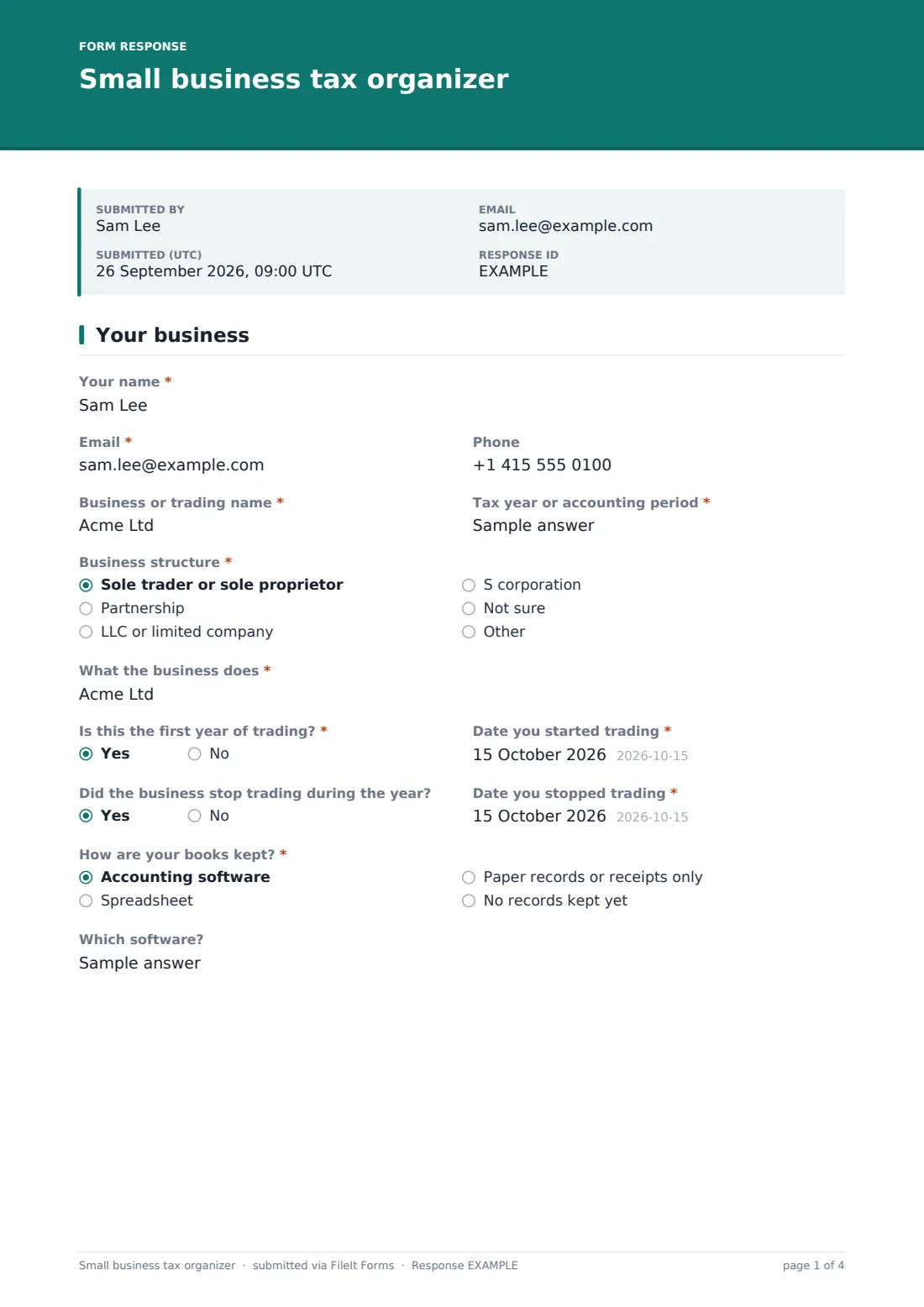
1 Your business
- Your name*
- Email*
- Phone
- Business or trading name*
- Tax year or accounting period*
- Business structure* Sole trader or sole proprietor · Partnership · LLC or limited company · S corporation · Not sure
- What the business does*
- Is this the first year of trading?*
- Date you started trading* asked only when it applies
- Did the business stop trading during the year?
- Date you stopped trading* asked only when it applies
- How are your books kept?* Accounting software · Spreadsheet · Paper records or receipts only · No records kept yet
- Which software? asked only when it applies
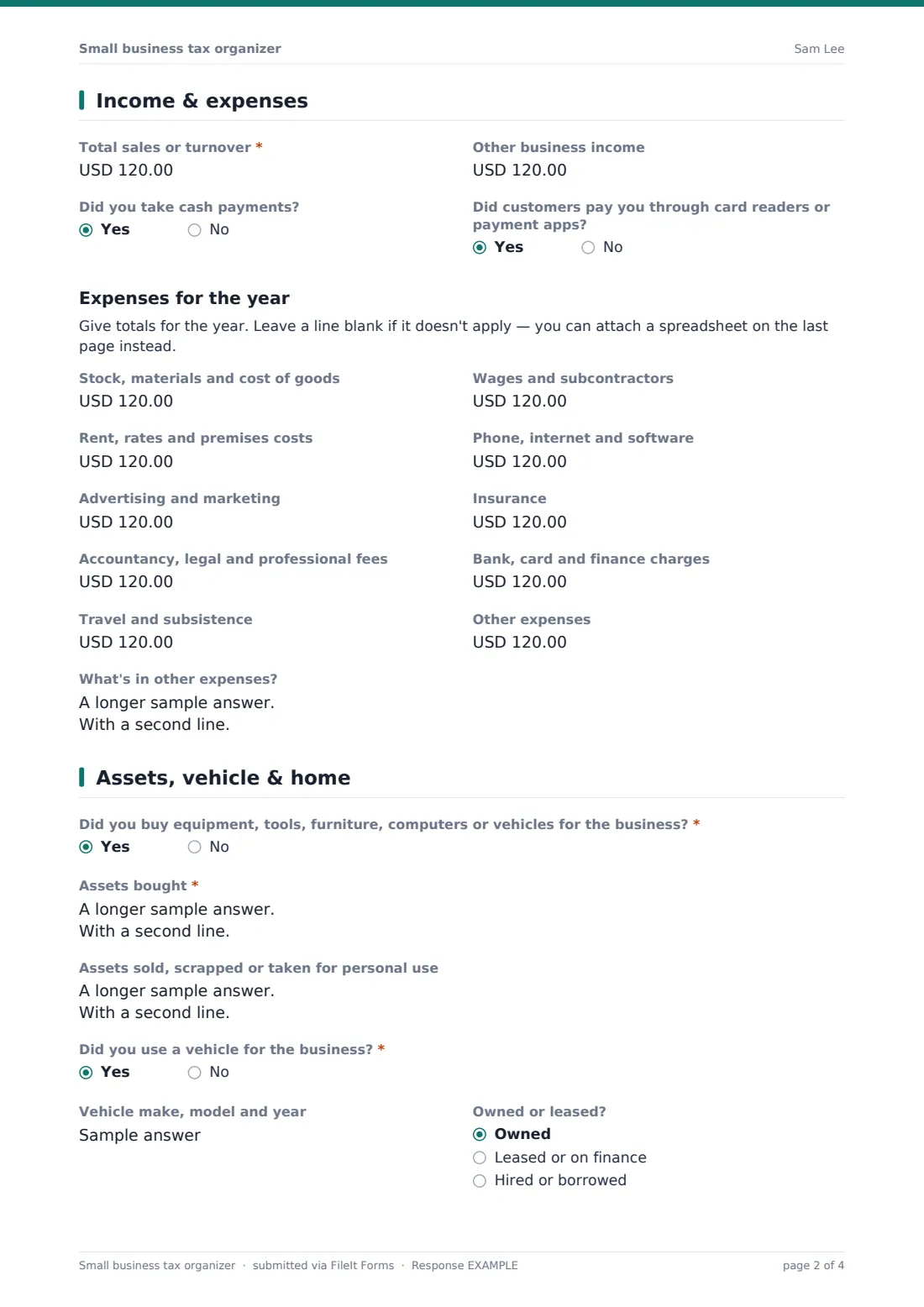
2 Income & expenses
- Total sales or turnover*
- Other business income
- Did you take cash payments?
- Did customers pay you through card readers or payment apps?
- Stock, materials and cost of goods
- Wages and subcontractors
- Rent, rates and premises costs
- Phone, internet and software
- Advertising and marketing
- Insurance
- Accountancy, legal and professional fees
- Bank, card and finance charges
- Travel and subsistence
- Other expenses
- What's in other expenses?
3 Assets, vehicle & home
- Did you buy equipment, tools, furniture, computers or vehicles for the business?*
- Assets bought* asked only when it applies
- Assets sold, scrapped or taken for personal use
- Did you use a vehicle for the business?*
- Vehicle make, model and year asked only when it applies
- Owned or leased? asked only when it applies Owned · Leased or on finance · Hired or borrowed
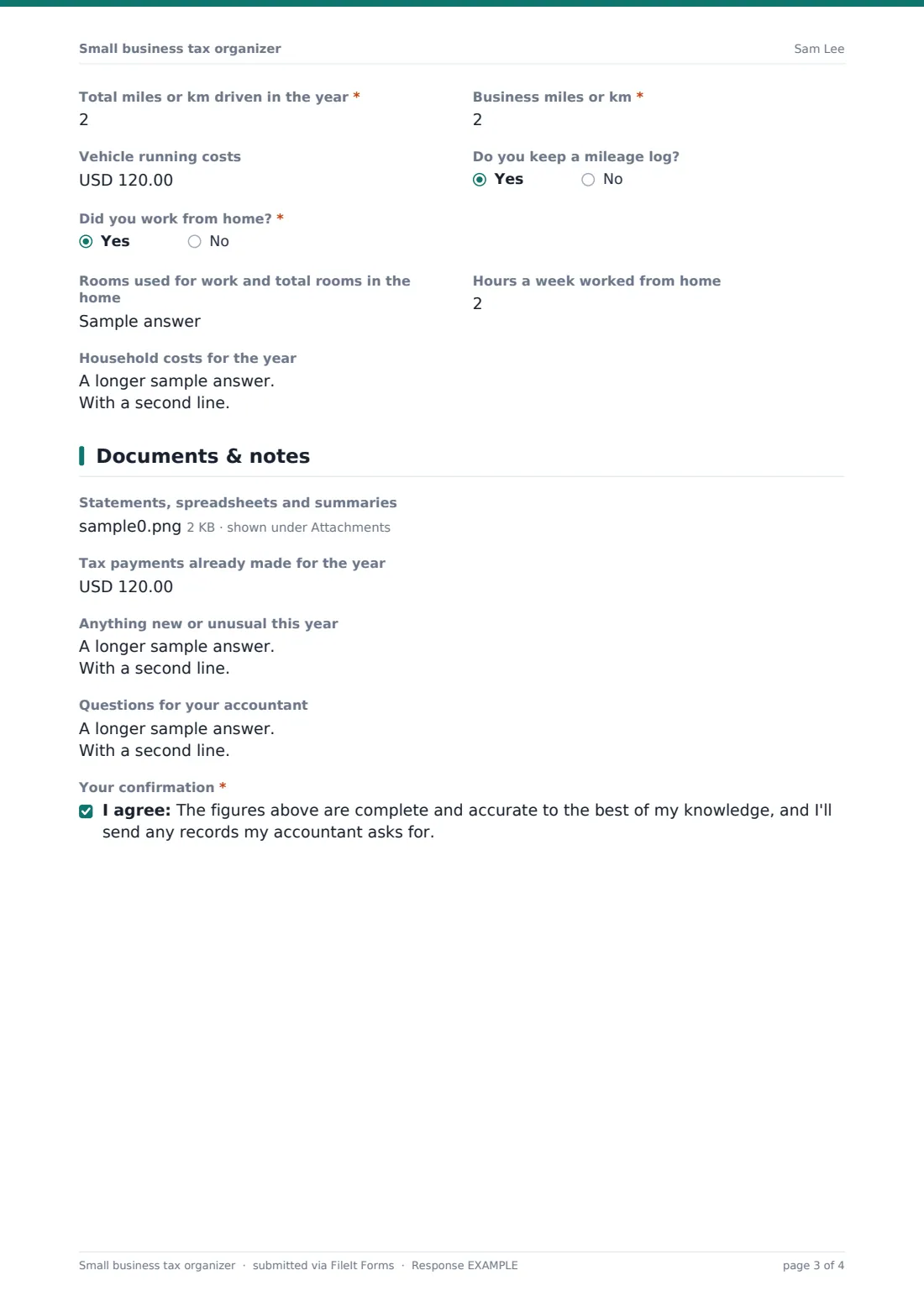
- Total miles or km driven in the year* asked only when it applies
- Business miles or km* asked only when it applies
- Vehicle running costs asked only when it applies
- Do you keep a mileage log? asked only when it applies
- Did you work from home?*
- Rooms used for work and total rooms in the home asked only when it applies
- Hours a week worked from home asked only when it applies
- Household costs for the year asked only when it applies
4 Documents & notes
- Statements, spreadsheets and summaries
- Tax payments already made for the year
- Anything new or unusual this year
- Questions for your accountant
- Your confirmation*
The small business tax organizer form, page by page
1 Your business
The client gives Your name, Email and Phone, the Business or trading name and the Tax year or accounting period. Business structure covers sole trader, partnership, LLC or limited company and S corporation, with Not sure and Other. What the business does is a short description.
Is this the first year of trading? reveals a start date when answered yes, and a second question asks whether the business stopped trading, and if so when. How are your books kept? offers software, spreadsheet, paper records or no records yet; choosing software asks which one.
2 Income & expenses
Total sales or turnover is required, with Other business income for grants, interest or rebates. Two yes/no questions ask about cash payments and card readers or payment apps, which helps the accountant reconcile takings.
Under Expenses for the year, the client enters totals for stock and materials, wages and subcontractors, premises, phone and software, advertising, insurance, professional fees, bank and finance charges, travel, and other expenses, with a box to describe what's in Other.
3 Assets, vehicle & home
Did you buy equipment, tools, furniture, computers or vehicles? opens a list of each item with date, cost and whether new or used. A separate box records anything sold, scrapped or taken for personal use.
If a vehicle was used for the business, the form asks for make and model, whether it's owned, leased or hired, total and business miles or km, running costs and whether a mileage log is kept. Working from home asks for rooms used, weekly hours at home and household costs.
4 Documents & notes
Statements, spreadsheets and summaries accepts up to ten files. The client records any tax payments already made for the year, lists anything new or unusual such as taking on staff or registering for sales tax or VAT, and asks their own questions. A required confirmation says the figures are complete to the best of their knowledge.
Make the template yours
- Change the currency fields to your clients' currency
- Rename the expense lines to match the categories on your local business tax return
- Add a question about payments to contractors if you prepare information returns for clients
- Remove the S corporation option if you only work outside the US
- Save submissions to each client's vault folder by sending personal links
- Set a closing date a few weeks before your filing deadline
Tips for a better small business tax organizer form
- Send the organizer early in the season so clients have time to find records
- Ask for totals, not every receipt — you can request backup for anything that looks unusual
- Mileage claims are much easier to support with a log; remind clients to start one
- Compare this year's answers with last year's to spot missing income or expense lines
- Explain what local tax rules allow yourself; the form only collects the client's figures
Every response becomes a PDF in your vault
Each organizer is saved as a PDF in the vault folder you choose, with uploaded statements and spreadsheets kept alongside. You get an email when it arrives, and the client can receive a copy of what they sent.
Your team works from the PDF and follows up on anything unclear. The Responses table lists every client's submission, and the CSV export puts all clients' totals in one sheet for planning your season.
- Start from this template. It opens in the FileIt Forms designer — change any question, add pages, set the rules for when questions appear.
- Share it. Turn on a public link, or send it to people by email, each with their own link. They don’t need a FileIt account.
- Get the answers as PDFs. Each response is saved as a PDF in the vault folder you choose, with uploaded files attached — and listed in a Responses table you can export to CSV.
Small business tax organizer form: frequently asked questions
Is this small business tax organizer free?
Yes. It's a starter template in the FileIt Forms app on every account, and you can change any question.
Does the form work out tax or deductions?
No. It collects the client's figures and records. What can be claimed depends on local tax rules and is for the accountant to decide.
Can it be used outside the US?
Yes. The wording avoids country-specific form names. Change the currency and rename expense categories to match your local return.
Do clients need a FileIt account?
No. They open the link and fill it in. You can also send each client a personal link.
What if a client has more expenses than the form lists?
They can total the rest under Other expenses and describe it, or upload their own spreadsheet on the last page.
Can I use it for a limited company's year end?
It suits simple small-company year ends, but you'll likely want to add questions about directors' loans, dividends and payroll.