What is the first-time visitor connect card form template?
Most congregations have a stack of visitor cards, a pen that doesn't work and a welcome team who can't read half the handwriting. This first-time visitor connect card does the same job on a phone. A QR code on the screen, the noticeboard or the back of the service sheet is enough, and the welcome team has a clear record by Monday morning.
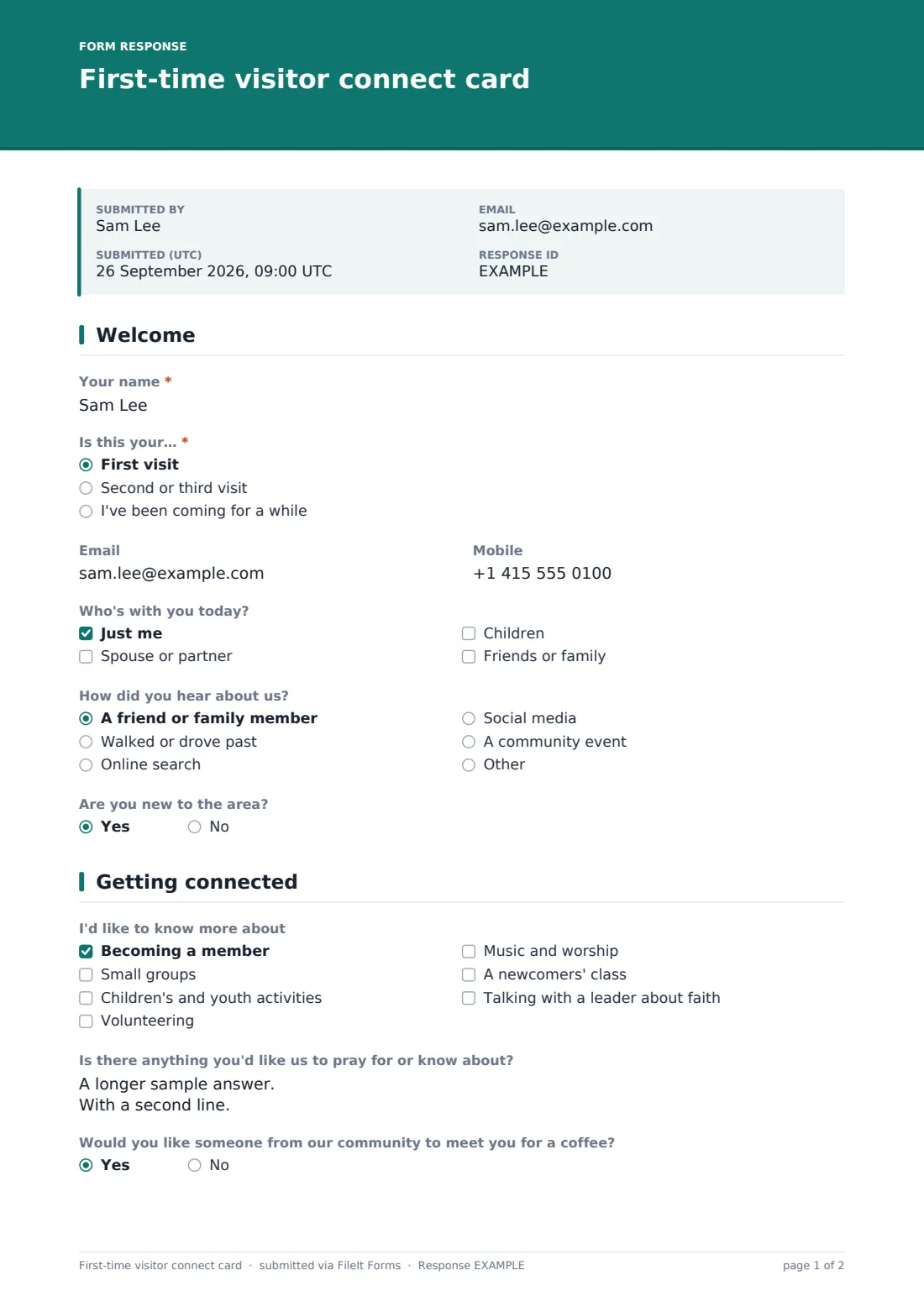
The card is short on purpose. Visitors say whether it's their first visit, who came with them — with children's ages if they brought children — how they heard about you, and whether they're new to the area. The second page asks what they'd like to know more about, from small groups and youth activities to a conversation with a leader about faith. There's a space for anything they'd like prayer for or want you to know, read only by the pastoral team.
Visitors choose how to keep in touch, including not at all. Anyone who wants contact ticks a consent for you to keep their details. Each card is filed as a PDF in your FileIt vault.
- Best for
- Churches, mosques, synagogues, temples and other faith communities
- Filled in by
- First-time and returning visitors
- Time to complete
- About 2 minutes
- Includes
- Visit and household questions, interests, a private prayer box, contact preference, consent
Who uses a first-time visitor connect card form?
- A QR code on the screen during the welcome at a Sunday service
- A connect card link in the service livestream description
- Newcomers at a community event such as a carol service or festival meal
- A welcome desk tablet for visitors who'd rather not use their own phone
- Spotting families with young children so the children's team can say hello
Questions on this first-time visitor connect card form
13 questions over 2 pages · includes conditional questions, multiple pages, consent checkbox.
1 Welcome
- Your name*
- Is this your…* First visit · Second or third visit · I've been coming for a while
- Mobile
- Who's with you today? Just me · Spouse or partner · Children · Friends or family
- Children's ages asked only when it applies
- How did you hear about us? A friend or family member · Walked or drove past · Online search · Social media · A community event
- Are you new to the area?
2 Getting connected
- I'd like to know more about Becoming a member · Small groups · Children's and youth activities · Volunteering · Music and worship · A newcomers' class · Talking with a leader about faith
- Is there anything you'd like us to pray for or know about?
- Would you like someone from our community to meet you for a coffee?
- How would you like us to keep in touch?* Email · A phone call · Text message · Please don't contact me
- Keeping your details* asked only when it applies
The first-time visitor connect card form, page by page
1 Welcome
Visitors give their name and answer "Is this your…" with first visit, second or third visit, or "I've been coming for a while". Email and mobile are optional. "Who's with you today?" covers just me, a spouse or partner, children, or friends and family, and choosing children asks for their ages. "How did you hear about us?" offers a friend or family member, walking or driving past, online search, social media, a community event or another answer. The page ends with "Are you new to the area?".
2 Getting connected
"I'd like to know more about" lists becoming a member, small groups, children's and youth activities, volunteering, music and worship, a newcomers' class, and talking with a leader about faith. "Is there anything you'd like us to pray for or know about?" has help text saying only the pastoral team will see it. A yes/no asks about meeting someone for a coffee.
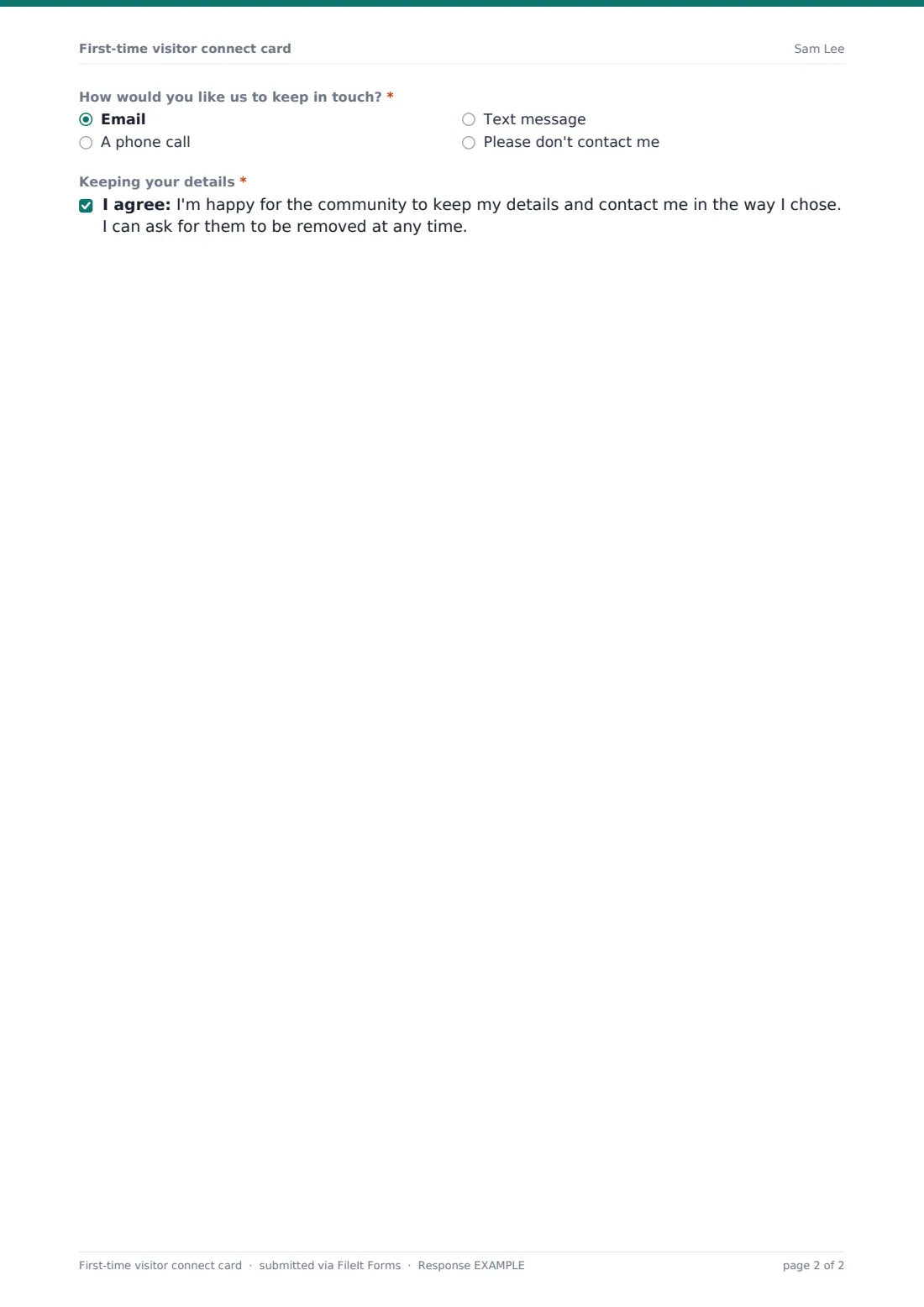
"How would you like us to keep in touch?" is required: email, a phone call, a text message, or "Please don't contact me". Anyone who chooses contact is asked to tick a consent for the community to keep their details, which they can ask to remove at any time.
Make the template yours
- Edit the interests list to match your ministries and groups
- Change the wording to suit your tradition, for example the prayer question
- Remove the prayer box if you have a separate prayer request form
- Add the pastoral team's email to the notification list so they see prayer requests promptly
- Change the accent colour and cover text to match your welcome materials
Tips for a better first-time visitor connect card form
- Show the QR code during the notices and leave it on screen for a minute
- Follow up within the week, and only in the way the visitor chose
- Pass children's ages to the children's team before the next service
- Respect "Please don't contact me" and never add those visitors to mailing lists
- Review interests monthly to see which groups newcomers are asking about
Every response becomes a PDF in your vault
Each connect card becomes a PDF in your vault and the welcome team is notified by email. Visitors who gave an email address receive a copy of their card.
The Responses table shows the week's visitors with search by name. Export to CSV to share follow-up lists with small group leaders or the children's team, removing anyone who asked not to be contacted.
- Start from this template. It opens in the FileIt Forms designer — change any question, add pages, set the rules for when questions appear.
- Share it. Turn on a public link, or send it to people by email, each with their own link. They don’t need a FileIt account.
- Get the answers as PDFs. Each response is saved as a PDF in the vault folder you choose, with uploaded files attached — and listed in a Responses table you can export to CSV.
First-time visitor connect card form: frequently asked questions
Is this connect card template free?
Yes. It's one of the ready-made templates in the Forms app on every FileIt account, including the free plan.
Do visitors need to download anything?
No. They scan the QR code or tap the link and fill it in in their phone's browser.
Who sees the prayer request?
Everyone with access to the form's responses can see it. The help text tells visitors only the pastoral team will, so keep the form's responses with that team.
Can visitors stay anonymous?
The template asks for a name. Contact details are optional, and visitors can ask not to be contacted.
Can we use it for a livestream audience?
Yes. Put the link in the stream description or chat, and online visitors fill in the same card.
Can I add a question about baptism or membership classes?
Yes. Add an option to the interests list, or a new question, in the designer.