What is the youth group registration form template?
Running a youth group means being trusted with other people's children. Leaders need to know about allergies and medical conditions before an evening starts, who to call if something goes wrong, whether a young person can walk home alone, and whether parents are happy with photos and lifts. An annual registration form is the simplest way to have all of that — signed — before the first session.
This template covers it on five pages: the young person, their parents or guardians, medical information, emergency contacts and collection, then consents. Medical detail fields only appear when there's something to tell, a second parent can be added, and naming other adults who may collect only appears if the young person must be collected.
Each registration is saved as a signed PDF in your FileIt vault, so the youth leader can find a young person's medical details or emergency contact in seconds — at church or on a trip.
- Best for
- Church youth groups, youth ministries and faith-based clubs
- Filled in by
- A parent or guardian
- Time to complete
- About 8 minutes
- Includes
- Medical details, two emergency contacts, collection rules, transport, photo and medical consent
Who uses a youth group registration form?
- Annual registration for a weekly church youth night
- Signing young people up before the first retreat or summer camp
- A youth worker needing up-to-date allergies and medications for every member
- A parish collecting photo consent before posting on social media
- A new family joining the youth group partway through the year
Questions on this youth group registration form
39 questions over 5 pages · includes signature, conditional questions, multiple pages, consent checkbox.
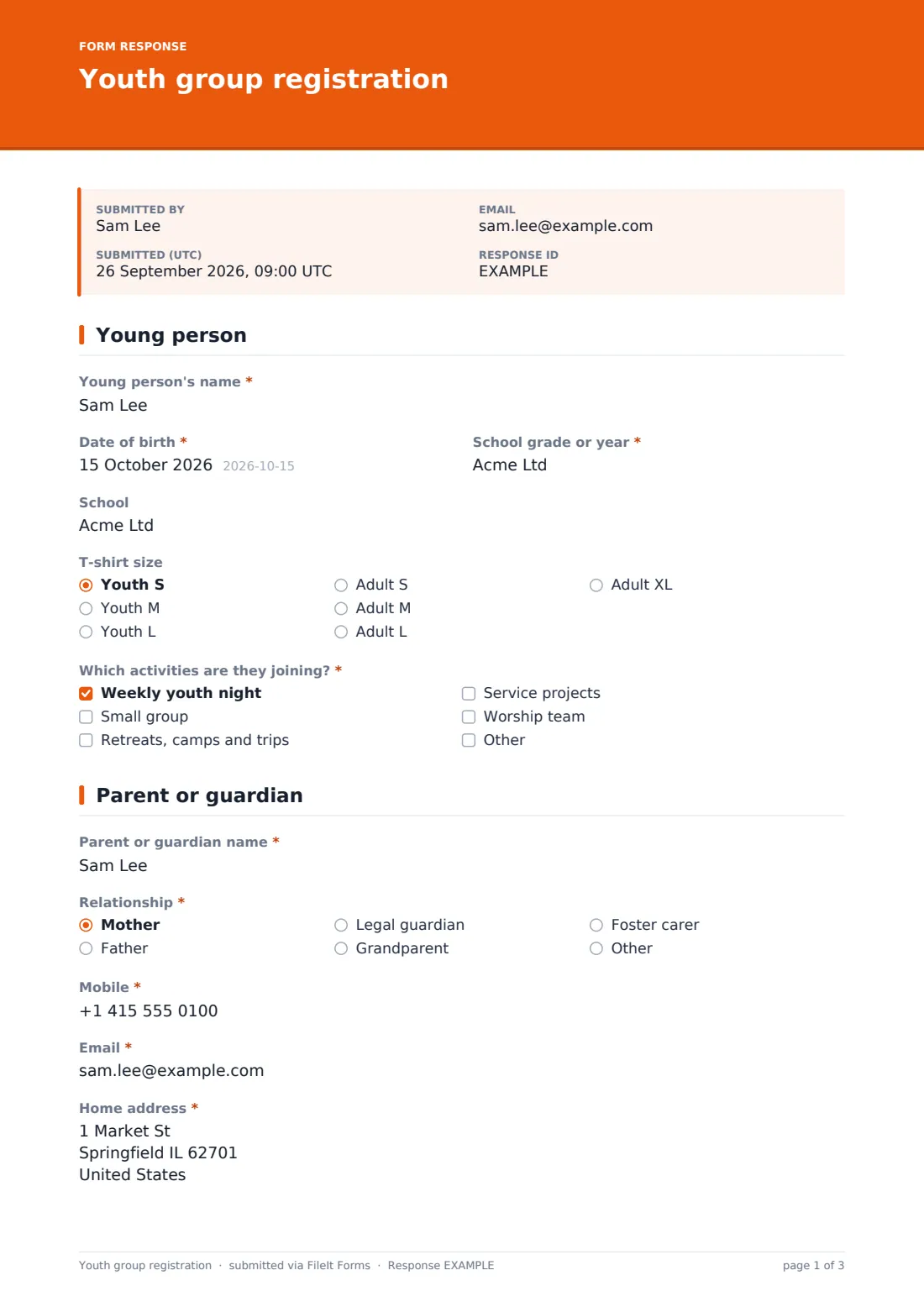
1 Young person
- Young person's name*
- Date of birth*
- School grade or year*
- School
- T-shirt size Youth S · Youth M · Youth L · Adult S · Adult M · Adult L · Adult XL
- Which activities are they joining?* Weekly youth night · Small group · Retreats, camps and trips · Service projects · Worship team
2 Parent or guardian
- Parent or guardian name*
- Relationship* Mother · Father · Legal guardian · Grandparent · Foster carer · Other
- Mobile*
- Email*
- Home address*
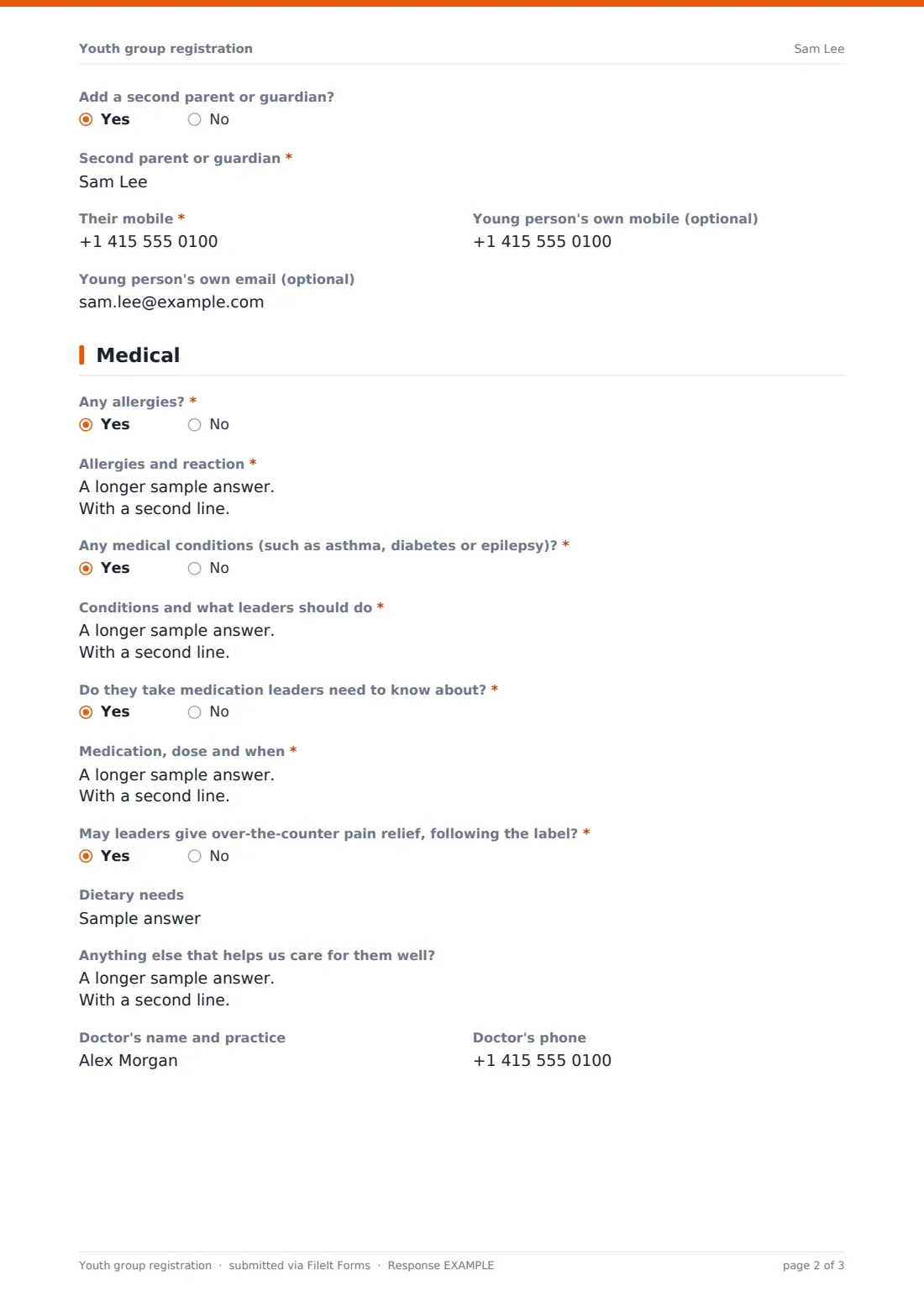
- Add a second parent or guardian?
- Second parent or guardian* asked only when it applies
- Their mobile* asked only when it applies
- Young person's own mobile (optional)
- Young person's own email (optional)
3 Medical
- Any allergies?*
- Allergies and reaction* asked only when it applies
- Any medical conditions (such as asthma, diabetes or epilepsy)?*
- Conditions and what leaders should do* asked only when it applies
- Do they take medication leaders need to know about?*
- Medication, dose and when* asked only when it applies
- May leaders give over-the-counter pain relief, following the label?*
- Dietary needs
- Anything else that helps us care for them well?
- Doctor's name and practice
- Doctor's phone
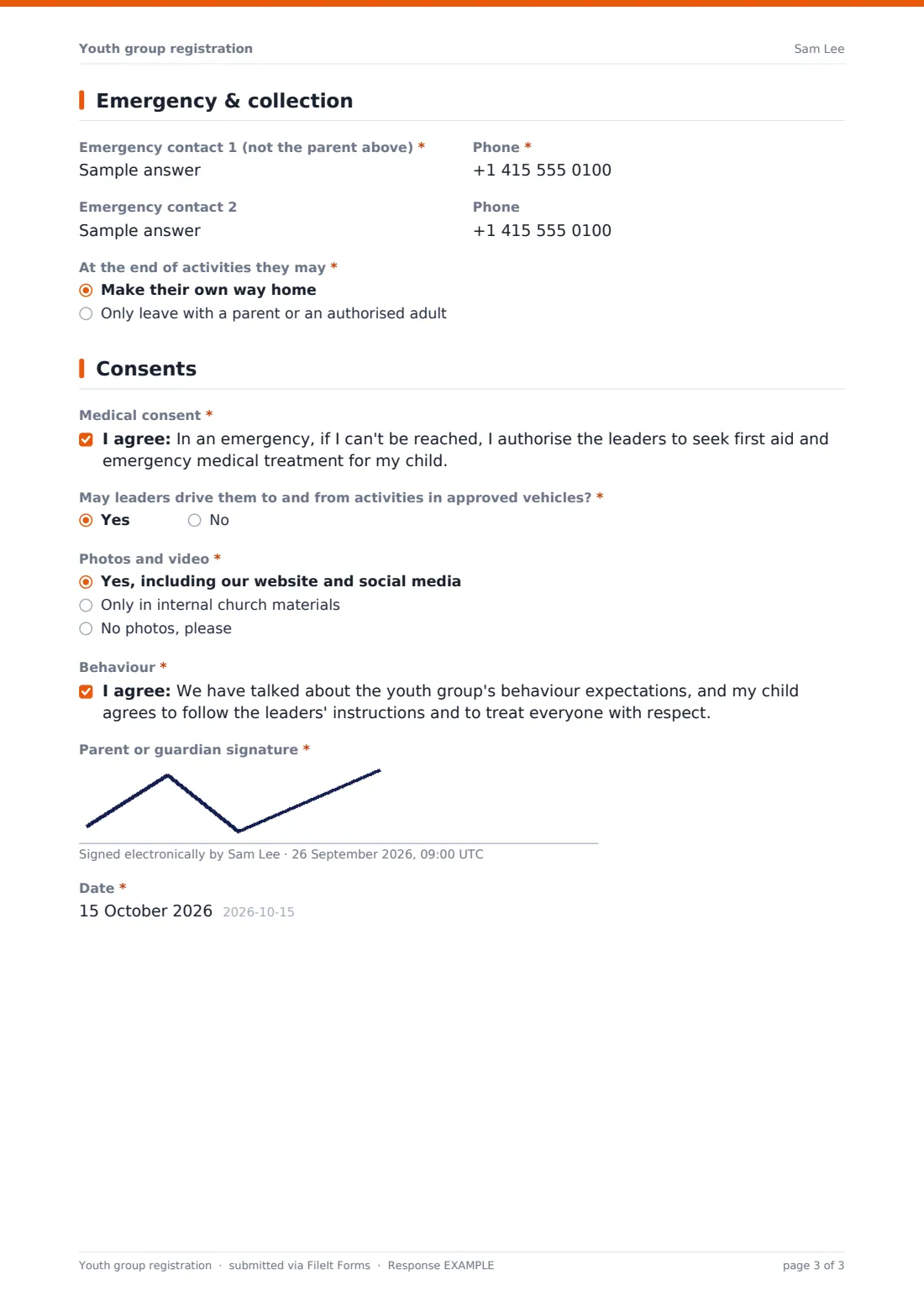
4 Emergency & collection
- Emergency contact 1 (not the parent above)*
- Phone*
- Emergency contact 2
- Phone
- At the end of activities they may* Make their own way home · Only leave with a parent or an authorised adult
- Other adults who may collect them asked only when it applies
5 Consents
- Medical consent*
- May leaders drive them to and from activities in approved vehicles?*
- Photos and video* Yes, including our website and social media · Only in internal church materials · No photos, please
- Behaviour*
- Parent or guardian signature*
- Date*
The youth group registration form, page by page
1 Young person
Name, date of birth and school grade or year are required; school and T-shirt size are optional. Parents tick which activities the young person is joining — weekly youth night, small group, trips, service projects, worship team or Other.
2 Parent or guardian
The main parent or guardian's name, relationship, mobile, email and home address. A yes/no adds a second parent or guardian with their name and mobile, and the young person's own mobile and email can be added if they have them.
3 Medical
Allergies, medical conditions and medication are each a required yes/no that opens a detail field when the answer is yes — allergy details prompt for whether the young person carries an adrenaline auto-injector. Parents say whether leaders may give over-the-counter pain relief following the label, and can add dietary needs, anything else that helps leaders care for them, and their doctor's details.
4 Emergency & collection
A first emergency contact (someone other than the parent) is required, a second is optional. Parents choose whether the young person may make their own way home or must only leave with an authorised adult, and in the second case can name other adults who may collect.
5 Consents
Emergency medical consent, permission to travel in leaders' approved vehicles, a photo and video choice (public, internal only or none), agreement to behaviour expectations, and the parent's signature and date.
Make the template yours
- Rename activities to match your youth program
- Change grade or year wording to suit your country
- Add a question for which service or campus the family attends
- Link your safeguarding and behaviour policies in the cover text
- Set the form to close at the end of registration season and reopen it each year
Tips for a better youth group registration form
- Ask families to re-register each year so medical and contact details stay current
- Print or download the medical details for trips where there may be no signal
- Brief every leader on allergies and conditions before the first session
- Honour photo choices — keep a quick list of 'no photos' young people for whoever takes pictures
- Never release a young person to someone not on the authorised list
Every response becomes a PDF in your vault
Each registration is saved as a signed PDF in the vault folder you choose — you could keep one folder per year. You're emailed for each new registration, and the parent can receive their own copy.
Filter the Responses table by activity, allergy or photo choice to prepare leaders' lists, and export to CSV for an attendance register or trip roster.
- Start from this template. It opens in the FileIt Forms designer — change any question, add pages, set the rules for when questions appear.
- Share it. Turn on a public link, or send it to people by email, each with their own link. They don’t need a FileIt account.
- Get the answers as PDFs. Each response is saved as a PDF in the vault folder you choose, with uploaded files attached — and listed in a Responses table you can export to CSV.
Youth group registration form: frequently asked questions
Is this youth group registration template free?
Yes. It's one of the ready-made templates in the Forms app on every FileIt account, including the free plan. Use it as it is or change any question in the designer.
Do parents need a FileIt account?
No. They fill it in from the link you share — no sign-up needed.
Can I use it for camps and trips too?
It covers the everyday youth program. For a particular trip, the travel consent and summer camp templates ask trip-specific questions.
How are medical details handled?
Allergies, conditions and medication are yes/no questions that open detail fields only when needed. Responses are stored in your private vault, visible to whoever you give access.
Can a second parent be added?
Yes. A yes/no question adds a second parent or guardian's name and mobile.
Can parents choose different photo permissions?
Yes — public use, internal materials only, or no photos.