What is the mission trip application form template?
Choosing a team for a mission or service trip means knowing more than who is keen. Trip leaders need to know whether each applicant has a valid passport (and when it expires), what they could contribute, how they plan to pay, what medical needs the team will be travelling with, and — for teenagers — that a parent is on board.
This template covers the whole application on five pages. Passport details only appear for people who have one, and those without see a reminder to apply early. Skills, motivation and a reference help leaders shape a balanced team. Fundraising questions change with the answer: self-funding applicants say what they can contribute, fundraisers describe their plan and can ask for help with support letters. The last page covers health, vaccinations, an emergency contact and the team commitment — with parent or guardian consent and signature for anyone under 18.
Every application is saved as a signed PDF in your FileIt vault, alongside the passport copy if one was uploaded.
- Best for
- Churches, mission agencies, schools and charities running service trips
- Filled in by
- The applicant, with a parent or guardian for under-18s
- Time to complete
- About 15 minutes
- Includes
- Passport details and upload, skills, reference, fundraising plan, medical info and signed commitment
Who uses a mission trip application form?
- A church selecting a summer building team for a partner community overseas
- A youth ministry taking applications for a teen service trip, with parent consent
- A medical mission recruiting nurses and doctors and recording their skills
- A school or college service-learning trip abroad
- A domestic disaster-response team gathering volunteers' skills and availability
Questions on this mission trip application form
39 questions over 5 pages · includes signature, file upload, conditional questions, multiple pages, consent checkbox.
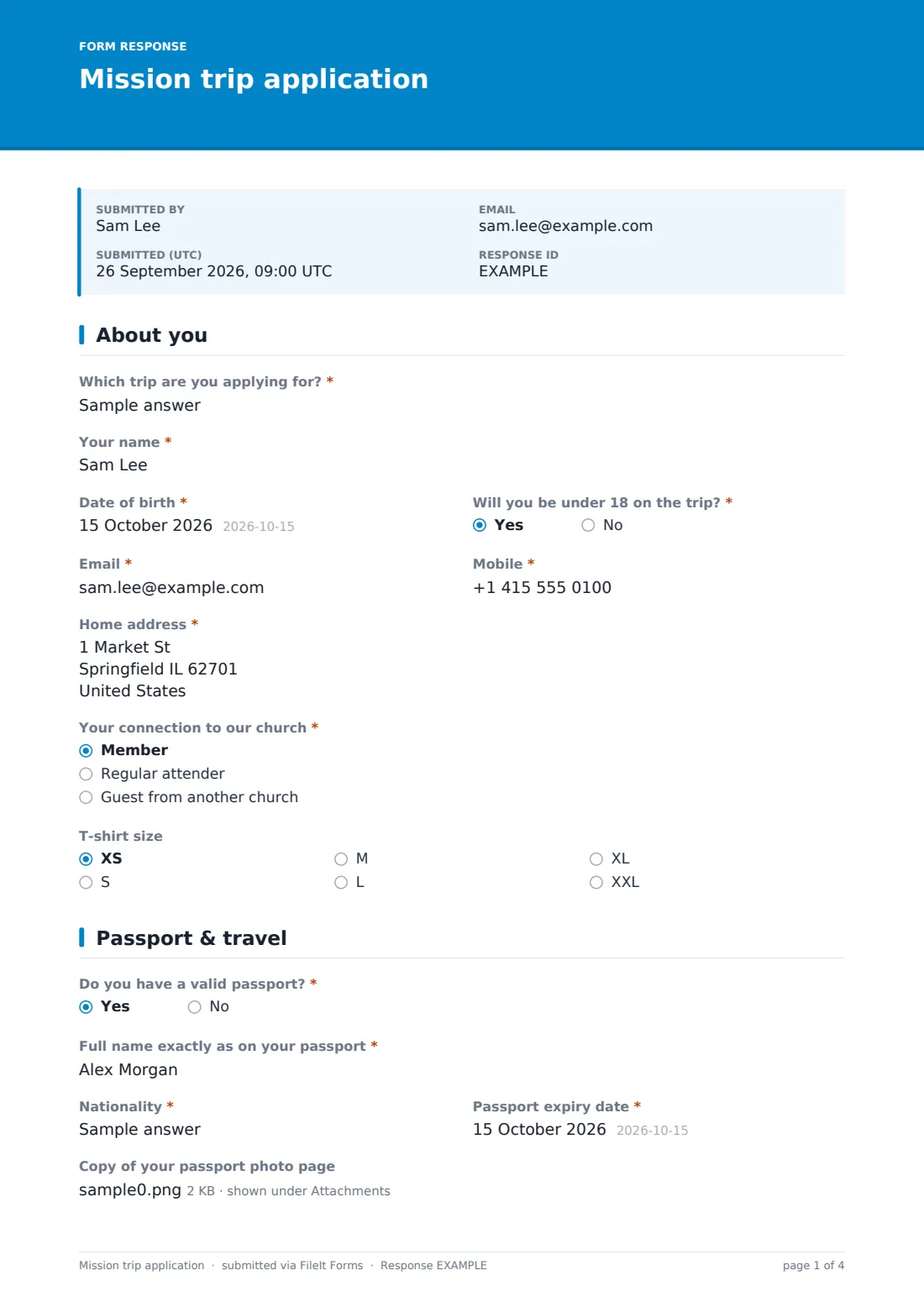
1 About you
- Which trip are you applying for?*
- Your name*
- Date of birth*
- Will you be under 18 on the trip?*
- Email*
- Mobile*
- Home address*
- Your connection to our church* Member · Regular attender · Guest from another church
- T-shirt size XS · S · M · L · XL · XXL
2 Passport & travel
- Do you have a valid passport?*
- Full name exactly as on your passport* asked only when it applies
- Nationality* asked only when it applies
- Passport expiry date* asked only when it applies
- Copy of your passport photo page asked only when it applies
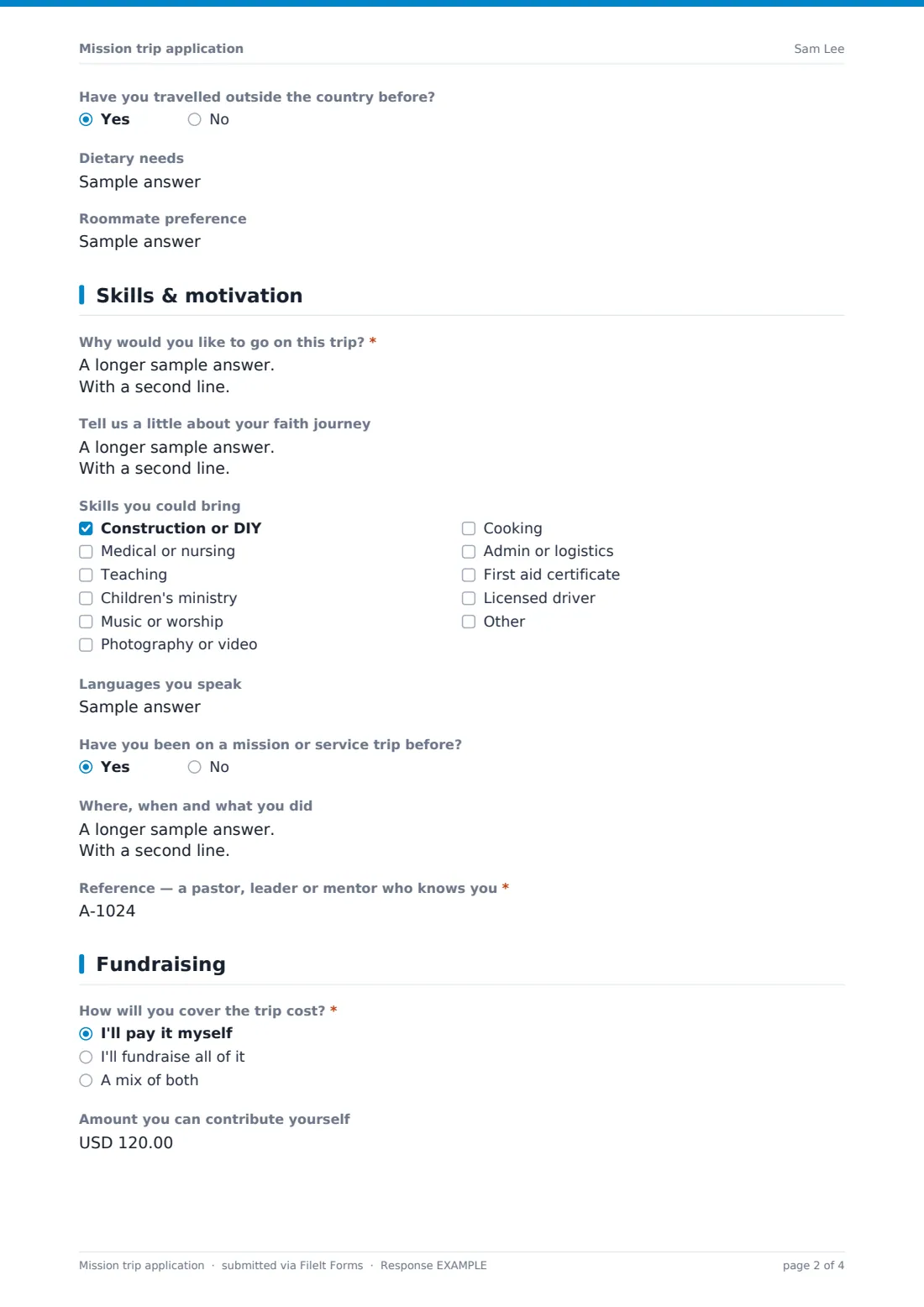
- Have you travelled outside the country before?
- Dietary needs
- Roommate preference
3 Skills & motivation
- Why would you like to go on this trip?*
- Tell us a little about your faith journey
- Skills you could bring Construction or DIY · Medical or nursing · Teaching · Children's ministry · Music or worship · Photography or video · Cooking · Admin or logistics · First aid certificate · Licensed driver
- Languages you speak
- Have you been on a mission or service trip before?
- Where, when and what you did asked only when it applies
- Reference — a pastor, leader or mentor who knows you*
4 Fundraising
- How will you cover the trip cost?* I'll pay it myself · I'll fundraise all of it · A mix of both
- Amount you can contribute yourself asked only when it applies
- Your fundraising plan* asked only when it applies
- Would you like help writing support letters? asked only when it applies
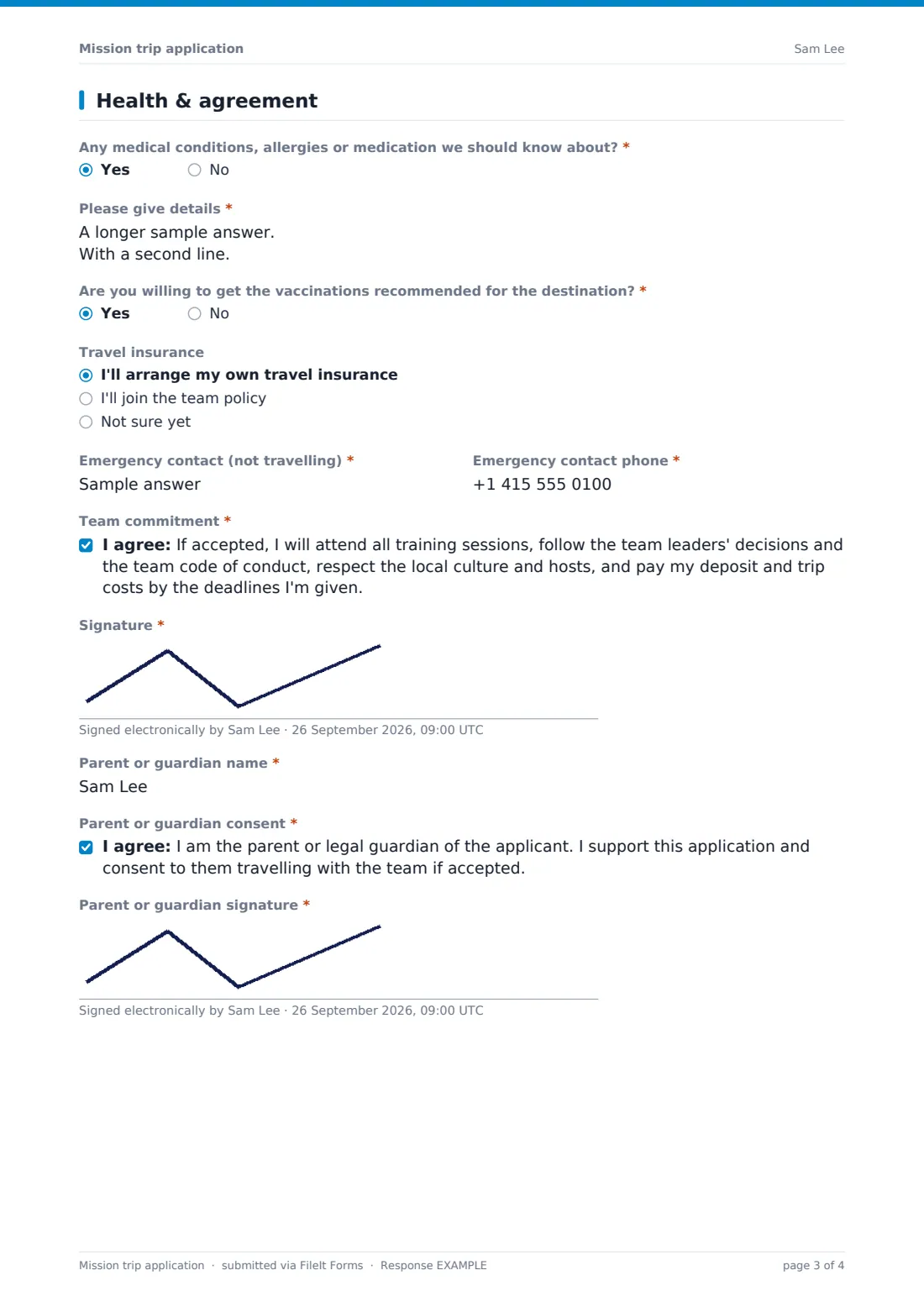
5 Health & agreement
- Any medical conditions, allergies or medication we should know about?*
- Please give details* asked only when it applies
- Are you willing to get the vaccinations recommended for the destination?*
- Travel insurance I'll arrange my own travel insurance · I'll join the team policy · Not sure yet
- Emergency contact (not travelling)*
- Emergency contact phone*
- Team commitment*
- Signature*
- Parent or guardian name* asked only when it applies
- Parent or guardian consent* asked only when it applies
- Parent or guardian signature* asked only when it applies
The mission trip application form, page by page
1 About you
The trip being applied for, then name, date of birth, whether the applicant will be under 18 on the trip, email, mobile and home address. Applicants say whether they're a member, regular attender or guest from another church, and can give a T-shirt size.
2 Passport & travel
Do you have a valid passport? Yes asks for the name exactly as on the passport, nationality and expiry date — with a note that some countries require validity beyond the return date — plus an optional photo-page upload. No shows a reminder to apply quickly. Previous travel abroad, dietary needs and a roommate preference follow.
3 Skills & motivation
Why they'd like to go (required), an optional faith journey, skills they could bring (construction, medical, teaching, children's ministry, music, media, cooking, admin, first aid, driving and Other), languages, previous trips with detail, and a required reference who isn't a family member.
4 Fundraising
How the trip cost will be covered: self-funded, fundraised or a mix. Anyone contributing personally can give an amount; anyone fundraising describes their plan and can ask for help writing support letters.
5 Health & agreement
Medical conditions, allergies or medication (with details on yes), willingness to get recommended vaccinations, whether they'll arrange their own travel insurance or join the team policy, and an emergency contact who isn't travelling. The applicant agrees to the team commitment and signs. Under-18s also need a parent or guardian's name, consent and signature.
Make the template yours
- Replace the free-text trip field with a dropdown of this year's trips
- Set the currency on the contribution field
- Add your trip cost, deposit and deadlines to the cover text
- Edit the skills list to what the host community has asked for
- Close the form on the application deadline in Settings
Tips for a better mission trip application form
- Check passport expiry dates against the destination's entry rules as soon as applications come in
- Contact references before confirming places, especially for trips with children or vulnerable people
- Share medical details only with team leaders and the trip's first-aider
- Start fundraising support early — offer a support-letter workshop to everyone who asked
- Tell unsuccessful applicants kindly and quickly, and suggest other ways to serve
Every response becomes a PDF in your vault
Each application — with signatures and any passport copy — is saved in the vault folder you choose, and you're notified by email. Applicants can receive a copy.
Filter the Responses table by trip, skills or passport status to build your team, and export to CSV for a travel roster with emergency contacts.
- Start from this template. It opens in the FileIt Forms designer — change any question, add pages, set the rules for when questions appear.
- Share it. Turn on a public link, or send it to people by email, each with their own link. They don’t need a FileIt account.
- Get the answers as PDFs. Each response is saved as a PDF in the vault folder you choose, with uploaded files attached — and listed in a Responses table you can export to CSV.
Mission trip application form: frequently asked questions
Is this mission trip application template free?
Yes. It's one of the ready-made templates in the Forms app on every FileIt account, including the free plan. Use it as it is or change any question in the designer.
Do people need a FileIt account to fill it in?
No. Anyone with the public link, or a personal invitation you send by email, can fill it in without signing up.
Can applicants upload a passport copy?
Yes. Anyone who says they have a valid passport can upload a PDF or photo of the photo page. It's optional, and stored in your private vault.
How are under-18 applicants handled?
Answering yes to 'Will you be under 18 on the trip?' adds a parent or guardian name, consent statement and signature on the last page.
Does it collect payments?
No. It asks how the applicant plans to fund the trip. Handle deposits and payments through your usual giving or payment system.
Can I use it for trips that don't need a passport?
Yes — delete the passport page or make its questions optional in the designer.