What is the valet parking check-in form template?
Most valet disputes come down to one question: was that scratch there when the car arrived? A ticket stub doesn't answer it. This valet parking check-in form has the attendant record the vehicle, the keys and its condition with the guest standing there, take photos on their phone, and get a signature before driving away.
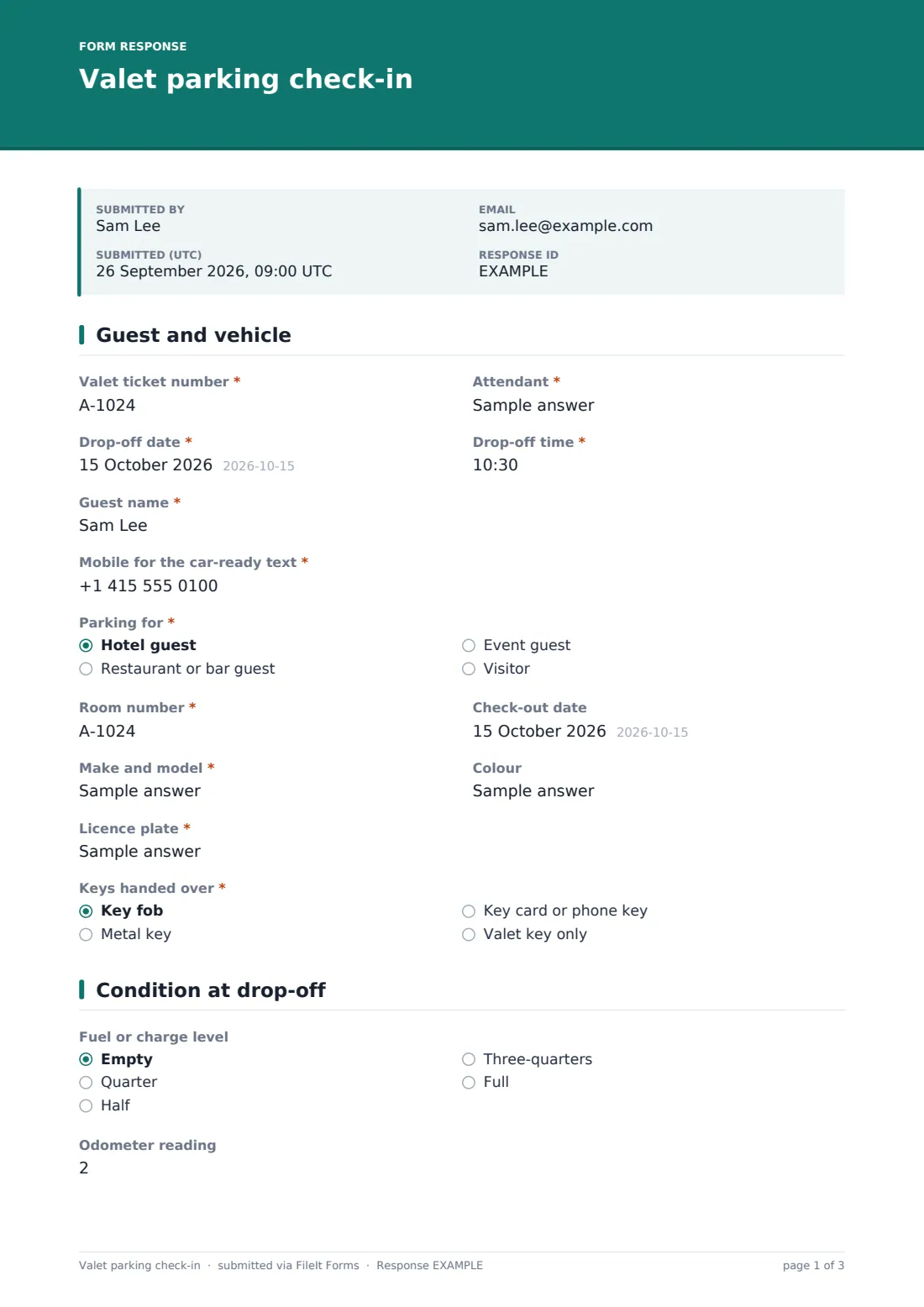
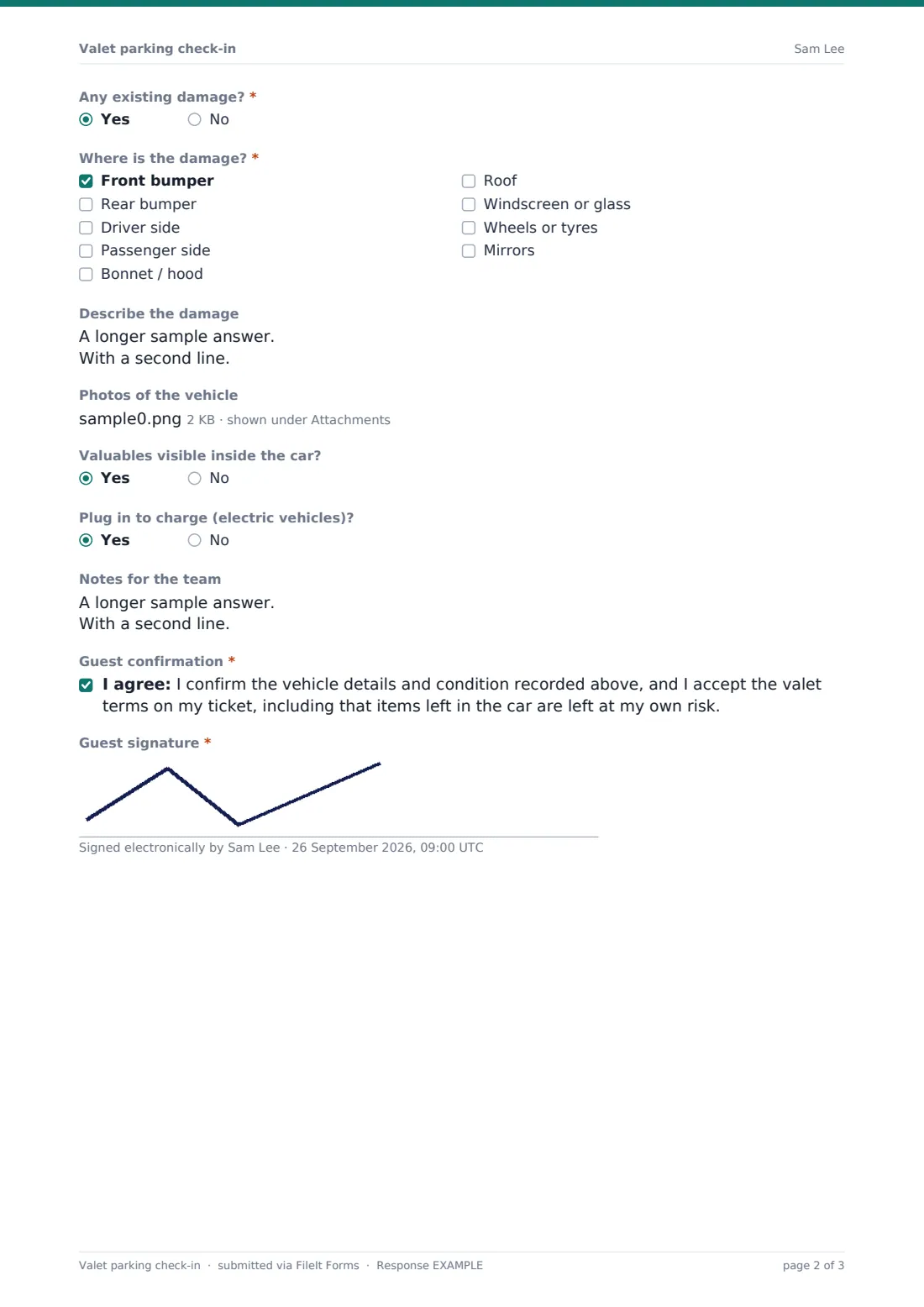
The form is built for speed on a phone at the kerb. Ticket number, attendant, time and guest come first; a hotel guest also gets a room number and check-out date. The second page is the walk-around: fuel or charge level, odometer, and a required question about existing damage that opens a checklist of areas and a description box when the answer is yes. Photos go straight from the phone's camera into the form.
When the attendant submits, the check-in is saved as a PDF in your FileIt vault with the photos attached, so if a guest raises a concern days later you can pull up exactly what was recorded.
- Best for
- Hotel, restaurant, hospital and event valet services
- Filled in by
- The valet attendant, with the guest signing on the attendant's phone
- Time to complete
- About 2 minutes per car
- Includes
- Damage checklist, up to 8 photos, EV charging flag, guest consent and signature
Who uses a valet parking check-in form?
- A hotel valet desk logging overnight guests' cars with room numbers
- Restaurant valet on busy weekend evenings
- Event valet for a wedding or gala where cars arrive in a rush
- Recording a car with existing damage so the guest confirms it before parking
- Flagging electric vehicles that need to be plugged in overnight
Questions on this valet parking check-in form
24 questions over 2 pages · includes signature, file upload, conditional questions, multiple pages, consent checkbox.
1 Guest and vehicle
- Valet ticket number*
- Attendant*
- Drop-off date*
- Drop-off time*
- Guest name*
- Mobile for the car-ready text*
- Parking for* Hotel guest · Restaurant or bar guest · Event guest · Visitor
- Room number* asked only when it applies
- Check-out date asked only when it applies
- Make and model*
- Colour
- Licence plate*
- Keys handed over* Key fob · Metal key · Key card or phone key · Valet key only
2 Condition at drop-off
- Fuel or charge level Empty · Quarter · Half · Three-quarters · Full
- Odometer reading
- Any existing damage?*
- Where is the damage?* asked only when it applies Front bumper · Rear bumper · Driver side · Passenger side · Bonnet / hood · Roof · Windscreen or glass · Wheels or tyres · Mirrors
- Describe the damage asked only when it applies
- Photos of the vehicle
- Valuables visible inside the car?
- Plug in to charge (electric vehicles)?
- Notes for the team
- Guest confirmation*
- Guest signature*
The valet parking check-in form, page by page
1 Guest and vehicle
The attendant enters the "Valet ticket number", their own name, and the drop-off date and time. They then record the guest name and a "Mobile for the car-ready text". "Parking for" covers hotel guests, restaurant or bar guests, event guests and visitors. A hotel guest also gets a room number and check-out date. The vehicle is recorded by make and model, colour and licence plate, and "Keys handed over" notes whether it was a fob, metal key, key card or phone key, or valet key only.
2 Condition at drop-off
The walk-around records the fuel or charge level and the odometer reading. "Any existing damage?" is required, and a yes opens "Where is the damage?" with bumpers, both sides, bonnet, roof, glass, wheels and mirrors, plus a box to describe it. "Photos of the vehicle" takes up to eight images, and help text asks for one of each side plus close-ups.
The attendant notes any valuables in view and whether an electric car should be plugged in, and adds notes for the team. The guest then ticks the consent confirming the details and condition, and accepting the valet terms on the ticket. The last step is the guest's signature.
Make the template yours
- Change the "Parking for" options to match your site, for example clinic patients or office visitors
- Edit the consent so it refers to your own valet terms
- Add a field for the parking bay or level the car was left in
- Set the document title to include the ticket number for faster lookup
- File check-ins in a folder per site or per month
Tips for a better valet parking check-in form
- Always take the four side photos, even on a car with no visible damage
- Photograph damage close up and from a distance so the location is clear
- Fill the form in before moving the car, never after
- Save the form link to each attendant's home screen so it opens in one tap
- When a guest disputes damage, search the Responses table by plate or ticket number first
Every response becomes a PDF in your vault
Each check-in becomes a PDF in your vault with every photo attached to the same document, and the owner gets an email notice. The template doesn't email the guest a copy by default; switch on the respondent copy in Settings if you ask for the guest's email and want them to have one.
The Responses table lets a supervisor search by ticket number, guest or licence plate and open the PDF and photos in seconds. Export to CSV to see the number of cars handled per day or per attendant.
- Start from this template. It opens in the FileIt Forms designer — change any question, add pages, set the rules for when questions appear.
- Share it. Turn on a public link, or send it to people by email, each with their own link. They don’t need a FileIt account.
- Get the answers as PDFs. Each response is saved as a PDF in the vault folder you choose, with uploaded files attached — and listed in a Responses table you can export to CSV.
Valet parking check-in form: frequently asked questions
Is this valet check-in form free?
Yes. It's one of the ready-made templates in the Forms app on every FileIt account, including the free plan.
Can attendants use their own phones?
Yes. The form runs in the phone's browser from a link or QR code, with no app to install, and photos can be taken straight from the camera.
How many photos can be added?
Up to eight per car in the template, each up to 10 MB. You can change the limit in the designer, up to ten.
Does the guest need to type anything?
Only their signature, drawn with a finger on the attendant's screen. The attendant fills in everything else.
Does this replace our valet ticket?
No. Attendants still hand over your numbered ticket; the form records the ticket number alongside the vehicle's condition.
Can I check a car's record after it has left?
Yes. Every check-in is filed in your vault and listed in the Responses tab, searchable by plate, name or ticket number.