What is the training needs analysis survey form template?
A training needs analysis (TNA) compares the skills a team needs with the skills it has, so you spend a training budget where it matters. The simplest starting point is asking staff to rate their own confidence and name their priorities.
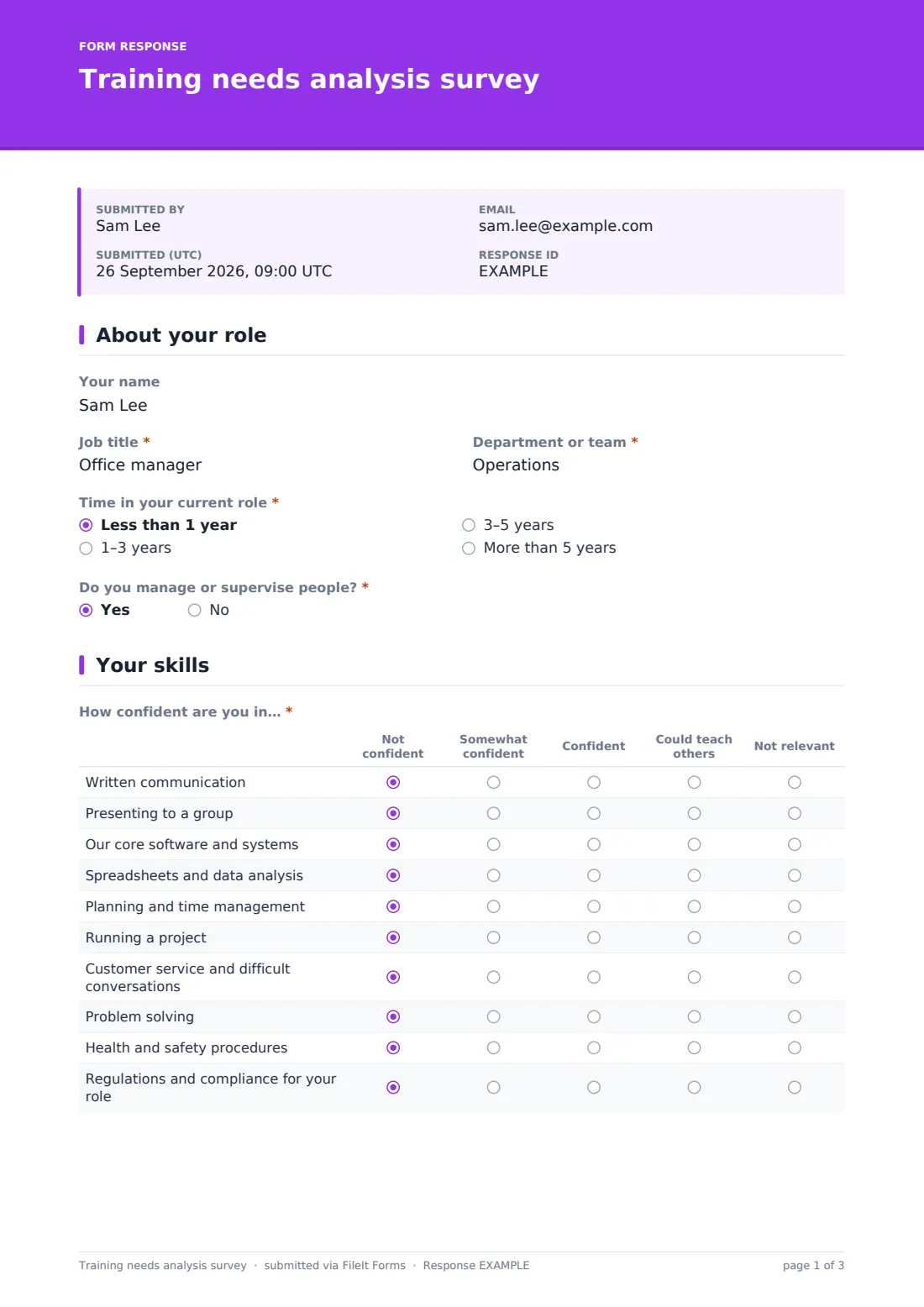
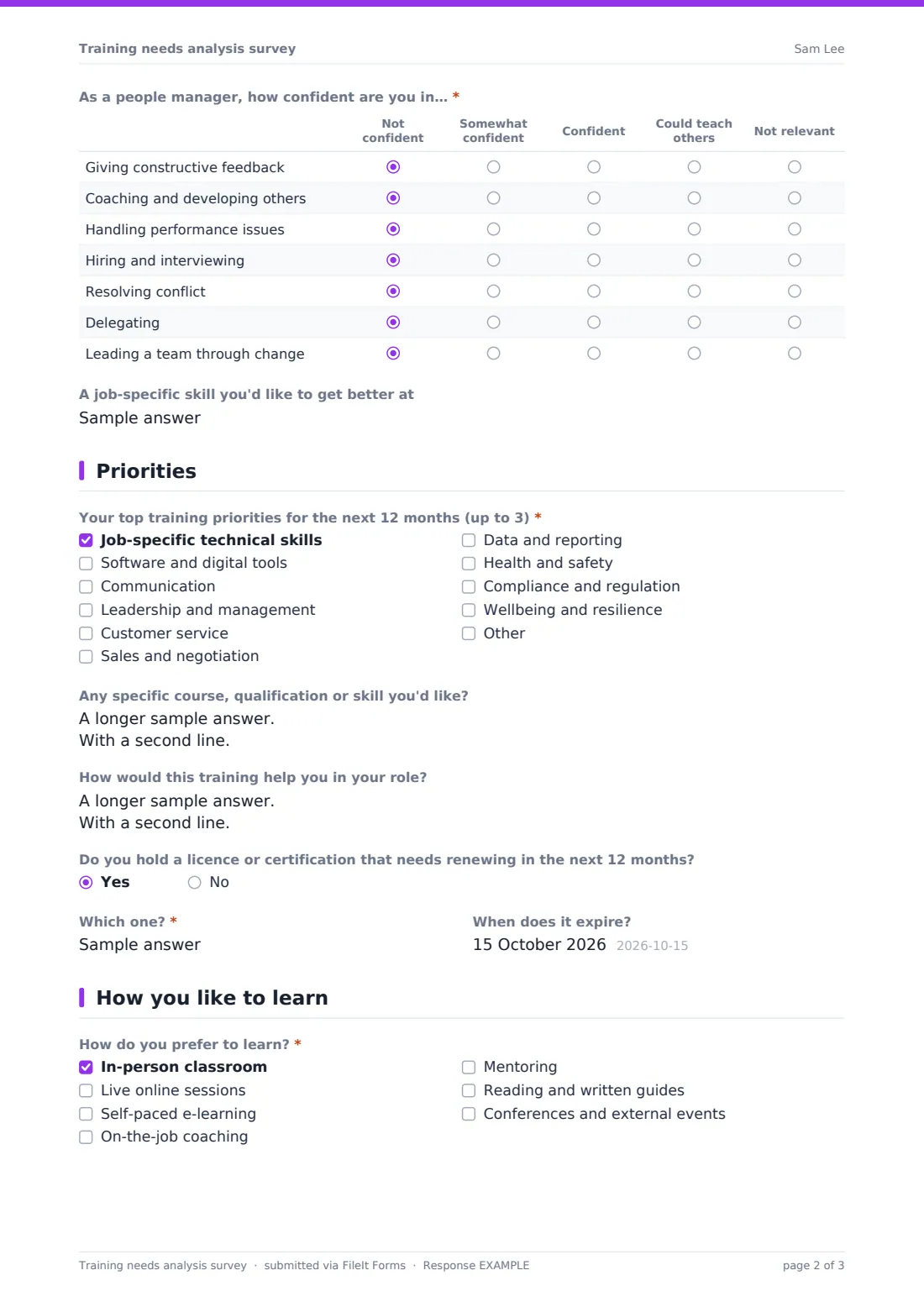
This survey asks each person about their role, then rates confidence across ten core skills — from written communication to compliance — on a scale that runs to 'Could teach others', which also shows you who could train colleagues. People managers get an extra grid on leadership skills. Everyone chooses up to three priorities, says why, and flags any licence or certification due for renewal in the next year, with its expiry date.
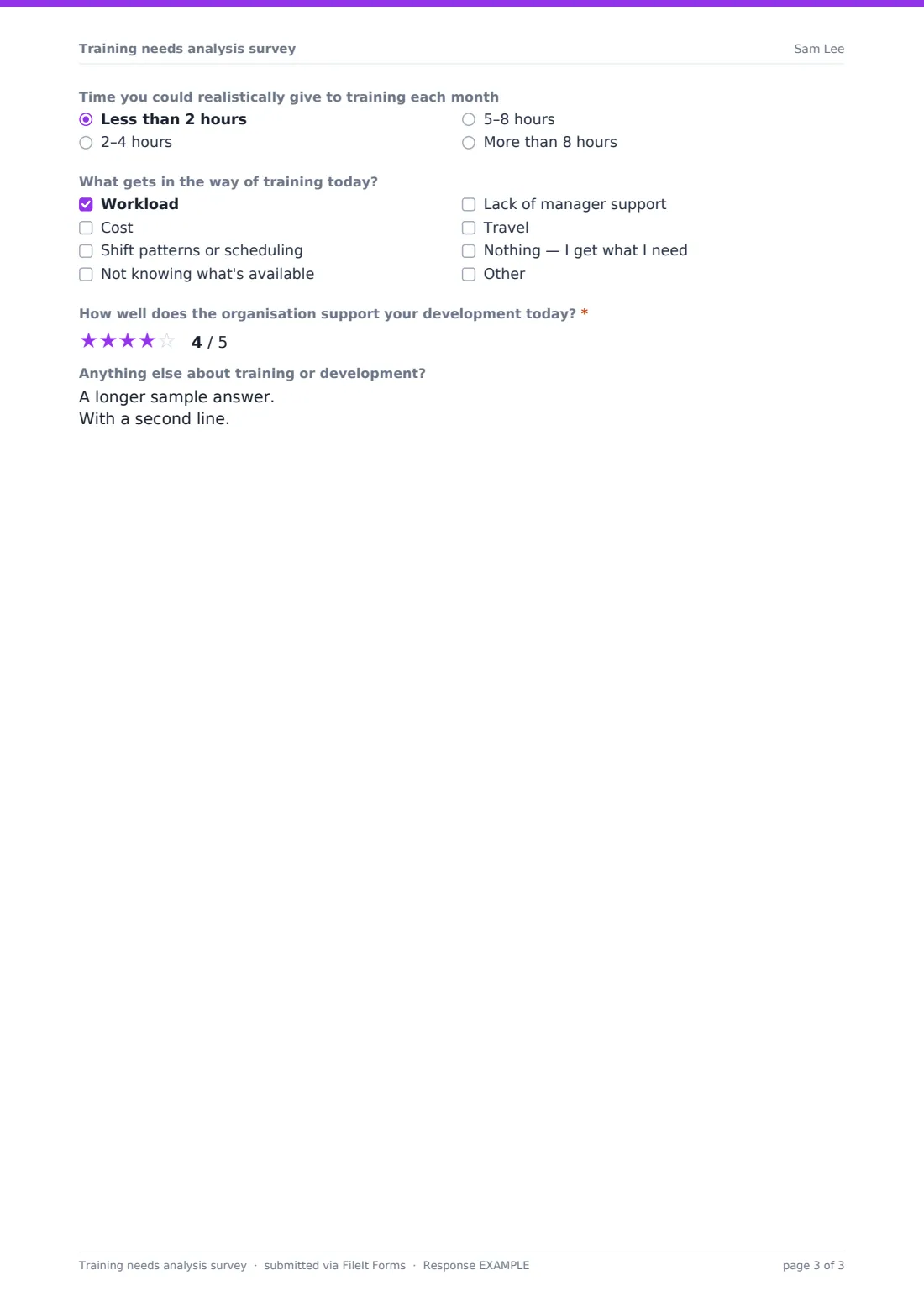
A final page asks how people like to learn, how much time they can give and what gets in the way. The name is optional; each response is saved as a PDF in your FileIt vault.
- Best for
- HR, L&D teams and managers planning a training budget
- Filled in by
- Employees, with their name optional
- Time to complete
- About 7 minutes
- Includes
- Skill confidence grids, a manager-only leadership grid, top-3 priorities and certification expiry dates
Who uses a training needs analysis survey form?
- Planning an annual training calendar and budget
- Finding in-house experts who could train others
- Identifying leadership development needs for new managers
- Collecting upcoming licence and certification renewals across a team
- Choosing between e-learning, classroom and coaching formats
- Preparing for performance review or development plan conversations
Questions on this training needs analysis survey form
19 questions over 4 pages · includes conditional questions, multiple pages, ratings.
1 About your role
- Your name
- Job title*
- Department or team*
- Time in your current role* Less than 1 year · 1–3 years · 3–5 years · More than 5 years
- Do you manage or supervise people?*
2 Your skills
- How confident are you in…* Not confident · Somewhat confident · Confident · Could teach others · Not relevant
- As a people manager, how confident are you in…* asked only when it applies Not confident · Somewhat confident · Confident · Could teach others · Not relevant
- A job-specific skill you'd like to get better at
3 Priorities
- Your top training priorities for the next 12 months (up to 3)* Job-specific technical skills · Software and digital tools · Communication · Leadership and management · Customer service · Sales and negotiation · Data and reporting · Health and safety · Compliance and regulation · Wellbeing and resilience
- Any specific course, qualification or skill you'd like?
- How would this training help you in your role?
- Do you hold a licence or certification that needs renewing in the next 12 months?
- Which one?* asked only when it applies
- When does it expire? asked only when it applies
4 How you like to learn
- How do you prefer to learn?* In-person classroom · Live online sessions · Self-paced e-learning · On-the-job coaching · Mentoring · Reading and written guides · Conferences and external events
- Time you could realistically give to training each month Less than 2 hours · 2–4 hours · 5–8 hours · More than 8 hours
- What gets in the way of training today? Workload · Cost · Shift patterns or scheduling · Not knowing what's available · Lack of manager support · Travel · Nothing — I get what I need
- How well does the organisation support your development today?*
- Anything else about training or development?
The training needs analysis survey form, page by page
1 About your role
An optional name, then job title, department, time in role and whether they manage people — which decides whether the leadership grid appears.
2 Your skills
A grid rates confidence in ten skills — written communication, presenting, core systems, spreadsheets and data, time management, running projects, customer service, problem solving, health and safety, and compliance — from Not confident to Could teach others, or Not relevant. People managers also rate seven leadership skills, from feedback and coaching to leading change. A short field captures one job-specific skill to improve.
3 Priorities
Respondents pick one to three priorities from ten areas (or add their own), name any specific course or qualification, and say how it would help in their role. If a licence or certification needs renewing within 12 months, they name it and give its expiry date.
4 How you like to learn
Preferred formats (classroom, live online, self-paced, coaching, mentoring, reading, conferences), realistic monthly hours, barriers such as workload, cost or shifts, a required star rating of how well the organisation supports development today, and any other comments.
Make the template yours
- Replace the ten skills with the competencies for your roles or sector
- Add a department dropdown in place of free text for easier grouping
- Change the priority areas to match your course catalogue
- Make the name required if you want to plan individual development
- Add a question on budget per person or preferred providers
- Set a close date aligned with your budget cycle
Tips for a better training needs analysis survey form
- Explain how answers will be used — people rate themselves more honestly when it isn't tied to pay
- Look for skills many people rate low but are relevant to their role
- Use 'Could teach others' answers to set up peer learning
- Collect the certification dates in one place so renewals don't slip
- Take barriers seriously; training nobody has time for won't happen
- Repeat the survey yearly to see whether confidence improves
Every response becomes a PDF in your vault
Each response is saved as a PDF titled with the respondent's name (when given) in the vault folder you choose, and you're notified by email.
In the Responses table you can filter by department or priority and export to CSV to build a skills matrix and training plan.
- Start from this template. It opens in the FileIt Forms designer — change any question, add pages, set the rules for when questions appear.
- Share it. Turn on a public link, or send it to people by email, each with their own link. They don’t need a FileIt account.
- Get the answers as PDFs. Each response is saved as a PDF in the vault folder you choose, with uploaded files attached — and listed in a Responses table you can export to CSV.
Training needs analysis survey form: frequently asked questions
Is this training needs analysis template free?
Yes. It's a starter template in the FileIt Forms app, and every question can be edited.
Do staff have to give their name?
No, the name is optional. Named answers are more useful for individual development plans.
Why does it ask about certifications?
So you can see which licences or certifications are due for renewal in the next year and plan training before they expire.
Do people managers see different questions?
Yes. Answering yes to managing people adds a grid of leadership skills.
Can I limit how many priorities people choose?
The priorities question already asks for one to three. You can change the limits in the designer.
Do employees need a FileIt account?
No. They open the link and fill it in.