What is the employee skills inventory form template?
Most organisations know far less about their people's skills than they think. The analyst who speaks Portuguese, the receptionist with a design background, the engineer whose forklift licence lapses next month: none of it shows up in a job title. A skills inventory collects it in one structured place.
This template asks each employee to rate themselves on ten general skills, from written communication to budgeting, using a five-level scale with a plain explanation of what each level means. It then collects specialist skills and tools, languages, qualifications and any licence or certification that has to be renewed, with its expiry date and a copy of the certificate.
Each profile is filed as a PDF in your FileIt vault, with certificates and CV attached, so staffing, training and project decisions can start from what people can actually do.
- Best for
- HR and managers planning training, projects, succession or staffing
- Filled in by
- Each employee, about themselves
- Time to complete
- About 10–15 minutes
- Includes
- A ten-row skills grid, language and certification follow-ups, certificate and CV uploads
Who uses a employee skills inventory form?
- Building a skills matrix for a team before planning next year's training
- Finding people with a particular language or technical skill for a project
- Keeping track of licences and certifications that have to be renewed
- Matching mentors with mentees across departments
- Collecting a baseline before a reorganisation or new system rollout
Questions on this employee skills inventory form
23 questions over 4 pages · includes file upload, conditional questions, multiple pages, consent checkbox, ratings.
1 About you
- Your name*
- Work email*
- Job title*
- Department or team
- Office or location
- Years of work experience in total
- Years with this organisation
2 Skills
- Rate yourself on these general skills* None · Basic · Working · Advanced · Expert
- Specialist or technical skills
- Software, systems or equipment you know well
3 Languages & qualifications
- Do you speak any languages besides the main one we work in?*
- Languages and level* asked only when it applies
- Would you be willing to help with translation now and then? asked only when it applies
- Qualifications and degrees
- Do you hold a licence or certification that has to be renewed?*
- Name of the licence or certification* asked only when it applies
- Expiry or renewal date* asked only when it applies
- Copy of the certificate asked only when it applies
4 Interests
- What would you be interested in? Cross-team projects · Mentoring someone · Being mentored · Training others · A secondment or job rotation · Leading a project · Representing us at events
- Skills you'd most like to develop next
- Any skills we might not know about?
- Up-to-date CV (optional)
- Sharing*
The employee skills inventory form, page by page
1 About you
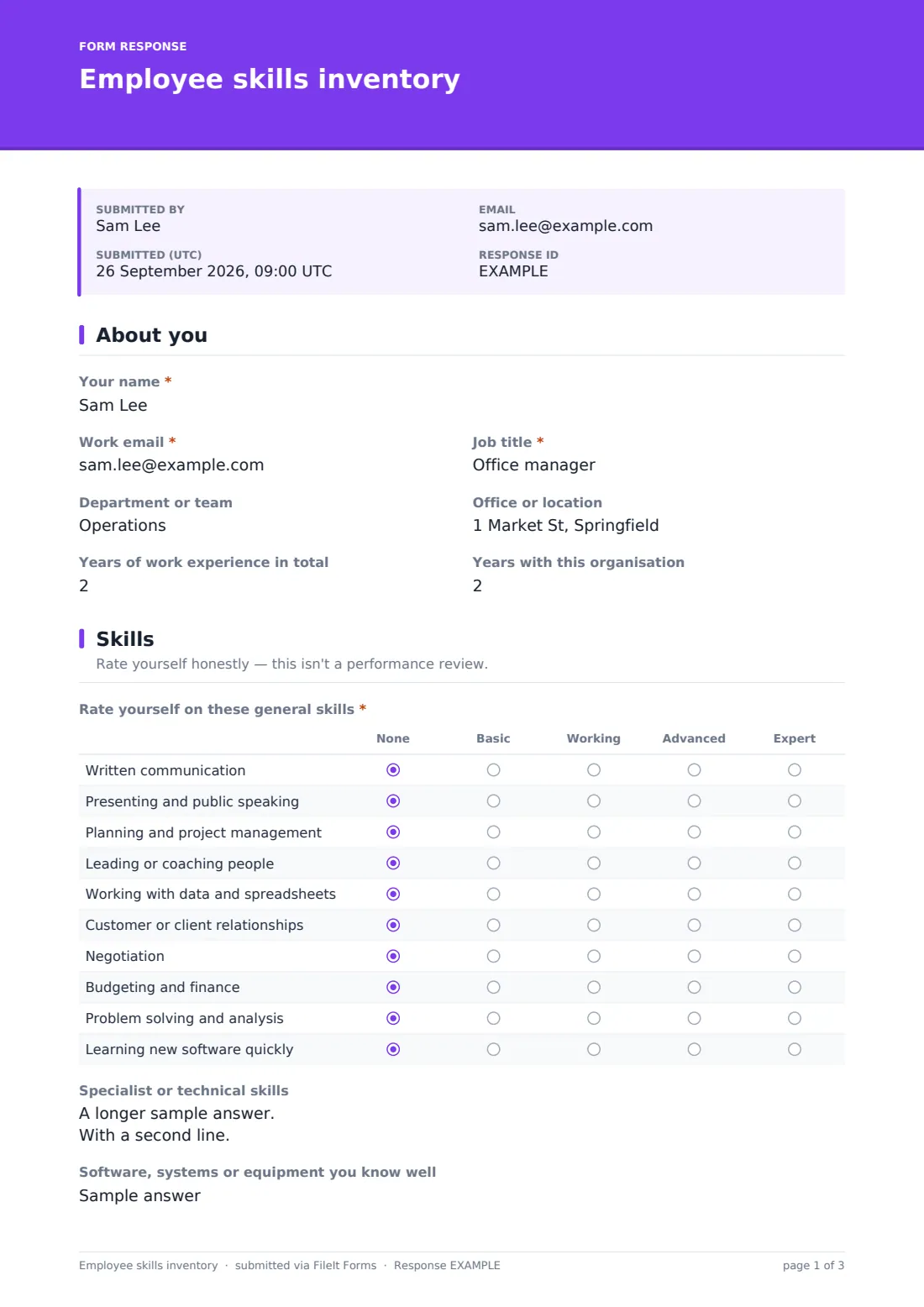
The employee gives their name, work email, job title, department or team and location, plus their years of work experience in total and years with this organisation.
2 Skills
Rate yourself on these general skills is a grid of ten rows: written communication, presenting, planning and project management, leading or coaching people, working with data, customer relationships, negotiation, budgeting, problem solving, and learning new software quickly. Each is rated None, Basic, Working, Advanced or Expert, and help text explains the levels so ratings are comparable.
A free-text box collects specialist or technical skills, one per line with a level, and a short question asks which software, systems or equipment they know well.
3 Languages & qualifications
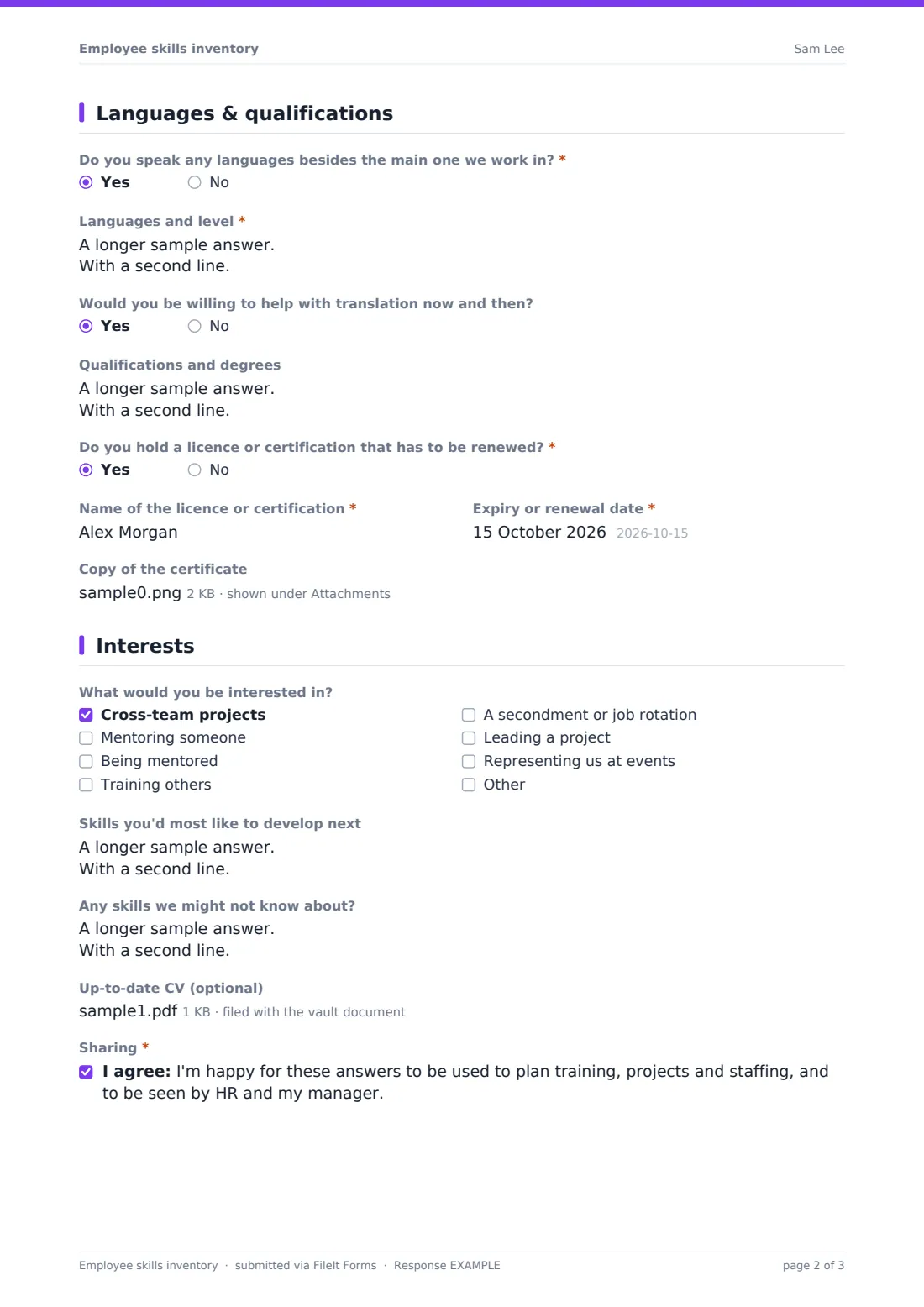
A Yes to Do you speak any languages besides the main one we work in? opens a required box for languages and levels, plus a question about helping with translation now and then. Qualifications and degrees is free text.
Do you hold a licence or certification that has to be renewed? is required. A Yes asks for its name, its Expiry or renewal date and a copy of the certificate, up to three files.
4 Interests
The last page asks what the employee would be interested in, such as cross-team projects, mentoring or being mentored, training others, a secondment, leading a project or representing you at events. They can describe the skills they'd most like to develop, mention any skills you might not know about from a previous career or a hobby, and attach an up-to-date CV. A consent statement explains that the answers will be used for planning and seen by HR and their manager.
Make the template yours
- Swap the ten grid rows for the competencies in your own framework
- Add a grid of technical skills specific to your industry
- Change the levels, for example to a simple Beginner, Competent, Expert
- File each profile into a folder per department
- Edit the sharing statement to name exactly who will see the answers
Tips for a better employee skills inventory form
- Explain why you're asking, so people don't underrate themselves
- Re-run it once a year and compare the results
- Use the certification expiry dates to plan renewals well ahead
- Act on the interests page, even in a small way, or people stop answering
- Ask managers to fill in a copy for new joiners who haven't started yet
Every response becomes a PDF in your vault
FileIt files each profile as a PDF in the vault folder you chose, titled with the employee's name, with certificates and CV attached to the document. You're notified by email when one arrives.
Export the Responses table to CSV and every grid row becomes its own column, so you can build a team skills matrix in a spreadsheet, filter for a language, or list who rated themselves Advanced or Expert in a skill.
- Start from this template. It opens in the FileIt Forms designer — change any question, add pages, set the rules for when questions appear.
- Share it. Turn on a public link, or send it to people by email, each with their own link. They don’t need a FileIt account.
- Get the answers as PDFs. Each response is saved as a PDF in the vault folder you choose, with uploaded files attached — and listed in a Responses table you can export to CSV.
Employee skills inventory form: frequently asked questions
What is an employee skills inventory?
It's a record of the skills, qualifications, languages and certifications each person has, usually self-reported, that helps you plan training, projects and staffing.
Is this skills inventory template free?
Yes. It's a starter template in FileIt's Forms app, and you can change every question and rating level.
Can I send it to everyone at once?
Yes. Paste a list of names and emails to send personal links, track who has submitted, and send reminders to the rest.
Will FileIt remind me when a certification expires?
The form records the expiry date and attaches the certificate to the filed document. Use the date in the CSV export to plan renewals.
Are self-ratings reliable?
They're a starting point. The help text defines each level to make ratings more consistent, and many teams review them with managers afterwards.
Can I add our own competency framework?
Yes. Edit the grid rows and levels in the designer to match your framework.