What is the shipping request form template?
"Can you send this to a customer tomorrow?" is where most shipping problems start. The mailroom or warehouse then has to chase the recipient's phone number, the weight, whether the box contains batteries, who's paying, and — for anything going abroad — what to put on the customs paperwork.
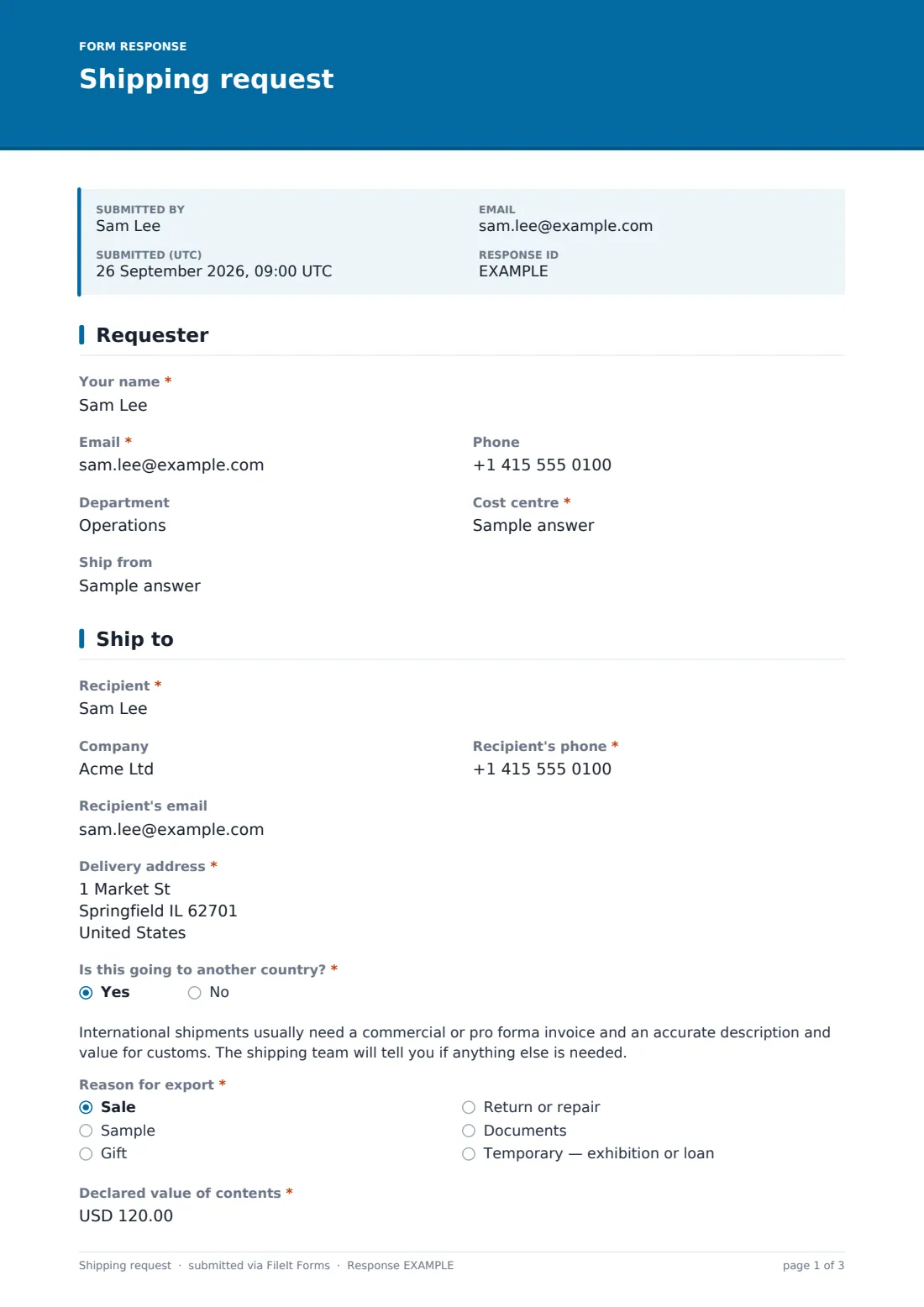
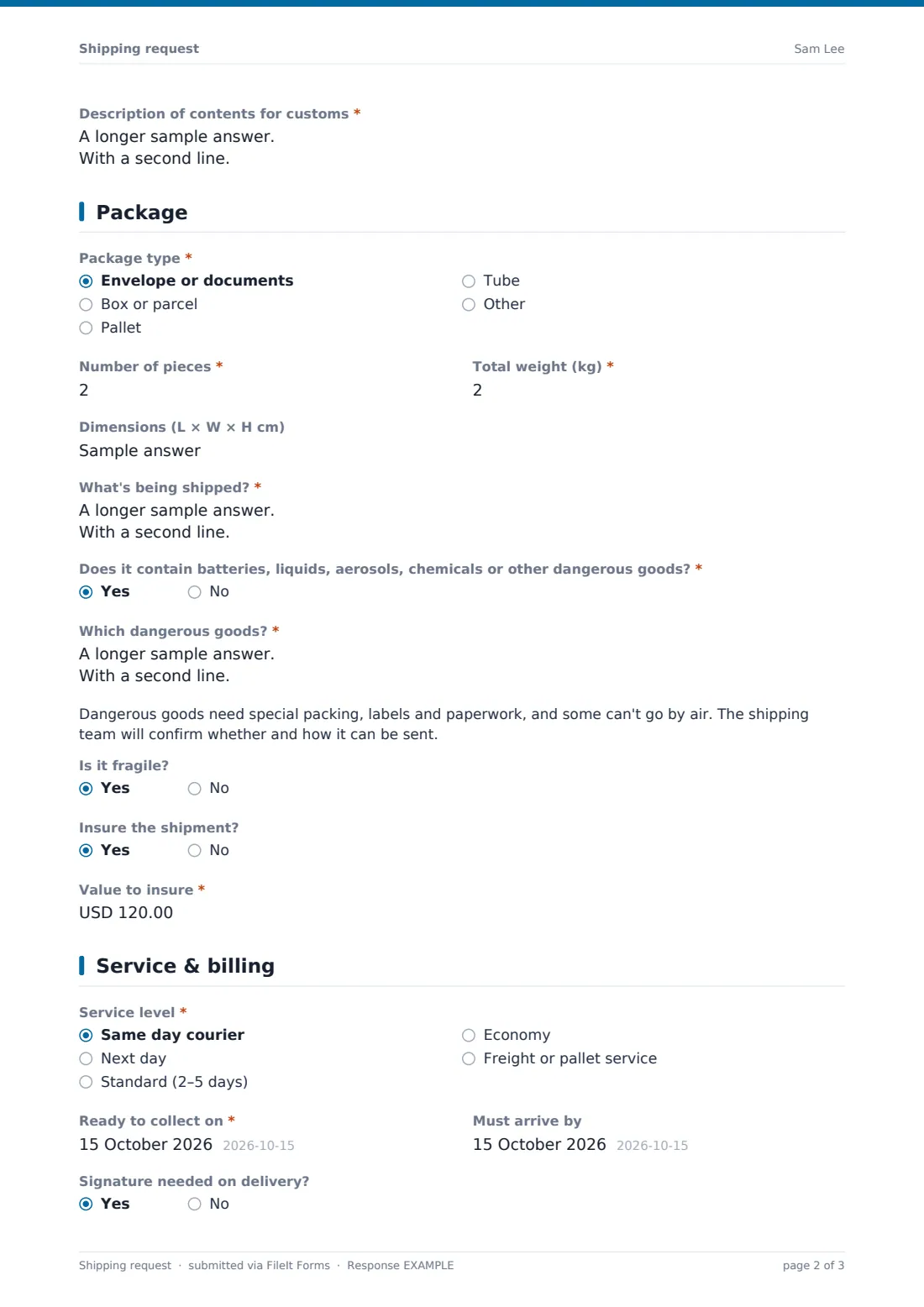
This template asks for all of that at once: the requester and cost centre, the recipient and delivery address, package type, pieces, weight, dimensions and contents, a dangerous goods check, insurance, the service level and dates, and who pays. International shipments add a reason for export, declared value and a customs description.
Each request is saved as a PDF in your FileIt vault, giving you a record of what was sent, where, why and on whose budget.
- Best for
- Mailrooms, warehouses and office managers handling outbound shipping
- Filled in by
- The staff member who needs something sent
- Time to complete
- About 3–5 minutes
- Includes
- International customs questions, dangerous goods check, insurance, billing options, document uploads
Who uses a shipping request form?
- An office where staff send samples, documents and equipment through one mailroom
- A warehouse handling ad-hoc shipments outside the normal order flow
- Sending trade show materials to an exhibition venue
- Returning faulty equipment to a supplier for repair
- Charging courier costs back to the right department
- Collecting customs details before booking an international courier
Questions on this shipping request form
33 questions over 4 pages · includes file upload, conditional questions, multiple pages.
1 Requester
- Your name*
- Email*
- Phone
- Department
- Cost centre*
- Ship from
2 Ship to
- Recipient*
- Company
- Recipient's phone*
- Recipient's email
- Delivery address*
- Is this going to another country?*
- Reason for export* asked only when it applies Sale · Sample · Gift · Return or repair · Documents · Temporary — exhibition or loan
- Declared value of contents* asked only when it applies
- Description of contents for customs* asked only when it applies
3 Package
- Package type* Envelope or documents · Box or parcel · Pallet · Tube
- Number of pieces*
- Total weight (kg)*
- Dimensions (L × W × H cm)
- What's being shipped?*
- Does it contain batteries, liquids, aerosols, chemicals or other dangerous goods?*
- Which dangerous goods?* asked only when it applies
- Is it fragile?
- Insure the shipment?
- Value to insure* asked only when it applies
4 Service & billing
- Service level* Same day courier · Next day · Standard (2–5 days) · Economy · Freight or pallet service
- Ready to collect on*
- Must arrive by
- Signature needed on delivery?
- Who pays?* Our account — charge my cost centre · Recipient pays · Third-party account
- Account number to bill* asked only when it applies
- Invoices, packing list or safety data sheets
- Special instructions
The shipping request form, page by page
1 Requester
The requester gives their name, email, phone and department, a required cost centre for the charge, and where it's shipping from if that isn't the main office.
2 Ship to
The recipient's name, company, phone number (carriers often need it), email and full delivery address come first. A required question asks whether the shipment is going to another country.
If it is, a note explains that customs paperwork is usually needed, and the form asks for the reason for export (sale, sample, gift, return or repair, documents, or temporary), the declared value and a description of the contents for customs.
3 Package
The requester chooses the package type — envelope, box, pallet, tube or other — and gives the number of pieces, total weight, dimensions and a description of the contents. A required dangerous goods question covers batteries, liquids, aerosols and chemicals; answering yes asks which goods and shows a note that the shipping team will confirm how they can be sent. Fragile items and insurance, with the value to insure, finish the page.
4 Service & billing
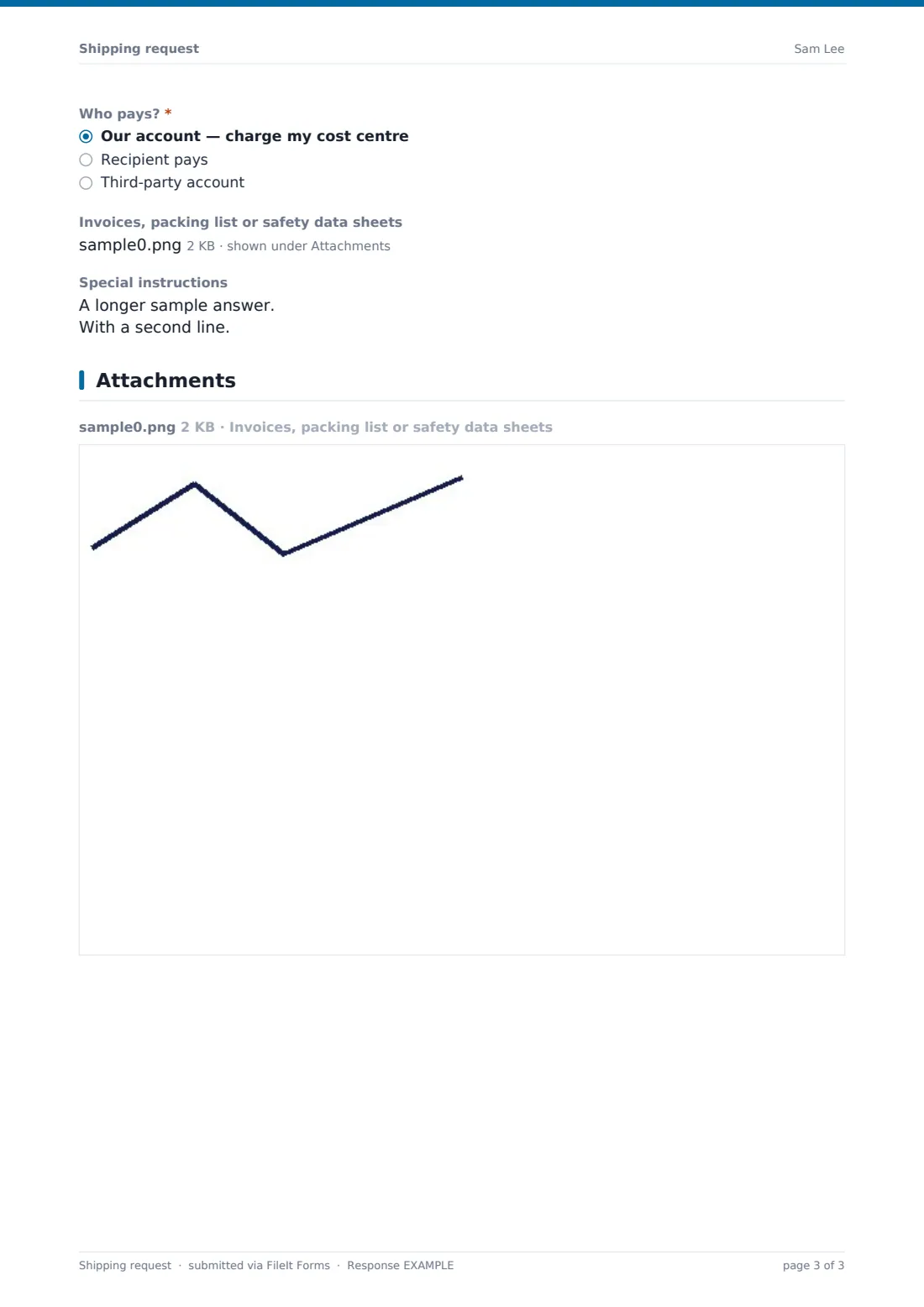
The requester picks a service level from same day to freight, the date it's ready to collect and, if it matters, when it must arrive. They say whether a signature is needed on delivery and who pays: the company's account charged to the cost centre, the recipient, or a third party (which asks for the account number). Invoices, packing lists or safety data sheets can be uploaded, and special delivery instructions added.
Make the template yours
- Replace the service levels with your carriers' actual services
- Change the currency on the value fields to the one you use
- Make the ship-from field a dropdown of your sites
- Remove the international questions if you only ship domestically
- Add your mailroom or warehouse to the notification emails
- Add an approval question for shipments above a set cost
Tips for a better shipping request form
- Weigh and measure the package before requesting — estimates cause surcharges and delays
- Always give the recipient's phone number; many couriers won't deliver without one
- Describe contents precisely for customs — vague descriptions often cause holds
- Check with the shipping team before sending anything with lithium batteries
- Keep the tracking number with the request once it's booked
- Export requests by cost centre each month for recharging
Every response becomes a PDF in your vault
Each request is saved as a PDF in your chosen vault folder, with any invoices or packing lists attached, and the form owner is emailed so the shipping team can book it.
The Responses table shows every request by date, service level and cost centre, and exports to CSV for recharging or carrier reconciliation. FileIt doesn't book couriers or print labels — that's done in your carrier's own system.
- Start from this template. It opens in the FileIt Forms designer — change any question, add pages, set the rules for when questions appear.
- Share it. Turn on a public link, or send it to people by email, each with their own link. They don’t need a FileIt account.
- Get the answers as PDFs. Each response is saved as a PDF in the vault folder you choose, with uploaded files attached — and listed in a Responses table you can export to CSV.
Shipping request form: frequently asked questions
Is this shipping request form template free?
Yes. It's included in the FileIt Forms app on every account, including the free plan.
Does the form book the courier or print labels?
No. It collects the request and files it. Your shipping team books the shipment with your carrier.
Can we collect customs information?
Yes. Saying the shipment is going abroad asks for the reason for export, declared value and a description of contents for customs.
Does the form tell us whether dangerous goods can be shipped?
No. It flags that the package contains dangerous goods and asks which ones. Whether and how they can be shipped depends on your carrier's rules.
Can we charge shipments to departments?
Yes. The cost centre is required, and the billing question records whether it's charged to your account, the recipient's or a third party's.
Do staff need a FileIt account?
No. They can request a shipment from the form's link.
Can staff attach an invoice or packing list?
Yes. There's an upload for invoices, packing lists and safety data sheets, up to five files.
Can we add our own carriers and services?
Yes. Edit the service level options in the designer to match the services you actually use.